









Esempi di sezioni di notizie sui siti web: come crearle per ottenere clic nel 2026

ChatGPT
o
Perplessità

Most brands and businesses need a functioning website news section to keep their customers in the loop on everything from product to industry updates.

That said, they can’t sit quietly in the footer or navigation sections and be rarely updated. They shouldn’t be your content graveyard, but a conversion point.

Proper website news sections send out credibility signals and build momentum for your brand. So, learning how to build one properly is essential.

I’ll teach you how to do just that: use website Generatore di widget AI di EmbedSocial to build the perfect pagina di atterraggio for your business. Keep on reading to learn more!

Image

Creare widget UGC con un prompt

Utilizzate un solo prompt e create in pochi secondi widget di riprova sociale per il vostro sito web.

Iniziare la prova gratuita di 7 giorni

What is a website news section (and what it’s not)

A news section on website is a dedicated area of a site used to publish timely updates such as announcements, product releases, company milestones, events, etc.

‘Website news section’ definition

It serves an important function: keep visitors in the loop on what’s new, without requiring them to dig through long-form blog content or static pages. However, it’s not a separate news site where news stories get published, and nothing more.

As such, a well-structured news section on a website signals activity, rilevanza, e credibilità at a glance. So, it’s non just another blog since it’s time-sensitive.

Moreover, it’s also non a press page or an “in the news” section—those focus on external coverage and brand mentions. A website news section is owned content, designed to surface what voi are actively doing right now to improve the industry and your offerings.

At the end of the day, most news websites do not publish separate blog posts

Per saperne di più:

10 esempi di sezioni CTA basate sull'intelligenza artificiale + Come realizzarle nel 2026

9 esempi di sezioni AI Hero e come crearne una in pochi minuti

Which websites need news sections the most?

While not every website may need a news section, most modern brands and businesses can surely take advantage of one, especially those working in these niches:

  • Marketing and brand websites—to highlight announcements, campaigns, and updates without relying solely on blog content;
  • Corporate and enterprise websites—to maintain credibility through a consistent news and events section in website;
  • SaaS and product-driven websites—to publish releases, feature updates, and roadmap progress via a clear news section on a website;
  • Educational and institutional websites—to communicate timely updates and reinforce trust through an active news section of a website;
  • Content-heavy and media brands—to support high-frequency publishing with a scalable latest news section on website.

Think of it like this: if your site needs to signal momentum, legitimacy, or ongoing activity, a website news section is part of the foundation, not decoration.

What every effective news section on a website must include?

Look at your website news section as a conversion layer instead of a content archive. As such, you have to keep track of certain elements to ensure the news section performs well:

diagram showcasing important website news section elements

1. A clear content hierarchy

Without hierarchy, every update looks equally unimportant, and users bounce.

Prioritise relevance over recency

The latest item isn’t always the most important. Feature updates, major announcements, or high-impact news should visually lead the section, even if they aren’t the newest.

Use visual weight to guide attention

Size, spacing, and placement matter. Featured news should look featured. That means larger cards, stronger headlines, or richer visuals create a natural reading path.

💡 Pro tip: design for scanning, not reading

Assume visitors skim. If the hierarchy isn’t obvious within three seconds, it’s broken.

2. Contextual CTAs per article or block

A news section without CTAs is a dead end.

Match the CTA to the intent of the update

Product updates should lead to feature pages, announcements to landing pages, and media mentions to credibility or press assets. Generic “read more” links waste momentum.

Keep CTAs lightweight but visible

News CTAs should be discoverable easily, and they don’t have to scream. Think text links, subtle buttons, or icon-led actions that outperform hidden links.

💡 Pro tip: one CTA per block, no exceptions

Multiple CTAs dilute focus. One clear next step converts better than three vague options.

3. Visual signals of freshness and relevance

If users can’t tell what’s new, they won’t trust the section.

Always show dates, but don’t stop there

Dates are necessary but not sufficient. Tags like “New”, “Update”, or “Just released” provide faster context than timestamps alone.

De-emphasise outdated content visually

Older items should fade naturally. Use smaller cards, lighter colours, or lower placement without being removed entirely.

💡 Pro tip: freshness is perceived, not calculated

A visually stale section feels outdated even if it was updated last week. Design freshness deliberately.

4. Modular layouts that can be reused elsewhere

A news section should never exist in isolation.

Design news blocks as reusable components

Each item should work as a standalone module that can live on a homepage, landing page, or campaign section without having to redesign the page. Thankfully, if you use a vibe coding platform like EmbedSocial, you can create such elements at any time.

Repurpose high-performing news across the site

If an update gets traction, reuse it elsewhere. Modular layouts let you surface the same news where it matters most, so you can add the section anywhere on your site.

💡 Pro tip: modularity equals speed

The easier it is to reuse a news block, the more often it will be used, and the more value it creates.

5. Clear ownership and update logic

This is the invisible element that decides everything.

Assign one owner, not a committee

Someone must own the news section end-to-end. When ownership is shared, updates stall. So, a single person should be put in charge of it and curate it regularly.

Define update triggers, not just schedules

Don’t rely only on “we update monthly”. Define triggers like launches, campaigns, partnerships, or milestones that automatically justify new entries.

💡 Pro tip: consistency beats frequency

A smaller, consistently updated news section converts better than a large one updated randomly.

7 website news section examples that actually work (by design and purpose)

Below are seven website news section examples I generated in minutes using our AI UGC widget generator. Each of them is designed around a specific layout and business goal, so you can see not just how they look, but why they work in different scenarios.

1. Classic news slider for e-commerce websites (slider-based layout)

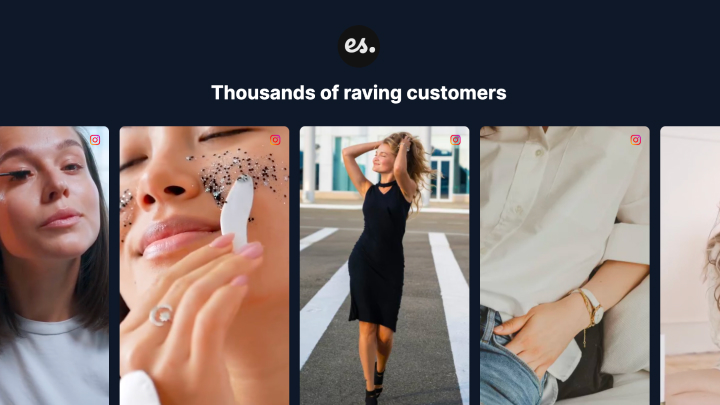
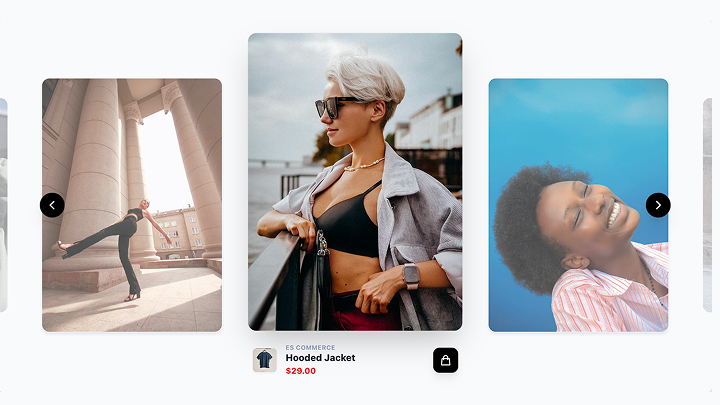
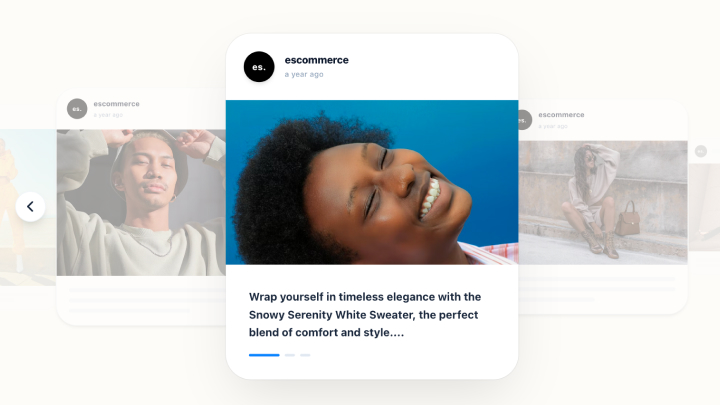
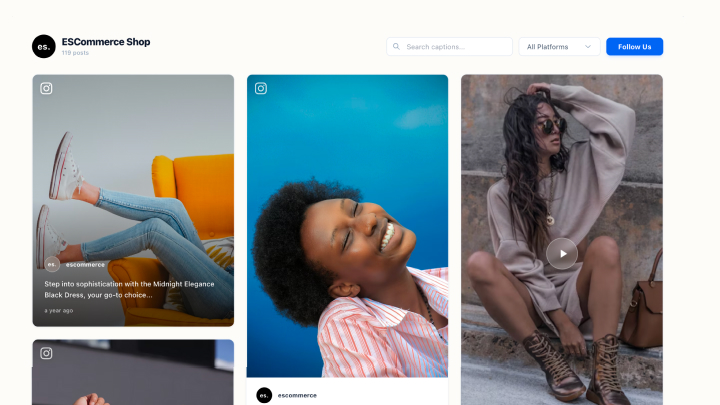
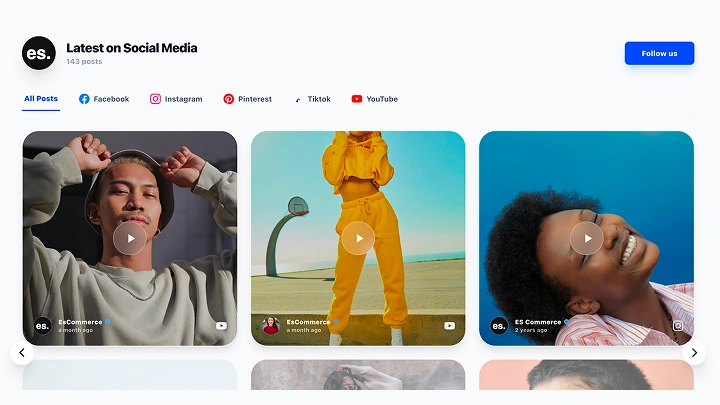
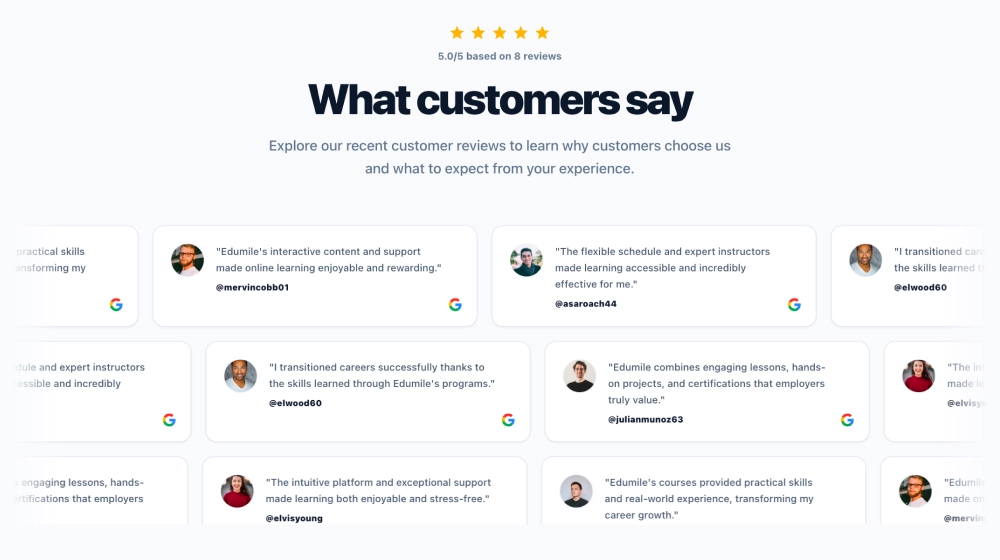
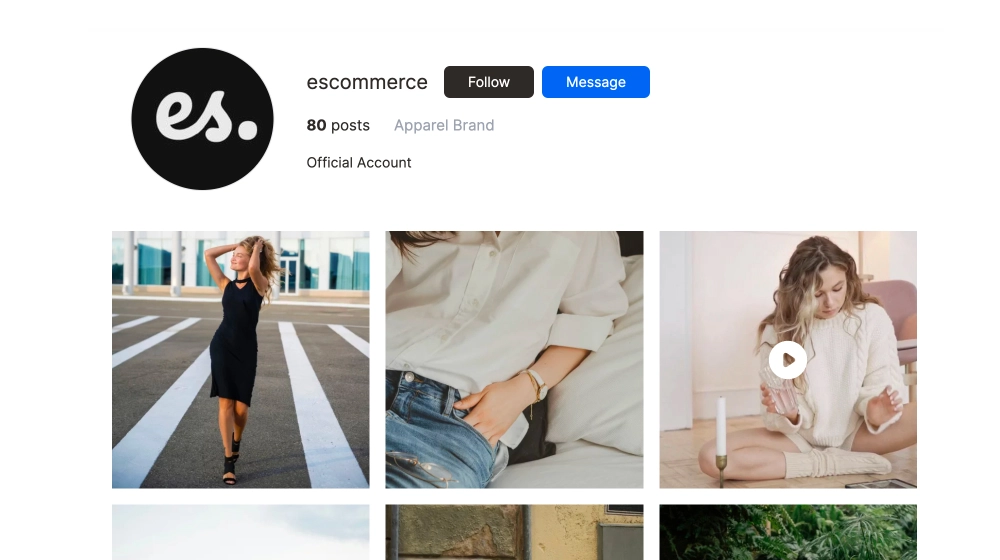
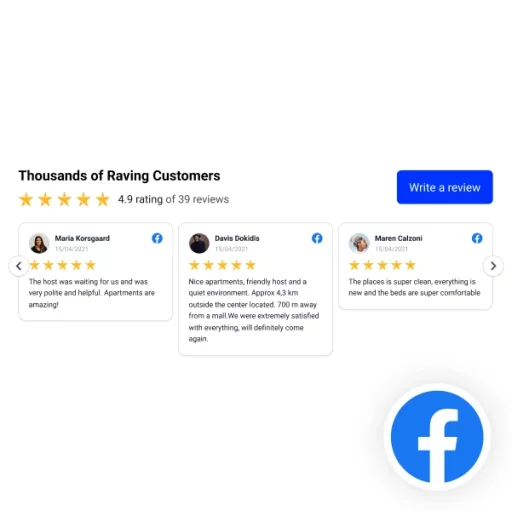
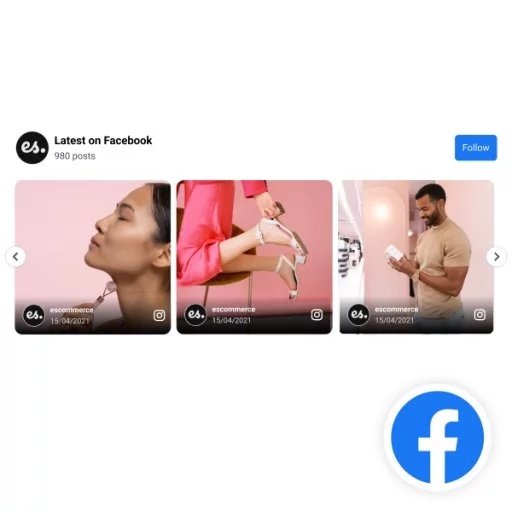
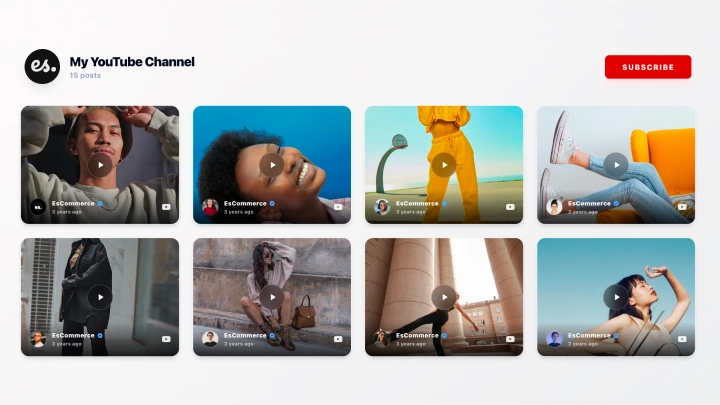
Turn real social media posts and feedback dei clienti into a dynamic news-style slider for your website. Our Classic News Slider displays authentic content in a clean, scrollable layout—helping you build trust, keep your pages fresh, and highlight what people are really saying:

classic news slider template

Vantaggi:

  • Show real, unfiltered content from social media and review sources
  • Slider-based layout that feels modern, editorial, and easy to scan
  • Aumentare la credibilità by showcasing authentic customer opinions
  • Fully customizable design to match your brand’s look and feel
  • Reattivo per i dispositivi mobili for smooth browsing on any device
  • Auto-updating content so your widget stays fresh without manual work

Casi d'uso:

  • Feature customer reviews on ecommerce product or category pages
  • Create a “social news” section on your homepage
  • Highlight brand mentions and feedback for SaaS or service websites
  • Showcase lifestyle content and testimonials for fashion or retail brands
  • Add social proof to landing pages to increase conversions

Embed the Classic news slider today and turn authentic content into instant trust.

Il nostro Breaking News Hero Section template is a bold, newsroom-style layout designed to spotlight urgent or high-impact content. With dramatic typography, dark overlays, and clear category labeling, it instantly draws attention and positions your updates as timely, credible, and worth reading:

breaking news hero section template

Caratteristiche:

  • LinkedIn feed integration (company pages or profiles)
  • Modern dark UI for a premium, professional look
  • Swipeable carousel that keeps users engaged
  • Supports text, image, and video posts
  • Fully responsive on desktop, tablet, and mobile
  • Personalizzabile colors, spacing, fonts, and card styling
  • Lightweight embed with fast loading performance

Casi d'uso:

  • Vetrina company updates on SaaS and startup websites
  • In evidenza thought leadership posts on personal brand pages
  • Add social proof to careers and “About us” pages
  • Condividi event recaps, product launches, or announcements
  • Build trust on B2B landing pages with real LinkedIn activity

Make your most important news articles noticeable with our latest news section website design. It’s great for press release, domestic, and international news.

3. Social news section for brand credibility (visual-first layout)

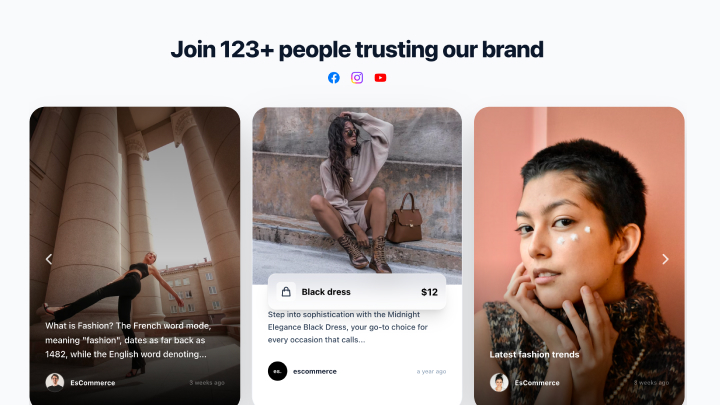
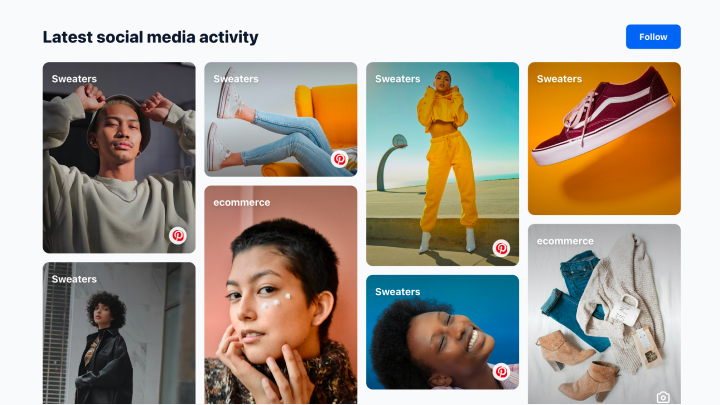
Il nostro Social News Section template helps you turn social content into a clean, editorial-style “daily briefing” block for your website. It’s ideal for brands and publishers who want a modern, magazine-like layout that highlights one featured post/article and supports it with smaller updates:

social news section template

Caratteristiche:

  • Hero-first layout: one featured story/post with a strong headline + large image
  • Secondary cards underneath to highlight multiple updates at a glance
  • Works great for UGC, social posts, or curated content (Instagram, TikTok, X, YouTube, etc.)
  • Clean typography + category labels for a newsroom feel
  • Responsive per i dispositivi mobili with stacked cards and optimized spacing
  • Design personalizzabile: colors, fonts, labels, spacing, and thumbnails
  • Opzionale CTA buttons/links to drive clicks to campaigns, blogs, or product pages

Casi d'uso:

  • “Latest updates” section for brands and ecommerce (drops, announcements, community posts)
  • Media & publishers showcasing trending stories or social headlines
  • SaaS companies sharing product updates, changelogs, and community highlights
  • Eventi featuring daily recaps, speaker highlights, and attendee posts
  • Organizzazioni non profit sharing news, milestones, and impact updates in a digest format

Embed our Social News Section template and keep website visitors coming back for the latest.

4. News section for educational and institutional websites (structured list layout)

This design prioritises order and predictability over visuals, making it ideal for environments where trust and clarity matter most:

Build a structured list-style news section for an educational or institutional website with clear headlines, dates, categories, and links. Optimise for clarity, consistency, and frequent updates.

news section for educational and institutional websites template

Why this section works:

Visitors don’t browse—they verify. A structured list makes updates easy to find, easy to archive, and easy to trust.

5. Product update–driven news section for SaaS websites (minimal list with CTAs)

This section focuses on functionality, not storytelling. Updates are short, actionable, and tightly connected to the product:

Generate a minimal product updates news section for a SaaS website with short release notes, feature highlights, and clear CTAs leading to product pages or documentation.

saas news section template

Why this section works:

Product news doubles as onboarding. Each update nudges users toward feature adoption instead of just informing them.

6. Campaign-based news section for launches and promotions (visual-first layout)

This layout treats news like a campaign surface, not a log—perfect for launches, offers, and limited-time announcements:

Create a visual-first news section for a product launch using large visuals, bold headlines, and time-sensitive CTAs. Emphasise urgency over chronology.

campaign news section template

Why this section works:

Urgency converts. Visual emphasis and focused CTAs guide attention exactly where it needs to go during campaign windows.

7. Freshness-focused news section for food brands and restaurants (menu-style layout)

Designed for food brands, restaurants, and hospitality businesses that need to communicate freshness, availability, and timely updates without overwhelming visitors:

Create a menu-style website news section for a food creator that highlights her special recipes. Add a play button to every video and add the recipe next to it.

food brands news section template

Why this section works:

In the food industry, relevance expires fast. A menu-style news section mirrors how people already make decisions—quickly, visually, and based on what’s fresh right now—keeping attention high without adding friction.

How to add a news section to your website using AI?

Now you can create a news section without any custom layouts, manual updates, or developer cycles. You just need Widget AI like EmbedSocial’s to generate a structured, CTA-ready news section from a simple text prompt, which you can deploy anywhere on your site.

No need to worry about your news website design any longer or whether or not it will rank in search engines. You can now collect all your news posts and relevant stories into a single widget created automatically with all the web design elements it needs:

Passaggio 1: apri l'area Widget in EmbedSocial

Crea il tuo account EmbedSocial and navigate to Widget from the left-hand menu. This is where all reusable, embeddable website sections are created and managed. Instead of starting from a blank page, you’re working inside a system built for modular sections:

accessing the widgets section in embedsocial

Step 2: Connect your news sources

Are you posting your brand updates on LinkedIn? Instagram? Facebook? Other platforms? Doesn’t matter. EmbedSocial has a direct API connection to all popular social media platforms. Once you post there, we immediately pull the content to your website.

To do that, just head on over to the ‘Sources’ tab. Rubinetto Aggiungi nuova fonte and follow the on-screen prompts to connect any or all of your social media handles:

adding a new ugc source in embedsocial

Step 3: Describe the news section you want to generate

Basta toccare ‘Generare con l'intelligenza artificiale’ (top-right corner) to access our vibe coding widget tool. There, you dcan use natural language to describe your ideal news section.

For example: add information about the type of updates, layout style, number of items, and whether CTAs should be included before pressing ‘Generate’:

vibe coding a news section via embedsocial's ai widget generator

💡 Suggerimento: Be specific about the purpose or the section, such as announcements, product updates, campaigns, and/or press mentions, to get cleaner results.

Step 4: Refine the layout and content visually

You can tweak your news section’s spacing, headlines, CTAs, and visuals directly via text prompts in the editor. You don’t have to rewrite or redesign anything from scratch. This makes it easy to iterate on your latest news section website design without slowing down:

customizing your news section look in embedsocial editor

Step 5: Embed the news section on your website

Lastly, copy the section’s code via the Scheda "Incorpora and place it on any page—homepage, landing page, or dedicated news page. The section will keep updating dynamically as you publish new content to your socials, so future changes don’t require re-embedding:

copying the embeddable widget code in embedsocial editor

Using EmbedSocial to build and update a website news section at scale

You don’t need to redesign pages or manage news manually anymore. You just need an AI-driven section generation that allows you to focus on what to publish next.

Instead of acting like a traditional CMS or rigid page editor, EmbedSocial works as an AI-powered section builder. As such, it allows you to easily generate, customise, and embed conversion-ready news sections in minutes, which you can embed on any website page.

embedsocial landing page

Ecco come EmbedSocial changes a news section on website in practice:

  • Build website news sections block by block—generate latest news sections, “in the news” sections, product update feeds, and campaign-based news layouts.
  • Use AI to generate structured news section designs—automatically create layouts with headlines, summaries, visuals, and CTAs aligned with your brand.
  • Act as a flexible section layer, not a locked CMS—embed AI-generated news sections into any website, CMS, or page builder you already use.
  • Design like a content editor, not a developer—adjust spacing, typography, visuals, and hierarchy while AI preserves structure and consistency.
  • Choose from multiple news section layout types—start with ready-made patterns and let AI adapt them to your specific news content.
  • Turn updates into reusable conversion assets—reuse the same news blocks across homepages, landing pages, and campaign pages.
  • Keep your latest news section always fresh—update, reorder, or replace news items without re-embedding or redesigning your webpages.
  • Iterate faster without breaking layouts—swap individual news blocks to test messaging, CTAs, or visuals without touching the rest of the page.

EmbedSocial is built to turn website news sections into active conversion surfaces that keep your updates relevant, structured, and performance-driven.

Why most website news sections underperform (and how to fix them)?

You must have come across some stale website news sections, right? They don’t fail because of bad content, but because they are treated as storage rooms.

Ecco what breaks, why it breaks, and how to fix it, so your news sections look and act like performance surfaces that earn clicks, trust, and action:

1. They’re treated as archives, not conversion surfaces

News sections are often built as chronological dumps. Once published, items are left to decay quietly. That’s your first mistake!

Why this hurts performance?

Archives are simply not engaging enough, and they don’t guide attention. Visitors scan, see no clear value, and leave without engaging further.

How to fix it?

Design the news section as a surface with intent:

  • Feature high-impact updates at the top.
  • Demote low-value or outdated items visually.
  • Treat every block as a potential entry point.

💡 Suggerimento: If a news item can’t logically lead to another page, it shouldn’t be featured.

2. They prioritise chronology over relevance

“Latest first” is easy to do, but it’s not always optimal.

Why this hurts performance?

Not all news has equal weight. Minor updates shouldn’t crowd out major announcements, and visitors miss what actually matters.

How to fix it?

Introduce relevance layers, such as:

  • Featured vs secondary news,
  • Campaign-linked updates,
  • Product or category tags.

💡 Suggerimento: Relevance beats freshness for conversions, especially on high-traffic pages.

3. They lack clear CTAs or next steps

Many news sections stop at the headline.

Why this hurts performance?

Without a next step, attention evaporates. Even interested users don’t know where to go next.

How to fix it?

Attach intent-driven CTAs to every item:

  • Product updates → feature pages
  • Announcements → campaign or landing pages
  • Media mentions → credibility or press sections

💡 Suggerimento: One CTA per news block converts better than multiple weak options.

4. They’re static while everything else evolves

The rest of the website updates, but your news section freezes? Time for a change.

Why this hurts performance?

Static layouts make even fresh updates feel old. The section loses trust before content is read.

How to fix it?

Use modular, reusable layouts:

  • Update blocks without redesigning.
  • Reuse news items across pages.
  • Visually refresh sections without touching content.

💡 Suggerimento: Design the layout to change faster than the content. You can rely on an Widget AI UGC designer like EmbedSocial to do all that in minutes.

5. How often to update your latest news section

Consistency matters more than volume. Your followers must see that you pay attention to your news section regularly, as that indicates freshness and reliability.

What works best?

  • SaaS and marketing sites: weekly or bi-weekly.
  • Corporate or institutional sites: monthly, but predictable.
  • Campaign-driven sites: update per launch or milestone.

💡 Suggerimento: An empty news section is worse than a small but reliable one.

6. When to remove or archive old news

Old news isn’t bad; unmanaged news is. It all depends on how evergreen and/or important the news is. If it’s something that changes your brand, keep it for a longer time.

Best practice?

  • Archive time-sensitive updates after relevance expires.
  • Keep evergreen announcements accessible but de-emphasised.
  • Never delete content that still supports trust or SEO.

💡 Suggerimento: Archive visually, not structurally, so keep URLs alive where possible.

7. How to keep news sections aligned with campaigns

This is where news sections quietly win.

How to do it well?

  • Surface campaign-related updates during launch windows.
  • Reuse campaign news blocks on landing pages.
  • Retire or rotate items once your campaigns end.

💡 Suggerimento: Campaign alignment turns news sections into distribution channels, not leftovers.


In conclusione: Your news section website design should be maintained and reused with intent. It will pull real weight when you start treating it as essential infrastructure.

Conclusion: Treat your website’s news section like a conversion asset!

You must think of your website news section as the place that signals up-to-date activity on your homepage, and consequently, credibility and direction for your brand.

For that reason, you must design it with structure, CTAs, and intent in mind. That way, your news section stops being passive content and starts to guide real action.

You can easily do all that with a vibe UI design tool like EmbedSocial. It allows you to generate structured, CTA-ready news sections from simple prompts. Adding a visually-appealing news section to website has never been easier before!

No more manually building, updating, and redesigning news section in website design. You now build once (in minutes), and you can reuse the website elements across pages.

Image

Creare widget UGC con un prompt

Utilizzate un solo prompt e create in pochi secondi widget di riprova sociale per il vostro sito web.

Iniziare la prova gratuita di 7 giorni

FAQs about website news sections

What are different sections on a website called?

Websites are built from modular sections like navigation, hero sections, content blocks, news sections, CTAs, and footers. With tools like EmbedSocial, these sections can be generated and reused dynamically instead of being hard-coded.

How to embed news feed into a website?

You can embed a news feed using RSS, APIs, or no-code widgets that pull updates automatically. Platforms like EmbedSocial let you turn updates into structured, design-ready news blocks.

How to add a news section in a website?

A news section can be added using modular widgets or AI-generated layouts without custom development. This makes adding and updating news faster and more consistent across pages. You just describe the section, connect your news source, and paste the code on your website.

What are the 7 C’s of a website?

The 7 C’s are context, content, community, customization, communication, connection, and commerce. A website news section strengthens communication and connection by keeping updates visible and timely.

What are the 5 major components of a web page?

They are structure, content, navigation, visual design, and interaction. A well-built news section combines all five by presenting updates with a clear hierarchy and CTAs.

How do I add sections to a website?

Sections are added using CMS blocks, page builders, or widget-based components. Reusable sections created with tools like EmbedSocial allow updates without redesigning pages.

What should a website news section include?

It should include headlines, freshness indicators, short summaries, visuals, and contextual CTAs. AI-generated news sections make it easier to standardize these key elements across updates.

Is a news section still relevant on modern websites?

Yes, when it’s modular, dynamic, and conversion-focused. Modern news sections support campaigns, product updates, and credibility without relying on long-form blogs. Plus, it helps a lot with search visibility among your target audience.

How do I add a news section without redesigning my site?

By using plug-and-play widgets or AI-generated sections that fit existing layouts. This lets you launch a news section without touching your site’s core design.


Redy per saperne di più?

Programmate una demo e fate una visita guidata alla nostra piattaforma.

Demo del libro


Autore

Redattore SEO e di contenuti @EmbedSocial 

SEO e Content Editor con una vasta esperienza nell'aiutare le PMI a capire come stabilire e coltivare la loro presenza online, scrivere e curare post utili sui loro prodotti e servizi e costruire, gestire e ottimizzare i loro siti web per il successo!