Minimal LinkedIn Slider

Use this template

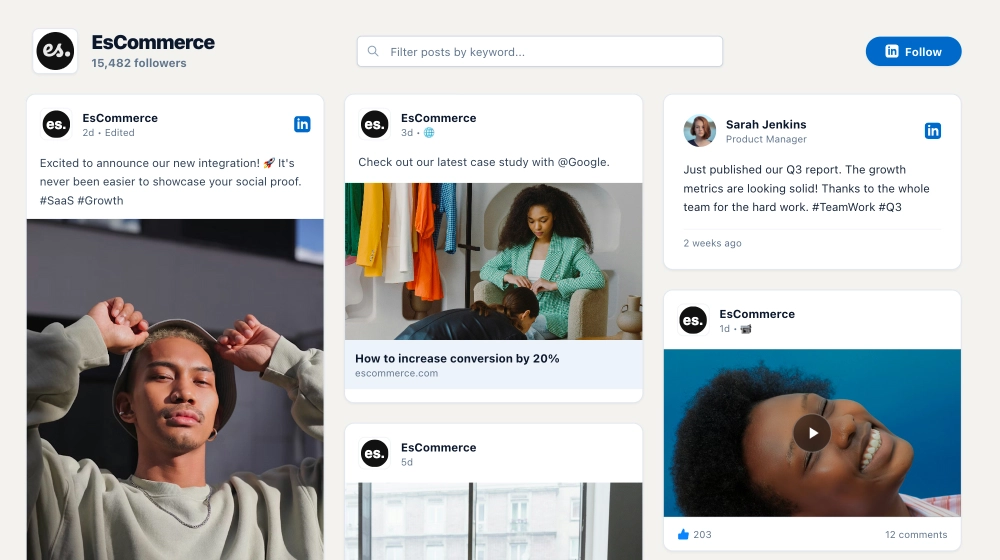
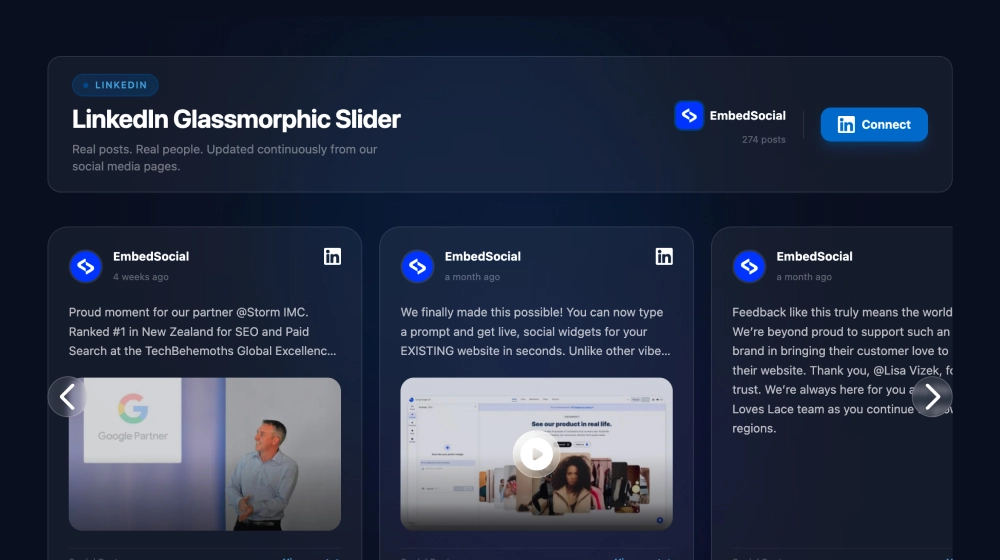
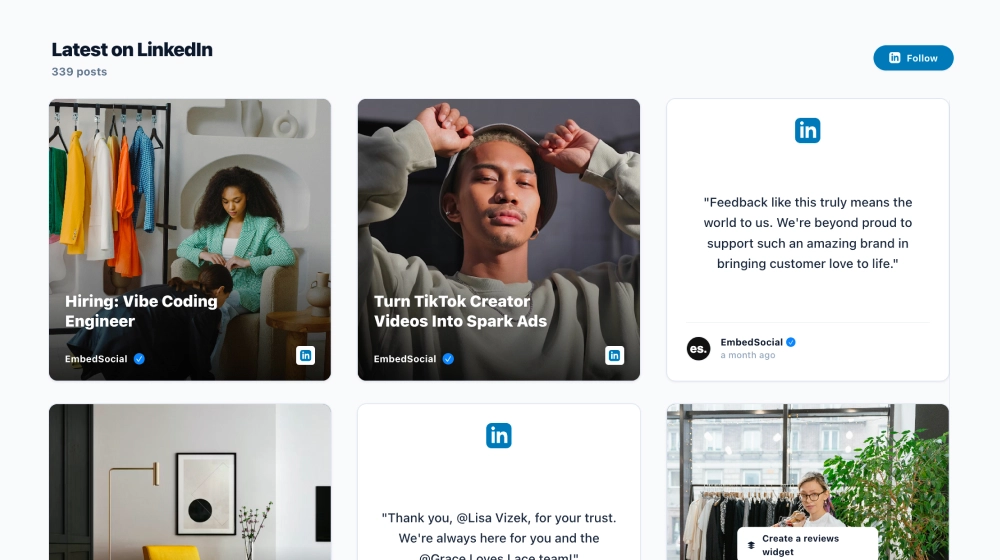
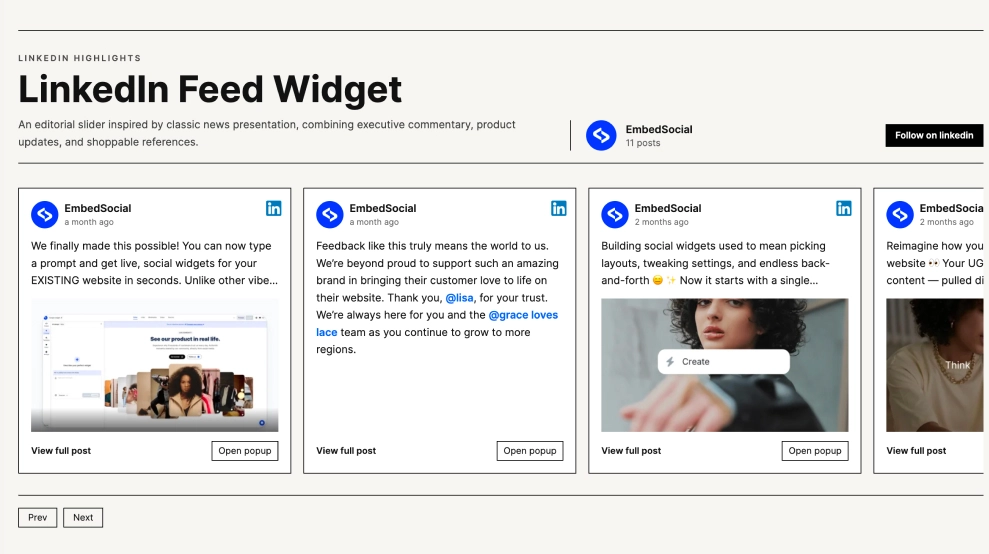
The Minimal LinkedIn Slider widget highlights your LinkedIn posts in a clean, swipeable carousel that feels lightweight and modern. It’s built for “Company updates” sections where you want to surface fresh content without taking over the page—perfect for showcasing announcements, videos, and wins in a sleek format.FeaturesMinimal slider layout: Displays posts as polished cards in a horizontal carouselCard-based design: Rounded corners, generous whitespace, and a clear content hierarchyLinkedIn source badge: Small “LinkedIn” label on each card for instant platform recognitionPost preview focus: Emphasizes the visual thumbnail plus a short post title/excerptVideo-ready: Supports video thumbnails with a prominent play iconTimestamps included: Shows “weeks/months ago” to keep updates feeling currentNavigation controls: Easy browsing with arrows (and swipe on mobile)Responsive by default: Adapts smoothly across desktop, tablet, and mobileUse casesHomepage “Company updates” section: Keep your site fresh with rotating LinkedIn highlightsProduct or feature pages: Share relevant launches, releases, and short updatesCareers pages: Spotlight culture posts, team wins, and behind-the-scenes momentsPartnership/press pages: Showcase awards, certifications, and partner announcementsLanding pages: Add social proof without a long scrolling feedHow to embedConnect your LinkedIn company page in EmbedSocial.Choose the Minimal LinkedIn Slider template from the widgets/templates library.Customize the title (e.g., Company updates) and adjust card spacing and styling.Copy the embed code (JavaScript or iFrame).Paste it into your website builder/CMS (WordPress, Webflow, Shopify, Wix, Squarespace, or custom HTML).Publish—new LinkedIn posts appear automatically in the slider.Add a clean, scroll-free LinkedIn showcase to your site—embed the Minimal LinkedIn Slider widget and keep visitors engaged with your latest company updates.
About this template

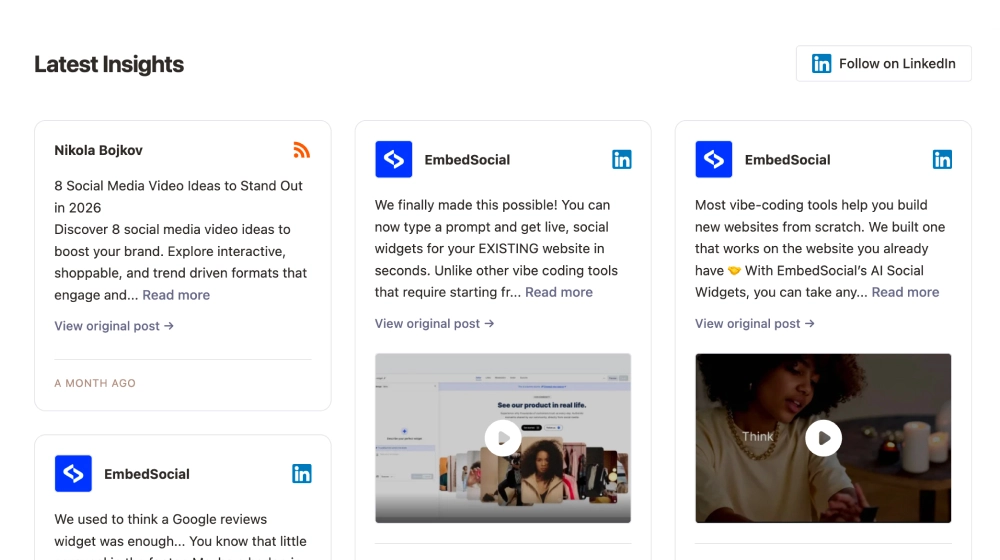
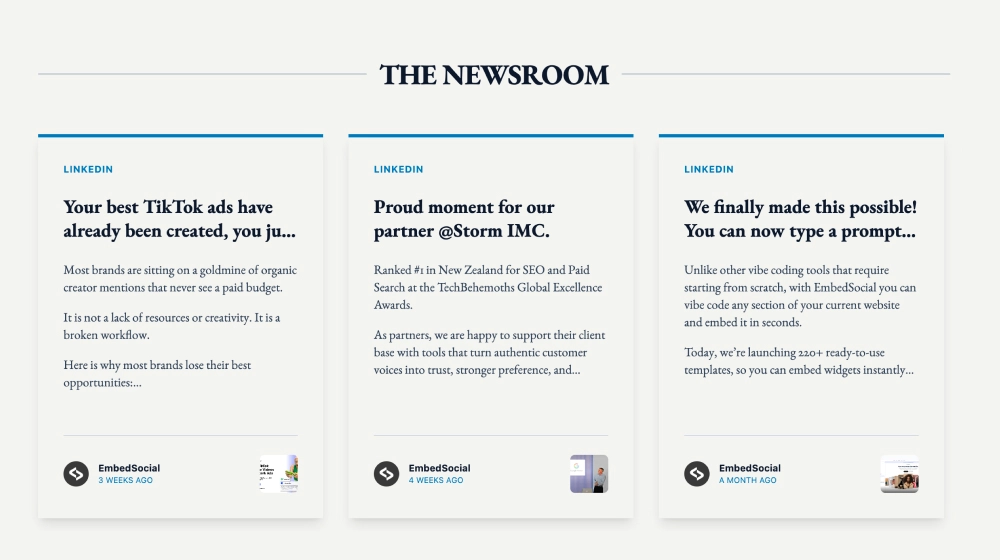
The Minimal LinkedIn Slider widget highlights your LinkedIn posts in a clean, swipeable carousel that feels lightweight and modern. It’s built for “Company updates” sections where you want to surface fresh content without taking over the page—perfect for showcasing announcements, videos, and wins in a sleek format.

Features

  • Minimal slider layout: Displays posts as polished cards in a horizontal carousel

  • Card-based design: Rounded corners, generous whitespace, and a clear content hierarchy

  • LinkedIn source badge: Small “LinkedIn” label on each card for instant platform recognition

  • Post preview focus: Emphasizes the visual thumbnail plus a short post title/excerpt

  • Video-ready: Supports video thumbnails with a prominent play icon

  • Timestamps included: Shows “weeks/months ago” to keep updates feeling current

  • Navigation controls: Easy browsing with arrows (and swipe on mobile)

  • Responsive by default: Adapts smoothly across desktop, tablet, and mobile

Use cases

  • Homepage “Company updates” section: Keep your site fresh with rotating LinkedIn highlights

  • Product or feature pages: Share relevant launches, releases, and short updates

  • Careers pages: Spotlight culture posts, team wins, and behind-the-scenes moments

  • Partnership/press pages: Showcase awards, certifications, and partner announcements

  • Landing pages: Add social proof without a long scrolling feed

How to embed

  1. Connect your LinkedIn company page in EmbedSocial.

  2. Choose the Minimal LinkedIn Slider template from the widgets/templates library.

  3. Customize the title (e.g., Company updates) and adjust card spacing and styling.

  4. Copy the embed code (JavaScript or iFrame).

  5. Paste it into your website builder/CMS (WordPress, Webflow, Shopify, Wix, Squarespace, or custom HTML).

  6. Publish—new LinkedIn posts appear automatically in the slider.

Add a clean, scroll-free LinkedIn showcase to your site—embed the Minimal LinkedIn Slider widget and keep visitors engaged with your latest company updates.
Features

  • Moderation options
  • Customizable settings
  • Fast loading speed
  • Mobile-friendly and responsive
  • Multiple widgets for multiple websites
  • Auto-sync with social platforms
  • Custom styling options
  • Analytics and insights