What is an Instagram Feed Aggregator
The easiest way to display an Instagram feed on your Wix website.
EmbedSocial is a tool that helps Wix users display Instagram content directly on their websites. It supports various types of content, including posts from your profile, specific hashtags, or mentions, and turns them into clean, organized galleries that fit naturally into your site’s design.
This can be useful for showing product photos, customer feedback, event highlights, or collaborations, all in one place. The setup is straightforward, with no need for coding or extra plugins, and the feed updates automatically as new posts go live.
The fully equipped widget editor includes layout options that work across all devices, tools for managing which posts appear, and the flexibility to combine Instagram with other social media content. It’s designed to keep your site fresh and visually consistent while helping visitors connect with your brand through real content.
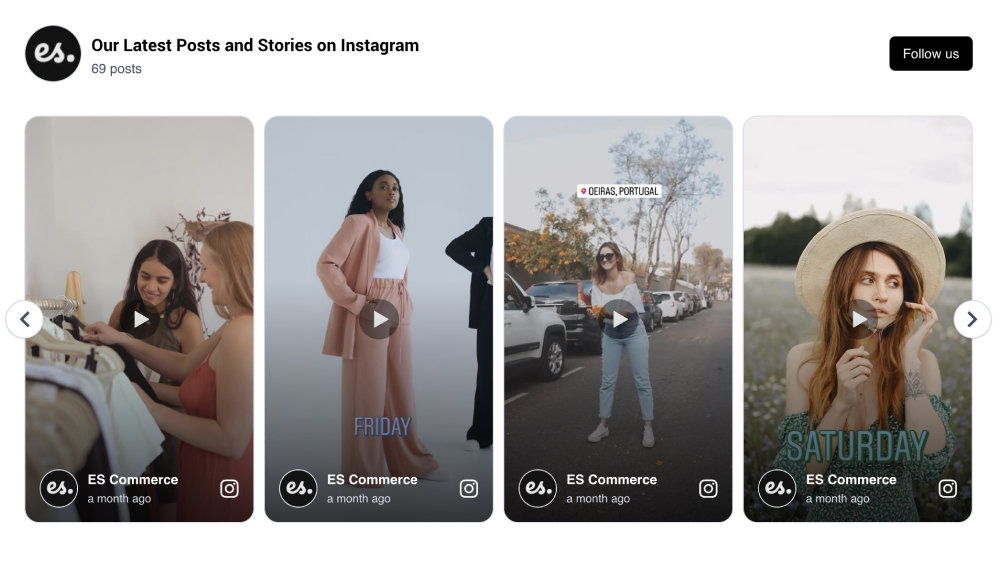
As Wix’s mission is to empower designers, creative professionals, and entrepreneurs to create for the web, our goal is to provide them with an easy social media widget tool to extend their creativity to engage more visitors.
No coding skills or technical knowledge is required!
Why Add Instagram Feeds to Your Wix Site?
Boost engagement, increase conversions, and enhance your brand credibility.
- Increase the average time visitors spend on your site
- Improve user engagement with authentic social content
- Drive more sales with real customer photos and videos as social proof
- Strengthen your Instagram strategy with higher reach and visibility
- Grow your follower base directly from your website
Instagram Feed Widget features for Wix
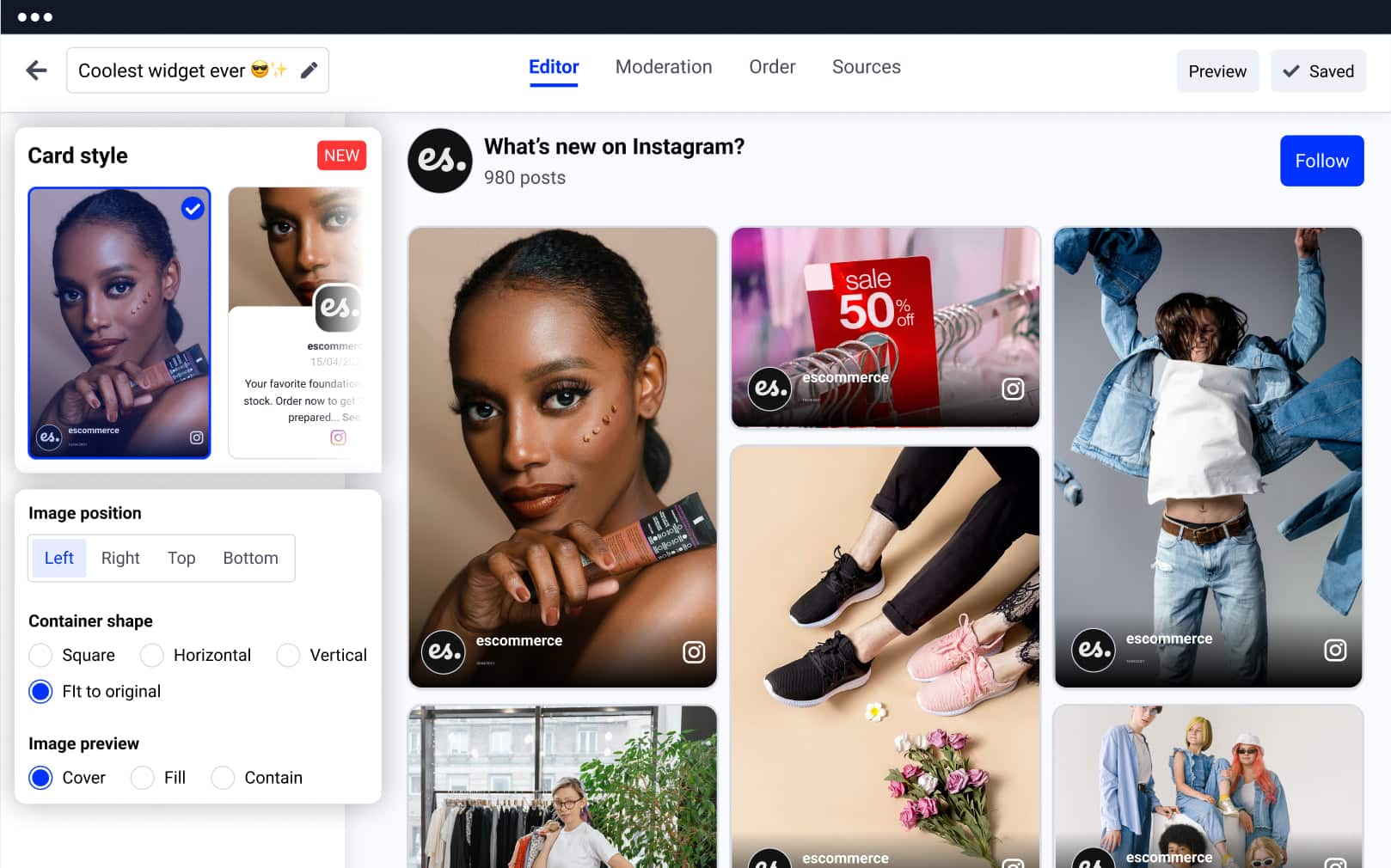
A complete toolkit to create, customize, and control your Instagram widgets.
- No plugin or manual installation needed — works out-of-the-box
- 100% compatible with all Wix templates
- Mobile-responsive and auto-scaling across devices
- Choose from 11 pre-built Instagram feed layouts
- Extensive styling options with ready-to-use themes
- Advanced moderation tools: show/hide posts, reorder, and prioritize
- Add custom CSS for full design control
- Real-time sync with your latest Instagram posts
- Filter out unwanted content with negative keyword settings
- Shoppable Instagram widget with a variety of CTA buttons available
- Embed multiple widgets across multiple Wix websites
- Enable Google Analytics tracking to monitor performance
- AI caption translation
How to add an Instagram feed to your Wix website
Here are the steps on how to embed the Instagram feed widget in Wix:
Creating stunning Instagram galleries on your Wix website can be done in a few minutes.
Follow the steps to add an Instagram feed to Wix and leverage your website experience effortlessly.
Steps to embed an Instagram feed in Wix
- Start your free trial for EmbedSocial and connect your Instagram account
- Choose a type of Instagram feed (hashtag, mentions, account)
- Customize or moderate your Instagram widget
- Copy the top-right code
- Log in to your Wix account, and in the dashboard, select your website
- Tap the ‘Site Actions’ button and select ‘Edit Site’
- Tap the plus (+) icon on the section where you want to embed
- From the left menu, select ‘HTML embed’ and paste the provided code
Please note that once you display the Instagram Feed widget on your Wix site, you have full control over it, so you can transform the look and feel of the widget anytime you want using your EmbedSocial account.
If you need any assistance in crafting the desired Instagram Feed widget for your Wix website, don’t hesitate to reach out to us, and we will be delighted to help you create a supreme experience for your website visitors.
Turn your website into a powerful showcase of real customer moments.
Use our easy-to-embed Instagram widgets to boost credibility, drive engagement, and convert visitors into buyers – no coding required.
Best practices for displaying Instagram feed
Follow these best practices to ensure your Instagram content works effectively on your site:
Position your feed strategically
Place the widget in high-traffic areas like your homepage, product pages, or just above the footer. This ensures visitors encounter authentic, visual content without interrupting their browsing flow.
Use a clear, contextual headline
Add a short headline above the feed to set context, such as “Loved by Our Community” or “From Our Instagram”. This helps visitors instantly understand the purpose of the feed.
Keep the design consistent
Match the feed’s layout and styling with your existing Wix design – fonts, colors, and spacing should feel cohesive. Use customization tools or custom CSS to fine-tune the appearance.
Choose a responsive layout
Ensure the feed looks great across all devices. Sliders, grids, and masonry layouts that adjust for screen size help maintain a smooth user experience.
Highlight shoppable or tagged posts
Turn engagement into conversions by featuring tagged products or CTA buttons. This is perfect for e-commerce brands looking to create a seamless journey from inspiration to checkout.




FAQs about the Instagram widget
Have a specific question about embedding the Instagram widget? Check the FAQ section below or click the bottom right chat icon and talk with us.
Yes. EmbedSocial’s Instagram widget works with Wix Studio, Editor X, and the classic Wix Editor. In all versions, add an HTML iframe or embed element to your page and paste the EmbedSocial embed code. The widget automatically scales to fit the container width, so it looks correct across all Wix editor environments without any extra configuration.
Yes. Wix ADI sites support custom HTML elements. Switch to the Wix Editor from your dashboard, add an HTML iframe block in the section where you want the feed, and paste your EmbedSocial embed code. The widget renders and syncs automatically once saved. You do not need to rebuild your ADI site to use EmbedSocial.
Yes. EmbedSocial’s Instagram widget is fully responsive and automatically adapts to mobile screen sizes. On Wix, you can preview the widget in mobile view inside the editor before publishing. You can also set a different number of columns for desktop and mobile so the feed always looks clean on every device.
No. EmbedSocial does not require a Wix app installation. You connect your Instagram account inside the EmbedSocial dashboard, generate an embed code, then paste it into a Wix HTML iframe block. The widget runs directly from EmbedSocial’s servers — no plugin, no Wix App Market installation, and no developer access needed.
Yes. You can create multiple Instagram widgets inside EmbedSocial and embed each one on a different Wix page. For example, place a branded feed on your homepage and a hashtag feed on your gallery or product pages. Each widget has its own embed code and can be styled differently. All widgets are managed from a single EmbedSocial dashboard.
No. The widget loads asynchronously after your Wix page content has rendered, so it never delays your above-the-fold load time. EmbedSocial uses lazy loading so the feed only activates when a visitor scrolls near it. Wix sites with EmbedSocial embedded maintain normal page speed scores and are not penalized by Google’s Core Web Vitals assessment.
Yes. EmbedSocial can pull Instagram content from your own account, from posts where customers have tagged or mentioned your brand, or from any branded hashtag. You can combine all three sources into one widget. Before anything goes live on your Wix site, you can approve or hide individual posts using the moderation tools inside the EmbedSocial dashboard.
Yes. Once your Instagram account is connected to EmbedSocial, the feed syncs automatically whenever you post something new. You do not need to log back in, update the embed code, or make any changes in Wix. New posts appear in the widget on your site within minutes of being published on Instagram.