Instagram Stories And Posts Popup Widget

Use this template

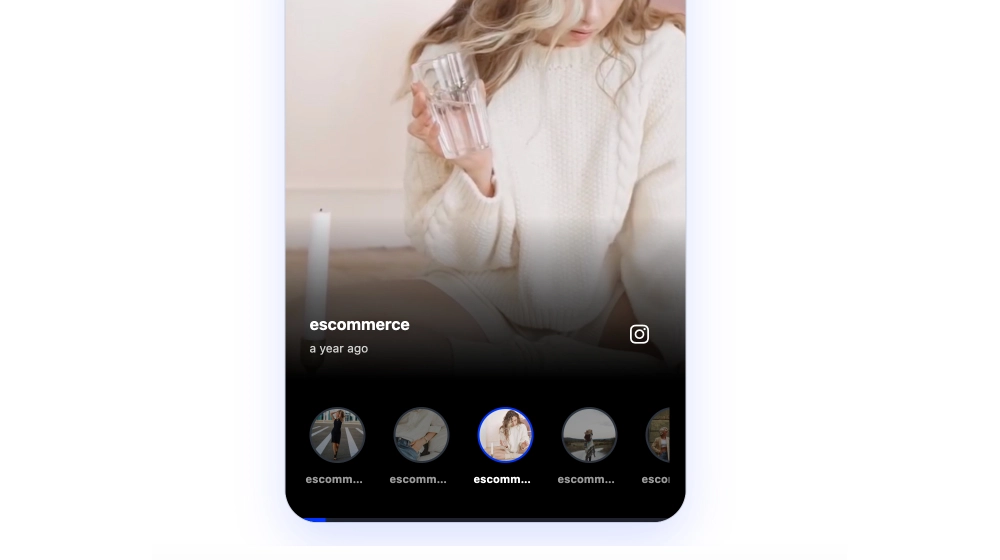
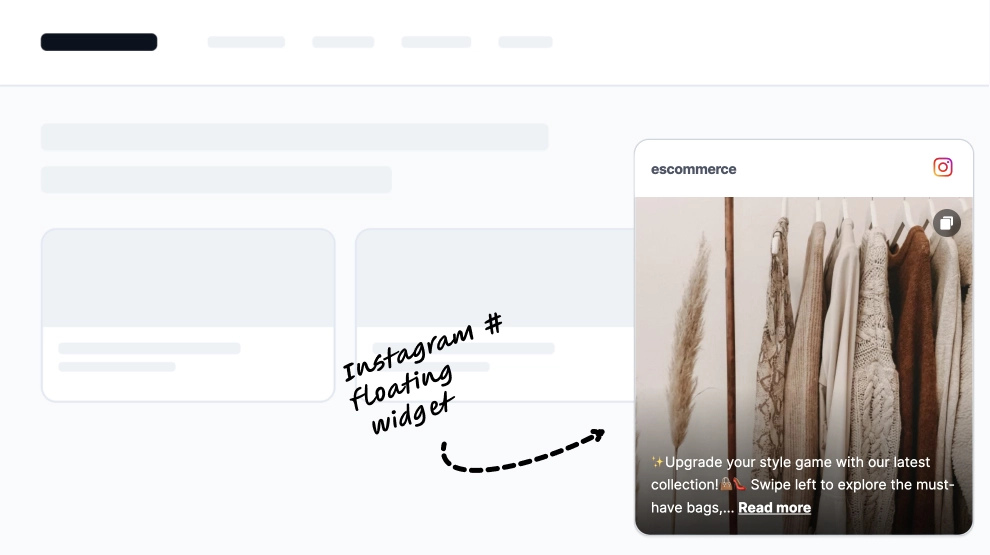
This Instagram Stories widget adds a light, interactive story prompt directly on top of your website instead of placing stories inside a full feed block. With a floating story avatar and a small Watch Stories popover, it gives visitors a familiar Instagram-style cue that feels easy to notice and easy to tap.What makes it workFloating story trigger: The widget appears as a compact overlay, so it adds social content without taking over the page.Familiar Instagram story cue: The circular avatar ring instantly signals story content in a way visitors already understand.Popover-style prompt: The Watch Stories label helps make the interaction clear without adding much visual weight.Lightweight page presence: It works as a subtle enhancement rather than a full content section.Mobile-friendly behavior: The compact format feels natural on smaller screens and touch-based browsing.Low-friction engagement: Visitors can open story content quickly without hunting for a separate gallery.Flexible placement: It fits well on homepages, product pages, and campaign pages where a full feed would feel too heavy.Best fit forEcommerce product pagesHomepage social touchpointsBrand campaign landing pagesCreator and lifestyle websitesBusinesses that want Instagram Stories visibility without adding a large widgetHow to embed itConnect your Instagram Stories source in EmbedSocial.Choose the Instagram Stories Popover template.Customize the avatar style, popover text, and widget position.Set when and where the widget should appear on the page.Copy the embed code.Paste it into your website, landing page, or CMS and publish.Add a small Instagram Stories prompt that feels familiar, clickable, and easy to fit into almost any page.
About this template

This Instagram Stories widget adds a light, interactive story prompt directly on top of your website instead of placing stories inside a full feed block. With a floating story avatar and a small Watch Stories popover, it gives visitors a familiar Instagram-style cue that feels easy to notice and easy to tap.

What makes it work

  • Floating story trigger: The widget appears as a compact overlay, so it adds social content without taking over the page.

  • Familiar Instagram story cue: The circular avatar ring instantly signals story content in a way visitors already understand.

  • Popover-style prompt: The Watch Stories label helps make the interaction clear without adding much visual weight.

  • Lightweight page presence: It works as a subtle enhancement rather than a full content section.

  • Mobile-friendly behavior: The compact format feels natural on smaller screens and touch-based browsing.

  • Low-friction engagement: Visitors can open story content quickly without hunting for a separate gallery.

  • Flexible placement: It fits well on homepages, product pages, and campaign pages where a full feed would feel too heavy.

Best fit for

  • Ecommerce product pages

  • Homepage social touchpoints

  • Brand campaign landing pages

  • Creator and lifestyle websites

  • Businesses that want Instagram Stories visibility without adding a large widget

How to embed it

  1. Connect your Instagram Stories source in EmbedSocial.

  2. Choose the Instagram Stories Popover template.

  3. Customize the avatar style, popover text, and widget position.

  4. Set when and where the widget should appear on the page.

  5. Copy the embed code.

  6. Paste it into your website, landing page, or CMS and publish.

Add a small Instagram Stories prompt that feels familiar, clickable, and easy to fit into almost any page.

Features

  • Moderation options
  • Customizable settings
  • Fast loading speed
  • Mobile-friendly and responsive
  • Multiple widgets for multiple websites
  • Auto-sync with social platforms
  • Custom styling options
  • Analytics and insights

Related resources