What is an Instagram Feed Aggregator
As an integral part of our comprehensive EmbedSocial platform, the Instagram Feed tool is the easiest way to collect all your Instagram posts and display them in a modern Instagram widget on your Squarespace website.
Bring your Instagram feed to Squarespace with only a few clicks!
Craft an eye-catching Instagram feed by using media from your account and posts where other people mention your brand or small business and use specific hashtags.
Use beautiful layouts like Masonry, Carousel, Slideshow, Feed, and many more, and never have the need to crop images and host them on your website.
Our Squarespace Instagram feed is so flexible and interactive that you can play around with the settings and customize the widget that will attract attention and engage your visitors. This is a great way to create a gallery of your Instagram images without using Instagram blocks.
To provide your Squarespace website with a professional social media wall, we are constantly following the latest Instagram API changes.
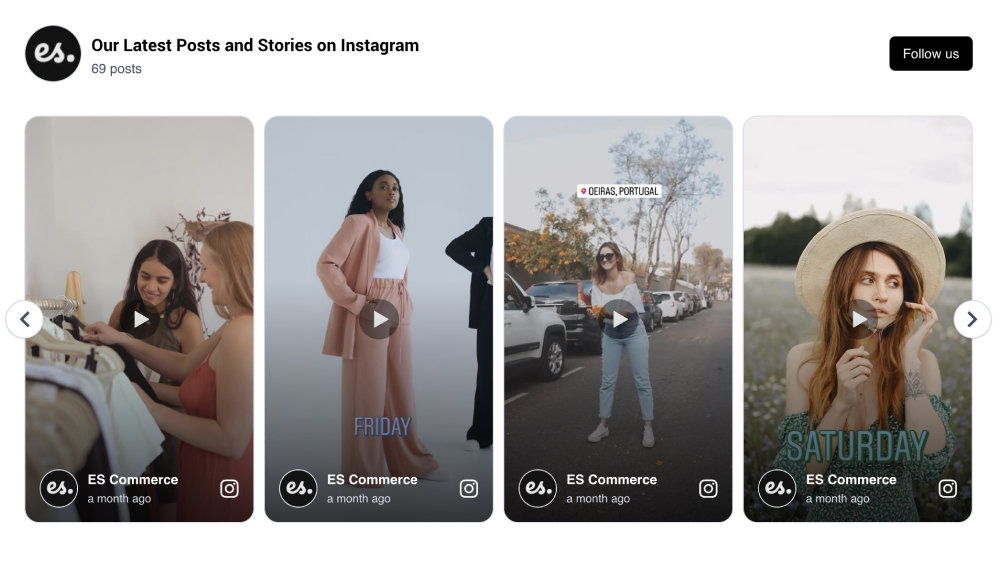
No coding skills or technical knowledge is required!
Benefits of Instagram widget for your Squarespace website
- Increase the average time visitors spend on your website
- Provide the user with an engaging experience that is hard to resist
- Drive sales using the power of social proof
- Receive higher reach for your Instagram content
- Transform your website visitors to Instagram followers
Instagram Feed Widget features for Squarespace
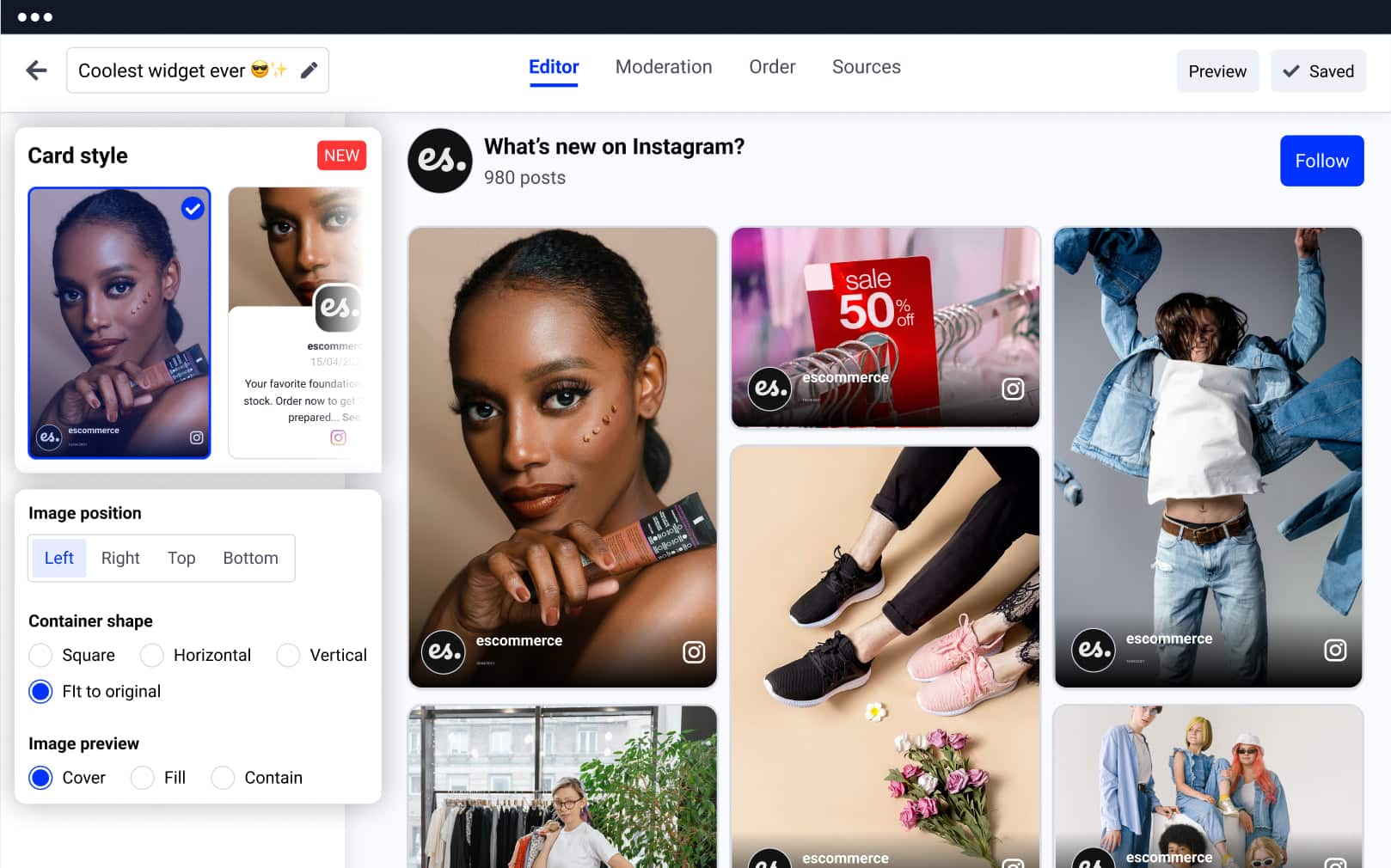
- Compatible with all the Squarespace templates
- Mobile-responsive Instagram widget (it works like a charm on any device, too)
- Installation or maintenance of a plugin is not required
- Advanced feed moderation – select the posts you want to appear on your widget and sort them by priority
- A variety of ready-to-go options to customize the widget
- Set media to open in a lightbox
- Link media to your social media accounts
- 11 Instagram feed templates that match any
- Squarespace design
- Automatically add the new posts to your Instagram widget
- Connect your widget to Google Analytics to track your progress
- Option to ban posts that use a certain keyword from showing on your website
- Shoppable Instagram widget to open links to a new window, redirecting users to checkout pages (option to add Buy buttons to each post)
- Full control of the widget design with the Custom CSS editor
- Multiple Instagram feed widgets on multiple Squarespace websites
- Slider widgets that show a caption on hover or in a lightbox when clicked
- Option to download data by using the Reports option
- Create a combo widget with other social accounts on networks like Facebook, Twitter, YouTube, Vimeo, TikTok, or craft your own custom one
How to embed Instagram feed on Squarespace website?
Here are the steps on how to embed the Instagram feed widget in Squarespace:
Embedding an Instagram feed to Squarespace has never been easier!
To do this, you won’t need a plugin to install like in platforms such as WordPress or add scripts in your website footer. You will only need to connect your account from Instagram and paste the code into a landing page on your Squarespace website.
8 easy steps to embed Instagram feed on your Squarespace website
- Start a free trial for EmbedSocial.
- Select Instagram as a source and connect your Instagram profile with our platform
- From the pop-up, select the type of Instagram feed you want to create (mentions, account, hashtag feed) and customize the widget to fit you best
- Go to your Squarespace account and from the home page, navigate to the website where you want to show the widget
- Once you are on the edit screen, point to the section where you want to add the widget and add a new content block by clicking on the plus + icon from the list, select the ‘Embed’ block
- Click on the code icon and paste the provided code in the insert point
- Click ‘Set’ and once you are done, click ‘Save’
That’s it!
Please note that once you place the Instagram Feed widget on your Squarespace website, you have full control, so feel free to edit the layout or moderate posts within your EmbedSocial account.
Additionally, you can use more connected Instagram accounts to generate widgets from Squarespace websites.
For more details, please watch the full video tutorial or reach out to our dedicated customer support team. We will be more than happy to guide you through the process step-by-step and provide you with some Squarespace tips along the way.
Turn your website into a powerful showcase of real customer moments.
Use our easy-to-embed Instagram widgets to boost credibility, drive engagement, and convert visitors into buyers – no coding required.
More widgets for Squarespace




FAQs about the Instagram widget
Do you have a specific question about embedding the Instagram widget? Check the FAQ section below, or click the bottom right chat icon to talk with us.
Yes. EmbedSocial’s Instagram widget is compatible with both Squarespace 7.0 and 7.1, including all templates in each version. In Squarespace 7.1, add a Code Block to any section and paste the embed code. In Squarespace 7.0, use an Embed Block or a Code Block depending on your template. The widget renders and auto-syncs correctly in both versions.
EmbedSocial is a more powerful alternative to Squarespace’s native Instagram block. The built-in Squarespace block is limited to your own account feed with basic grid layouts. EmbedSocial adds hashtag feeds, mentions, customer UGC, 11 layout options, AI moderation, shoppable posts, and multi-account support — all from one widget you manage outside of Squarespace.
Yes. Squarespace member areas support Code Blocks, so you can embed an EmbedSocial Instagram widget inside a members-only page the same way you would on any other page. This is useful for community sites, online courses, or brand portals where you want to show exclusive content or a curated Instagram feed only to logged-in members.
No. EmbedSocial works on all Squarespace plans that support Code Blocks, which includes Personal, Business, and Commerce plans. You do not need the Developer platform or any custom code injection at the site level. Simply add a Code Block to any page or section and paste the embed code — that’s all that is required.
No. The EmbedSocial widget loads asynchronously so it does not block your Squarespace page from rendering. Lazy loading ensures the feed only activates when a visitor scrolls near it, keeping your above-the-fold speed unaffected. Your Squarespace site’s Core Web Vitals scores remain intact with the widget embedded.
Yes. EmbedSocial can pull Instagram content from your own account, from posts where customers have tagged your brand, or from a branded hashtag campaign. You can combine all three sources into a single widget and use the moderation panel to approve or remove individual posts before they appear on your Squarespace site.
Yes. Once your Instagram account is connected to EmbedSocial, the widget syncs automatically every time you publish a new post. There is nothing to update in Squarespace — the embed code stays the same and the feed refreshes on its own. New posts typically appear in the widget within minutes of going live on Instagram.
Yes. You can create as many widgets as your plan allows inside EmbedSocial, each with its own layout, source, and design. Paste a different embed code into a Code Block on each Squarespace page where you want a feed. For example, show a product-tagged UGC feed on your shop page and a general brand feed on your homepage — all managed from one EmbedSocial dashboard.