


Why embed a Pinterest widget on your website?
A Pinterest widget helps you reuse your best visual content outside Pinterest, keep product inspiration visible for longer, and turn saved ideas into onsite clicks.
Turn Pinterest boards into always-on website content
Display Pinterest boards and Pins in a layout that keeps your homepage, blog, or storefront visually fresh without building a custom gallery from scratch.
Add social proof and visual inspiration where people buy
Use Pinterest-style layouts to show collections, lookbooks, DIY ideas, recipes, or product inspiration directly on the pages where visitors are deciding.
Drive more clicks from discovery to product pages
Pair your embedded Pinterest content with stronger layouts, product links, and landing page copy so each Pin can keep working after it is published.

Pinterest widget templates built for visual browsing
Start with a Pinterest-style layout, then adapt it for boards, collections, product inspiration, or editorial content with AI and design controls.
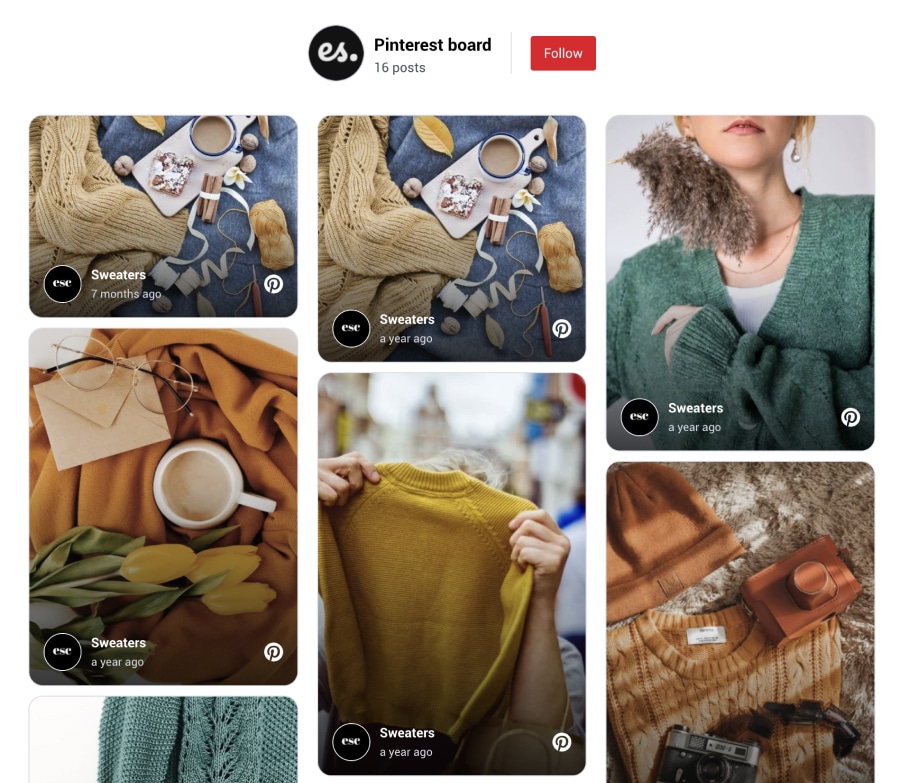


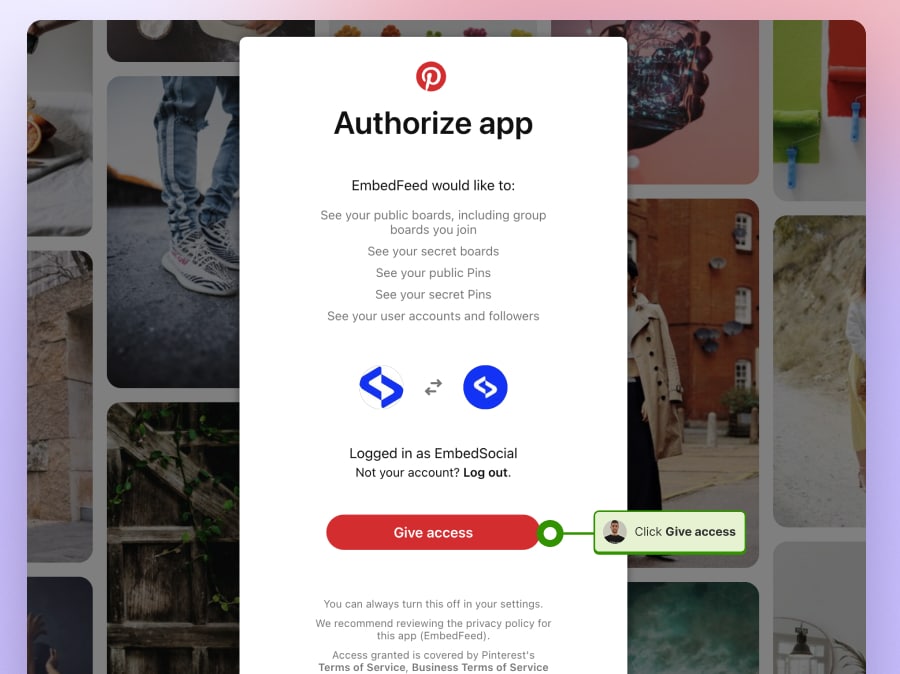
Embed Pinterest boards faster with an API integration
Use the EmbedSocial editor to turn Pinterest content into a publish-ready website widget instead of hand-building board layouts every time you want fresh visual content on a page.
For the board-based setup path, see the guide on how to embed a Pinterest board.
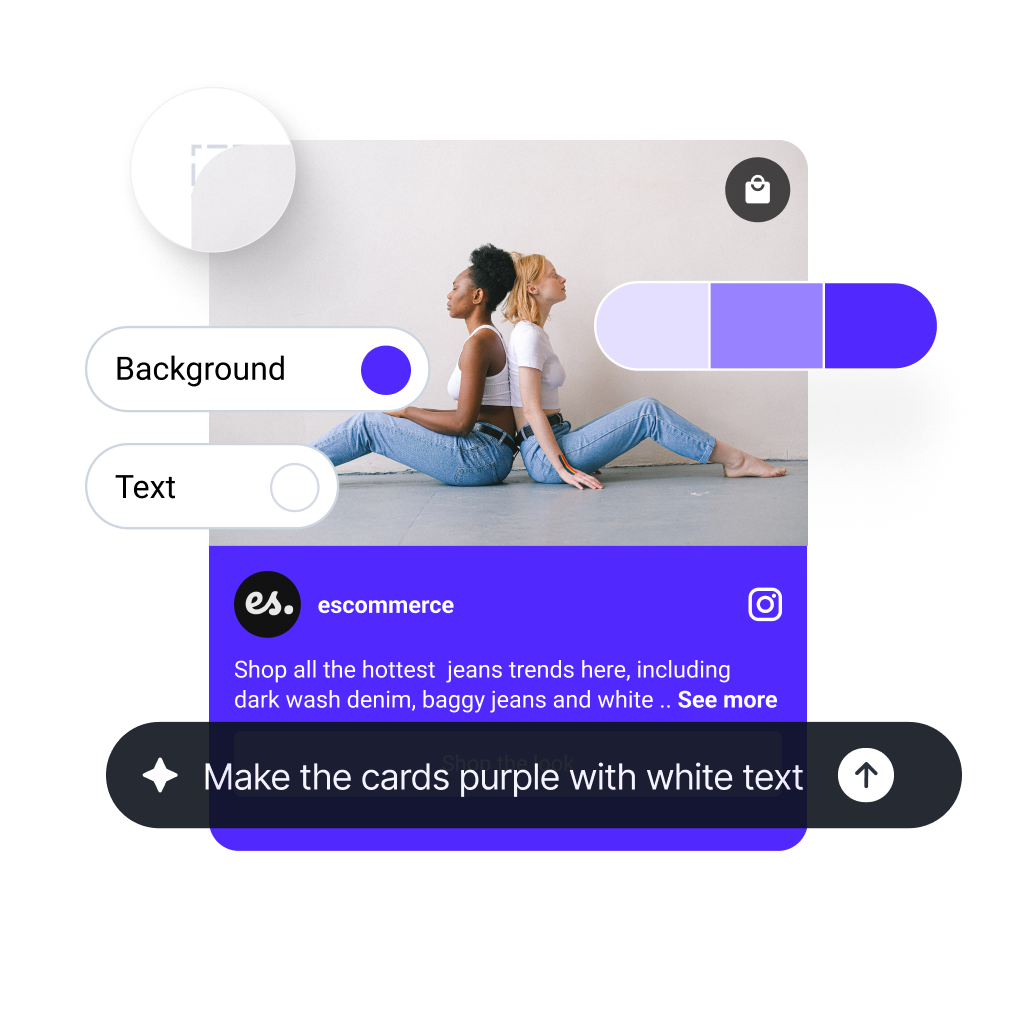
Design your Pinterest widget with AI, templates, and CSS
Start with the AI widget generator, then refine your layout with templates, spacing, colors, and custom CSS so the widget feels native to your site.
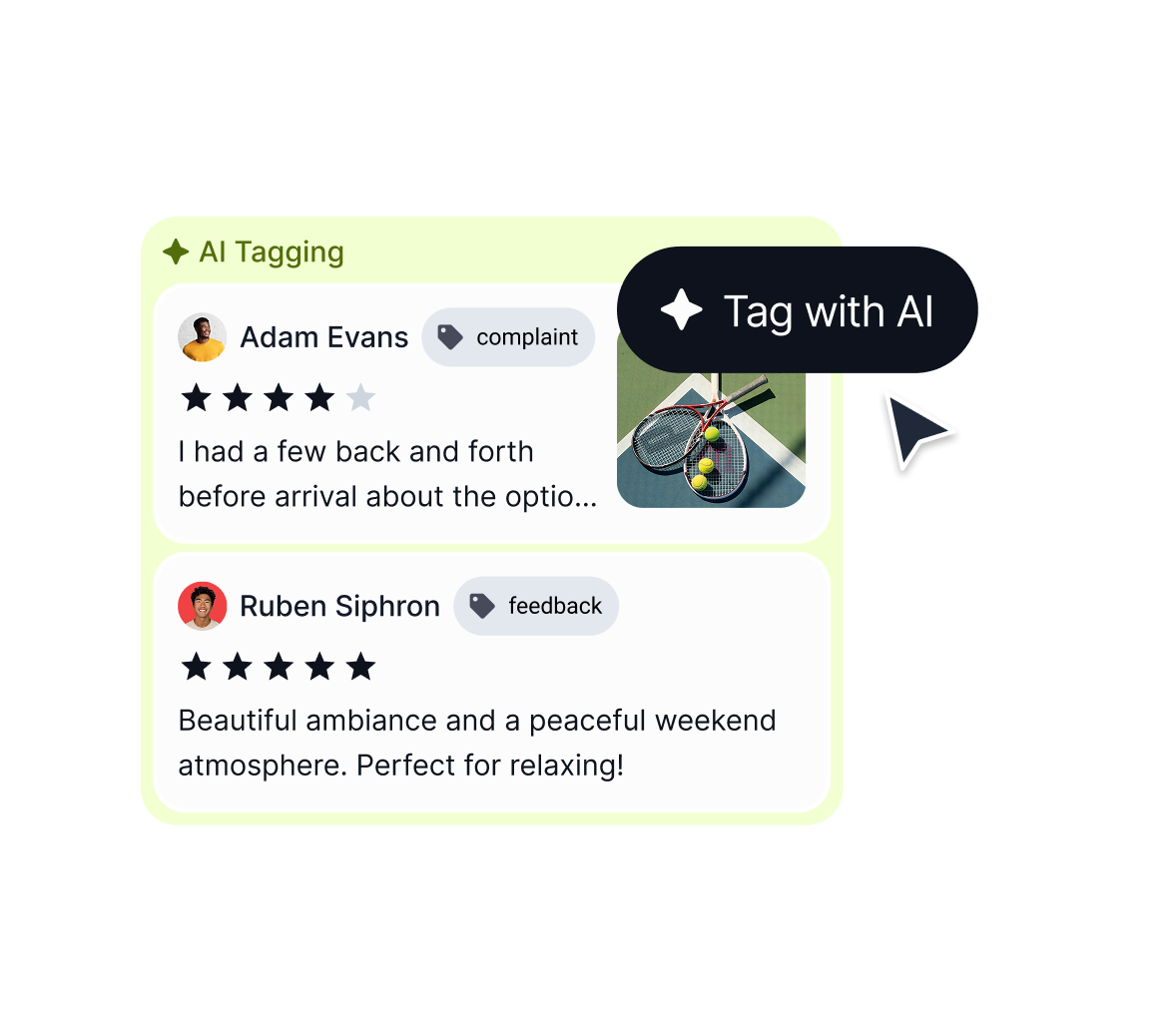
Curate, tag, and measure the Pins you publish
Use moderation controls, AI tagging, UGC rights workflows, and widget analytics to keep your Pinterest widget useful, safe, and conversion-focused.
A complete Pinterest widget platform




Embed Pinterest widgets on WordPress, Shopify, Wix, Webflow, and more
Use the same Pinterest widget workflow across landing pages, ecommerce stores, and CMS platforms.




How to embed a Pinterest board on your website
Launch your first Pinterest widget in three steps, then refine the layout for the page where you want it to convert.

Step 1: Create your EmbedSocial account

Step 2: Add your Pinterest board or Pins source

Step 3: Customize the widget and paste the embed code
Is it hard to embed?
No. You can embed your new section widget on any website, CMS, or web builder. Works with WordPress, Lovable, Bolt, Wix, Webflow, Duda, Shopify, custom React applications, and other custom code. Plus, it updates automatically.



Auto updates
One code paste
Mobile native
FAQs about Pinterest widgets
Everything you need to know about setup, customization, moderation, pricing, compatibility, and limitations for EmbedSocial’s Pinterest widget workflow.
A Pinterest widget is an embeddable gallery or feed layout that displays Pinterest boards or Pins on your website. Instead of linking people away to Pinterest immediately, it lets you keep visual inspiration inside your own pages and design flow.
Create your widget in EmbedSocial, add your Pinterest board source, customize the layout, and paste the generated code into your site. If you want the step-by-step walkthrough, see <a href=”https://embedsocial.com/blog/embed-pinterest-board/” target=”_blank” rel=”noreferrer noopener”>how to embed a Pinterest board</a>.
Yes. You can start from the <a href=”https://embedsocial.com/ai-widget/” target=”_blank” rel=”noreferrer noopener”>AI widget generator</a>, switch layouts, and use custom CSS to match your branding, spacing, and page design.
Yes. Use <a href=”https://embedsocial.com/social-media-aggregator/moderation/” target=”_blank” rel=”noreferrer noopener”>moderation controls</a>, keyword filters, tags, and approval workflows to keep the published widget focused on the content you want people to see.
Yes. The widget code works on websites that support JavaScript or iframe embeds, including <a href=”https://embedsocial.com/integrations/wordpress/” target=”_blank” rel=”noreferrer noopener”>WordPress</a>, <a href=”https://embedsocial.com/integrations/shopify/” target=”_blank” rel=”noreferrer noopener”>Shopify</a>, <a href=”https://embedsocial.com/integrations/wix/” target=”_blank” rel=”noreferrer noopener”>Wix</a>, and <a href=”https://embedsocial.com/integrations/webflow/” target=”_blank” rel=”noreferrer noopener”>Webflow</a>.
Yes. You can combine visual Pins with product links, commerce-ready layouts, and UGC workflows to move people from inspiration to checkout. If you need a more commerce-heavy layout, see the <a href=”https://embedsocial.com/shoppable-widget/” target=”_blank” rel=”noreferrer noopener”>shoppable widget</a> page.
Yes. Use <a href=”https://embedsocial.com/ugc/analytics/” target=”_blank” rel=”noreferrer noopener”>widget analytics</a> to measure how people interact with the published content and which layouts or posts perform best.
Pinterest widget pricing follows the current Feed plans, including plan-based source availability and limits. Check the live <a href=”https://embedsocial.com/pricing/embedfeed/” target=”_blank” rel=”noreferrer noopener”>EmbedFeed pricing page</a> before publishing exact plan details.
Ready to embed a Pinterest widget that fits your site?
Start with a free trial, launch your first Pinterest board widget, and refine the layout with AI, templates, and moderation tools when you are ready to scale.
All features included. Unlimited widgets.