Shoppable Google Reviews Widget

Use this template

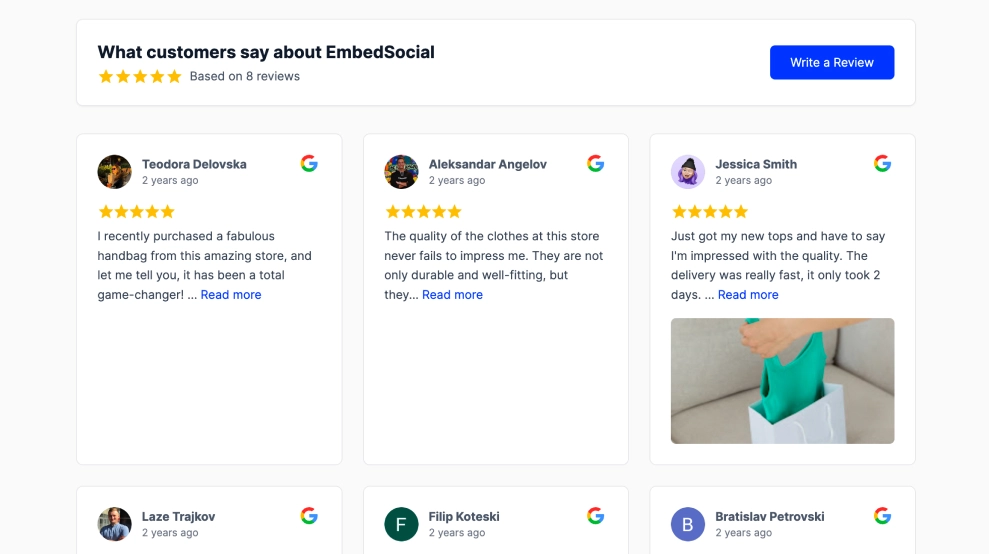
The Shoppable Google Reviews Widget combines verified Google reviews with product context, so testimonials don’t just build trust, they help shoppers buy. It features a clean intro panel with your Google rating and a Write a review CTA, alongside review cards that can display the purchased product and a direct Buy Now button.FeaturesSplit layout (story + proof): Left panel for headline and credibility message, right side for a scrolling/grid wall of reviewsGoogle rating summary: Shows average score (e.g., 5.0) + star rating + total review count“Write a review” CTA: Encourages new reviews directly from the widgetShoppable review cards: Each review can include a Purchased product label with product name/imageBuy Now button: Direct CTA on reviews to drive instant product clicks and conversionsVerified buyer indicators: Adds trust with buyer verification and reviewer identityClean ecommerce styling: Minimal design, soft borders, readable typography, and strong hierarchyScalable layout: Works well as a section on homepages, PDPs, or collection pagesUse casesEcommerce homepage trust section: Show real reviews + featured items to improve purchase confidenceProduct pages: Display reviews that reference the exact product and link to purchaseCollection landing pages: Turn social proof into a product discovery experienceCheckout support: Reduce hesitation by pairing reviews with “Buy Now” shortcutsNew product launches: Feature early customer reviews with direct buying linksHow to embedConnect your Google Reviews source in EmbedSocial (Google Business Profile).Choose the template from the reviews templates library.Customize the left panel (headline, description, and Write a review button).Map reviews to products (add product name, image, and URL) to enable Purchased and Buy Now elements.Set how many reviews show per column and adjust text length/truncation.Copy the embed code (JavaScript or iFrame) and paste it into your site (Shopify, WooCommerce, Webflow, WordPress, Wix, Squarespace, or custom HTML).Embed the Shoppable Google Reviews Widget to showcase verified 5-star feedback and let visitors jump straight from “love it” to Buy Now.

About this template

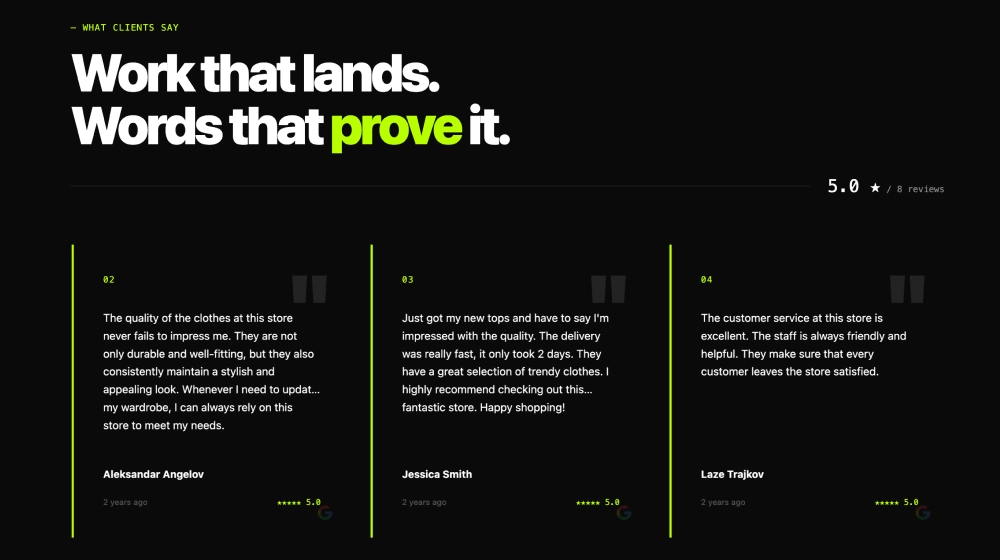
The Shoppable Google Reviews Widget combines verified Google reviews with product context, so testimonials don’t just build trust, they help shoppers buy. It features a clean intro panel with your Google rating and a Write a review CTA, alongside review cards that can display the purchased product and a direct Buy Now button.

Features

  • Split layout (story + proof): Left panel for headline and credibility message, right side for a scrolling/grid wall of reviews

  • Google rating summary: Shows average score (e.g., 5.0) + star rating + total review count

  • “Write a review” CTA: Encourages new reviews directly from the widget

  • Shoppable review cards: Each review can include a Purchased product label with product name/image

  • Buy Now button: Direct CTA on reviews to drive instant product clicks and conversions

  • Verified buyer indicators: Adds trust with buyer verification and reviewer identity

  • Clean ecommerce styling: Minimal design, soft borders, readable typography, and strong hierarchy

  • Scalable layout: Works well as a section on homepages, PDPs, or collection pages

Use cases

  • Ecommerce homepage trust section: Show real reviews + featured items to improve purchase confidence

  • Product pages: Display reviews that reference the exact product and link to purchase

  • Collection landing pages: Turn social proof into a product discovery experience

  • Checkout support: Reduce hesitation by pairing reviews with “Buy Now” shortcuts

  • New product launches: Feature early customer reviews with direct buying links

How to embed

  1. Connect your Google Reviews source in EmbedSocial (Google Business Profile).

  2. Choose the template from the reviews templates library.

  3. Customize the left panel (headline, description, and Write a review button).

  4. Map reviews to products (add product name, image, and URL) to enable Purchased and Buy Now elements.

  5. Set how many reviews show per column and adjust text length/truncation.

  6. Copy the embed code (JavaScript or iFrame) and paste it into your site (Shopify, WooCommerce, Webflow, WordPress, Wix, Squarespace, or custom HTML).

Embed the Shoppable Google Reviews Widget to showcase verified 5-star feedback and let visitors jump straight from “love it” to Buy Now.

Features

  • Moderation options
  • Customizable settings
  • Fast loading speed
  • Mobile-friendly and responsive
  • Multiple widgets for multiple websites
  • Auto-sync with social platforms
  • Custom styling options
  • Analytics and insights

Related resources

Categories