YouTube Playlist Tabs
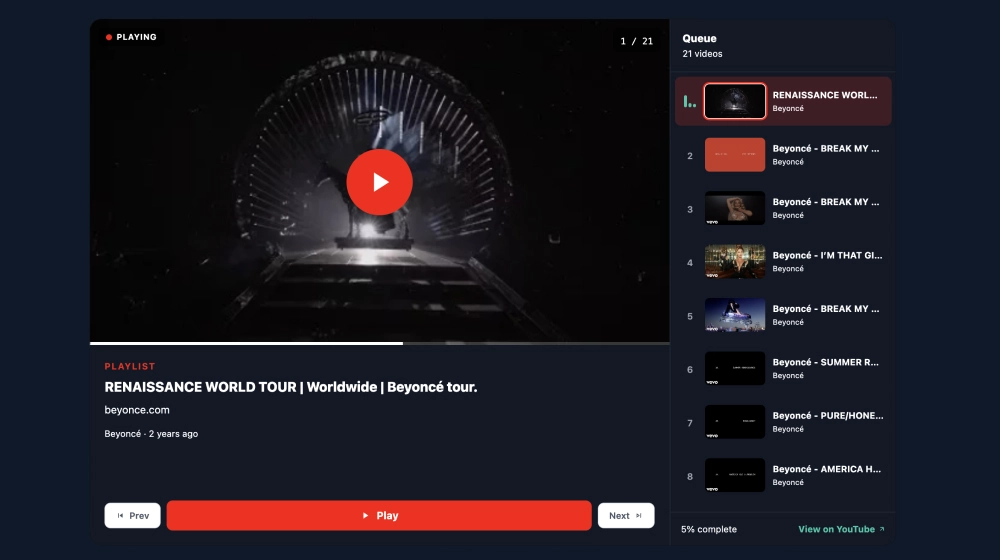
Use this templateThis YouTube playlist widget gives your video series a more structured, watchable layout by combining a featured player with a tab-style queue on the side. Instead of showing one video in isolation, it keeps the full playlist visible, so visitors can move through episodes, previews, tutorials, or content drops without leaving your website.What makes it workFeatured player first: The active video gets the largest area on the page, which keeps attention on the content that is currently playing.Queue-style playlist panel: A vertical list of upcoming videos stays visible on the right, making it easier to browse what comes next.Tab-like navigation flow: Visitors can jump between videos quickly without opening a new page or hunting through YouTube.Active video highlight: The selected item stands out in the queue, so the interface always shows where the viewer is in the playlist.Playlist details block: Title, creator name, and metadata below the player help the widget feel more complete and organized.Playback controls at the bottom: Previous, Play, and Next buttons make the experience feel more like a media player than a standard embed.Completion and source link: Progress text and a View on YouTube link add context while still keeping the main experience on-site.Best fit forMusic and entertainment websitesCourse or lesson pages with sequenced video contentProduct tutorial librariesCreator websites with episodic contentHelp centers and onboarding flows built around video playlistsHow to embed itConnect your YouTube playlist in EmbedSocial.Choose the YouTube Playlist Tabs Widget template.Customize the playlist title, visible metadata, and queue layout.Set the playlist order and decide how the side queue should display.Copy the embed code.Paste it into your website, landing page, or CMS and publish.Turn your playlist into a more organized on-site video experience that keeps viewers moving from one video to the next.
About this template
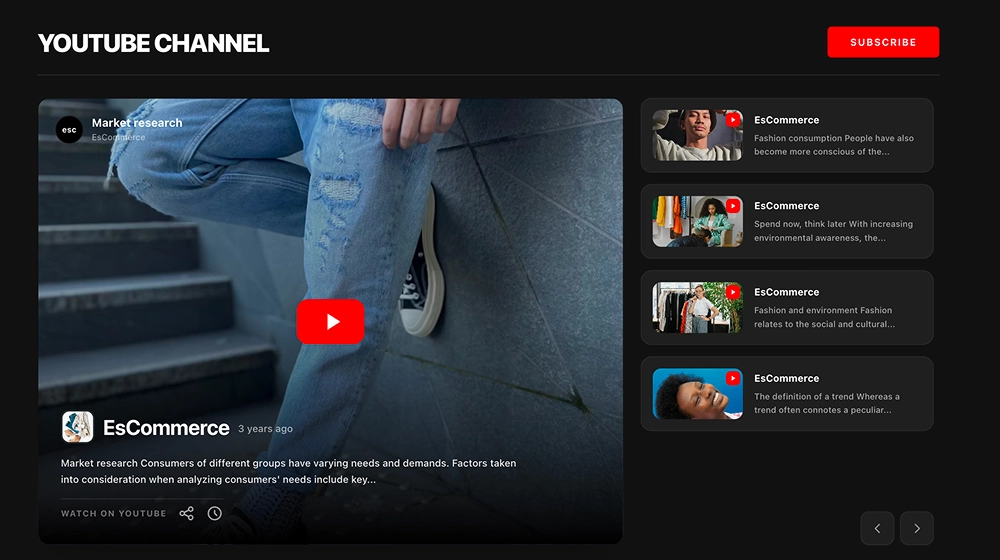
This YouTube playlist widget gives your video series a more structured, watchable layout by combining a featured player with a tab-style queue on the side. Instead of showing one video in isolation, it keeps the full playlist visible, so visitors can move through episodes, previews, tutorials, or content drops without leaving your website.
What makes it work
Featured player first: The active video gets the largest area on the page, which keeps attention on the content that is currently playing.
Queue-style playlist panel: A vertical list of upcoming videos stays visible on the right, making it easier to browse what comes next.
Tab-like navigation flow: Visitors can jump between videos quickly without opening a new page or hunting through YouTube.
Active video highlight: The selected item stands out in the queue, so the interface always shows where the viewer is in the playlist.
Playlist details block: Title, creator name, and metadata below the player help the widget feel more complete and organized.
Playback controls at the bottom: Previous, Play, and Next buttons make the experience feel more like a media player than a standard embed.
Completion and source link: Progress text and a View on YouTube link add context while still keeping the main experience on-site.
Best fit for
Music and entertainment websites
Course or lesson pages with sequenced video content
Product tutorial libraries
Creator websites with episodic content
Help centers and onboarding flows built around video playlists
How to embed it
Connect your YouTube playlist in EmbedSocial.
Choose the YouTube Playlist Tabs Widget template.
Customize the playlist title, visible metadata, and queue layout.
Set the playlist order and decide how the side queue should display.
Copy the embed code.
Paste it into your website, landing page, or CMS and publish.
Turn your playlist into a more organized on-site video experience that keeps viewers moving from one video to the next.
Features
- Moderation options
- Customizable settings
- Fast loading speed
- Mobile-friendly and responsive
- Multiple widgets for multiple websites
- Auto-sync with social platforms
- Custom styling options
- Analytics and insights