01
Reviews inside the answers
Point out which review shows under each answer, with its star rating, photo and review source.
Answer the questions people ask before they buy, in a clean accordion on any page. Put a real customer review under the answer, so it is not just your word.




Loved by 400,000+ big and small brands. World-famous and local



An FAQ widget is a set of questions and answers you embed on a page, usually as an accordion, so visitors open only the answer they need. EmbedSocial builds one in the AI editor. Start from an FAQ template, add the questions your customers ask most, and copy the embed code. One template has FAQ schema in its code, and the other can show a real customer review under an answer.
Show the review where a buyer already said it.
These run true to size at the waist with a slightly relaxed seat and a straight leg. Most people take their usual size.
The rigid cotton blend holds its shape wash after wash. The indigo softens gently over months of wear.
Real customers across heights and body types share photos with every review. The straight leg reads clean whether you are petite or tall.
These run true to size at the waist with a slightly relaxed seat and a straight leg. Most people take their usual size.


Took my usual size and they fit perfectly at the waist. Relaxed in the seat, not baggy.

The rigid cotton blend holds its shape wash after wash. The indigo softens gently over months of wear.

Six months in and they still hold their shape. The color has softened a little, in a good way.

Real customers across heights and body types share photos with every review. The straight leg reads clean whether you are petite or tall.

I am 5'2" and the straight leg still looks clean on me. The photos in the reviews helped me pick.

Start from a template, keep the questions your customers really ask, and embed it on any page.
Point out which review shows under each answer, with its star rating, photo and review source.
The schema template has FAQ schema built into its code, filled with your questions and answers.
Change the questions, answers, heading and colors, or describe the change in AI design.
Both are in the template library, and you can change the questions, answers, heading and colors.
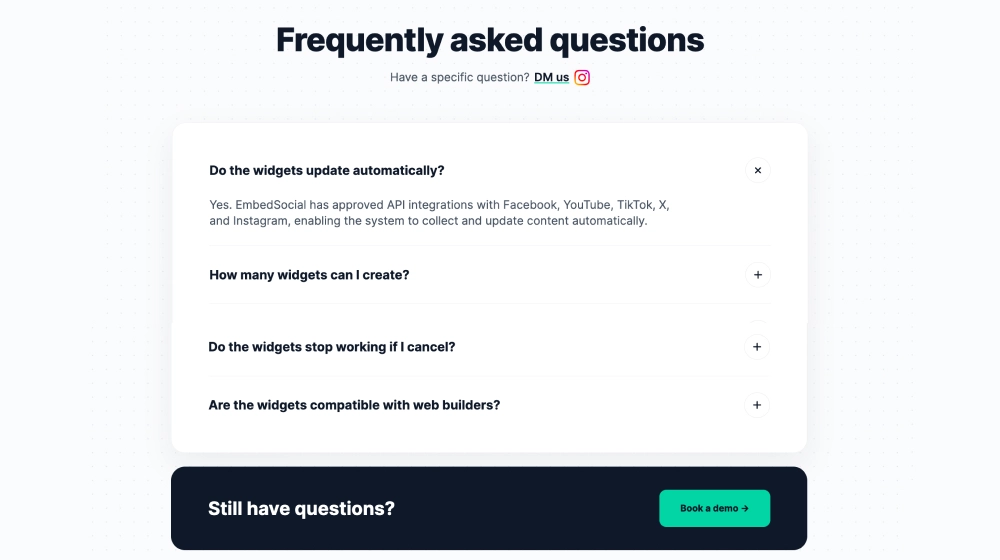
A clean accordion for product, pricing, service and help pages, with FAQ schema in its code.
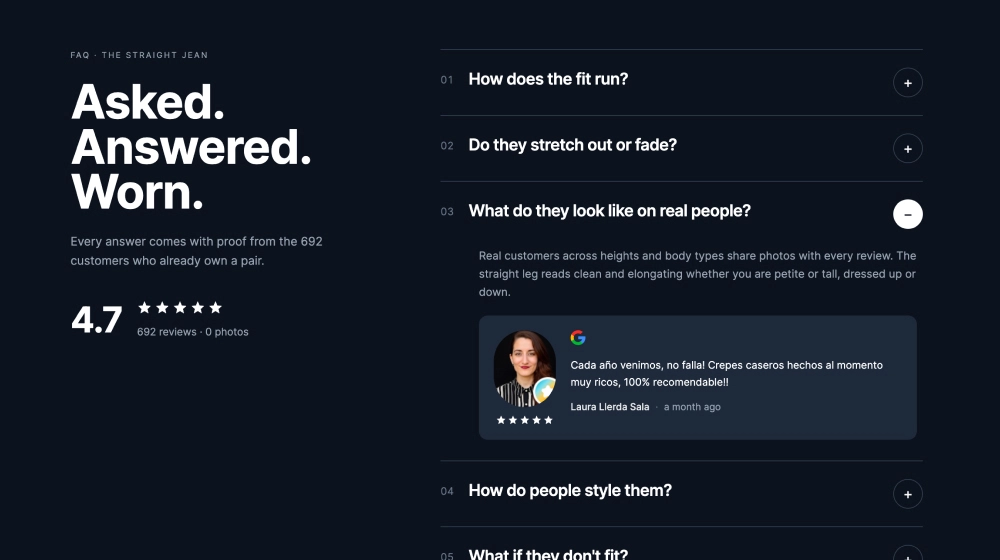
Numbered rows on a dark layout, with a customer review inside the answers and your overall rating up top.
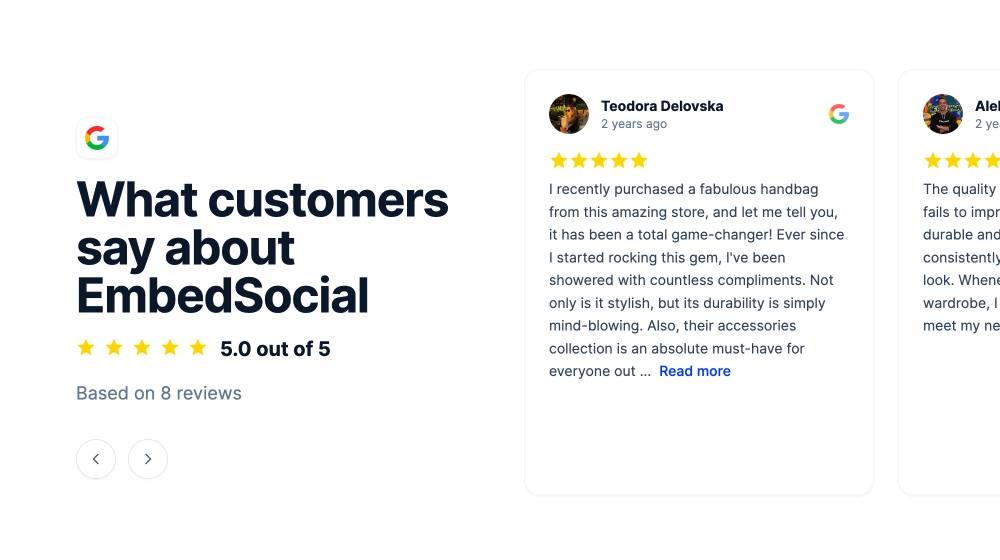
Want the reviews on their own too? Show them in a reviews widget next to your FAQ.
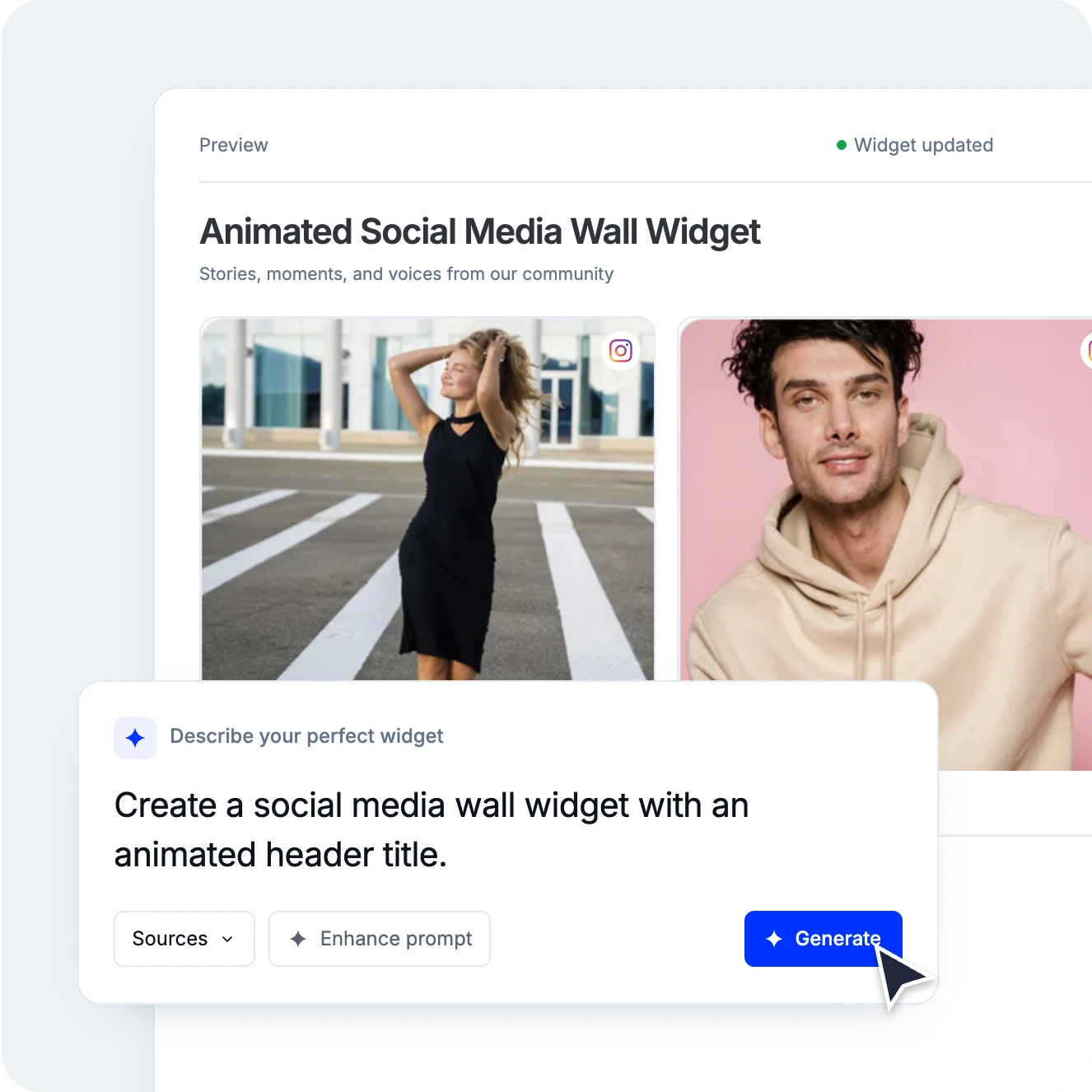
Open the editor, go to AI design and type what you want: "An FAQ accordion for our pricing page, six questions, our brand colors." Click Enhance prompt and your one line becomes a full brief you can edit before you generate. Want a review under an answer? Connect your review source, then point to the review you want shown under each answer.
Not quite right? Keep typing in the same chat, or click a follow-up suggestion. Set your logo, font and colors once in Branding and every widget starts on-brand.
Each generation uses 1 AI credit. Starting from a template costs nothing. See how AI design works or read more about the AI widget builder.
Pick a category: review feeds, social walls, shoppable galleries, and section blocks. No coding required.
Show Instagram feed.
Display YouTube.
Embed X widgets.
Embed LinkedIn.
Embed Google reviews.
Embed playlist
Embed Threads.
Embed Trustpilot reviews.
Shop my feed
Social proof display
Questions and answers.
Embed hero
Link in bio page
UGC portfolio page
Embed popup
Add a countdown timer.
Embed Reels.
Embed stories
Embed hashtag feed
Embed Facebook.
Show TikTok videos.
Embed YouTube hashtag
Embed Pinterest
Embed Vimeo
Embed FB reviews.
Embed Yelp reviews.
Display customer reviews.
Show review badges on your site.
Showcase customer love.
Embed testimonials
Embed Social wall
Embed Shorts
Embed carousel
Get the FAQ widget and the full EmbedSocial widget library, with no per-widget fees.
Build unlimited widgets, embed them anywhere, and manage everything from one dashboard.
EmbedSocial has official API integrations with all major social media networks.
We design interactive social media widgets that load fast on your website.
If it’s not for you, cancel or request to delete your account.
Just click the bottom left chat icon, and our team will assist you in real-time.
 4.9/5(202)
TrovaTrip increased booking conversion rates by 12% with customer testimonials in just 4 weeks
The team at Embed Social is so easy to work with. They are very quick to respond to any special requests and fast to implement account changes. Aside from the great customer service, their products are also very easy to use and offer a lot of freedom that you can’t get with other similar products. Definitely recommend.
EmbedSocial allows us to showcase social media content on our web pages in a way that’s both functional and vibrant. Their library of social feed designs integrates seamlessly with our existing components and is easy to use for page editors of all skill levels.
The experience with EmbedSocial has been amazing. We’re always looking for ways to leverage our time, so finding a product to keep our reviews fresh automatically was a no-brainer.

What I like best about EmbedSocial is how effortlessly it pulls in and displays social media content in one place. It saves me hours of manual work and keeps my website looking dynamic and fresh.

Alex and other EmbedSocial staff who have worked with me over this time are always so incredibly responsive and genuinely care about my business.

I love how intuitive EmbedSocial has been to use and the support Embed offers to help you utilize the software. I had a proactive Customer Success Manager who offered meetings, a trial extension then fantastic customer service in troubleshooting an additional account I started in error.

EmbedSocial has streamlined the review process for us. It’s user-friendly, looks great on our site, and adds instant trust.

It works exceptionally well and offers great customization options and filters. So far, it has proven to be an excellent widget with many useful features. Highly recommended.

EmbedSocial looks great on our website. Plus it's easy to setup and use. You can customize the widget directly through their platform so no custom coding really necessary.

The perfect tool to showcase your customer stories. Helps you in getting the word out in the best and most economical way. The dashboard is easy to use and the support team is always available to offer any kind of help that's required.

One of the standout features of EmbedSocial is its user-friendly interface, which makes it easy for users of all technical levels to navigate and utilize its capabilities. The platform offers a seamless way to aggregate social media content and display it on websites, which is particularly helpful for enhancing engagement and showcasing user-generated content.

Being part of a 100% volunteer run 501(c)(3) you can only imagine the technology help we need... EmbedSocial has made it easy to keep our adoptable pets up to date not only on social media but our website too!

The most helpful thing about EmbedSocial is the convenience of accessing my social media feeds for my website. I had issues with connecting to my social media sites and EmbedSocial Customer Service was quick to help me figure out the issue and resolve it.

Antonia was my support person on an issue I was having and she was AMAZING. I use a lot of online tools and she stuck with me the entire time and followed up to make sure everything was good.
Everything you need to know about building an FAQ widget and adding it to your site.
EmbedSocial's FAQ widget puts real reviews next to your answers, and embeds on any website.
All features included