Pinterest Feed Widget

Use this template

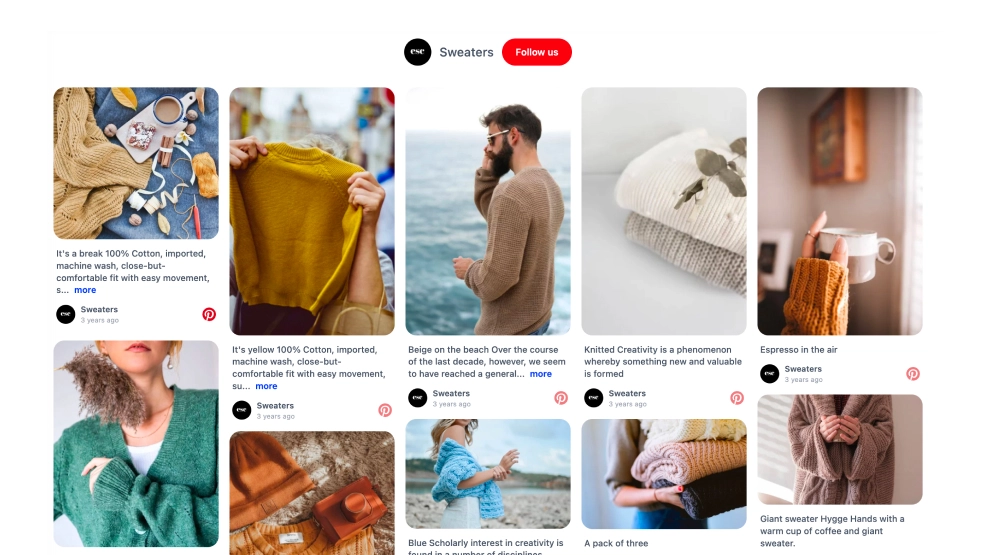
This Pinterest board widget brings the feel of a curated inspiration board straight onto your website. Instead of showing pins in a plain feed, it arranges them in a visual masonry-style layout that keeps the browsing experience closer to Pinterest itself, with tall images, layered card sizes, board branding, and a clear Follow button.What makes it workBoard-style layout: The uneven grid gives the widget a more natural, collected look than a standard row of equal cards.Visual-first browsing: Large image pins keep the focus on products, styling ideas, and inspiration content.Board identity: The board name and post count at the top help frame the content as a themed collection.Pin branding cues: Each card includes subtle Pinterest markers and board labels so the source stays recognizable.Mixed card heights: The layout feels more dynamic because portrait and landscape images sit together like a real pinboard.Follow CTA: The Follow button gives visitors a direct next step if they want to keep exploring the board on Pinterest.Lifestyle-friendly presentation: The widget works especially well for fashion, decor, crafts, food, and other visual categories.Best fit forEcommerce websites with curated product inspirationFashion and lifestyle brandsHome decor and interior design pagesRecipe, DIY, and craft websitesLanding pages that need a more editorial, discovery-driven visual sectionHow to embed itConnect your Pinterest board in EmbedSocial.Choose the Pinterest Board widget template.Customize the board title, visible labels, and follow button.Set how many pins to display and how the grid should appear across devices.Copy the embed code.Paste it into your website, blog, or CMS and publish.Turn your Pinterest content into an on-site inspiration board that visitors can browse without leaving your website.

About this template

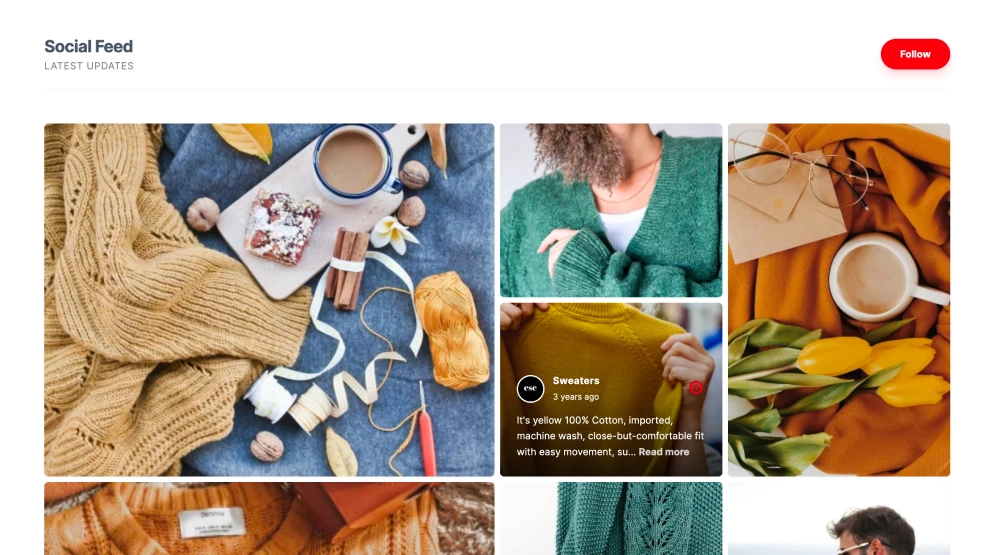
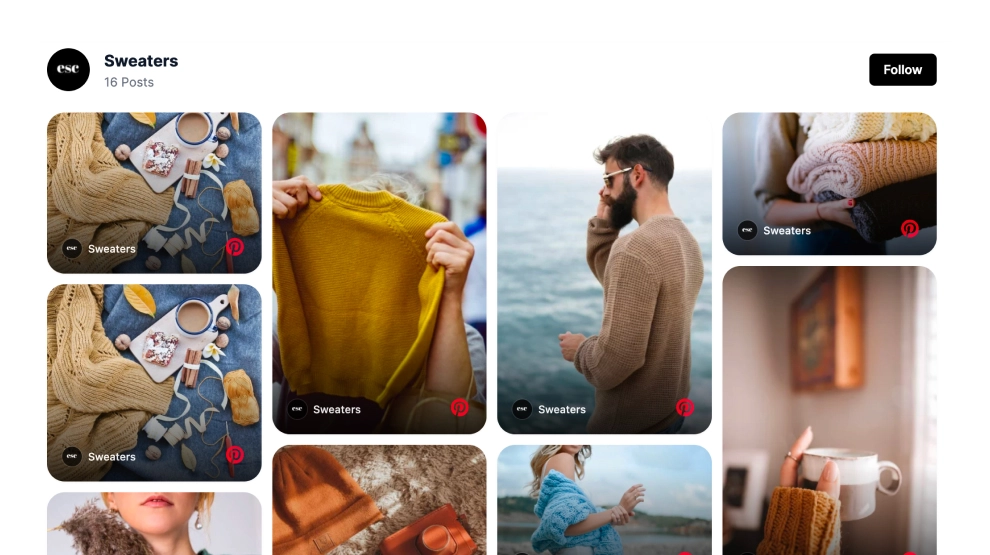
This Pinterest board widget brings the feel of a curated inspiration board straight onto your website. Instead of showing pins in a plain feed, it arranges them in a visual masonry-style layout that keeps the browsing experience closer to Pinterest itself, with tall images, layered card sizes, board branding, and a clear Follow button.

What makes it work

  • Board-style layout: The uneven grid gives the widget a more natural, collected look than a standard row of equal cards.

  • Visual-first browsing: Large image pins keep the focus on products, styling ideas, and inspiration content.

  • Board identity: The board name and post count at the top help frame the content as a themed collection.

  • Pin branding cues: Each card includes subtle Pinterest markers and board labels so the source stays recognizable.

  • Mixed card heights: The layout feels more dynamic because portrait and landscape images sit together like a real pinboard.

  • Follow CTA: The Follow button gives visitors a direct next step if they want to keep exploring the board on Pinterest.

  • Lifestyle-friendly presentation: The widget works especially well for fashion, decor, crafts, food, and other visual categories.

Best fit for

  • Ecommerce websites with curated product inspiration

  • Fashion and lifestyle brands

  • Home decor and interior design pages

  • Recipe, DIY, and craft websites

  • Landing pages that need a more editorial, discovery-driven visual section

How to embed it

  1. Connect your Pinterest board in EmbedSocial.

  2. Choose the Pinterest Board widget template.

  3. Customize the board title, visible labels, and follow button.

  4. Set how many pins to display and how the grid should appear across devices.

  5. Copy the embed code.

  6. Paste it into your website, blog, or CMS and publish.

Turn your Pinterest content into an on-site inspiration board that visitors can browse without leaving your website.
Features

  • Moderation options
  • Customizable settings
  • Fast loading speed
  • Mobile-friendly and responsive
  • Multiple widgets for multiple websites
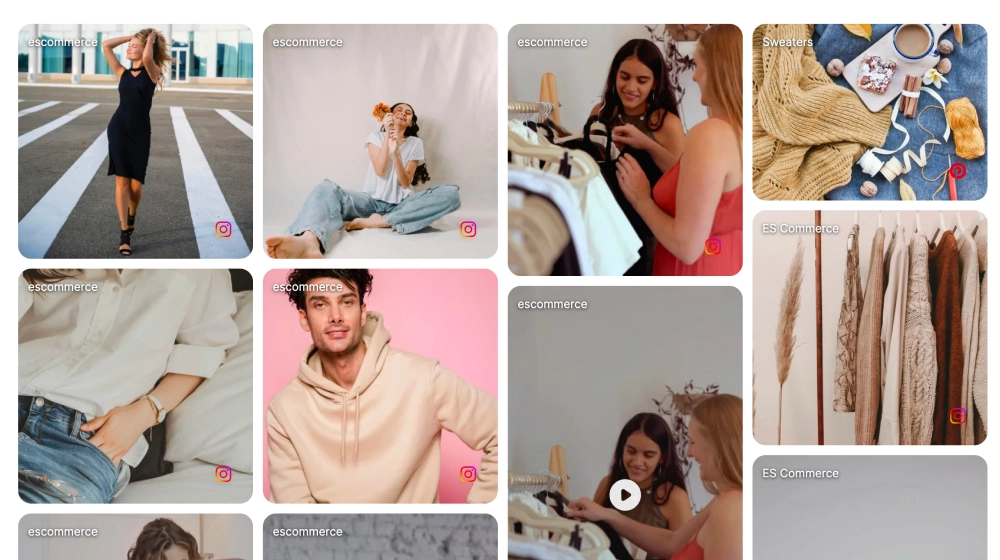
  • Auto-sync with social platforms
  • Custom styling options
  • Analytics and insights