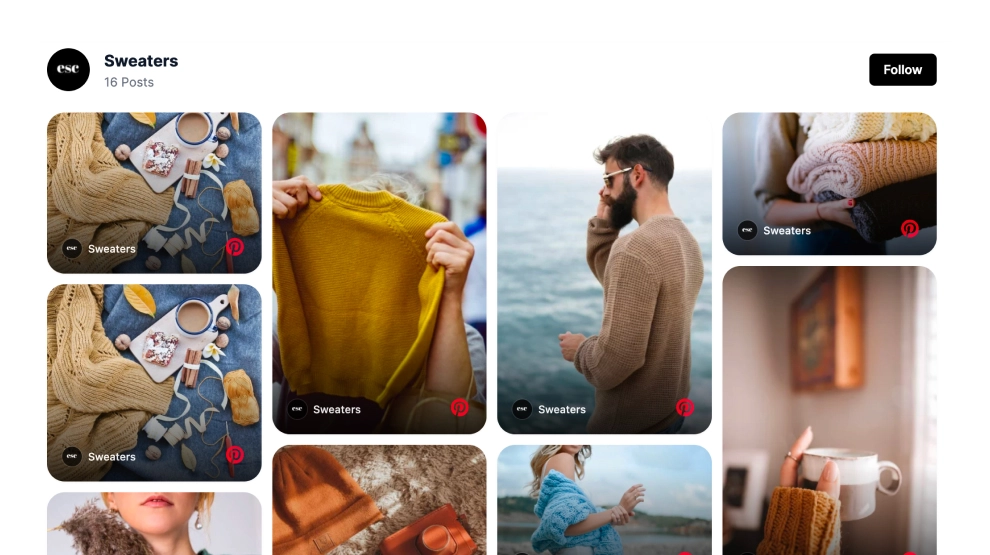
A Pinterest board widget shows the pins from one of your Pinterest boards directly on your website. This template arranges them as an editorial collage with a Follow button, so visitors can browse the board without leaving your page.
What the Pinterest board widget shows and where to place it
A Pinterest board widget is an embedded block that displays the pins saved to a Pinterest board on a web page. You connect the board once, and the widget keeps showing its pins in the layout you choose.
Pinterest’s own builder lets you embed a Pinterest board in three sizes: Square, Sidebar and Header. The Pinterest widget from EmbedSocial adds layouts, moderation, filters and custom styling on top of that.
Use it when a board already works as a lookbook, mood board or product roundup. It suits sites where visuals sell the idea: home decor, fashion, recipes, travel or events.
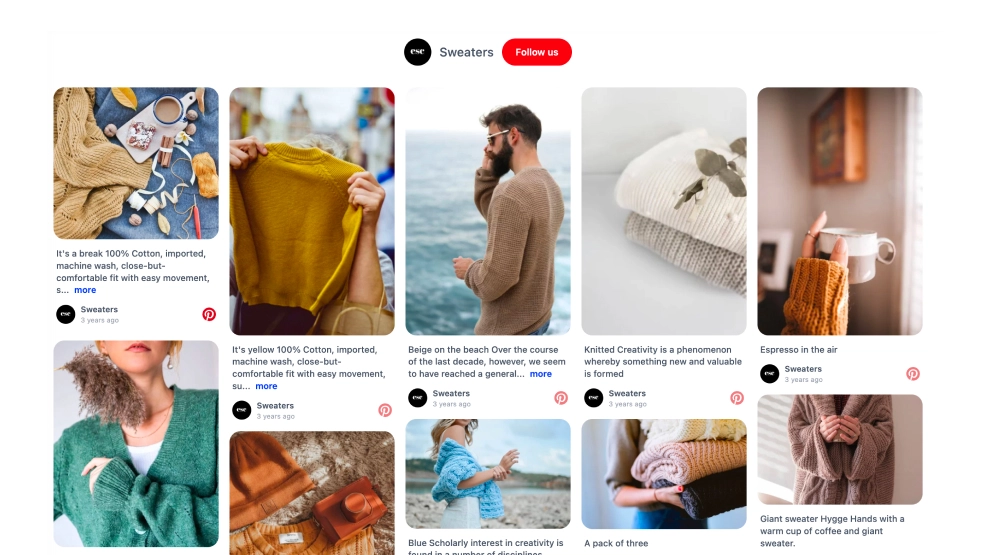
This collage mixes large lifestyle images with smaller detail cards. Some cards show a title, timestamp and snippet, and the Follow button gives visitors a clear next step.
- Homepage: a board shows your style before visitors scroll to products or services.
- Pricing page: a board of finished projects or customer setups gives the price visual context.
- Product pages: styled pins help shoppers picture the product in a real room, outfit or recipe.
- Landing pages: a campaign board keeps the page visual without a new photo shoot.
How to add a Pinterest board widget to your website
- Connect your Pinterest board in EmbedSocial.
- Choose the Pinterest Board Collage Widget template.
- Customize the section title, visible pin details, and follow button.
- Set how the collage should arrange across desktop and mobile layouts.
- Copy the embed code.
- Paste it into your website, landing page, or CMS and publish.
When you connect Pinterest, click Give access so EmbedSocial can list your boards. Then tick the board you want and continue. For screenshots of each step, see how to embed a Pinterest board.
WordPress
Open the page in the block editor and add a Custom HTML block where the board should appear. Paste the embed code and update the page.
Shopify
Go to Online Store > Themes > Customize and add a Custom Liquid section to the template you want. Paste the embed code and save.
Wix
Add an Embed a Site or HTML iFrame element (the name depends on your editor version). Paste the code, resize the element and publish.
Squarespace
Edit the page and add an Embed block. Paste the code into its code field and save.
Collage vs other layouts
| Layout | Best for | Shows | Template |
|---|---|---|---|
| Collage | Mood boards and lookbooks | Mixed tile sizes, pin details, Follow button | Pinterest Board Widget for Your Website |
| Masonry | Longer boards with mixed image ratios | Uneven cards with portrait and landscape pins | Pinterest Feed Widget |
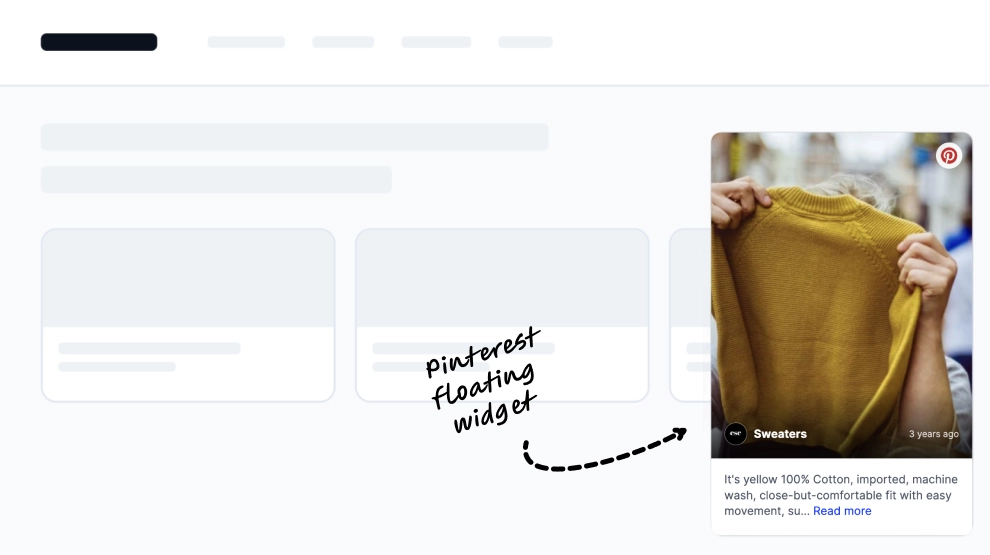
| Popup | Busy pages with no room for a section | One recent pin in a floating card | Latest Pinterest Pins Popup Widget |