TikTok Slider Widget

Use this template

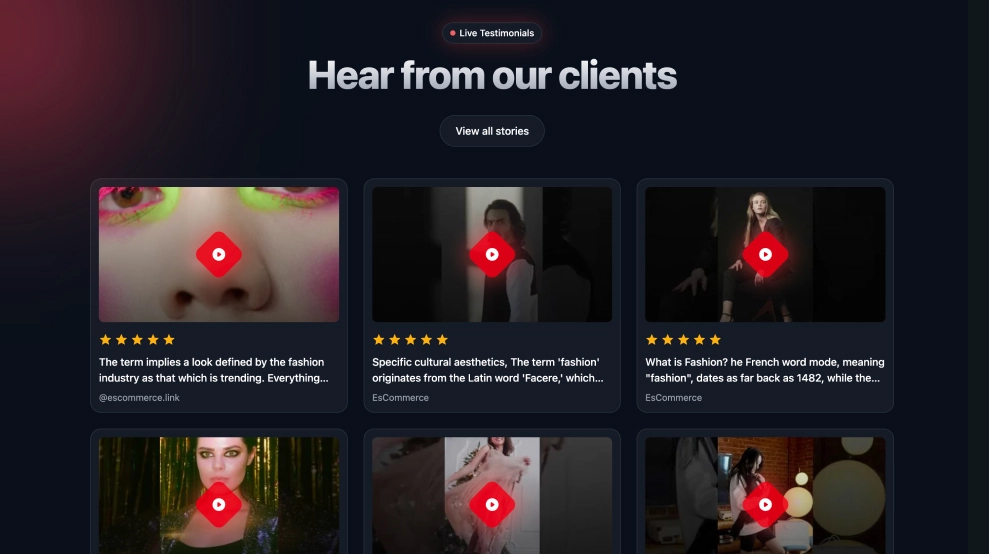
The TikTok Trends Slider is a clean, editorial carousel designed to showcase viral TikTok videos in a scrollable, magazine-style layout. With a bold section title (e.g., “Viral TikTok Trends”), short intro text, and a centered Follow CTA, it’s built to highlight trending content while keeping your page lightweight and easy to browse.FeaturesHorizontal slider layout: Swipe/scroll through TikTok videos in a single-row carouselTall video cards: Vertical, TikTok-native thumbnails with rounded corners for a modern lookBold hero header: Large title + short description to frame the section like a curated trend hubFollow button CTA: Prominent button to drive profile follows directly from your websiteCreator attribution bar: Displays handle/source under each card for authenticity and community feelCaption/excerpt previews: Short text under each video to add context without clutterNavigation arrows: Left/right controls for easy browsing on desktop (swipe on mobile)Responsive design: Adjusts smoothly across devices while keeping the carousel experienceUse casesHomepage trend section: Show what’s trending and keep the site feeling currentFashion/beauty/lifestyle brands: Feature style inspiration, routines, and viral looksCampaign landing pages: Curate videos around a drop, hashtag challenge, or seasonal pushCreator & community pages: Spotlight top-performing clips and drive followsContent hubs: Build a “daily trends” block that refreshes automatically with new videosHow to embedConnect your TikTok source in EmbedSocial (profile/channel, hashtag, or campaign source—depending on your setup).Choose the TikTok Trends Slider template from the TikTok templates library.Customize the section title, description, and enable the Follow button.Set how many videos appear and adjust card spacing/caption length.Copy the embed code (JavaScript or iFrame).Paste it into your website builder/CMS (Shopify, WordPress, Webflow, Wix, Squarespace, or custom HTML) and publish.Bring viral energy to your website, embed the TikTok Trends Slider and let visitors scroll through trending videos while you grow views and followers with one click.


About this template

The TikTok Trends Slider is a clean, editorial carousel designed to showcase viral TikTok videos in a scrollable, magazine-style layout. With a bold section title (e.g., “Viral TikTok Trends”), short intro text, and a centered Follow CTA, it’s built to highlight trending content while keeping your page lightweight and easy to browse.

Features

  • Horizontal slider layout: Swipe/scroll through TikTok videos in a single-row carousel

  • Tall video cards: Vertical, TikTok-native thumbnails with rounded corners for a modern look

  • Bold hero header: Large title + short description to frame the section like a curated trend hub

  • Follow button CTA: Prominent button to drive profile follows directly from your website

  • Creator attribution bar: Displays handle/source under each card for authenticity and community feel

  • Caption/excerpt previews: Short text under each video to add context without clutter

  • Navigation arrows: Left/right controls for easy browsing on desktop (swipe on mobile)

  • Responsive design: Adjusts smoothly across devices while keeping the carousel experience

Use cases

  • Homepage trend section: Show what’s trending and keep the site feeling current

  • Fashion/beauty/lifestyle brands: Feature style inspiration, routines, and viral looks

  • Campaign landing pages: Curate videos around a drop, hashtag challenge, or seasonal push

  • Creator & community pages: Spotlight top-performing clips and drive follows

  • Content hubs: Build a “daily trends” block that refreshes automatically with new videos

How to embed

  1. Connect your TikTok source in EmbedSocial (profile/channel, hashtag, or campaign source—depending on your setup).

  2. Choose the TikTok Trends Slider template from the TikTok templates library.

  3. Customize the section title, description, and enable the Follow button.

  4. Set how many videos appear and adjust card spacing/caption length.

  5. Copy the embed code (JavaScript or iFrame).

  6. Paste it into your website builder/CMS (Shopify, WordPress, Webflow, Wix, Squarespace, or custom HTML) and publish.

Bring viral energy to your website, embed the TikTok Trends Slider and let visitors scroll through trending videos while you grow views and followers with one click.

Features

  • Moderation options
  • Customizable settings
  • Fast loading speed
  • Mobile-friendly and responsive
  • Multiple widgets for multiple websites
  • Auto-sync with social platforms
  • Custom styling options
  • Analytics and insights

Categories