You can vibe code a Google reviews or Instagram widget in an afternoon, for free. Tell Lovable, Claude or Cursor what you want and it writes the carousel, the styling and the embed code.
The design is the easy part now. The hard part is the data: getting all your reviews and posts, keeping them fresh, and keeping them working next month. This guide shows three free ways to build one, a fourth way to skip the code, and the honest limits of each.
Why I’m writing about vibe-coding widgets as the founder of a widget company
Something new showed up in our cancellation notes this year. A few long-time customers told us, very politely, “I built my own version with AI.”
My first reaction? Honestly, good for them. Vibe coding is fun, and a widget is a perfect first project. You get a design that looks exactly like your brand, and you learn how the web works along the way.
My second reaction was to talk to the people who did it. Most of them rebuilt one source, one widget, on one website. That is a very reasonable thing to build yourself. And a few of them hit the same wall a week or a month later.
So here is the guide I would give a friend: how to build it for free, where it gets serious, and where EmbedSocial can quietly do the boring part for you, even if you keep your own design.
How a website widget actually works
Every review or social feed widget, ours or yours, is the same four layers. AI now writes layers 3 and 4 in minutes. Layers 1 and 2 are the whole job.

| Layer | What it does | Vibe-coded version | EmbedSocial version |
|---|---|---|---|
| 1. Data source | Gets your reviews or posts from Google, Instagram, TikTok and others | Your own API key, a scraper, or copy and paste | Connected once, through the official Google and Instagram integrations |
| 2. Sync and storage | Checks for new content, saves it, keeps reviewer photos and images | A scheduled job plus your own database | Automatic sync, hosted for you |
| 3. Widget code | The JavaScript and CSS that turn data into a carousel or grid | AI writes it | Ready-made templates, or your own design |
| 4. Embed snippet | The small piece of code you paste on your site | You host the file yourself | One copy and paste snippet |
In case you have never looked inside one, this is all an embed snippet is. A placeholder, and a small script that loads the widget into it:
<div class="embedsocial-hashtag" data-ref="YOUR_WIDGET_ID"></div>
<script> (function(d, s, id) { var js; if (d.getElementById(id)) {return;} js = d.createElement(s); js.id = id; js.src = "https://embedsocial.com/cdn/ht.js"; d.getElementsByTagName("head")[0].appendChild(js); }(document, "script", "EmbedSocialHashtagScript")); </script>
The magic is not in those lines. It is in everything that runs behind them, every hour, for years.
Path 1: Vibe code a Google reviews widget with the Google Places API
This is the path most AI builders suggest first, and it works in about 30 minutes.
- Create a project in Google Cloud and turn on Places API (New).
- Create an API key and restrict it to that API.
- Find your business’s Place ID.
- Ask your AI builder to fetch your reviews on the server side and render them.
- Cache the result, so you do not pay for a new API call on every page view.
- Paste the widget into your site.
Here is a prompt you can drop into Lovable, Bolt or Claude:
Build a Google reviews carousel for my website. Use a server-side function to call the Google Places API (New) Place Details endpoint for my Place ID with the rating, userRatingCount and reviews fields. Never expose the API key in the browser. Cache the response for 24 hours. Show each review with the reviewer name, photo, star rating, date and text, in a clean card design that matches my brand colors.
The catch nobody mentions in the demo: Google’s own documentation says the reviews field returns “a maximum of 5 reviews”, sorted by relevance. You cannot choose which five, and you cannot page through the rest.
The reviews field is also billed on the Place Details Enterprise + Atmosphere SKU: about 1,000 free calls a month, then $25 per 1,000 calls (Google’s price list, checked September 2026). Caching keeps you inside the free tier. Forgetting to cache is how a “free” widget turns into a surprise invoice.
If five reviews is all you need, congratulations, you are done. Go make a coffee.
If you want every review you have ever earned, the official route is the Google Business Profile API. It needs an access application and approval from Google, OAuth for the business owner, and a sync job that pulls new reviews and stores them.
It is very doable. It is just not an afternoon anymore.
Path 2: Vibe code an Instagram feed with the Instagram API
Instagram is the other widget people love to build.
- Make sure your account is a professional account (business or creator).
- Create an app in Meta’s developer portal and connect it with Instagram Login.
- Generate an access token for your account.
- Ask your AI builder to fetch your latest media and render a grid.
If your AI suggests the “Instagram Basic Display API”, it is out of date. Meta shut that API down in December 2024. AI builders still recommend it because it lived in their training data for years. Ask for the Instagram API with Instagram Login instead.
The token timer: Meta’s documentation explains that your long-lived token is valid for 60 days. You can refresh it once it is at least 24 hours old, and each refresh gives you another 60 days.
Tokens that are not refreshed within 60 days “will expire and can no longer be refreshed”. So your vibe-coded feed needs its own refresh job, or it goes blank one quiet Tuesday and you find out when a customer tells you.
Where the weekend project gets serious
A friend of mine, Erik, told me a story recently that I keep thinking about. He helped a client with an Instagram integration. It worked, thanks to a scraper. Then the scraper broke, and the whole thing collapsed overnight.
He eventually got official API access, but keeping it up and running was still not a real solution for a client project. I told him what I tell everyone: if you ever need help, we are the guys maintaining this and doing the review work, so EmbedSocial can back you any time.
Our own users tell a similar story. They are super excited to get into vibe coding, and they should be. They pull the five reviews from the Places API and ship a nice widget.
Then they want all of their reviews. The reviewer avatars. The photos customers left. A few hundred or a few thousand reviews collected in one place. That full history is a goldmine, and it is exactly the part that does not come out of a single API call.
Here is how people are getting fresh content into self-built widgets today, and how each one holds up:
| Method | Updates automatically? | How reliable? |
|---|---|---|
| Official Google or Instagram API | Yes | Best, but needs approval, tokens and a sync job |
| Third-party scraping service | Yes | Depends on the provider |
| Browser automation (headless scraping) | Yes | Fragile: breaks when the page changes |
| Logged-in browser session or cookies | Yes | Fragile, and a compliance risk |
| An AI agent browsing your page on a schedule | Partly | Not a real feed. Misses, duplicates, rate limits |
| Paste new reviews by hand | No | Simple, until you forget |
| CSV or JSON upload | Partly | Simple, always slightly out of date |
And then there is the list of things that break, which every developer learns one at a time: logins, cookies, CAPTCHAs, page redesigns, rate limits, blocking, missing posts, duplicate posts, deleted content, pagination, historical sync and platform terms.
None of them show up in the demo. All of them show up eventually.
What a thousand reviews need that five reviews do not
Five reviews fit in any carousel. A few hundred reviews, with photos and videos, are a different engineering problem. A widget that loads everything at once gets heavy, slows the page, and hurts the very page it was supposed to help.
This is the part we have spent years perfecting, and it is invisible until you try to build it yourself.
| What the widget has to do | Weekend build | EmbedSocial widget |
|---|---|---|
| Search and filters | Build your own search box and index | Visitors search and filter reviews by keyword (Pro and up) |
| Pagination | Load everything, or write your own paging | Content loads in pages, so a long review history stays fast |
| Photos and videos | You resize, host and serve every file | Stored and served for you |
| Page speed | Your script runs on every page load | Loads asynchronously and lazy loads, so it only activates when a visitor scrolls near it |
| Search engine visibility | Reviews are text your script injects | A review schema code (on selected plans) gives search engines structured data. On eligible pages, such as a product or service page, your rating can show as stars in Google results, at Google’s discretion |
That last row matters more every month. Search engines and AI search tools read structured data to understand what a page is about and what customers think of it.
Your reviews are some of the most convincing content you own, so they should be readable by both.
Path 3: Vibe code your widget with the EmbedSocial MCP (free, no API needed)
This is the path I actually want to show you, because you do not have to choose between building it yourself and using us.
Keep your own design. Let EmbedSocial handle the data. The EmbedSocial MCP connects your EmbedSocial account to Claude, ChatGPT or any MCP-compatible AI tool.
It works on every plan, including Free, and you never have to create or manage an API key or do any developer setup. Your reviews are already synced, stored and cleaned up. Your AI just reads them and builds whatever you describe.

Step 1: Connect your Google reviews (or Instagram) to EmbedSocial
Create a free account and connect your Google Business Profile as a source. EmbedSocial pulls in your review history and keeps syncing new reviews on its own.
Never connected a review source before? Our guide to embed Google reviews on your website shows this step with screenshots.
Step 2: Add the EmbedSocial MCP to Claude
In Claude, click the plus icon, go to Add connector and choose Add custom connector. Name it “EmbedSocial” and paste this server URL:
https://embedsocial.com/admin/mcp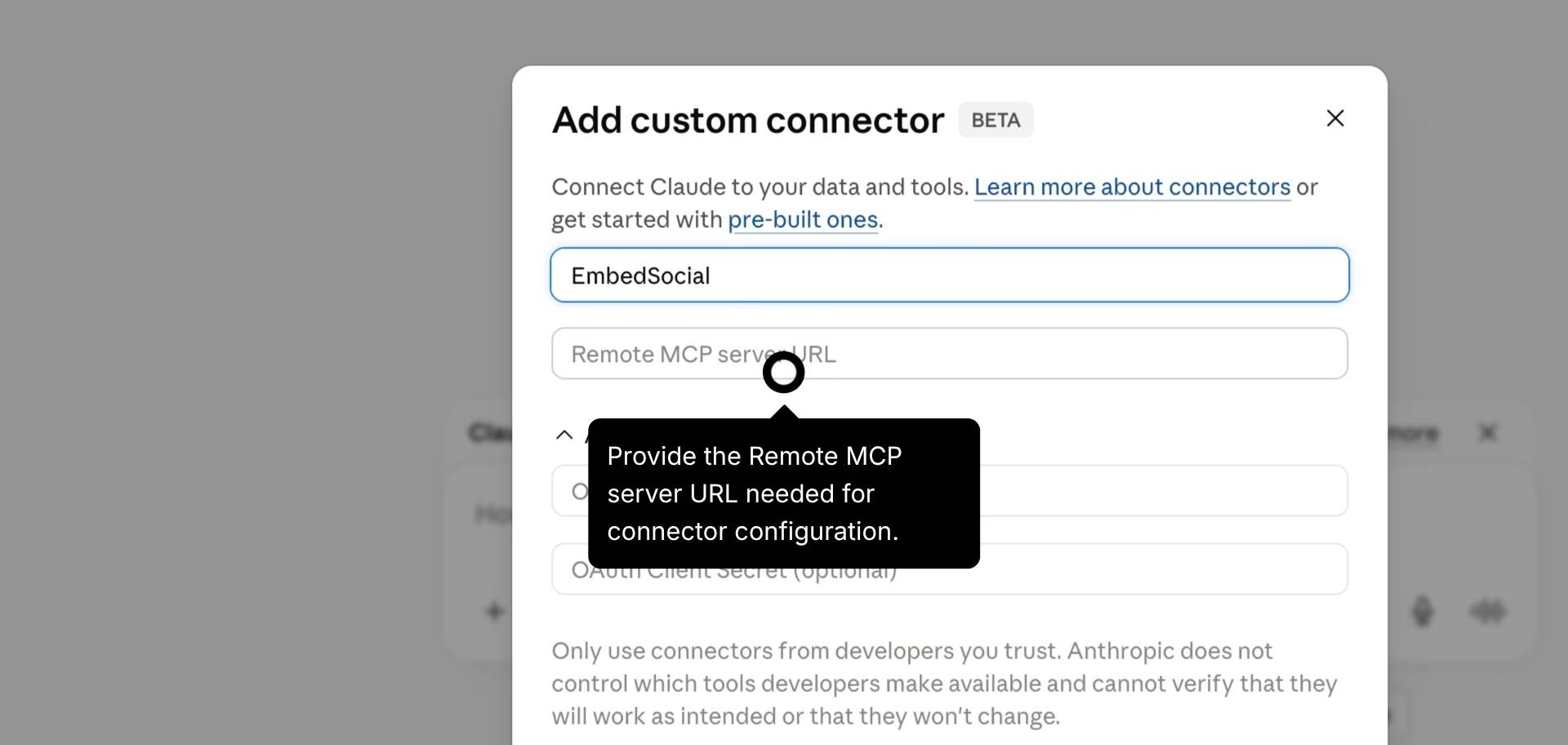
Then open Settings, go to Connectors, find EmbedSocial and click Connect. Using ChatGPT? The same MCP server works there too.
Step 3: Ask for your widget
Name the account you connected and describe the widget you want:
Using the EmbedSocial MCP, pull all the reviews from my ‘Google Business Profile’ account. Build a responsive reviews carousel for my website with the reviewer name, photo, star rating, date and review text. Only show 4 and 5 star reviews, match my brand colors, and give me a single embed snippet I can paste into my site.
Want a head start on the wording? Our ready-made automations include prompts you can copy and adapt.
This is what that looks like with real reviews. The design came from the AI. The reviews came from EmbedSocial.

Step 4: Keep it fresh with a scheduled ping
A widget is only as good as its newest review. Set up a small scheduled job in your app (or a scheduled task in your AI tool) that asks the EmbedSocial MCP for recent reviews, then adds the ones your widget does not have yet.
The MCP can filter content by date range or keyword, so “anything new?” is one call. Ask for a window a little longer than your check interval (for example the last 3 days when you check daily) and skip the reviews you already have. That way a review that syncs late never slips through the gap.
Using the EmbedSocial MCP, get the reviews from my ‘Google Business Profile’ account from the last 3 days. Return them as JSON with a unique ID, reviewer name, photo URL, rating, date and text, so my widget can add only the ones it does not already show.
One honest limit: your ping can only find what EmbedSocial has already synced, and the sync speed depends on your plan. Pinging every five minutes on a plan that refreshes once a day just returns the same reviews 288 times.
| Plan | Price | How often new content syncs | Media per source |
|---|---|---|---|
| Free | €0 | Every 24 hours | 500 |
| Pro | €29/mo | Every 3 hours | 1,500 |
| Pro Plus | €49/mo | Every 3 hours | 5,000 |
| Premium | €99/mo | Every 30 minutes | 30,000 |
| Enterprise | Custom | Every 5 minutes | Custom |
For most small businesses, a daily refresh is plenty. Reviews do not arrive every minute, and nobody refreshes your homepage waiting for them.
For more MCP ideas, like weekly review reports or turning your best reviews into social posts, see how to use the EmbedSocial MCP.
Path 4: Skip the code entirely
Some days you want to build. Some days you just want reviews on the page before lunch. Here is a live widget from our templates library, with star ratings, filters and sorting your visitors can click:
Prompting an AI from a blank page costs credits and a lot of “no, less purple, and make the stars smaller”. Browsing a library costs nothing.
Our templates library has 200+ ready-made layouts for reviews and social feeds. Pick the one closest to what you have in mind, connect your reviews, and adjust it from there.
Free to use. These layouts work on the Free plan:
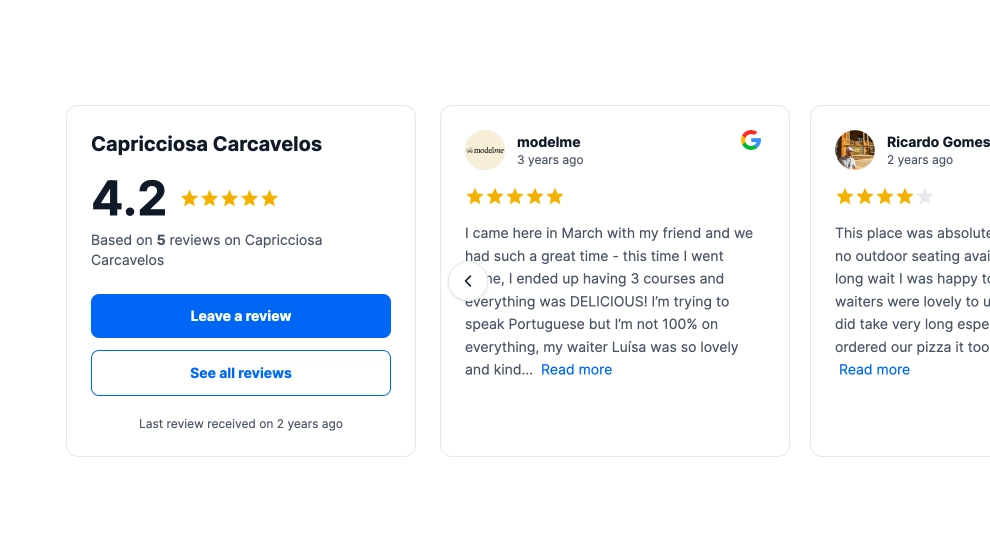
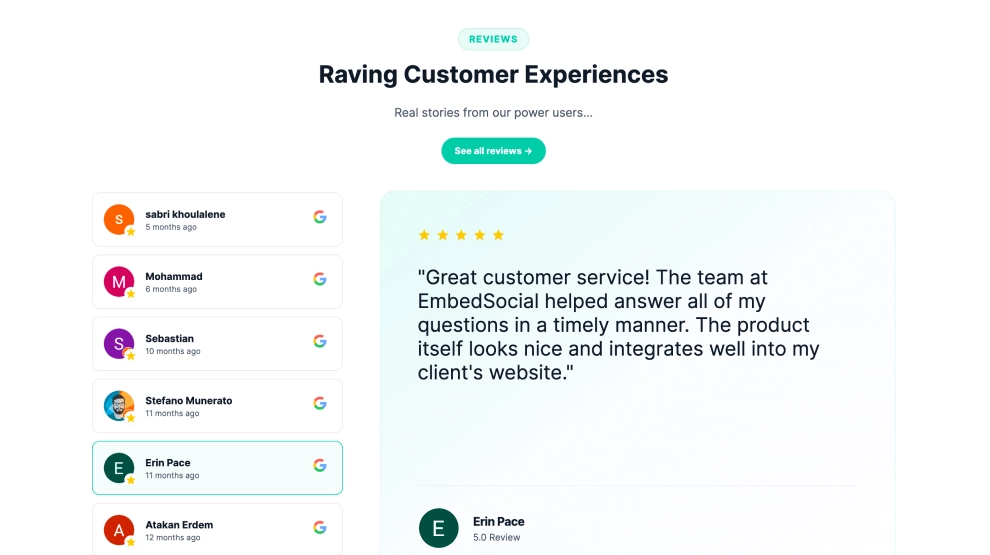
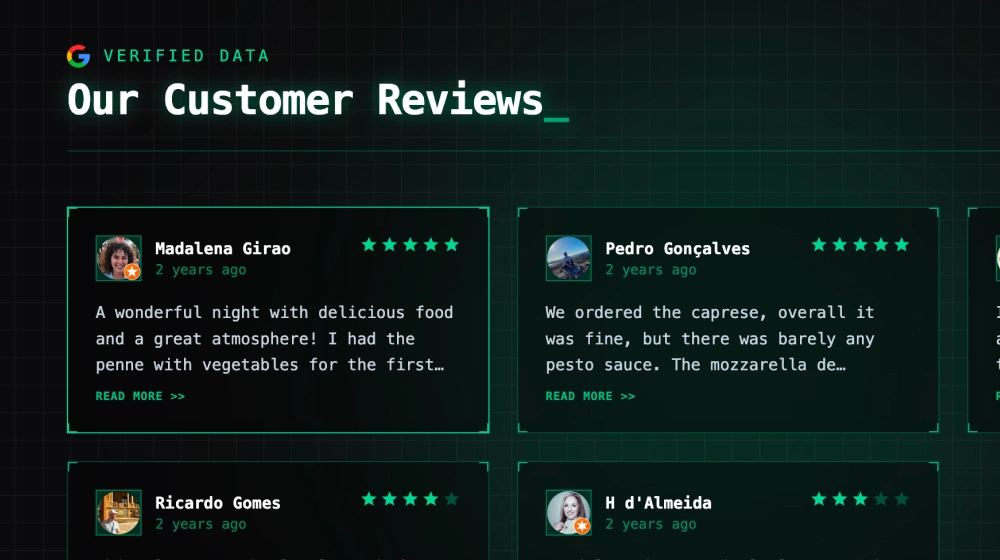
Want more options at no cost? See every free Google reviews widget layout in one place.
Premium layouts. Photo-led and editorial designs for when the widget sits on your homepage:
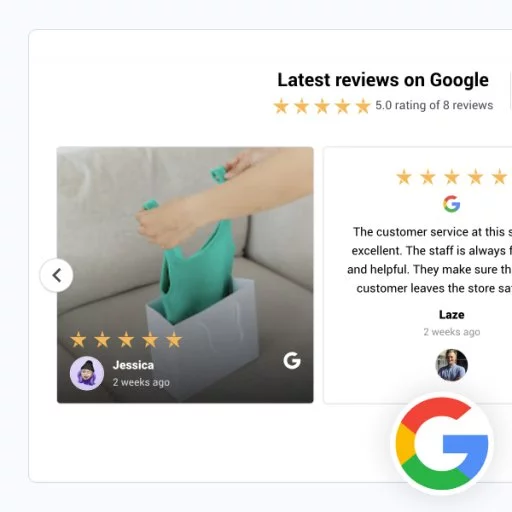

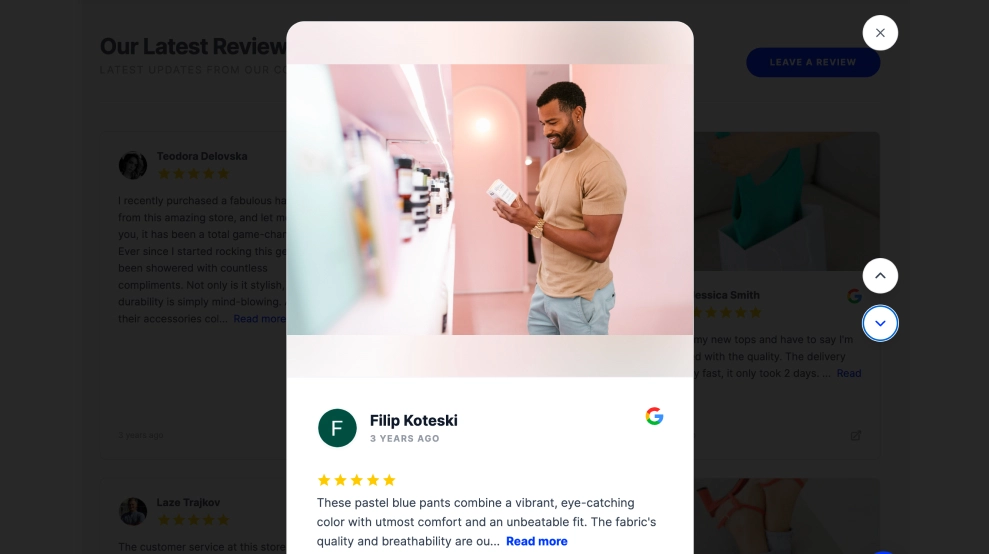
Building your site on Lovable, Bolt or v0? Any of these templates goes in with a single prompt, and here is how to add a Google reviews widget to a Lovable site.
What it really costs
“Free” is a price tag, not a total. Here is the honest math for one Google reviews widget:
| Vibe-coded with Google APIs | EmbedSocial Free + MCP | EmbedSocial Pro | |
|---|---|---|---|
| Price | €0 to start, plus your AI builder plan | €0 | €29/mo |
| Reviews you can show | 5 (Places API), or all after Google Business Profile API approval | Your full history, up to 500 per source | Up to 1,500 per source |
| Your design | Fully custom | Fully custom, built by your AI | Templates plus custom CSS |
| Sync | You build and babysit the job | Every 24 hours, automatic | Every 3 hours, automatic |
| Reviewer photos and images | You store them | Stored for you | Stored for you |
| API keys and tokens | Yours to manage and refresh | None | None |
| Sources | Whatever you build and maintain | 1 source | 3 sources |
| Views | Your API bill grows with traffic (without caching) | 500 views/mo | 5,000 views/mo |
| When it breaks | You fix it, probably at night | We fix it | We fix it |
| Your time | Build it, then maintain it forever | Minutes | Minutes |
The short version: for five reviews on one page, the DIY route is genuinely fine. Once you want all your reviews, a second source, or a second website, the “free” widget starts costing you evenings.
That is usually the moment €29 a month feels cheap.
DIY or EmbedSocial: the 20-second decision
| If this sounds like you | Do this |
|---|---|
| One site, one source, five reviews is enough | Vibe code it with the Places API. Have fun |
| You want your own design and all your reviews | Vibe code the design, get the data from the EmbedSocial MCP (free) |
| You need reviewer photos, images and a full review history | EmbedSocial, with a template or your own design |
| Two or more sources, or two or more websites | EmbedSocial Pro or higher, one account for everything |
| You manage many brands or need near real-time sync | Enterprise, with 5-minute sync and custom limits |
Whichever path you pick, I hope you build something you love. And if the APIs, the storage or the syncing ever give you trouble, we are here. That is literally the part we are good at.