

You asked your AI assistant to pull your latest Instagram posts, or to summarize this month’s reviews. Then you went hunting for a “social media MCP server” to make it happen.
What you found was a pile of unofficial GitHub repos and directory listings, with no clear sign of which ones are safe to hand your accounts to.
Here is the fact most of those pages bury: no major social network ships an official MCP server. There is no Instagram MCP from Meta, no YouTube MCP from Google, no TikTok MCP from TikTok.
Every option you will find is either community-built or a vendor wrapper around a platform’s API. Some are solid, and many are not.
Below I cover what social media MCP servers actually are, the three routes for connecting your social data to AI, how to tell a safe one from a risky one, and how to connect a maintained option to Claude in a few minutes. If you already know you want the official-API route, jump straight to the EmbedSocial MCP workflows walkthrough.
What is a social media MCP server?
Social media MCP server (definition): A connector built on the Model Context Protocol (MCP) that lets an AI tool like Claude, ChatGPT, or Cursor read and act on social platform data through natural language, from posts, feeds, and comments to reviews, analytics, and user-generated content.
MCP itself is an open standard for connecting AI tools to outside systems. A social media MCP server is that connector pointed at social platform data.
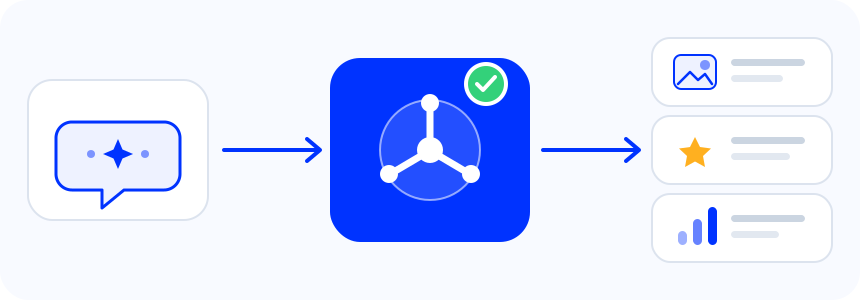
You can read the spec at modelcontextprotocol.io. Under the hood, the AI tool is the client, the MCP server is a small service that exposes a set of tools, and each tool maps to a real action like “list widgets” or “get reviews.”
When you ask a question in plain language, the model picks the right tool, the server calls the platform’s API, and the answer comes back into your chat. The standard has grown fast on the back of that simple loop: over 97 million monthly SDK downloads and more than 10,000 active servers as of MCP’s move into the Linux Foundation in late 2025.
What matters for a marketer is the result: instead of exporting a CSV and pasting it into a prompt, you ask your assistant a question and it works with the live data directly. You can ask better questions, move faster, and make decisions from current numbers instead of last month’s screenshot.
The catch is that “social media MCP server” is not one product. It is a category with very different options behind it, and they are not equally safe.
The three ways to connect social media to AI
There are three practical routes, and they solve different problems:
- Community GitHub MCP servers, one network per server, with tokens you supply yourself.
- Publishing-platform MCPs, built to schedule and post content out to many networks.
- Official-API aggregation MCPs, which pull content, reviews, and UGC in through a single connection.
Here is how they compare before we get into the detail.
| Route | What it does | Networks | Auth model | Maintenance | Best for | Main risk |
|---|---|---|---|---|---|---|
| Community GitHub server | Reads or posts to one network | One per server | You supply tokens or a login session | Depends on a volunteer maintainer | Developers who want one specific network | ToS and session breakage, abandonment |
| Publishing-platform MCP | Schedules and posts content out | Many | Vendor account | Vendor-maintained | Teams automating outbound posting | Blind to content coming in |
| Official-API aggregation MCP | Pulls content, reviews, and UGC in, and displays it | Many, one connection | Scoped account key | Vendor-maintained | Marketers working with social proof and reviews | Covers the networks the vendor supports |
Community GitHub MCP servers
These are the results you see first when you search “instagram mcp server” or “youtube mcp”. They are free, often capable, and built by developers for developers. Some are solid: servers like mcpware/instagram-mcp and jlbadano/ig-mcp wrap the official Instagram Graph API and expose a broad set of tools for Business accounts. Others take a shortcut and read data through a logged-in browser session or by scraping the public site.
The trade-offs are real and worth naming plainly. Session and scraping approaches are fragile (they break when the network changes its markup) and they generally run against the platform’s terms of service. Maintenance is whatever a volunteer has time for, so a repo that works today can stall in a month.
You also hold and configure the API tokens yourself, and you set up a separate server for every network you want to reach. For one network and a technical user, that can be fine. For a marketing stack across five networks, it is a lot of moving parts to trust and maintain.
Publishing-platform MCPs
The second route is the MCP servers offered by social media publishing tools. Multi-network publishers (the Ayrshare-class tools) expose MCP servers that let an AI draft a post and schedule it across many networks at once. If your job is getting content out on a calendar, these are genuinely useful and they are built for exactly that. For Instagram, our guide to using Instagram in Claude and ChatGPT pairs a publishing MCP with a read-only one.
The gap is direction. These servers are designed for content going out. They are not built to pull your existing feeds, reviews, and UGC in, or to display that content back on your website. That is a different job, which is where the third route comes in.
Official-API aggregation MCP (the content-in route)
The third route is a single MCP server that connects to the networks through their official APIs and focuses on the content coming in: your feeds, your reviews, your UGC, and the widgets that display them. One connection covers many networks instead of one server per network. This is the route EmbedSocial takes, and it is what the rest of this guide uses as the worked example.
What you can do with a social media MCP
Here is what the content-in route looks like in practice. These are the workflows the EmbedSocial MCP supports today when you connect it to Claude. Access is read-only: when you name a widget, the assistant can view that widget’s posts, UGC, reviews, and analytics through your account key, and only within your own account.
Pull your feeds and UGC into AI workflows
Ask your assistant to list your widgets and the media feeding each one, then to surface the strongest user-generated content or the creators worth reusing. Instead of scrolling through a dashboard, you get the assets ranked and ready for the next campaign.
List my widgets and the media sources feeding each one.
From there you can narrow it down. A follow-up like “show the latest media in each Instagram widget so I can confirm my placements are current” turns a vague “is our feed fresh” worry into a concrete list you can act on.
Turn reviews into reports and responses
Pull review themes across your sources and turn them into a client summary, an internal report, or a quick Slack update, without rebuilding the same report every week. With 97% of consumers reading reviews before choosing a local business, keeping that layer readable and actionable is not optional.
Summarize the review and social proof activity that matters most this week.
The reviews layer that powers your site becomes something your assistant can read and summarize on demand, so the weekly recap writes itself instead of eating an afternoon.
Audit website widgets from a prompt
Ask which widgets have gone stale, then review the recent content and engagement analytics already available in your account.
Count media added in the last 14 days for each widget and flag anything that looks stale.
Widget monitoring and freshness checks become a question you ask rather than a manual audit, which matters when you run more than a handful of widgets across client sites.
Monitor social proof across networks
Because one connection spans your connected networks, you can monitor social proof across all of them from a single place instead of checking each platform separately. You can even push the result into the next tool: pull your latest reviews and drop them into a design file or a spreadsheet for the team.
Get my latest google reviews and add them in a grid in Figma for creating social media carousel posts.
Is there an official MCP for each network?
Short answer: no network ships an official MCP server as of July 2026. Here is the picture at a glance, with where EmbedSocial fits for each.
| Network | Official MCP? | Community options | EmbedSocial MCP coverage |
|---|---|---|---|
| No | Several GitHub servers (Graph API and scraper-based) | Yes, see Instagram MCP automations | |
| YouTube | No | A few GitHub servers | Yes, see YouTube MCP automations |
| TikTok | No | Limited, mostly experimental | Yes, see TikTok MCP automations |
| X (Twitter) | No | Several, varying quality | Yes, see X MCP automations |
| Threads | No | Very few | Yes, see Threads MCP automations |
| Google reviews | No | Rare | Yes, through the reviews layer |
| No | A few GitHub servers | Yes, see the automation library | |
| No | Several (LinkedIn is the most-searched of the group) | Yes, see LinkedIn MCP automations |
How to connect a social media MCP to Claude or ChatGPT in 5 minutes
Connect the EmbedSocial MCP to Claude
The setup is short. In Claude, open the Connectors page from the Customize menu, add a custom connector, paste the EmbedSocial MCP URL, then connect and authorize with your account. Anthropic documents the exact steps in its custom connectors guide. You get read-only access scoped to your own content.

Once you paste the URL and authorize, Claude confirms the connection and the tools become available in your chat.

Want the full click-by-click version? Read the dedicated walkthrough, with every screenshot and example prompt, in How to use the EmbedSocial MCP in Claude.
Connect the EmbedSocial MCP to ChatGPT
ChatGPT gives you two ways to connect. Both use the same EmbedSocial account and give the same read-only access.
Option 1: Install the EmbedSocial plugin (fastest)
- Open the EmbedSocial plugin page in ChatGPT and click Install plugin.
- Sign in with your EmbedSocial account and approve access.
- Try a starter prompt, such as “List my connected social sources.”
You don’t need Developer mode for this route.
Option 2: Add a custom connector
- In ChatGPT, go to Settings > Security and turn on Developer mode. You only do this once.
- Open Plugins and click the + button.
- Name it EmbedSocial, paste
https://embedsocial.com/admin/mcpand click Create. - Sign in with your EmbedSocial account to authenticate and enable the tool permissions.
Once you’re connected, ChatGPT can read the posts, mentions, reviews and widget analytics in your EmbedSocial account. It can’t post, reply or reach anything outside your connected sources.
One rule applies to both assistants: connect your social sources in EmbedSocial first. The MCP only sees what’s already in your account.

Need every screen? Follow the ChatGPT MCP connector guide.
Pro tip: MCP is an open standard, so the same server URL works in Claude, ChatGPT, Cursor and Claude Code. Set it up once and use whichever assistant your team already pays for.
How to choose a safe social media MCP server
Before you connect any MCP server to your accounts, run it through this checklist. It applies to every option, community or vendor.
- Official API or scraping? Prefer servers built on a platform’s official API. Session-based and scraping servers break often and usually violate the network’s terms of service.
- Where do your credentials live? Know whether you are handing over API tokens, a login session, or an account key, and what scope that grants.
- Read-only or write access? Give the least access the job needs. A reporting workflow does not need permission to post.
- Is it maintained? For a community repo, check the last commit, the open issues, and who owns it. An abandoned server is a liability.
- How is your data handled? Understand what the server stores and where.
- How many servers will you run? One connection across your networks is far less to secure and maintain than six separate community servers.
EmbedSocial is built to pass this checklist: it uses the networks’ official APIs, gives you scoped read-only access to your own content, is maintained as part of the platform, and covers multiple networks through a single connection.
Conclusion: Pick the MCP route that fits your workflow
If you are comparing the best MCP servers for a marketing stack, the useful distinction is not brand by brand. It is the direction of the work. Publishing MCPs handle content going out. Content aggregation MCPs handle content coming in, plus reviews and display. Most marketing teams end up wanting both, and they are complementary rather than competing.
A simple way to decide: if your bottleneck is getting posts scheduled and out the door, start with a publishing MCP. If your bottleneck is making sense of the content, reviews, and social proof you already have, and putting it to work on your site, start with an aggregation MCP.
For the wider automation picture, see our roundup of social media automation tools. For the product behind the content-in route, the social media aggregator page shows how the feeds, reviews, and widgets fit together.





![12 Best Twitter (X) Monitoring Tools in 2026 [Compared]](https://embedsocial.com/images/blog/twitter-monitoring-tools/featured.avif)

