Instagram evolves constantly in an effort to meet the wants and needs of its user base.
These changes and innovations are applied constantly, so tracking them is imperative for creators, brands, and marketers. Missing even one can cost reach, engagement, and revenue.
To help you with that, I’m tracking new Instagram features all the time and will be adding them to this blog post throughout 2026. I’ll also include updates to Instagram Edits as they are related.
Furthermore, all Instagram new features will be logged chronologically, so you can scan fast and then dive deep if you want to check out illustrations and learn more.
On Instagram, early adopters usually win, so keep reading below.
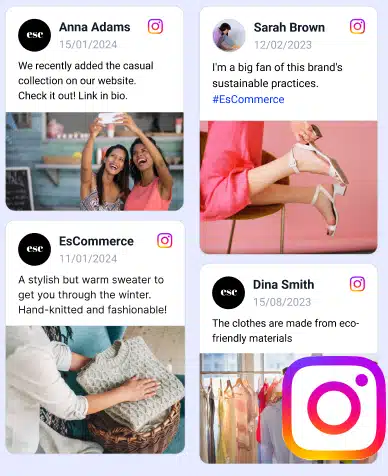
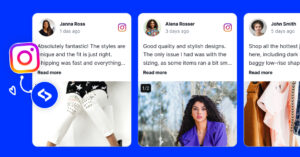
Embed Instagram feed on your website without lifting a finger!
Generate and embed Instagram widget with your feed, mentions, or hashtags directly to your website.
FYI: You can automatically embed an Instagram widget with a social media aggregator, bringing your website to life with fresh content.
How to get the latest Instagram features in 2026?
Wondering how to have the latest Instagram features before everyone else?
Here are a few best practices you can adopt:
- Keep the app fully updated—feature rollouts often depend on the latest app version;
- Opt into beta features when available—early access usually goes to beta testers first;
- Use Instagram professionally—business and creator accounts receive new tools earlier;
- Follow official Meta and Instagram channels—product updates are often hinted at before release;
- Monitor feature rollouts across regions—some Instagram new features appear country by country;
- Track updates externally with tools like EmbedSocial—our platform includes social listening features that can help you spot new formats, content types, and engagement shifts faster.
As you can see, staying updated is a system, not luck.
Check out our previous editions:
Instagram New Features Every Marketer Should Know: 2025 Edition
New Instagram features: March 2026
Instagram users can now reorder carousel posts after publishing
Instagram is finally giving users more control over carousel posts, as you can now reorder your photos and videos even after the post has already gone live.
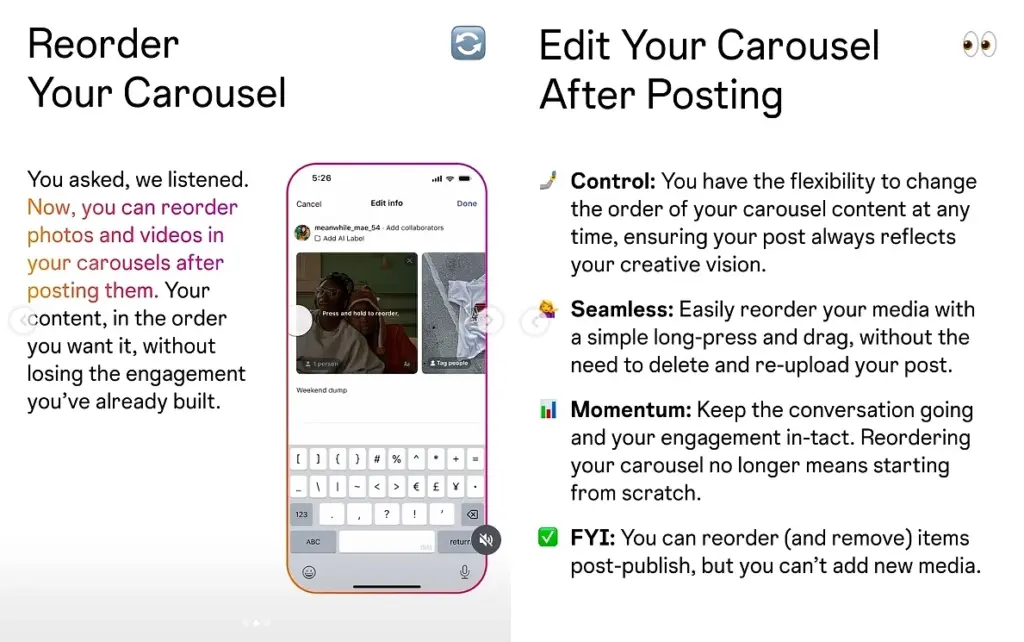
As shown in this Instagram update post, the feature lets you long-press and drag items into a new order without deleting and re-uploading the whole carousel. That means creators can tweak the flow of a post while keeping the engagement they’ve already built.
There is one catch, though: while you can reorder and remove existing items, you still can’t add new media after publishing. Still, for anyone who has ever posted a carousel and immediately regretted the order, this is a tidy little fix.
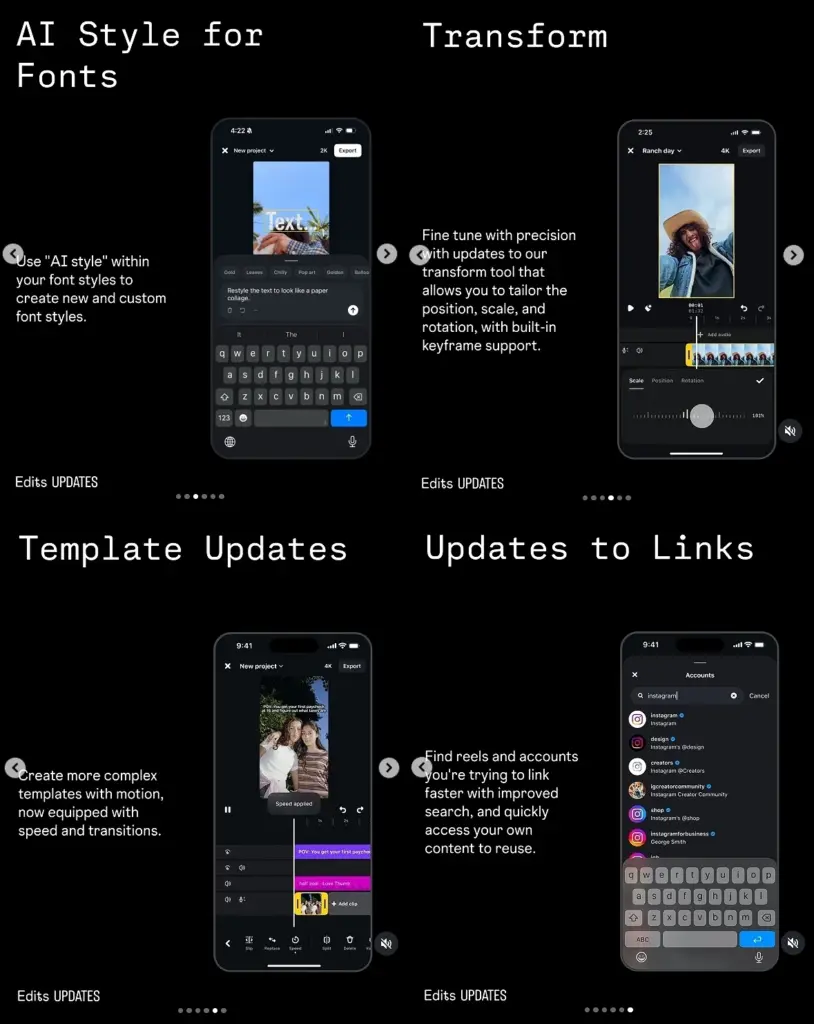
Edits adds AI font styling, better transforms, and faster linking tools
Meta is rolling out another batch of Edits features, this time focused on text styling, motion control, templates, and linking.
As shown in this Edits update post, users can now create custom font looks with AI styling, fine-tune transforms with built-in keyframe support, build more complex templates with motion and speed controls, and find reels or accounts faster through improved linking search.
Instagram may soon let users auto-download Reels for offline viewing
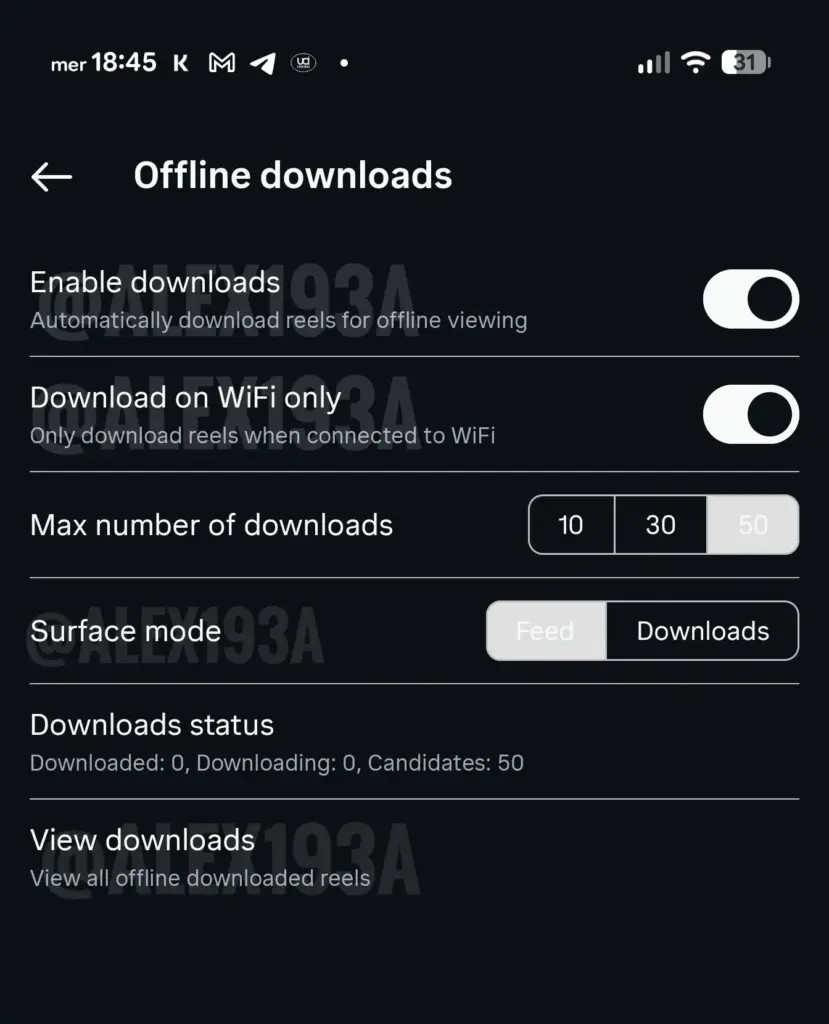
Instagram appears to be testing automatic offline downloads for Reels, which could let users save a set number of videos for later viewing without an internet connection.
Based on this leaked preview, the feature includes options like Wi-Fi-only downloads, download limits, and a dedicated downloads section, which suggests Meta is treating this as a proper offline viewing tool rather than a one-off save option.
Edits may add a dedicated templates filter in the Ideas tab
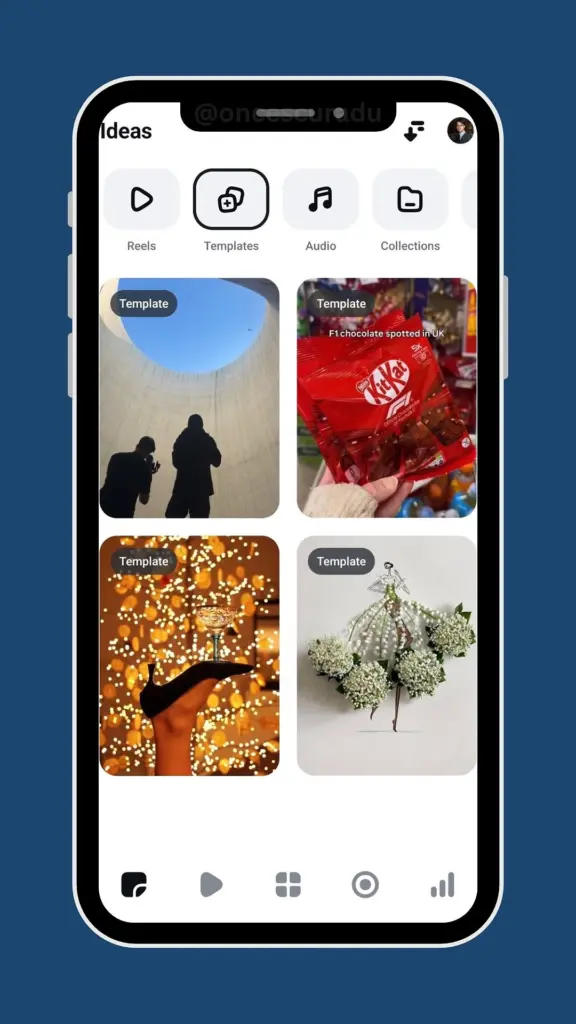
Instagram is reportedly testing a new templates filter inside the Edits app’s Ideas tab, which would make browsing ready-made formats much quicker.
According to this early look at the feature, the update would help users jump straight into available templates instead of manually sifting through broader idea suggestions.
Instagram Stories may soon support screen rotation
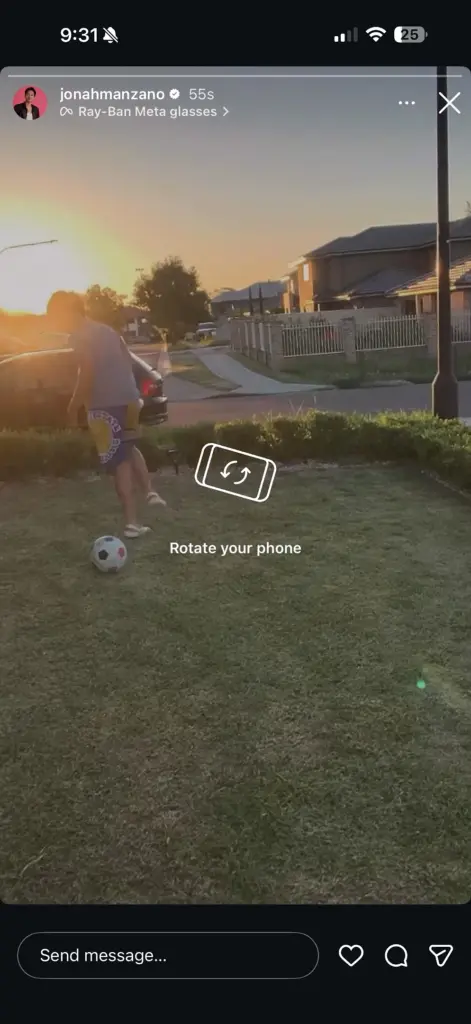
Instagram is testing a rotate-screen prompt for Stories, hinting at a more flexible viewing experience for content that works better in landscape.
Based on this leaked example, viewers may be prompted to rotate their phone while watching certain Stories, which could open the door for wider-format creative.
Edits Updates: Week 3, March 2026
Like clockwork, we’re getting a slew of new Edits updates:
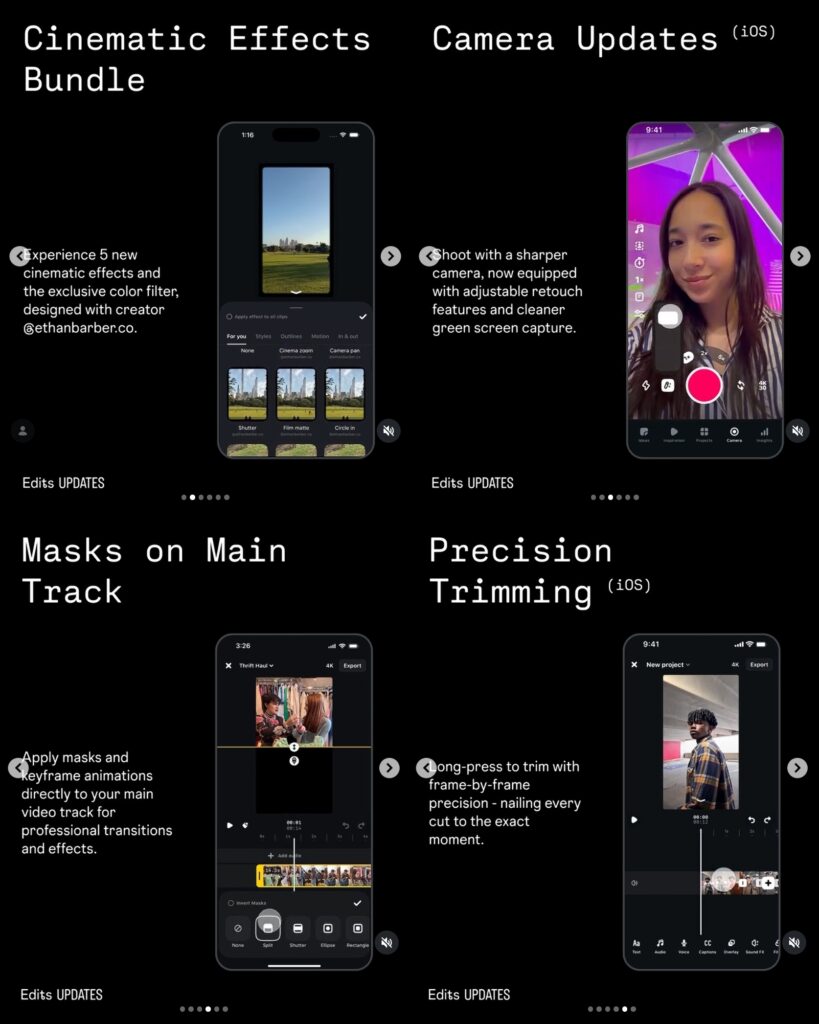
To start with, we’re getting a bunch of new cinematic video and sound effects, and camera updates such as adjustable retouch and a cleaner green screen capture.
However, this is the big one: masks on the main video track: you can apply various masks and keyframe animations directly on the main video track.
Also, how about some precision trimming so you match those rhythm changes of your song just right? You can skip frame by frame just by long-pressing.
Instagram profiles posting AI content will be labeled so
There’s so much AI content going around nowadays that Instagram felt compelled to start informing its users when they come in contact with it.
Now, profiles that primarily post AI-generated content will carry the AI label:
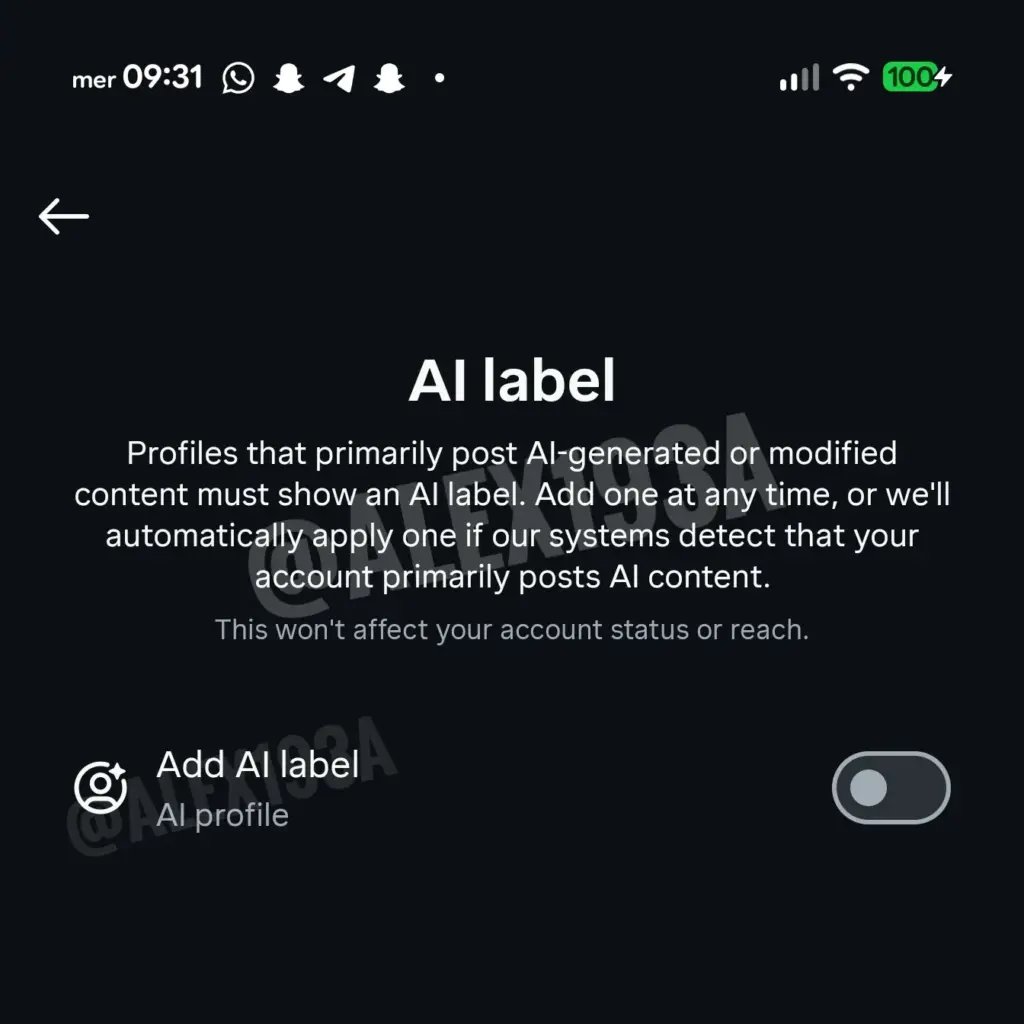
Furthermore, Instagram claims that such a label won’t affect the creators’ reach.
You can now trim Instagram Reels before sharing them as Stories
When resharing IG Reels on your Story, you can now trim them to showcase the exact moment you are interested in:
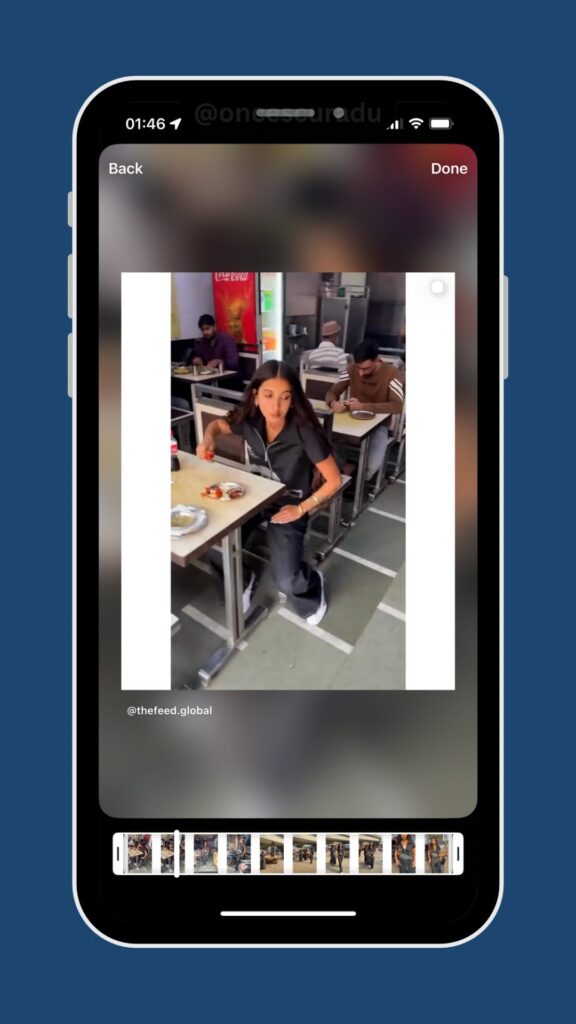
As you can see, you just move the handlebars to select the exact clip you want.
You can now edit Instagram comments
This has been a long time coming: IG users can finally edit the comments they leave on posts:
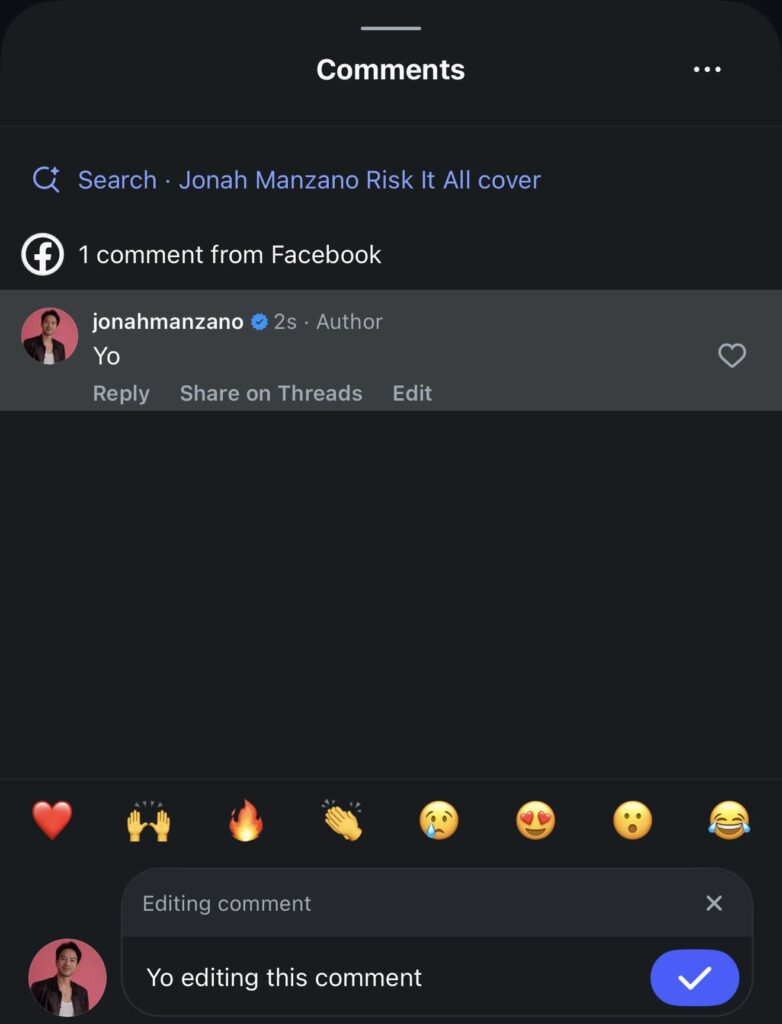
Previously, they had to delete the comment and leave it again if they wanted to change anything. Now, they just have to tap “Edit” underneath the comment and make the changes.
Instagram Saved Posts just got an overhaul
It looked kind of outdated, to be honest, so Meta has updated the ‘Saved Posts’ section on Instagram, so you can organize them better:
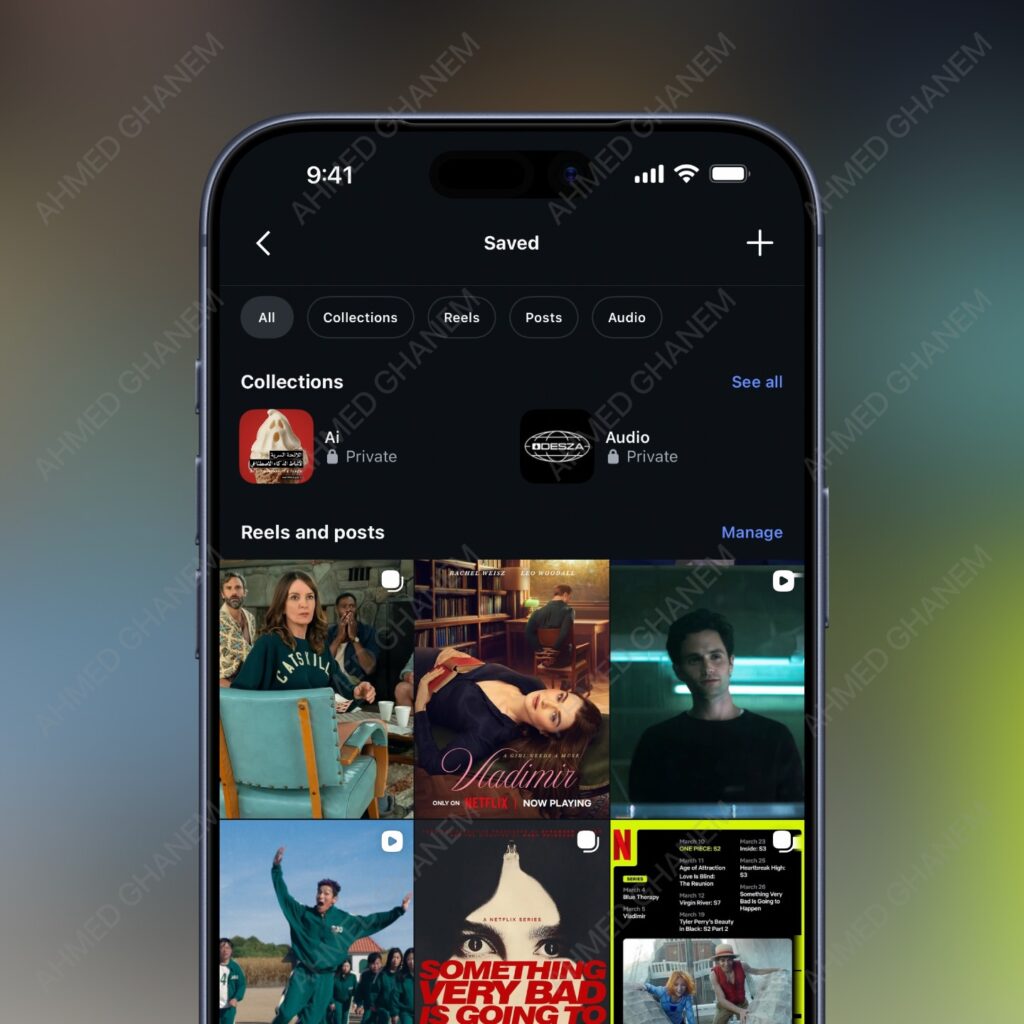
Now you get different tabs for the type of content you save, and your collections have a smaller thumbnail, which is hidden under a ‘See all’ button.
Instagram users can finally pause a Reel by tapping it
Previously, when tapping a Reel, users would mute it. That said, muting has been preserved, and a new icon pops up after pausing the Reel that allows you to do just that:
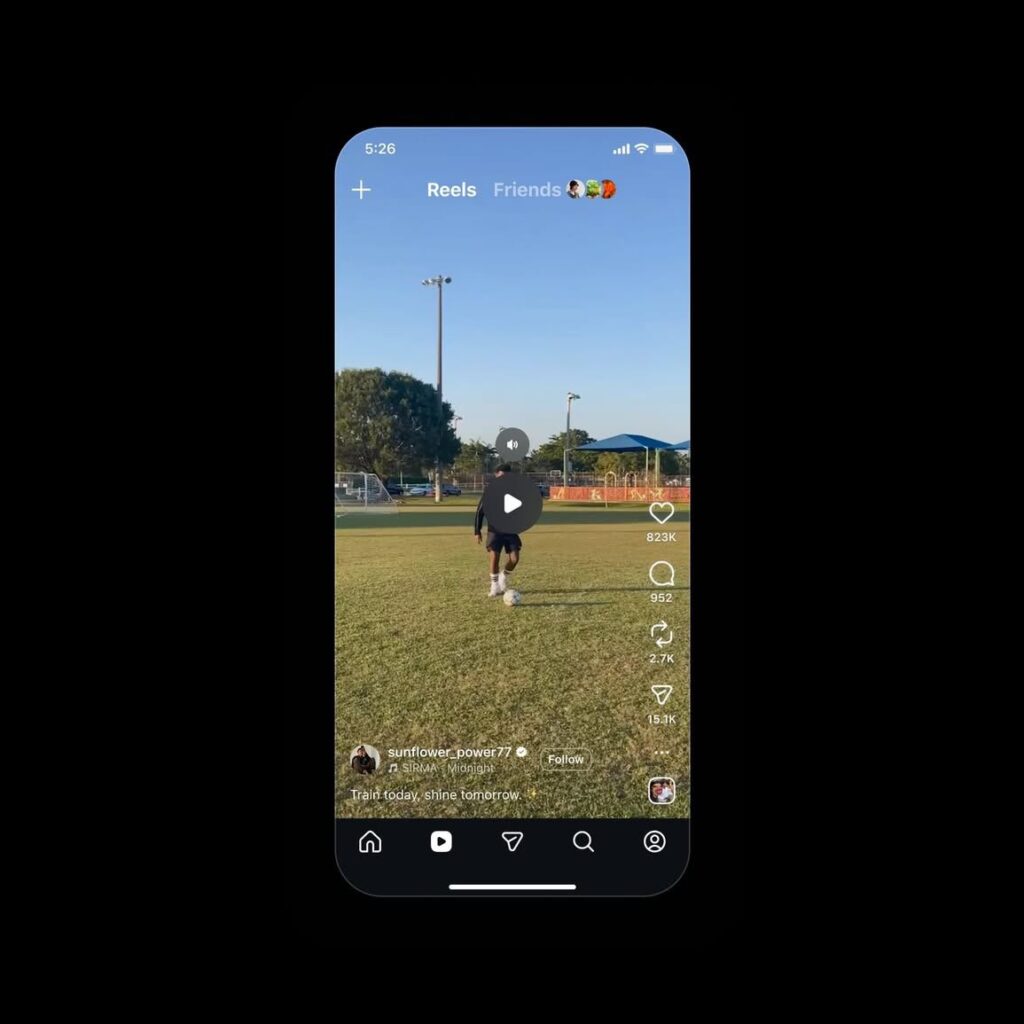
This update brings Instagram in line with other short-video platforms like YouTube and TikTok, which is great for videos like tutorials.
Instagram explains the Advantage+ system
In a recent post on its Instagram for Business account, the company sought to explain the Advantage+ AI-enhanced features of its ad system:
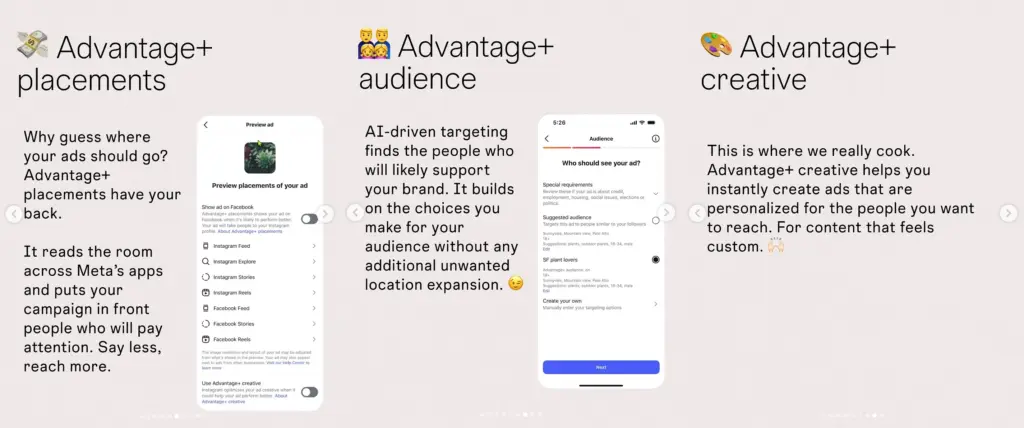
Firstly, brands can choose from various ad placements recommended to you by Meta, which determines the best feed for your specific ad.
Then, you get to target the exact people that you expect to convert. You can either manually select them or trust Meta Advantage+ to select them for you.
Finally, you can use Metas’s various creative features to personalize your content for your target audience.
Second round of Edits updates for March 2026
I am tired of saying this, but Edits is great! And it’s getting better constantly!
The latest round of Edits updates released during March Week 2 includes: Freeze Frame, personalized sound effects, and voiceover teleprompter:
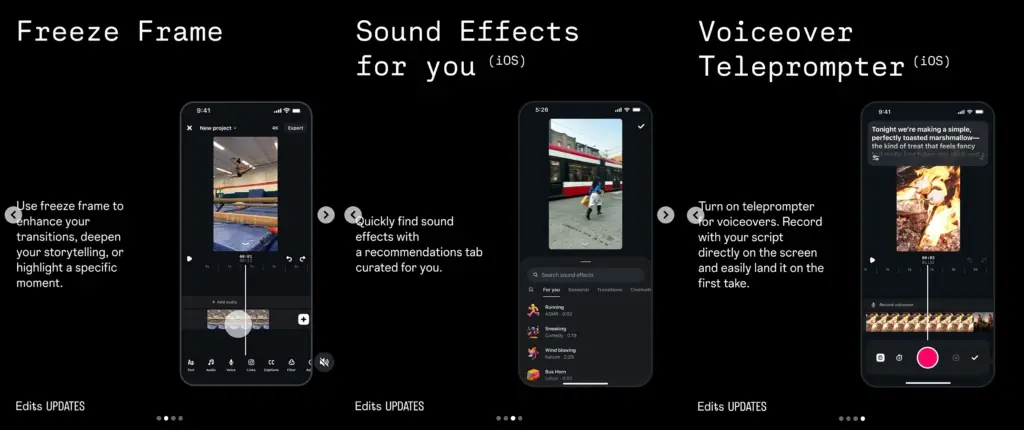
The first one has the most potential here, as it allows you to enhance your transitions by focusing on a specific moment in your video.
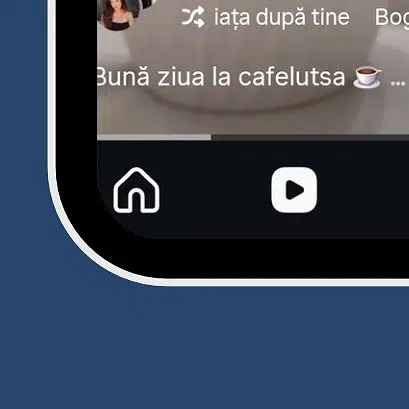
There’s a new ‘Shuffle’ button added to IG reels
Noticed by social media researchers, this button should change songs added to Instagram reels. However, we’ll wait for the release to see if that’s the case:
Edits gets a faster editing feature
If you are short on time processing your Edits creations, you can toggle on the “Optimize for faster editing” option:
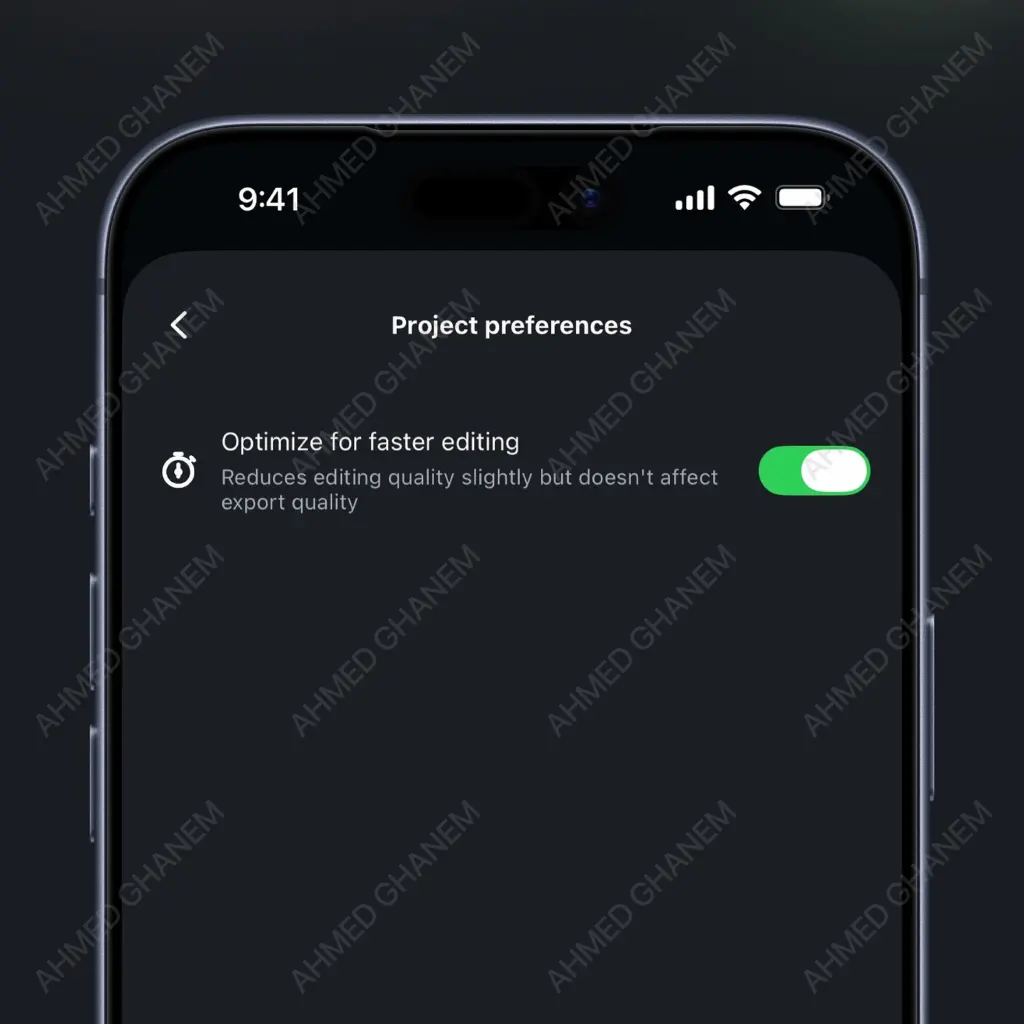
When set, it slightly reduces the output’s final quality but improves the editing performance greatly. I think it’s a nice compromise.
You can hide Instagram activity bubbles on the app
If you’re watching IG Reels or enjoying scrolling through the Feed, now you can have a more relaxed experience by hiding all activity bubbles on the app:
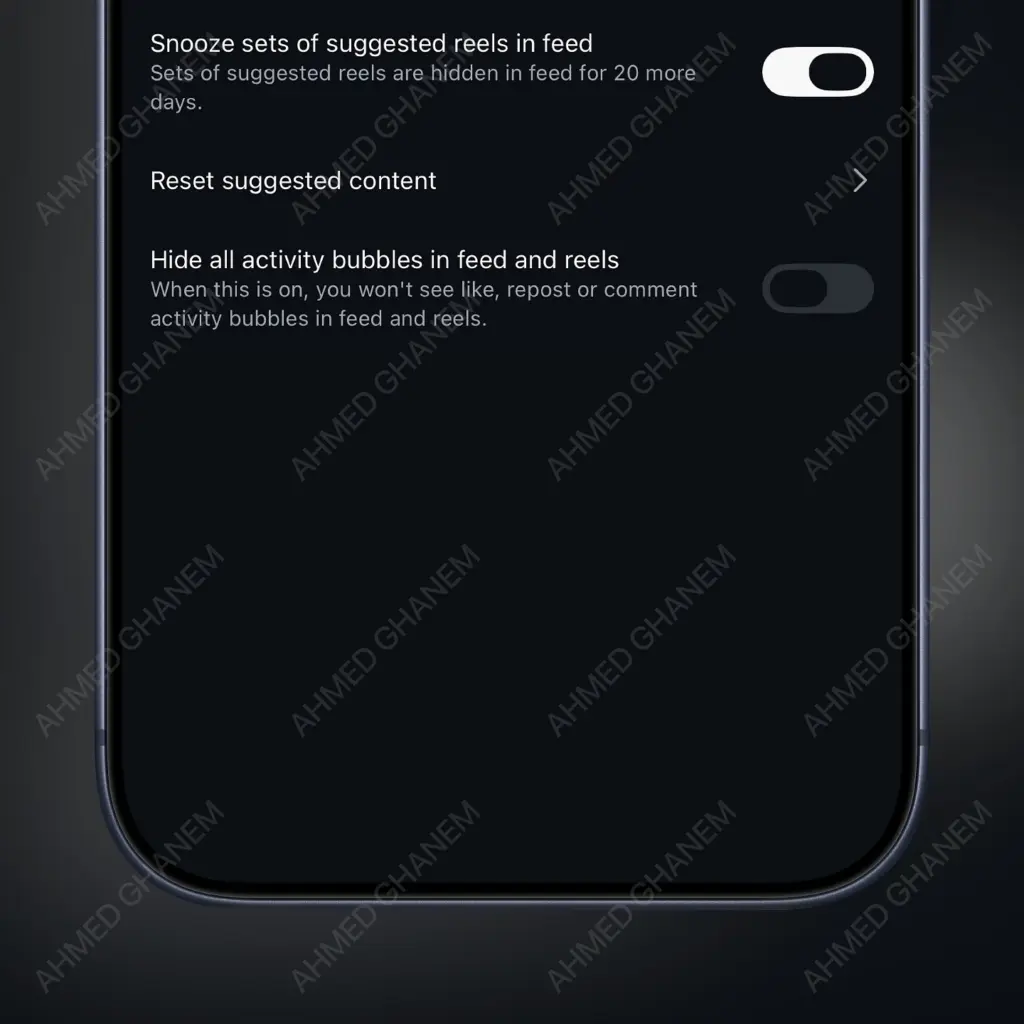
When toggled on, this feature hides all likes, reposts, and comments that pop up as bubbles.
First round of Edits updates for March
Edits is swinging hard month after month in its journey to become the best video editing app for mobile and to surpass CapCut.
March brings us: more effects, updated ideas tab, and more:
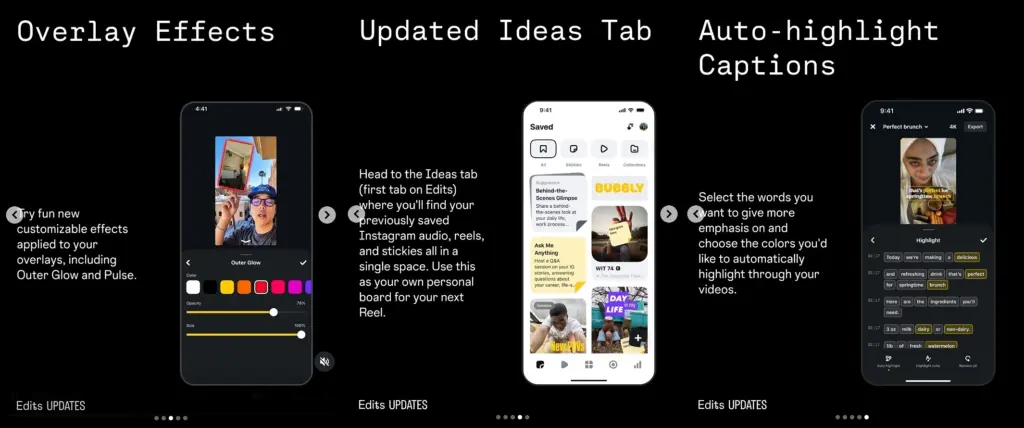
First, there are about 11 new effects, bringing the total to A LOT. However, these new ones are object/people-specific, as they use AI to make their object pop. Plus, overlays got some cool new effects.
The ‘Ideas’ tab is getting a small revamp as well, and the captions now can be highlighted automatically (based on words).
“Secret friends” coming to Instagram
For a long time on Instagram, we had standard friends and so-called “Close friends”, i.e., those people that we wanted to see only our private content.
Well, now, Instagram is also testing an even more exclusive group setting called “Secret friends”. The expectations are that it will work just as “Close friends”, but will be there for an even smaller group of people:
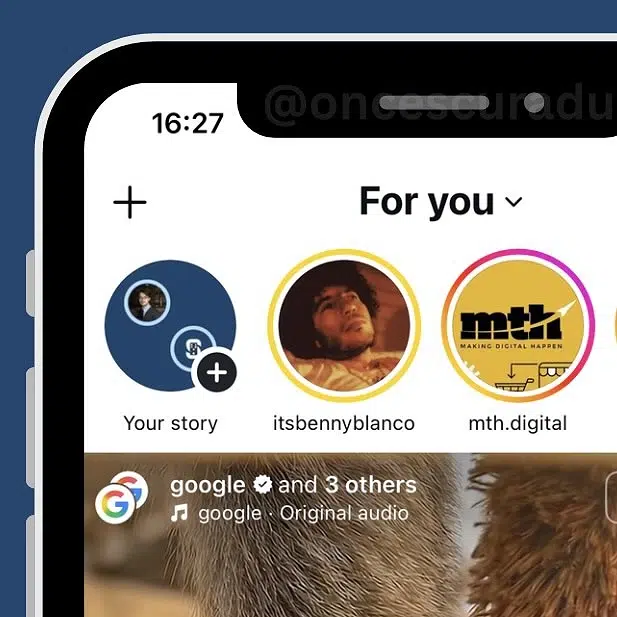
Think about a close friend or a girlfriend/boyfriend that you want to see your latest posts. That’s what “Secret Friends” would be about.
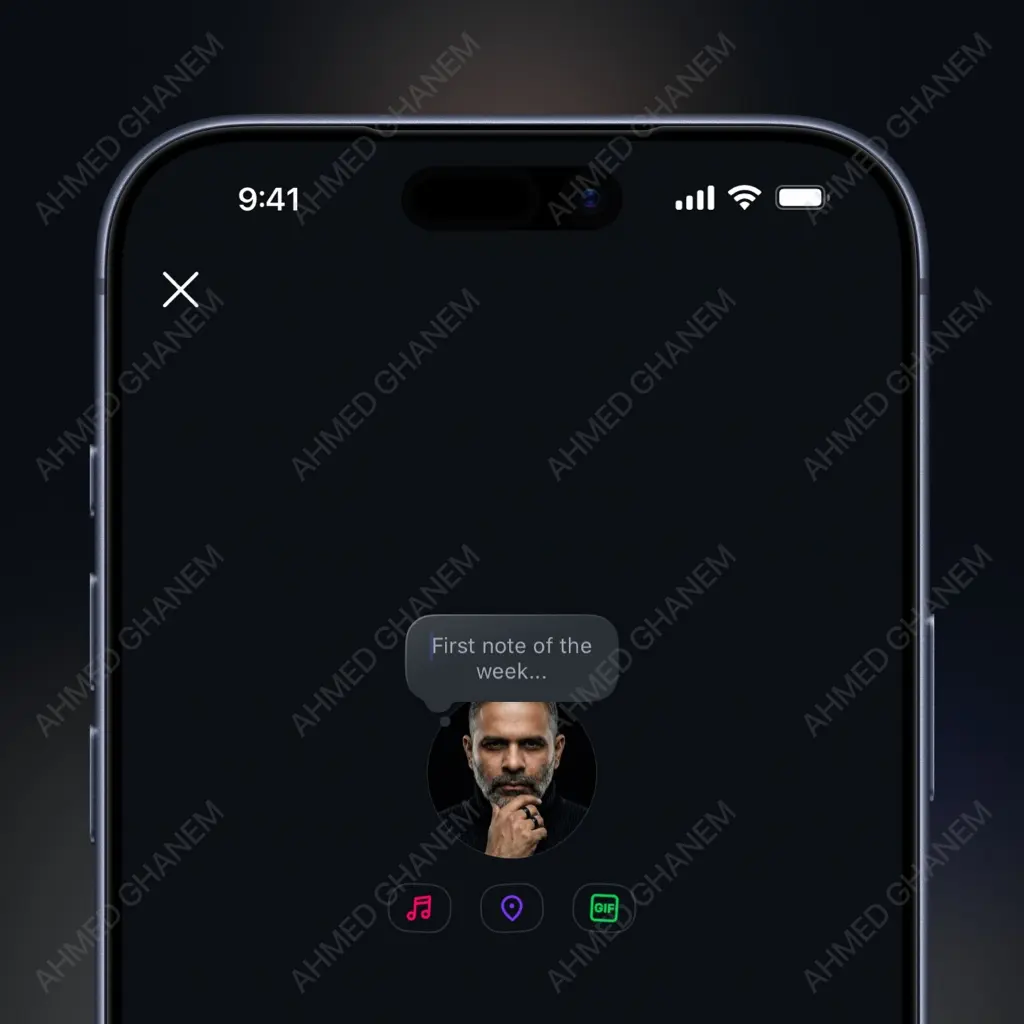
Instagram GIF notes make an appearance
Instagram Notes have become the most popular feature on the platform, as users are moving away from the main feed and into the DM section. I mean, the younger base likes interacting in a more private setting.
Well, now they can even add GIFs to their notes (in addition to music and location). It’s a minor change, yet makes the experience more fun:
New Instagram features: February 2026
Instagram has launched a couple of business-related updates
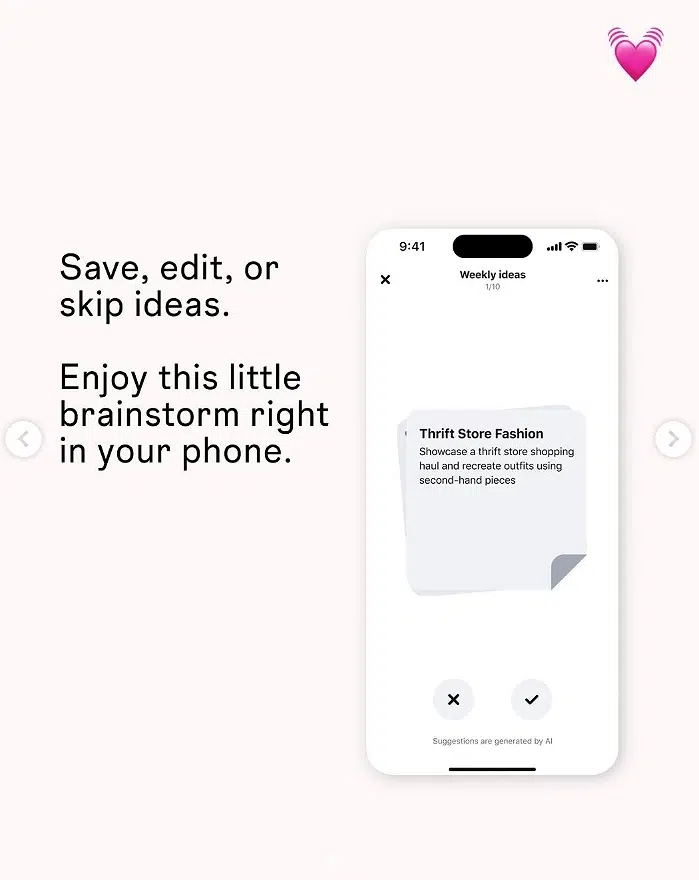
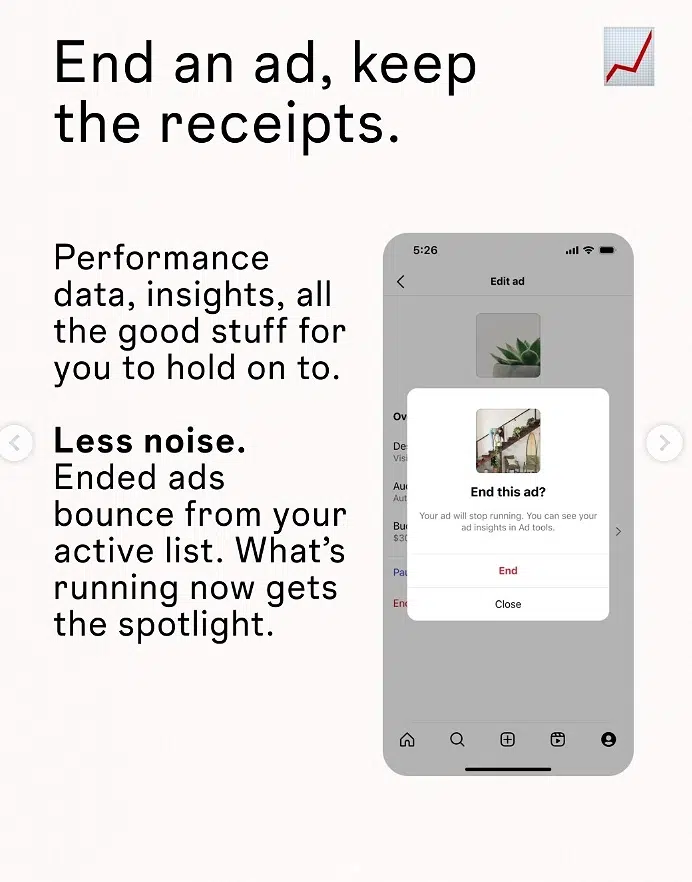
The latest round of IG for business updates includes weekly Edits ideas and persistent ad data after deleting ads.
The first update allows you to save or skip related ideas:
The second one now keeps your ad data even after deleting the ad:
A bunch of creator tools updates on Instagram
Every public IG account now has access to basic creative tools and insights designed to help them grow their following and creative process.
Here’s an overview of the requirements to unlock these tools:
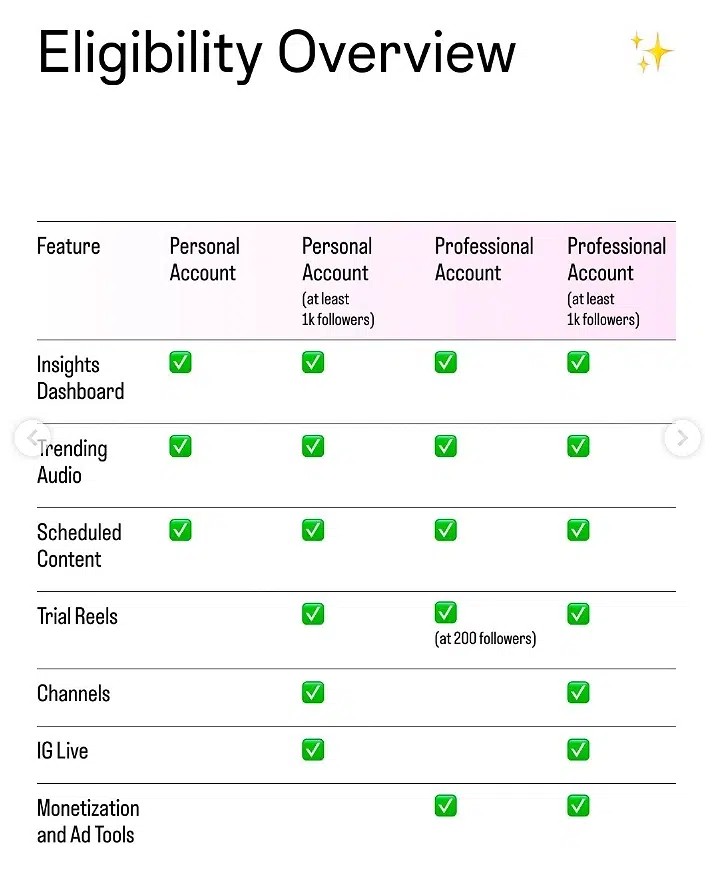
These tools will be located under “Account Type and Tools” in settings, where you can also read the requirements needed to unlock additional tools.
Instagram shares insights on creating engaging content
Basically, to create engaging content that improves your reach, you have to:
- Create more relatable content, as that’s more shareable
- Create conversation starters
- Make every second count (especially the first 3)
- Ensure you can relay your message even if muted
On top of that, you should focus on authentic interactions, video quality, trending audio, interacting with users, and learning from your insights.
Instagram is improving its Instagram Plus subscription
The new Instagram Plus perk is called Story Spotlight:
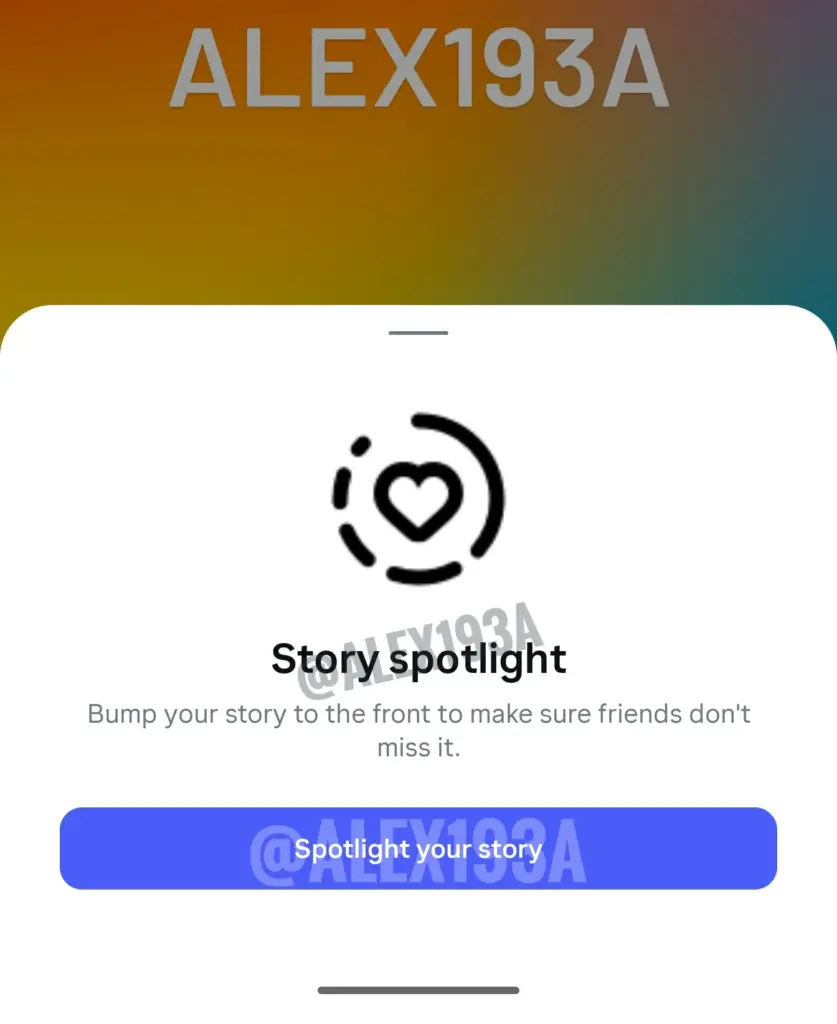
What happens when you click is that you bump your story to the front of other users’ queues so they won’t miss it. You can do this only once a week.
Now you can quickly find an Edits template video
Browsing Edits’ Inspiration tab, trying to find a video you can use as a template? Now you can:
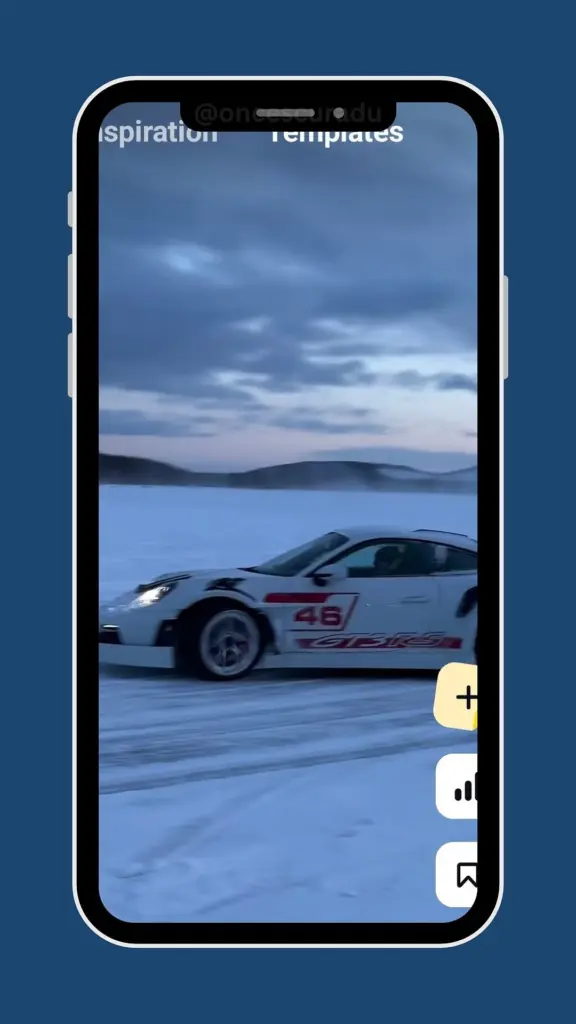
Just tap the ‘Templates’ section under the inspiration tab and choose whatever you like.
There’s a new Instagram UI for post descriptions and comments
There’s now a more fluid and immersive post description and comment section on Instagram, which has been unified instead of being separate:
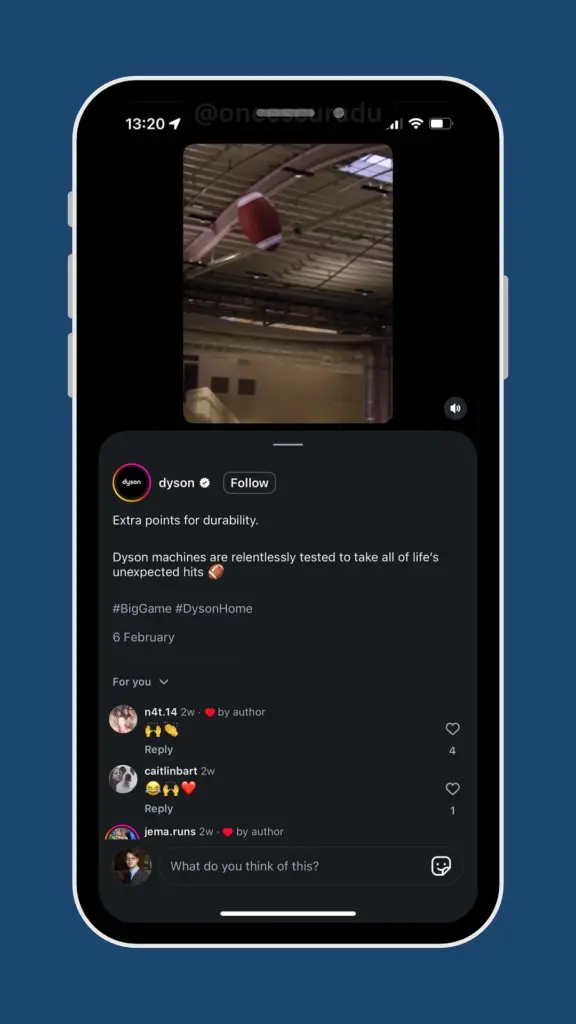
As you can see, once you tap to read more of the post description, a ribbon pops up that shows you the full description with the comments underneath.
Profile interests are coming to Instagram
This is a cool change (even though not groundbreaking): Instagram will allow users to add their interests to their Instagram profile in a separate section:
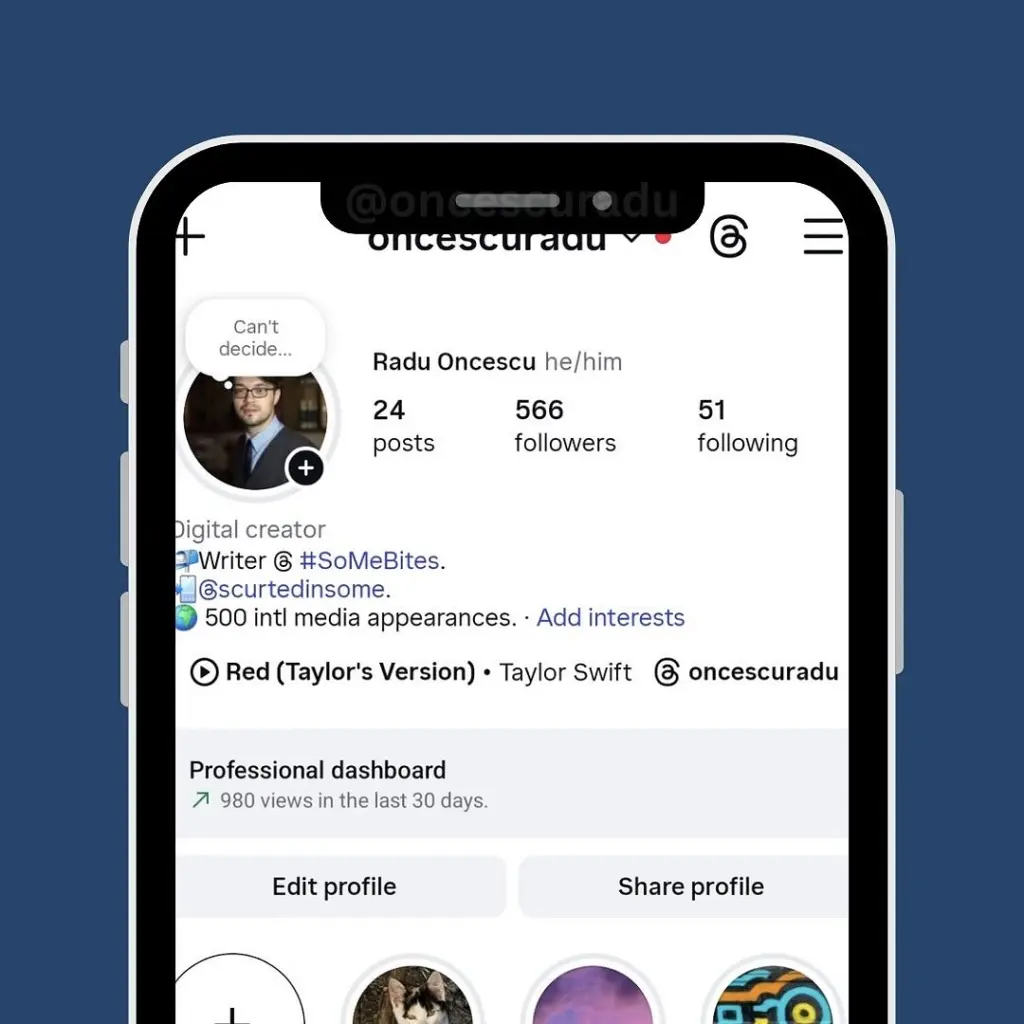
That way, users won’t be forced to waste their character limit on listing everything they like or want to do in life.
Reel generation in Instagram DMs
This is yet another fun feature Instagram is working on: sending multiple media files (photos and videos) in Instagram DMs in the form of an autogenerated Reel:
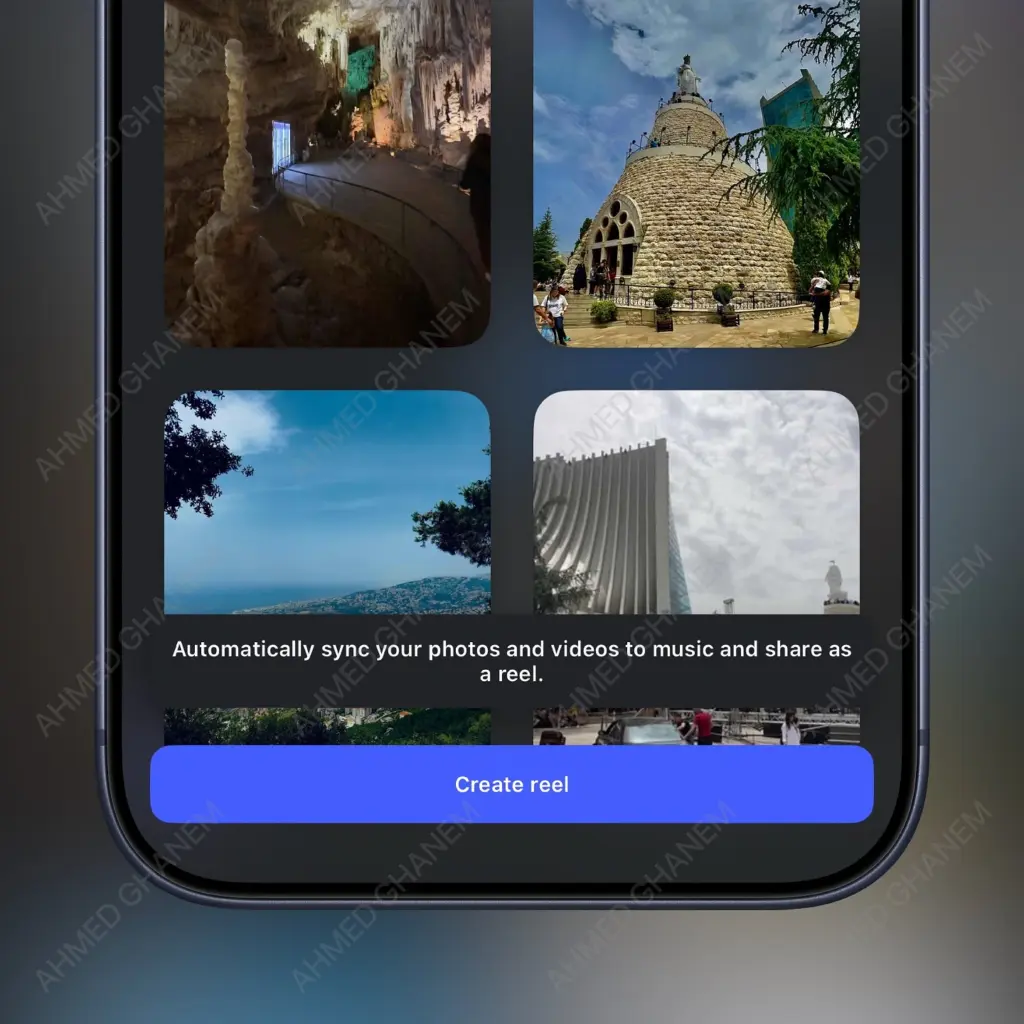
As you can see from the screenshot, you only have to select your media and tap ‘Create reel’, after which IG will generate it and send it out.
New round of Edits updates for Feb 2026
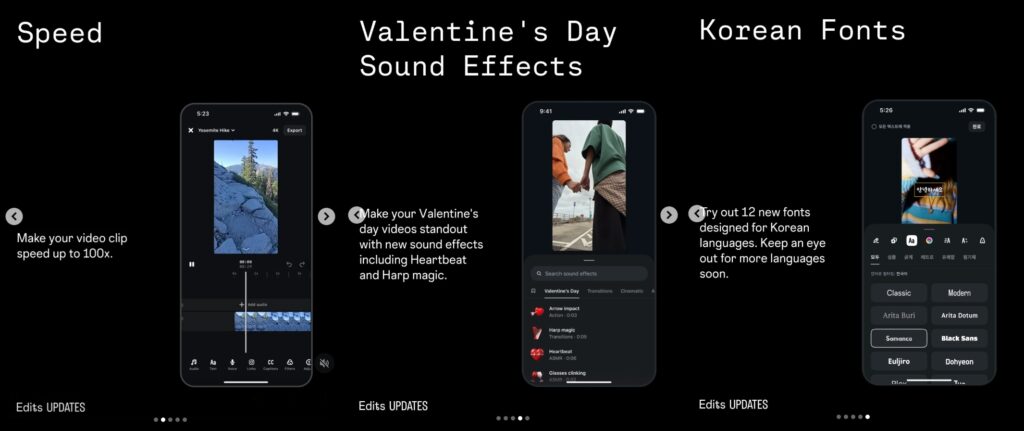
Needless to say, Edits keeps on improving, and will be doing so continuously. This time around, we’re getting the option to speed up video clips up to 100x, Korean fonts, and a bunch of Valentine’s Day stuff:
Instagram users will be able to get help from Meta AI in comments
If you’ve ever had to navigate away from Instagram before replying to a comment thread, you won’t have to:
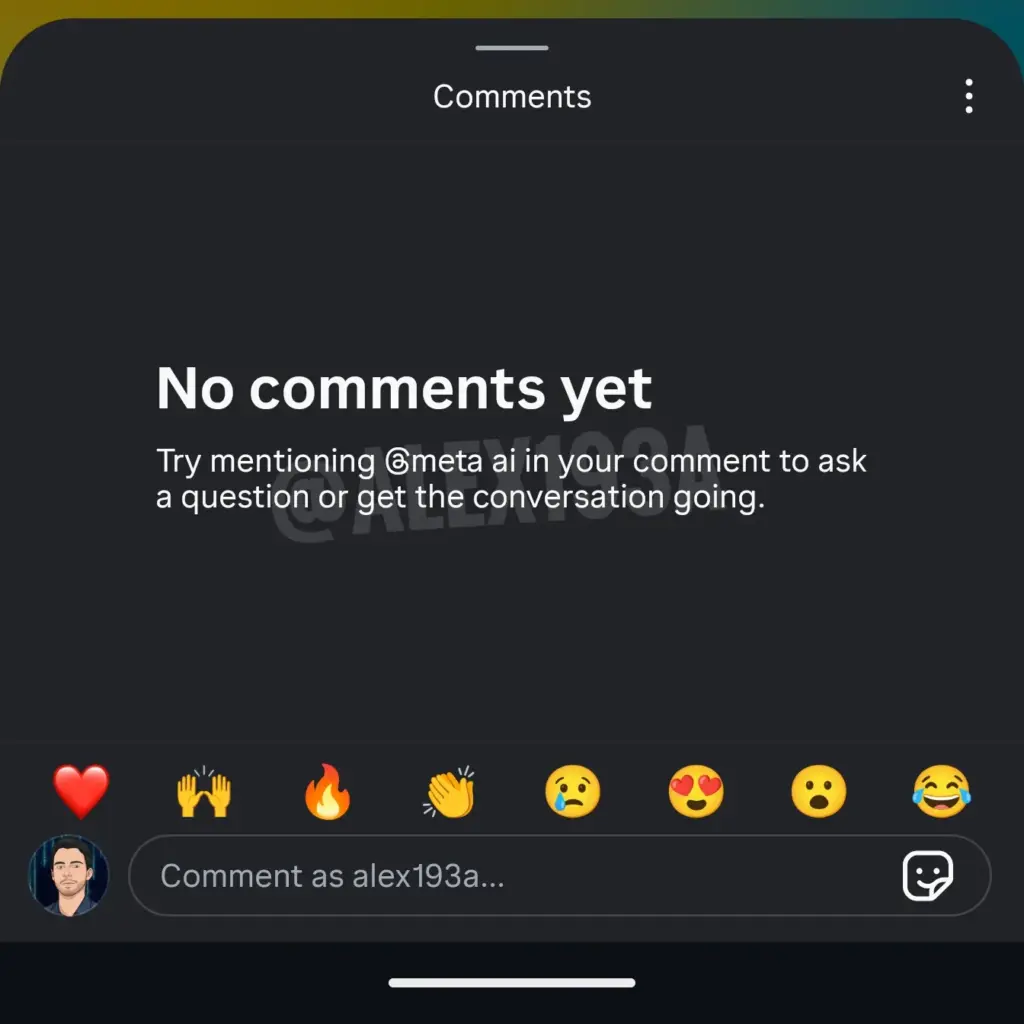
Users will get help from Meta AI in comments, as they can directly mention @meta and ask any question they want.
AI face swapping is coming to Instagram
You will be able to use someone else’s likeness on Instagram very soon. The team is working on a face-swap feature:
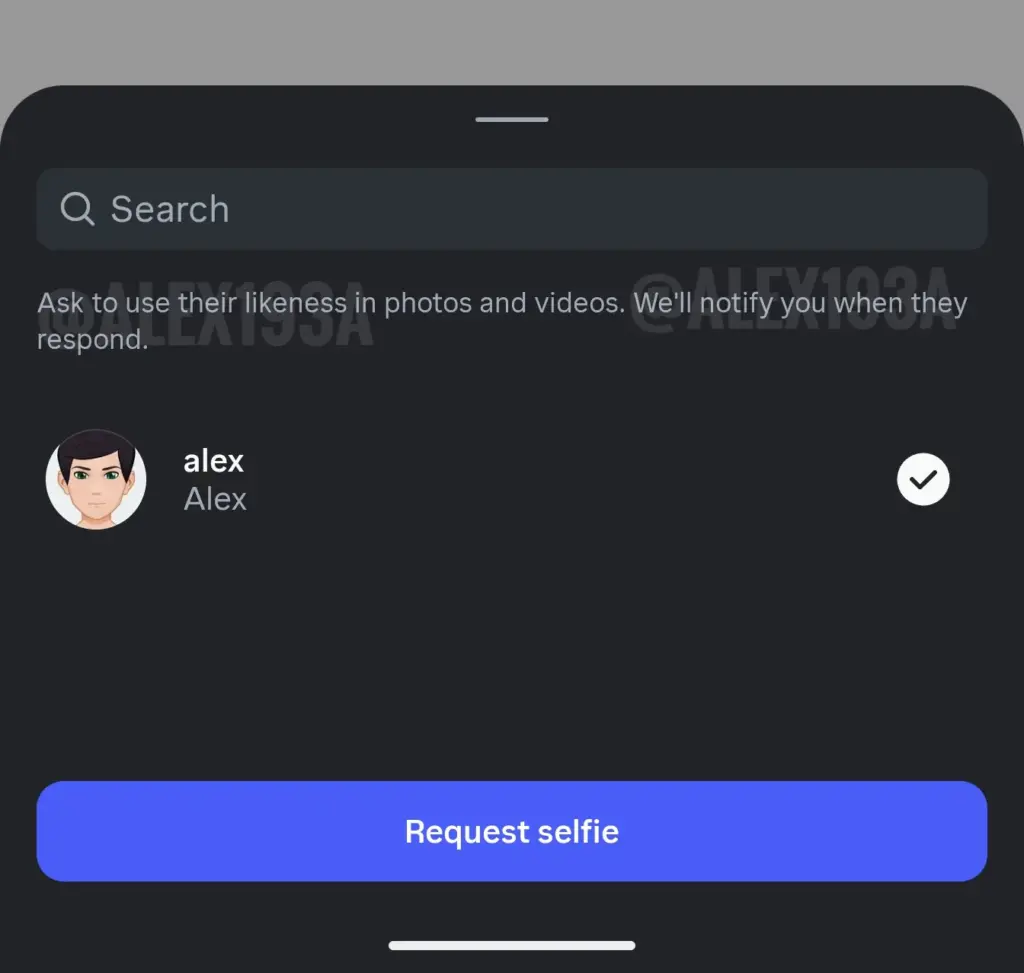
However, to do so, users will have to get the permission of the user in question via a built-in process on Instagram.
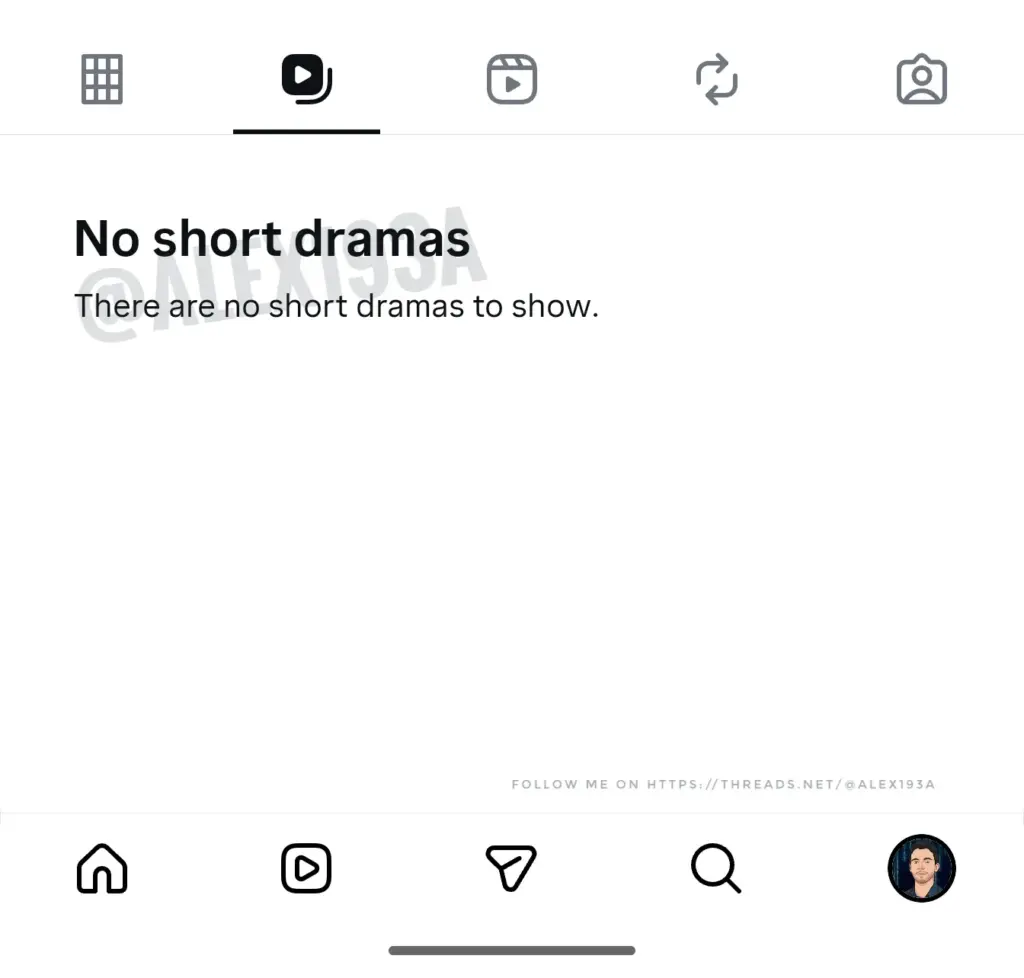
Hugely popular Short Drama format coming to Instagram
Not sure if you’ve heard about Short Dramas. They are this new trendy format of short episodic content for social media.
Well, Instagram is working on exactly that, and is planning to add this new format under its own section in the main feed:
Edits finally adds reusable templates
Perhaps the biggest addition to Threads, and the only important one that was missing, as compared to CapCut, was “Templates“.
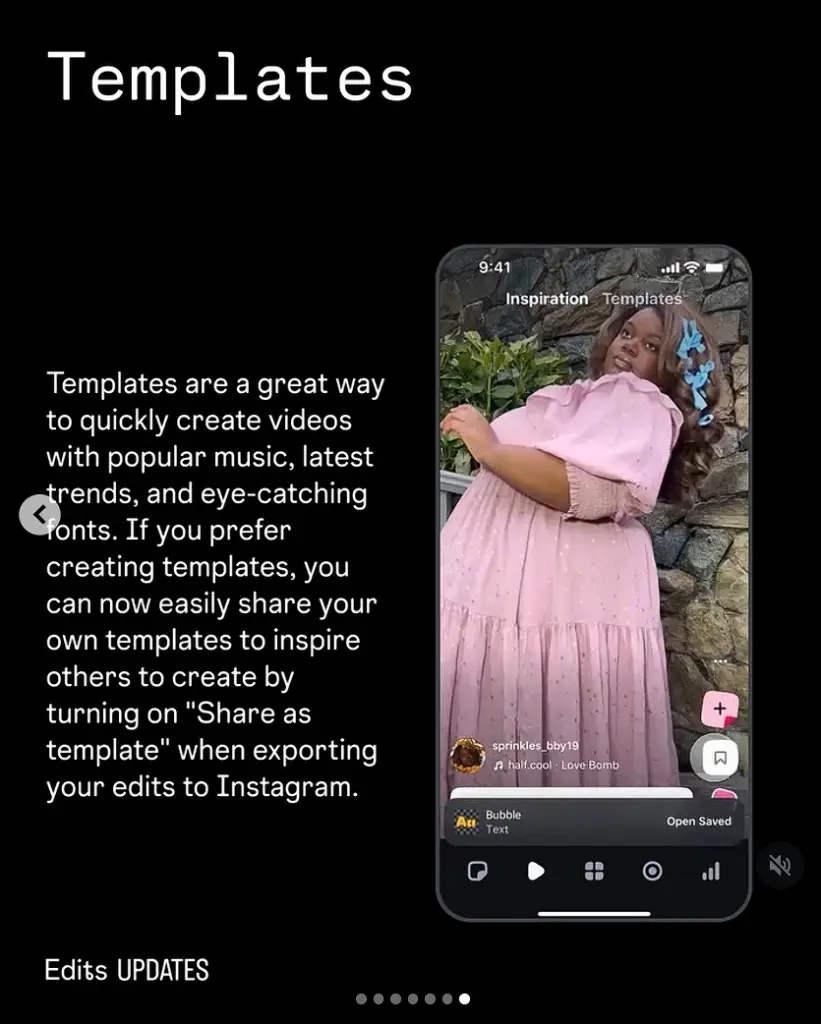
This change makes video creation a breeze since users can simply peruse the library of templates added by others, choose one they like, and then simply drop in the videos they would like to use.
That way, they won’t have to start from scratch. Plus, they can further customize these templates to make them even more unique.
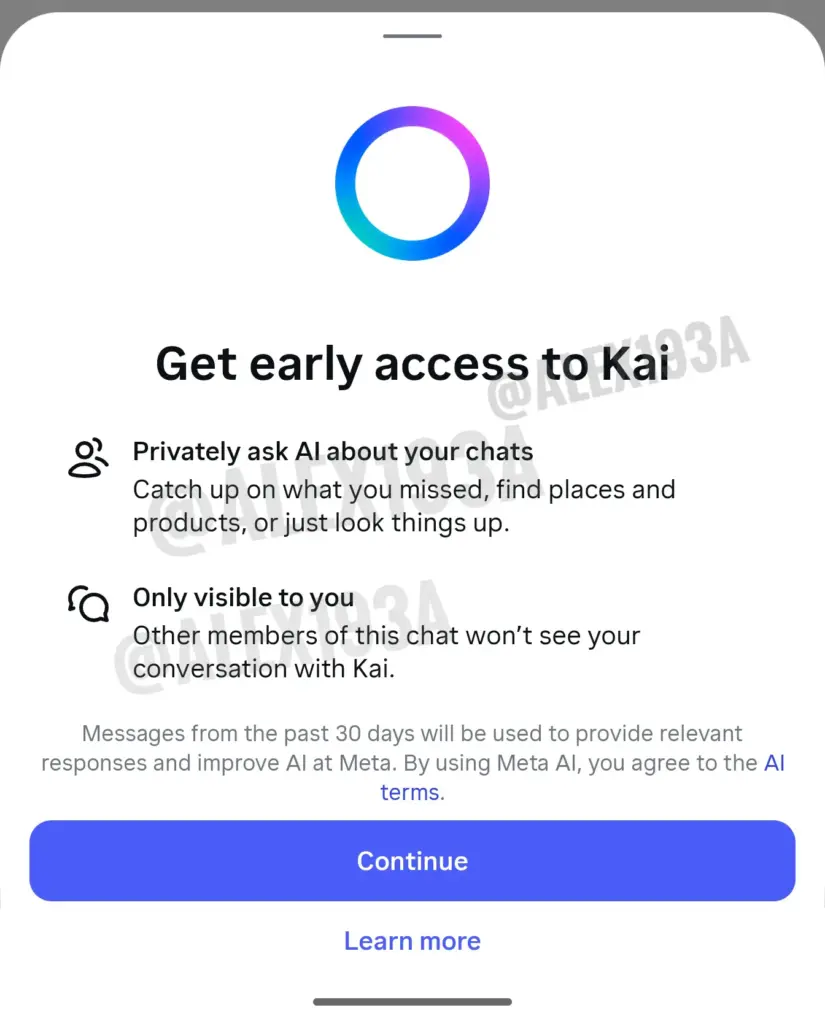
Instagram is developing an AI chat summarizer and assistant
Has it ever happened to you to forget a previous conversation you had with a friend on Instagram, and now you have to look for the context?
Well, Instagram is working on Kai—an AI bot that can catch you up on anything you missed and find whatever you need from your chat:
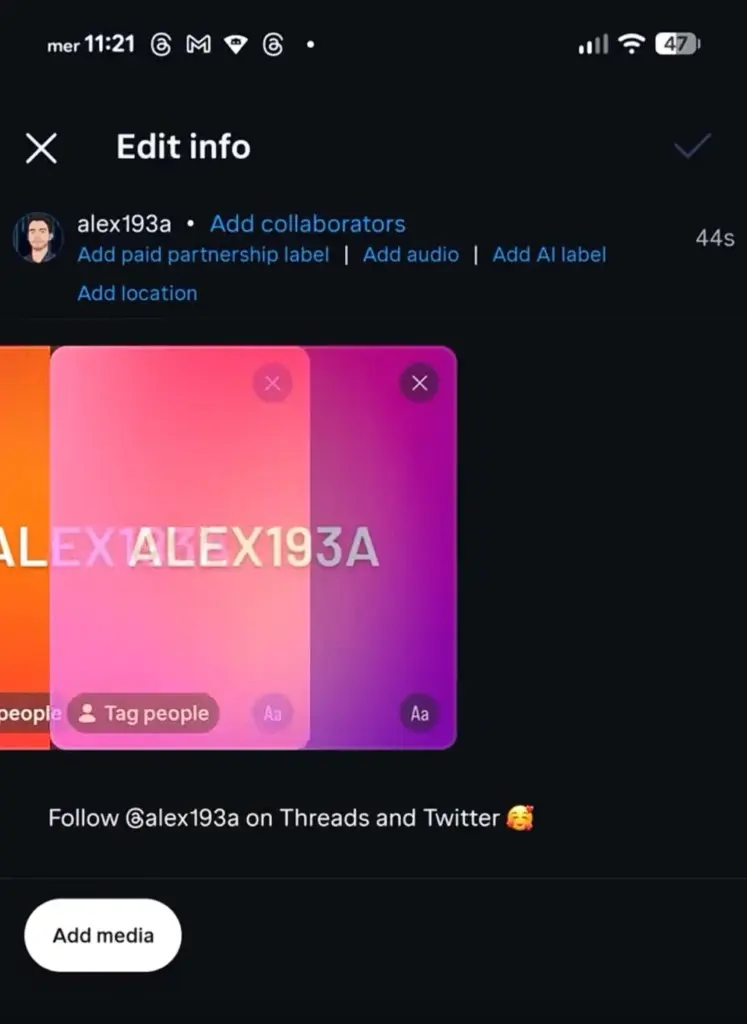
You will be able to reorder your Instagram carousel posts
I know this has been an annoying restriction for a lot of users. Imagine not being able to change your IG carousels after posting. You won’t have to any longer since you’ll be able to easily reorder your carousel photos later:
Businesses on Instagram may appear in the “For You” feed
This is a good opportunity for brands and businesses on Instagram since they may appear in users’ default feeds based on their interests:
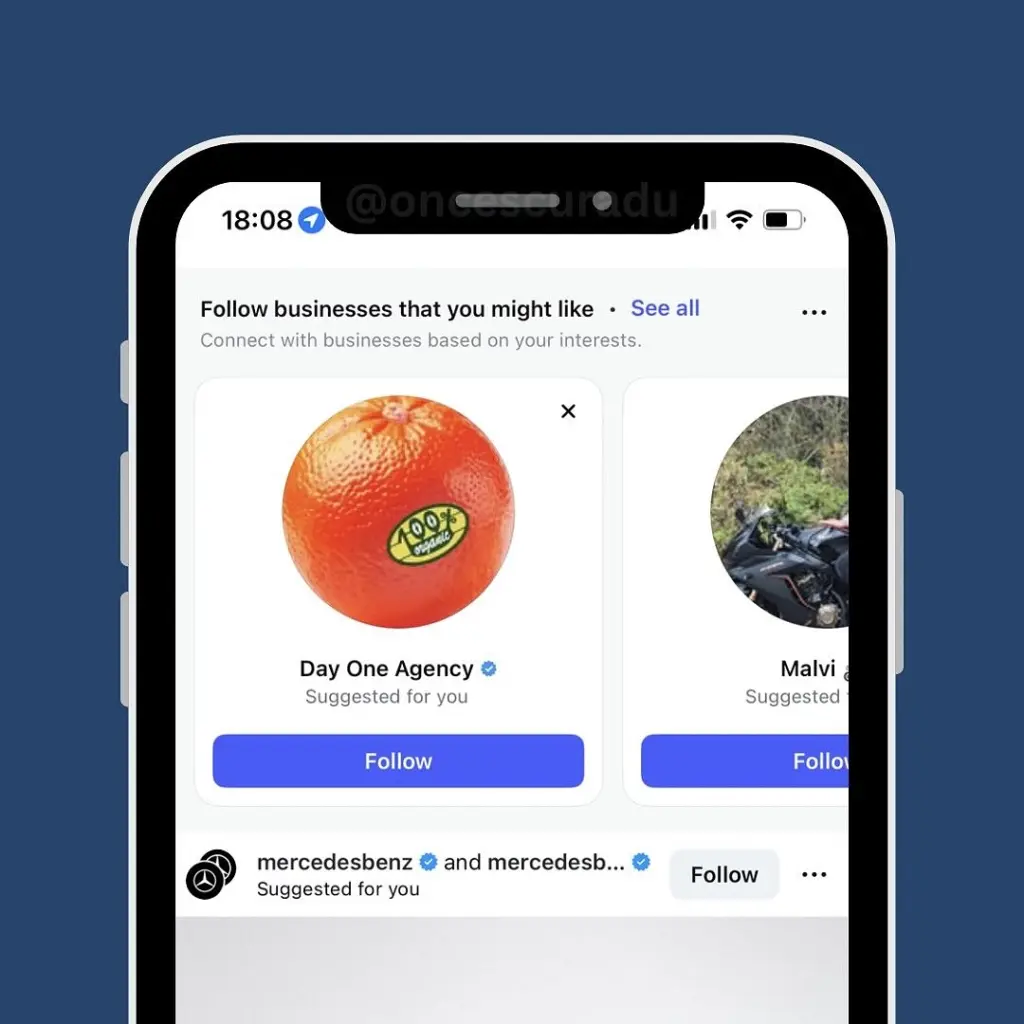
As you can see above, just by scrolling, you can encounter this business carousel strip, which will allow you to immediately follow specific brands.
First round of Edits updates for February
Edits is improving day after day, as Instagram is looking to make it a more attractive option than CapCut.
The latest round of changes brings us: an easy copy-and-paste method, new timeline settings, and applying changes from the main track:
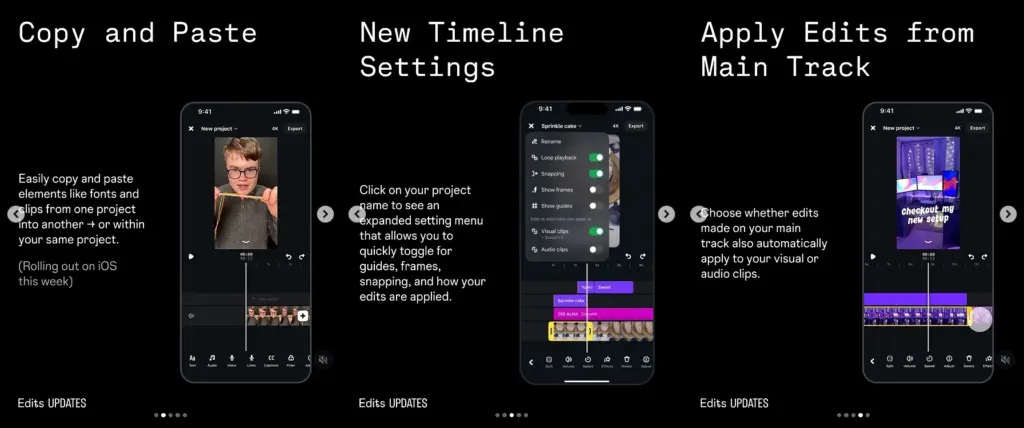
The first update helps transfer over fonts and clips between projects, the second one allows you to toggle on/off guides, frames, snapping, etc., and the last one copies over your main track edits to your other clips.
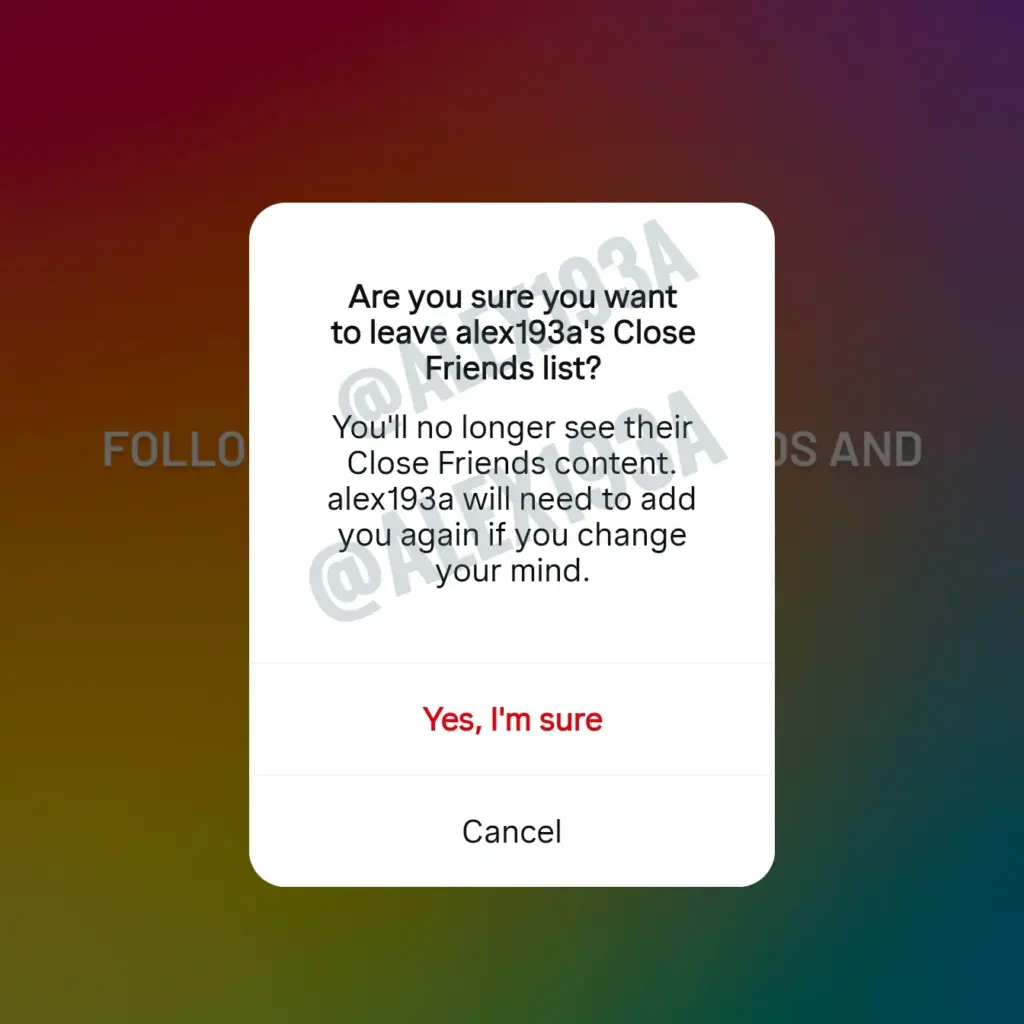
Instagram will allow users to remove themselves from Close Friends lists
While not a huge update, it’s still a nice feature for curating your Instagram experience. Once you remove yourself from your friends’ Close Friends lists, you won’t be able to see their special stories any longer:
Instagram is working on more AI-enhanced tools
As reported by Mosseri recently, Instagram has plans to further enhance the user experience by adding AI-powered features.
These would include various creator tools, better content discoverability, easier friend connections, and an improved content search.
New Instagram features: January 2026
Instagram is refining its DM filters
As noticed recently by social media researchers, Instagram has added a new filter to its DMs—10K followers:
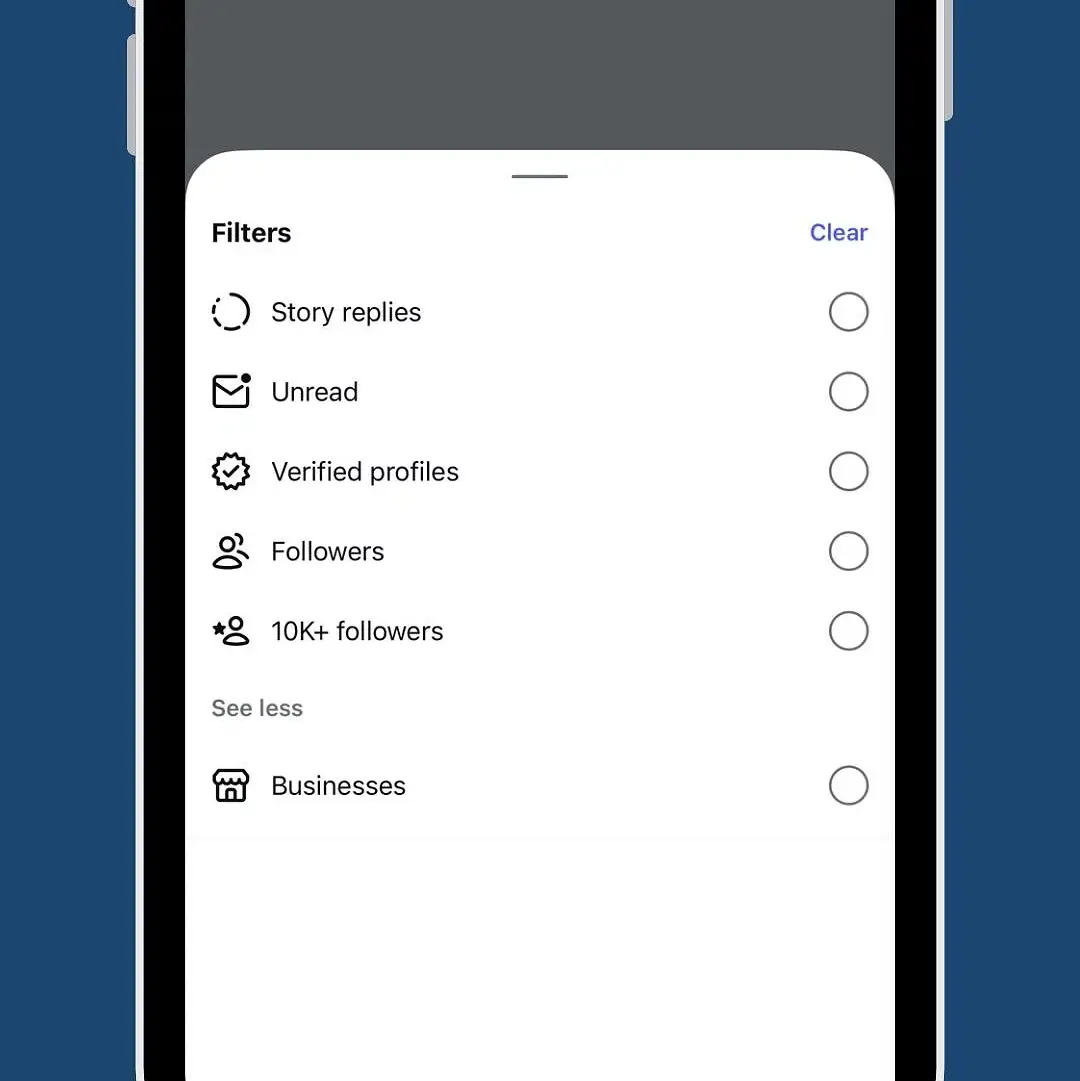
This way, brands and companies receiving messages can quickly find potential collaboration opportunities with prominent influencers in their niche.
Instagram is testing a new tab on Instagram profiles
In an effort to streamline the UX of Instagram, devs are continuously optimizing the look and functionality. The latest addition is a new tab with a playlist-like icon, which may indicate a new playlist tab:
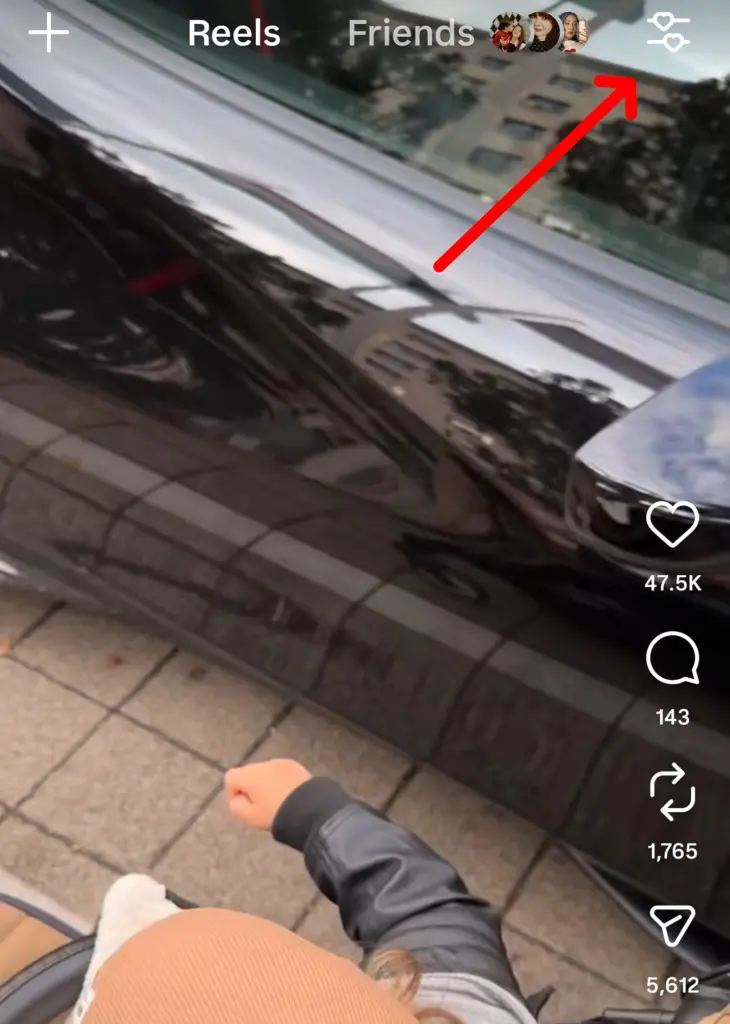
Instagram has launched its algorithm controls to all English speakers
Per Instagram’s official announcement, delivered by Adam Mosseri, every English-speaking Instagram user has just gotten access to the ‘Your Algo’ controls, which let you customize your IG algorithm.
To access it, just head on over to the ‘Reels’ tab and tap the controls button in the top-right corner, and then you can select and deselect topics in which you are interested:
New Edits updates for January 2026
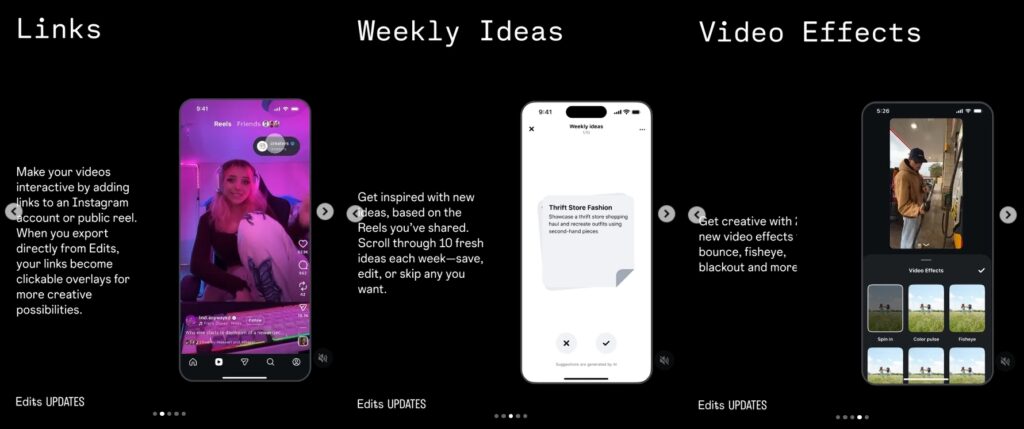
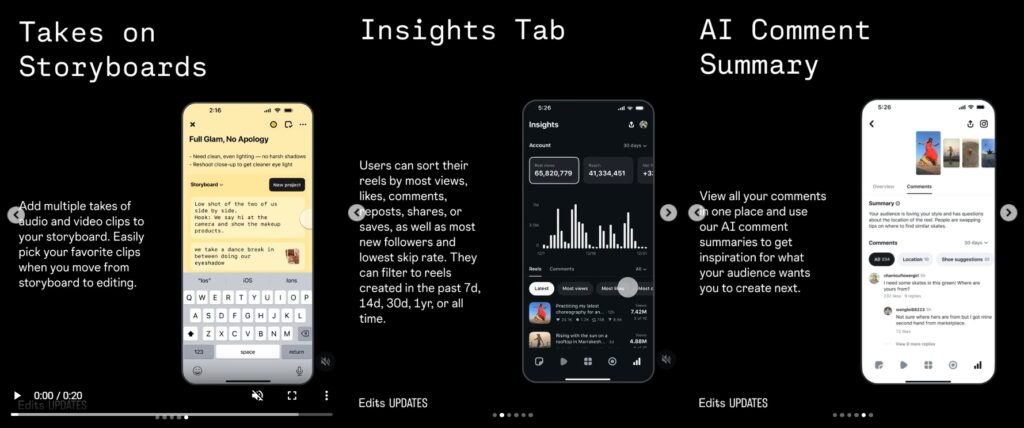
Meta keeps improving Edits with a slew of new updates this January 2026, including account links, weekly ideas, new video effects, takes on storyboards, and a detailed insights tab:
Firstly, links will make your videos interactive as they will open your account in an overlay once you export your video through Edits.
Then, you can also find inspiration in 10 fresh video ideas every week, which you can save, edit, or skip, and you will be able to add multiple takes to your storyboard.
Finally, you will get access to advanced insights, such as Reel views, likes, comments, reposts, shares, and saves. Plus, you can see a summary of all the comments you received:
Change your voice on Instagram with AI filters
In addition to essential upgrades, Meta is always adding some whimsical features, with the latest one being AI voice filters.
The way it works is you get to choose a voice filter (and describe it) when sending AI messages.
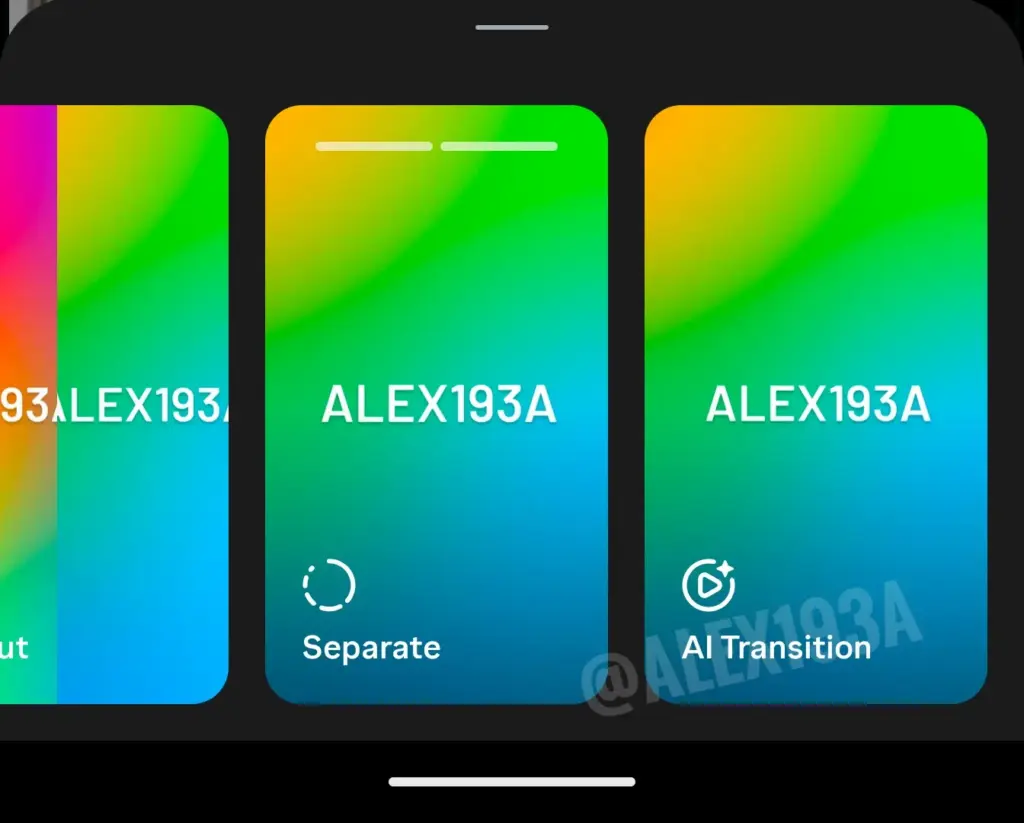
AI transitions for Instagram Stories are in the works
When posting a multi-photo story on Instagram, users can either choose a layout or a separate carousel format.
That said, there’s a new feature in the works: AI Transition, which will probably do what it says, i.e., make smooth transitions between the photos you add in your Stories:
Mosseri says videos with watermarks may have impacted reach
Mosseri just came out with important information regarding the usage of third-party video editing apps: creating and editing videos outside of Instagram and Edits does not necessarily affect their reach.
That said, if these videos retain their watermarks, they might see diminished reach.
New paid features coming to Instagram
There’s a new Instagram subscription tier in the works that will come with new perks, such as creating unlimited audience lists, checking out who among your followers doesn’t follow you back, and sneaking a peek at IG Stories without revealing yourself.
Edits now has an AI-enhanced tag effect
Meta AI is making its way into Edits with a new Tag effect that automatically identifies the persons in your video clips, and tags them correspondingly:
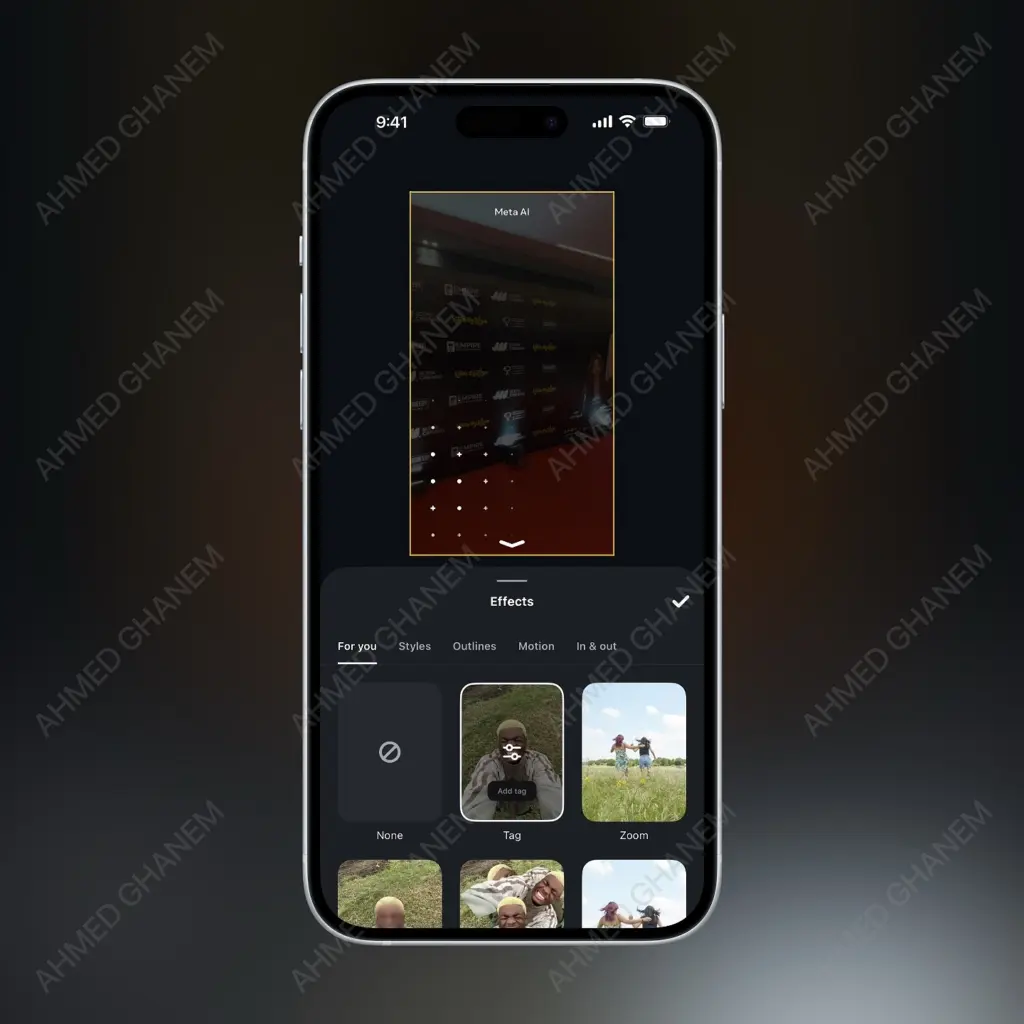
This will certainly save manual labor when it comes to talking head videos in a group, since you can just let Meta AI handle all of it.
FAQs – New Instagram Features 2026
How often does Instagram release new features?
Instagram releases updates continuously, with major changes appearing monthly and smaller tweaks rolling out weekly or silently via server-side updates.
Do Instagram Edits change how content performs?
Yes. New Instagram Edits features often affect visibility, engagement, and content ranking—especially for Reels and creator-led content.
How can brands track Instagram new features more efficiently?
Many brands use tools like EmbedSocial’s social listening features to monitor Instagram updates, analyze performance shifts, and adapt content strategies as new features roll out.
How to update your Instagram account for new features?
To access Instagram new features, keep the app updated, switch to a professional account, and regularly check Instagram settings for newly unlocked tools. New features often roll out gradually, so monitoring updates and tracking changes helps you spot and use them faster.