Someone just posted about your brand on X. Maybe it’s praise. Maybe it’s a complaint that’s about to pick up 2,000 reposts.
The tool you use decides whether you see that post in five minutes or twelve hours. That gap is the whole game in Twitter monitoring.
Here’s the short answer: The best Twitter monitoring tools in 2026 are Sprout Social for all-in-one social teams, Brandwatch for enterprise research, EmbedSocial for monitoring X and reusing what you find, and Brand24 for small teams that want simple mention tracking.
For the full workflow, see the X social listening tool page. If you want to repost and embed X content, use a purpose-build X widget. If you only need a live feed and nothing else, X Pro does the job inside X itself.
That said, I compare 12 Twitter monitoring tools side by side: who each one is for, what it costs, what it tracks on X, and where it falls short.
I also explain something most lists skip: what X data actually costs a monitoring tool, and why that cost shows up in every price tag you see.
Disclosure: This post is published by EmbedSocial, and EmbedSocial is on this list. We placed it at #3, not #1. Public prices below were checked on the vendor’s own pricing page on October 13, 2026, in USD.
What is Twitter (X) monitoring?
Twitter monitoring is the practice of tracking posts on X that mention your brand, your products, your competitors or the keywords and hashtags you care about, so you can respond, report on them or reuse them.
A Twitter monitoring tool (some people call it a Twitter monitor or an X tracker) automates the search part. Instead of typing the same queries into X search every morning, you set up your keywords once and the tool collects every matching post into one feed. Most Twitter monitoring software then adds filters, sentiment, reports and X alerts on top.
Typical things people monitor on X:
-
Brand mentions, tagged (@yourbrand) and untagged (“your brand”)
-
Product names and campaign hashtags
-
Competitor accounts and the conversations around them
-
Industry keywords that signal buying intent or a trend
If you want the manual version first, our guide to X keyword monitoring shows how to track Twitter mentions step by step. This post is about the tools that do it for you.
Twitter monitoring vs. X social listening
People use the two terms interchangeably, but they answer different questions.
Twitter monitoring answers “what is being said right now?” It’s reactive and post-level: you catch a mention, you reply, you flag a complaint, you save a great review.
X social listening answers “what does it all mean?” It’s analytical and trend-level: you look at sentiment over time, share of voice against competitors and the themes behind the spikes. Our guide to social listening goes deeper on that side.
In practice, most Twitter listening tools and X listening tools do both. The difference matters when you buy: a pure monitoring tool like Twilert costs $9 a month, while a full listening suite like Brandwatch is quote-only.
Know which job you’re hiring the tool for before you compare prices.
How to choose a Twitter monitoring tool?
Use this checklist to narrow the list down to two or three candidates:
-
X data access: does the tool use the official X API, and how fresh is the data? Ask for the refresh rate on your plan, not the top plan.
-
Real-time vs. historical: do you need instant alerts, past tweets for research, or both? Twilert and Syften win on speed. Brandwatch and Talkwalker win on history.
-
Search depth: check for Boolean queries, hashtag tracking and untagged mentions. A tool that only tracks @mentions misses most brand conversations.
-
Mention caps: compare the monthly X mention limit to your real volume. A busy brand can burn through 2,000 mentions in a week.
-
Sentiment accuracy: test it on your own posts during the trial. Sarcasm on X breaks weak sentiment models fast.
-
Competitor tracking: can you follow rival accounts and compare share of voice in one report?
-
Workflow fit: check replies, exports and Slack or CRM integrations. The best tool is the one your team will open every day.
-
What happens after the alert: if you want to reuse great posts as social proof, check for repost, rights and display features.
-
Pricing model: per seat, per keyword or per mention volume. Model your cost at 2x your current volume before you sign.
Twitter monitoring tools compared
Here’s the quick view. “X data notes” is the column I’d read first, because it shows how fresh and how complete each tool’s X coverage is.
Twitter monitoring tools compared
12 of 12 tools| Tool | Best for | Trial | Starting price | X data notes |
|---|---|---|---|---|
| All-in-one social teams | 30-day trial | $79/seat/mo (annual) | Listening is a paid add-on | |
| Enterprise research | Demo only | Custom | X archive back to 2008 | |
| Monitoring X and reusing UGC | Free plan, 7-day trial | $99/mo for X listening | Official X API, keywords, hashtags, mentions | |
| PR and media teams | Demo only | Custom | Rolling 15 months of X data; longer history add-on | |
| SMB brand mentions | 14-day trial | $199/mo (annual) | Entry plan updates every 12 hours | |
| Native live feeds | None | $40/mo (Premium+) | Live columns, no analytics | |
| Global listening | Demo only | Custom | 127+ languages; confirm X history on your plan | |
| Boolean keyword search | Free trial | $29/mo (annual) | Boolean search on all plans | |
| X plus web mentions | Free trial | Not listed | Now owned by Agorapulse | |
| Real-time keyword alerts | 14-day trial | $49.95/mo + $40 X add-on | X is a paid add-on | |
| Email tweet alerts | Free daily alertFree plan | $9/mo | Checks every 5 minutes on Professional | |
| Budget keyword alerts | Free plan (no X) | $19/mo | 2 X alerts on the entry plan |
Public prices checked on October 13, 2026, in USD. X listening requires Premium on EmbedSocial. Free plans may exclude X.
Why X monitoring costs what it costs
X charges tools for API data per post read. According to X’s developer pricing, reading a post costs $0.005 on the pay-per-use plan, capped at 3 million post reads a month before you need an Enterprise contract.
Run the math and the price tags start to make sense:
-
10,000 X posts a month costs about $50 in raw data
-
100,000 posts costs about $500
-
1,000,000 posts costs about $5,000
That’s before the tool adds storage, sentiment, search and support. It’s why Syften charges a separate $40 add-on for X, why KWatch.io leaves X off its free plan, and why Brand24’s entry plan refreshes every 12 hours instead of continuously. When a tool looks cheap, check its X mention cap and refresh rate. That’s where the savings come from.

12 best X monitoring tools
Each tool below follows the same format so you can compare them quickly: who it’s for, what it costs, its key X monitoring features, and its main limitation for X.

Best for: All-in-one social teams
- Trial: 30-day trial
- Starting price: $79/seat/mo (annual)
In-house marketing teams that want publishing, a shared inbox and Twitter monitoring in one place.

Best for: in-house marketing teams that want publishing, a shared inbox and Twitter monitoring in one place.
Starting price: Essentials at $79 per seat per month billed annually ($99 monthly). Listening is an add-on on higher plans, priced by quote. 30-day free trial.
Key X monitoring features:
-
Smart Inbox that pulls X mentions, replies and DMs into one feed
-
Listening add-on with keyword and topic queries, sentiment and trend views
-
Competitor reports for X profiles
-
Presentation-ready reports for leadership
Sprout is the safe pick for teams that live in one tool all day. Your X mentions land next to every other network’s comments, so nobody needs a separate monitoring tab open.
Limitation: full X listening isn’t in the base price. Once you add seats and the listening add-on, the bill climbs well past $199 per seat.

Enterprise brands and research teams that need deep historical X data and custom analysis.

Best for: enterprise brands and research teams that need deep historical X data and custom analysis.
Starting price: custom quote. Demo only, no self-serve trial.
Key X monitoring features:
-
Historical data archive going back to 2008, with 1.4 trillion+ posts
-
Iris, an AI assistant that summarizes spikes and themes
-
Custom classifiers to sort mentions into your own categories
-
Image analysis for logos in posts
-
Proactive alerts and shared reports
Brandwatch is built for questions like “how has sentiment about our category on X changed since 2019?” No other tool on this list matches its historical depth.
Limitation: enterprise pricing and setup. If you just want to catch mentions and reply, it’s far more tool than you need. See our list of cheaper Brandwatch alternatives if the quote surprises you.
Best for: Monitoring X and reusing UGC
- Trial: Free plan, 7-day trial
- Starting price: $99/mo for X listening
Brands, ecommerce stores and agencies that want to track X mentions and then turn the best posts into website content and reports.

Best for: brands, ecommerce stores and agencies that want to track X mentions and then turn the best posts into website content and reports.
Starting price: $99 per month on Premium for X hashtags, mentions and keywords (15 sources). X account sources start on Pro Plus at $49 per month. Free plan available, plus a 7-day free trial on paid plans. See pricing.
Key X monitoring features:
-
Keyword, #hashtag, @mentions and @account sources for X
-
Collection through the official X API, no scraping
-
Sentiment split, post timeline, top authors and popular hashtags in Social Insights
-
AI Post Enrichment that labels posts as complaints, praise, questions or potential leads
-
Repost, UGC rights requests and X widgets to display the best posts on your site
-
X MCP automations that send your X data to Claude or ChatGPT for analysis
Full disclosure again: this is our tool. Where EmbedSocial is different is what happens after you find a mention. Most tools on this list stop at the alert. In EmbedSocial, the same post you collected can become a social proof widget on your product page, a reposted piece of UGC or a row in a competitor report. I’ve used it to pull a month of X keyword mentions into a sheet in a few minutes instead of a few hours.
Limitation: EmbedSocial isn’t a crisis alerting tool yet. Real-time alerts for viral mentions and sentiment drops are listed as coming soon on the X social listening page, so if instant push alerts are your main need, pair it with a tool like Syften or Twilert.

PR and communications teams that track X alongside news, broadcast and print coverage.

Best for: PR and communications teams that track X alongside news, broadcast and print coverage.
Starting price: custom quote across Starter, Pro, Enterprise and Agency plans. Demo only.
Key X monitoring features:
-
X monitoring inside a full media intelligence suite
-
Sentiment analysis in 100+ languages
-
Alerts on criteria you set
-
Spike and hashtag momentum detection
-
Mira, an AI assistant for summaries
Meltwater is strongest when X is one channel in a bigger earned media picture. If your report needs to show a tweet storm next to the news articles it triggered, this is the tool.
Limitation: standard X coverage is a rolling 15 months, with longer history available as an add-on.
Small and midsize businesses that want a clean dashboard of brand mentions across X and the web.

Best for: small and midsize businesses that want a clean dashboard of brand mentions across X and the web.
Starting price: Individual at $199 per month billed annually ($249 monthly), with 3 keywords and 2,000 mentions a month. 14-day free trial, no card needed.
Key X monitoring features:
-
Keyword, hashtag and mention tracking on X
-
AI sentiment analysis
-
Email, Slack and Microsoft Teams alerts
-
Share of voice against competitors
-
Influencer score and AI event detection for spikes
Brand24 is the easiest tool here to set up and understand. You add a keyword and get a usable mentions feed the same day.
Limitation: the Individual plan refreshes every 12 hours and caps you at 2,000 mentions a month. Real-time updates start on the Pro plan at $399 per month billed annually.


Social media managers who want live X feeds side by side and don’t need analytics.
Best for: social media managers who want live X feeds side by side and don’t need analytics.
Starting price: included with X Premium+, at $40 per month or $395 per year in the US. No free access.
Key X monitoring features:
-
Multiple custom columns for searches, lists, mentions and accounts
-
Advanced search columns with filters
-
Decks to group columns by client or topic
-
Post and reply straight from the dashboard
X Pro is the fastest way to watch X live, because it is X. There’s no API delay and nothing to configure beyond your columns.
Limitation: it’s a feed viewer, not a monitoring tool. There’s no sentiment, no reports, no export and no alerts outside the app. X Pro also moved from Premium to Premium+ only, so it’s no longer the cheap option it used to be.

Global brands that monitor X in many languages and markets.

Best for: global brands that monitor X in many languages and markets.
Starting price: custom quote across Core, Analyze and Business plans. Demo only.
Key X monitoring features:
-
Real-time X data, which Talkwalker describes as full firehose access
-
2 years of historical data
-
Sentiment analysis in 127+ languages
-
Spike alerts and crisis dashboards
-
Logo and image recognition
Talkwalker is now part of Hootsuite, which acquired it in 2024. Its language coverage is the widest on this list, which matters if your brand is discussed in Japanese, Arabic and Portuguese at the same time.
Limitation: quote-only and built for enterprise teams. Confirm the X history available on your plan.

Analysts and marketers who want precise Boolean queries at a low price.

Best for: analysts and marketers who want precise Boolean queries at a low price.
Starting price: Starter at $29 per month billed annually ($49 monthly), with 3 topics and 30,000 mentions a month. Free trial available.
Key X monitoring features:
-
Boolean search on every plan
-
Unlimited keywords per topic
-
Mention collection across X, other social networks and the web
-
Sentiment analysis
-
CSV export on Pro and above
Awario gives you the most query control for the money. If you want to monitor “your brand” but exclude job posts, giveaways and a competitor with a similar name, Boolean search is how you do it.
Limitation: stored mentions are capped per topic (5,000 on Starter), and older mentions get overwritten once you hit the cap.

Teams that want X and web mentions in one feed.

Best for: teams that want X and web mentions in one feed.
Starting price: not listed on the pricing page at the time of writing. Free trial available.
Key X monitoring features:
-
Real-time X monitoring alongside blogs, news and forums
-
Keyword alerts
-
Sentiment and influence scores
-
Up to 2 years of historical data
-
Competitive intelligence reports
Mention has been around for over a decade and is reliable for catching your brand name wherever it shows up, not just on X.
Limitation: Mention is now owned by Agorapulse, and its plans are in flux. The two products still run separately with separate logins, and pricing isn’t public right now, so ask for a quote before you commit.

Syften
Best for: Real-time keyword alerts
- Trial: 14-day trial
- Starting price: $49.95/mo + $40 X add-on
Founders, SaaS teams and community managers who want instant keyword alerts in Slack.

Best for: founders, SaaS teams and community managers who want instant keyword alerts in Slack.
Starting price: Standard at $49.95 per month plus a $40 per month X add-on. The Entry plan doesn’t include X. 14-day free trial on PRO.
Key X monitoring features:
-
Keyword filters with real-time alerts
-
Delivery by email, Slack, RSS, API and webhook
-
30-day archive on Standard, full history on PRO
-
MCP access on PRO
Syften is built for speed. Alerts land in Slack within minutes, which makes it a strong pick for spotting buying-intent posts (“looking for a tool that…”) before a competitor replies.
Limitation: real X monitoring starts at $89.95 per month once you add the X add-on, and the result caps per day are low.

Solo marketers and small teams who want X alerts in their inbox, like Google Alerts for X.

Best for: solo marketers and small teams who want X alerts in their inbox, like Google Alerts for X.
Starting price: Solopreneur at $9 per month with 5 alerts. Free daily alert available.
Key X monitoring features:
-
Search by topic, term, hashtag or account
-
Checks every 5 minutes on the Professional plan
-
50,000 tweets stored per alert, with searchable history
-
Hourly, daily or weekly email digests
-
RSS and JSON feeds
Twilert does one thing and keeps it simple. For $9 a month, you get the X equivalent of Google Alerts.
Limitation: alerts are email only, and there’s no sentiment or analytics. It’s a monitoring tool, not a listening tool.

Indie founders and small teams who want a few X keyword alerts on a tight budget.

Best for: indie founders and small teams who want a few X keyword alerts on a tight budget.
Starting price: Essential at $19 per month with 2 X keyword alerts. The free plan covers Reddit and Hacker News only, not X.
Key X monitoring features:
-
Keyword alerts on X posts
-
AI sentiment analysis from the Essential plan
-
Filters and saved results
-
Email alerts, with Slack, webhooks, API and MCP from the Business plan
KWatch.io is the cheapest paid way on this list to get X keyword alerts with sentiment.
Limitation: 2 X alerts on the entry plan is very few, and Slack delivery needs the $79 Business plan.
Pick a Twitter monitoring tool by the job
Start with what you need done, not with the feature list:
-
Sprout Social: Monitor X inside our daily social workflow with inbox, publishing, reports
-
Brandwatch: archive back to 2008: Research years of X conversation with an archive back to 2008
-
EmbedSocial: Track mentions and reuse the best posts with social listening, reposts, and widgets
-
Meltwater: Report X next to news and PR coverage with media intelligence
-
Brand24 or Awario: Simple brand mention dashboard from $29/mo
-
Twilert, Syften, KWatch.io: Instant keyword alerts from $9/mo
-
X Pro: Just a live feed, no analytics , with Premium subscription
If you’re still undecided between X-only tools and broader suites, our roundups of the best social media monitoring tools, brand monitoring tools and social listening tools compare platforms that cover every network.
What to track with X monitoring

Buying a tool is the easy part. What you track decides whether your Twitter monitoring produces insights or noise. Start with these four.
X mentions
Track your @handle and your brand name without the @. Most people don’t tag you when they talk about you, so tagged mentions alone show you a fraction of the conversation. Add common misspellings, product names and your founder’s name.
The same habit works across networks. If you track mentions on other platforms, our guides on TikTok mentions, Instagram mentions, LinkedIn mentions and Threads monitoring use the same playbook.
Keywords and hashtags
Our guide to embed a Twitter hashtag feed covers the display workflow.
Track campaign hashtags, product category terms and buying-intent phrases like “alternative to [competitor]” or “can anyone recommend”. Our X hashtag tracking guide covers hashtag setup in detail, and the free social listening keywords generator helps you build a list. For picking terms that don’t drown you in noise, see how to choose social listening keywords.
Competitor accounts
Follow your top three competitors’ accounts and brand names. Watch what their customers complain about, which launches get traction and how your share of voice compares. Our guides to competitor benchmarking and share of voice show how to turn that into a monthly report.
X sentiment
Volume tells you how loud the conversation is. Sentiment tells you whether it’s good news. That’s what Twitter sentiment analysis adds to X brand monitoring. Track the positive, neutral and negative split weekly and set a baseline, so you can spot a drop early. A sudden negative spike is often the first sign of a problem, which is why X monitoring is a core part of social media crisis management. For the method behind it, read our guides to AI sentiment analysis and brand sentiment.
Monitor X (Twitter) with EmbedSocial
EmbedSocial collects X posts through the official X API into one dashboard, where you can filter them, analyze sentiment, and then reuse the best ones on your website and in reports.
Once your X data is in EmbedSocial, you can also hand it to an AI agent through the X MCP. Two examples: you can log X keyword mentions into Google Sheets with author, text, URL and engagement for every post, or compare X competitor mentions and keywords in Google Sheets with share of voice, sentiment and main themes for two brands.
How EmbedSocial monitors X?
There are typically 4 steps involved:
-
Collect: You first set up your social listening source: @account, #hashtag, @mentions, and/or keywords.
-
Analyze: Then, you head on over to the ‘Social insights’ page to find the sentiment split, hashtags used, top authors, and more.
-
Act: You can download this data and/or use it via our X MCP automations in Claude or ChatGPT.
-
Display: Finally, you can repost anything you collect and/or display it on your website via customizable widgets.
Read more about what EmbedSocial does for your X monitoring process below.

X keyword, hashtag and mention tracking
EmbedSocial gives you four X source types: #Hashtag, @Mentions, Keywords and @Account. Keywords collects every post that contains your terms, whatever account wrote it, which is how you catch untagged brand mentions. Each source counts as one source on your plan, and hashtag, mention and keyword sources start on the Premium plan. Setup takes a few minutes; the X source docs and the guide to keywords, hashtags and mentions walk through it. For the full workflow, see the X social listening tool page.
Official X API connection
EmbedSocial pulls X data through the official X API, with no scraping. That matters for two reasons: your data collection doesn’t break when X changes its interface, and you stay within X’s terms. It’s the same data foundation we use across our social listening platform for Instagram, TikTok, Threads, YouTube and Facebook.
X sentiment analysis
Social Insights shows the positive, neutral and negative split for everything you’ve collected, plus a post timeline, top authors and popular hashtags. For more detail, AI Post Enrichment sorts individual posts into categories like Complaint, Brand Praise, Question and Potential Lead, and adds topic tags. That’s useful for routing complaints to support and leads to sales prospecting.
Competitor tracking
Add competitor X accounts as @Account sources to collect everything they publish, then add their brand names as keyword sources to see what people say about them. Competitor tracking puts both side by side, so you can compare volume and sentiment against your own brand without a spreadsheet.
Insights and CSV reports
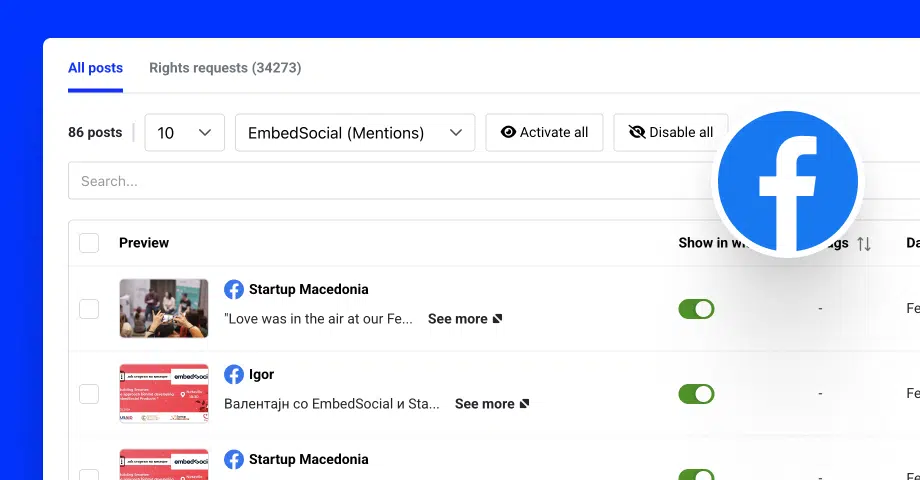
Filter your X data by sentiment, author, date, keyword or media type, then download the filtered view as a report from Social Insights. Tags let you group posts by product, campaign or topic, and the brand monitoring workflow turns that into a repeatable weekly check.
Repost and embed X content
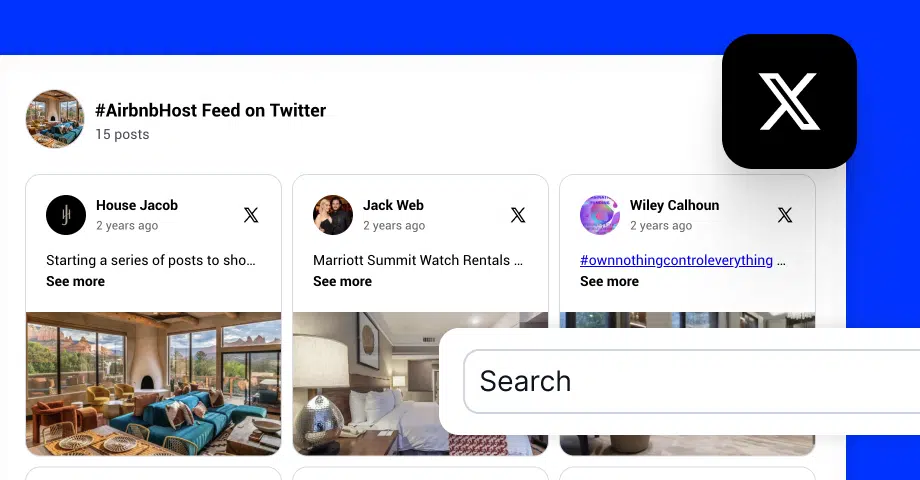
This is where EmbedSocial goes beyond monitoring. Approve a great post, request UGC rights from the author, and then repost it or display it with an X widget. Templates like the X hashtag photo and video feed and the Twitter mentions popup turn real customer posts into social proof on your product pages. Our guide on how to embed a Twitter feed covers the display side step by step.
Conclusion
There’s no single winner among Twitter monitoring tools. There’s the best one for the job you need done:
-
Sprout Social if you want monitoring inside your daily social workflow
-
Brandwatch, Talkwalker or Meltwater if you need enterprise research, global coverage or PR reporting
-
EmbedSocial if you want to monitor X and reuse what you find as social proof
-
Brand24 or Awario for affordable brand mention tracking
-
Syften, Twilert or KWatch.io for fast, cheap keyword alerts
-
X Pro if a live feed is all you need
Whatever you pick, remember the X data math. Cheap X monitoring tools save money with slower refreshes and lower mention caps, so check both during your trial.
Want to try it with your own brand? Start a 7-day free trial of EmbedSocial and set up your first X keyword source in a few minutes.



![11 Best Brand Monitoring Tools in 2027 [Ranked and Compared]](https://embedsocial.com/wp-content/uploads/2025/05/brand-monitoring-tools.jpg.webp)