An X (Twitter) source pulls posts from X into EmbedSocial so you can display them in a widget or track them in social listening. You pick what the source watches when you set it up: '@Account' for a specific account's posts, '#Hashtag' for posts using a tag, '@Mentions' for posts that tag an account, or 'Keywords' for posts containing terms you choose.
All four run through the same wizard: choose the source type, fill in the configuration for that type, then pick a widget template.
X account sources require the Pro Plus plan or higher. X hashtag, mention, and keyword sources require the Premium plan or higher.
How to connect an X (Twitter) source
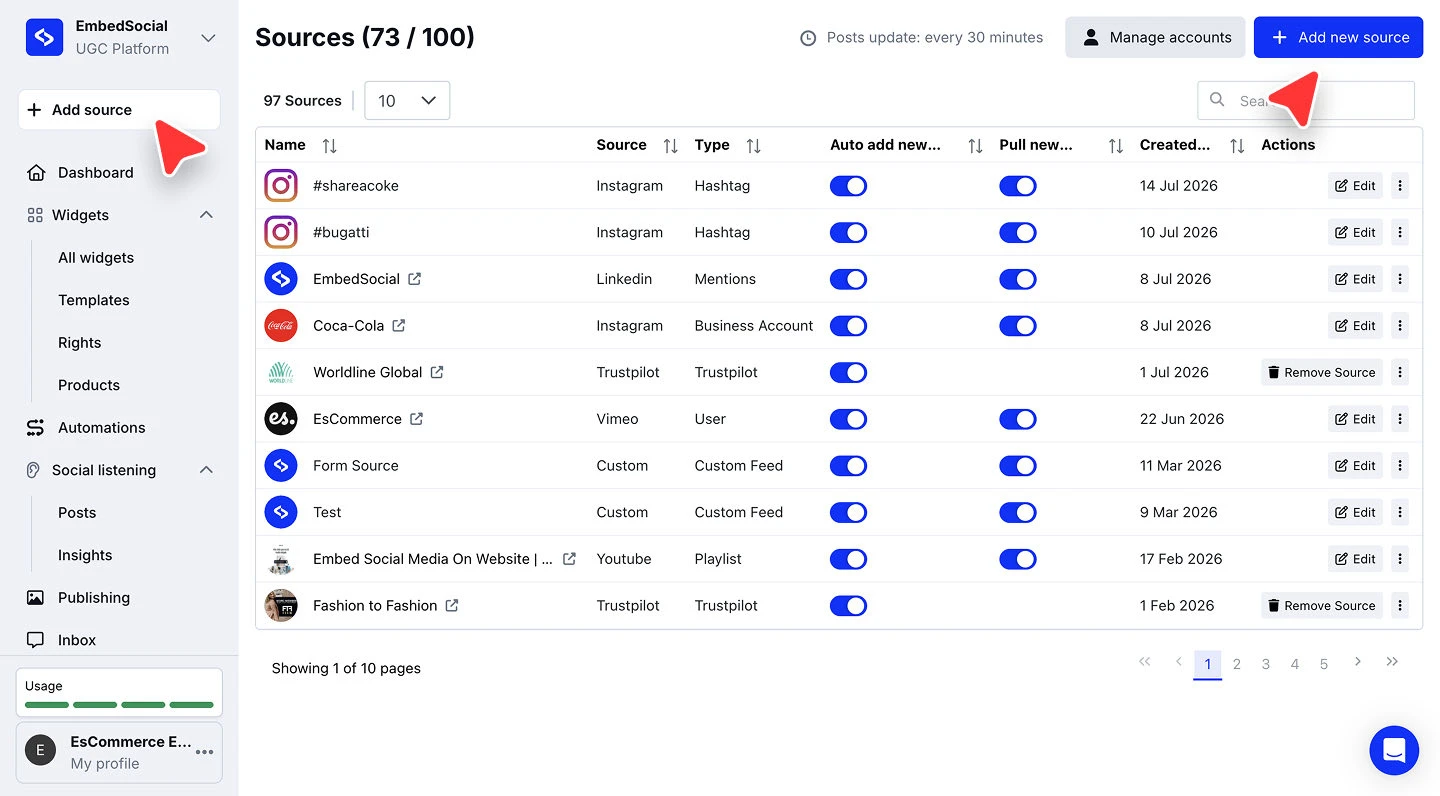
Open the source picker. Click '+ Add source' in the left menu.
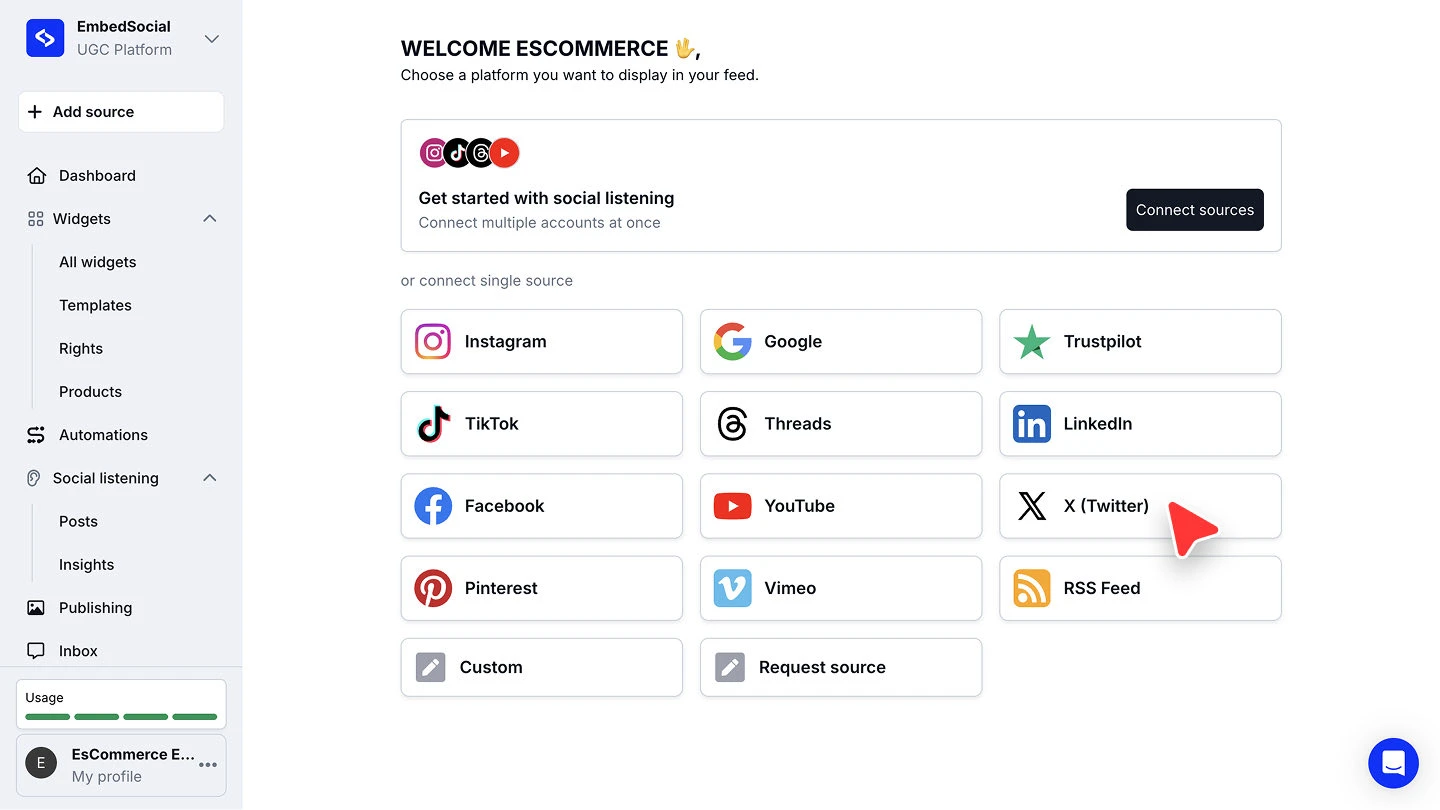
Choose X (Twitter). Under 'or connect single source', click 'X (Twitter)'.
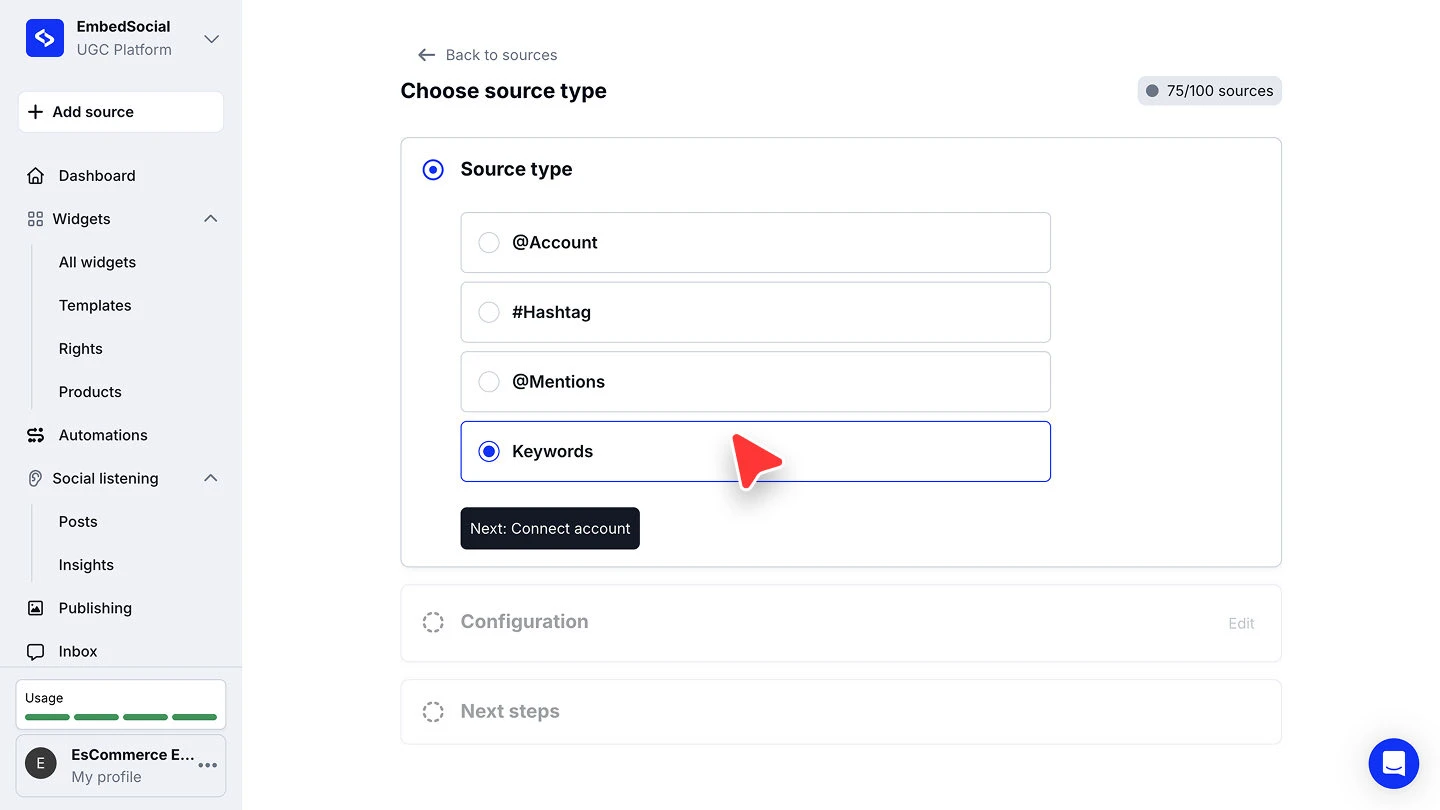
Pick the source type. On 'Choose source type', select '@Account', '#Hashtag', '@Mentions', or 'Keywords', then click 'Next: Connect account'.
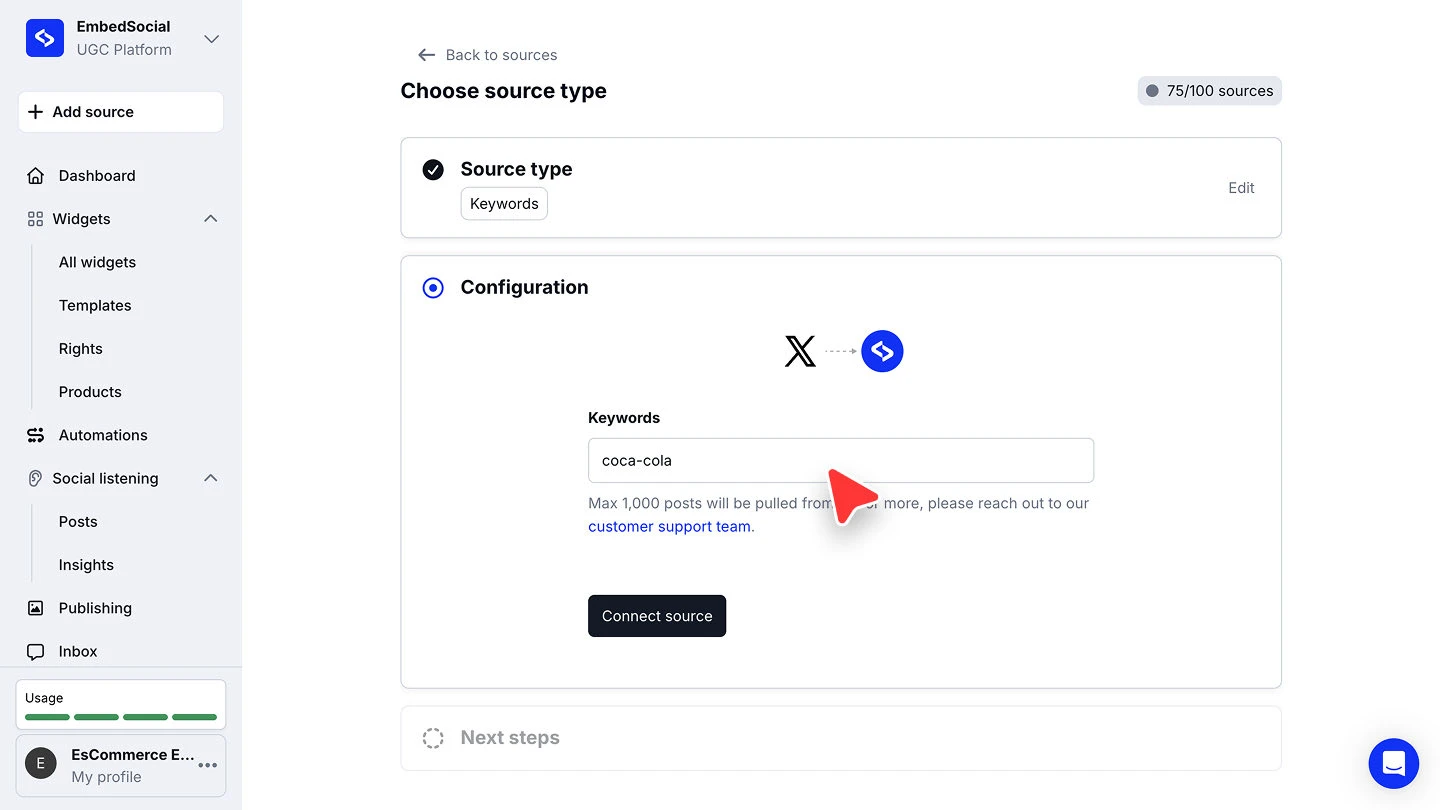
Fill in the configuration. Enter what the source should watch, then click 'Connect source'. What you enter depends on the type you picked, covered below.
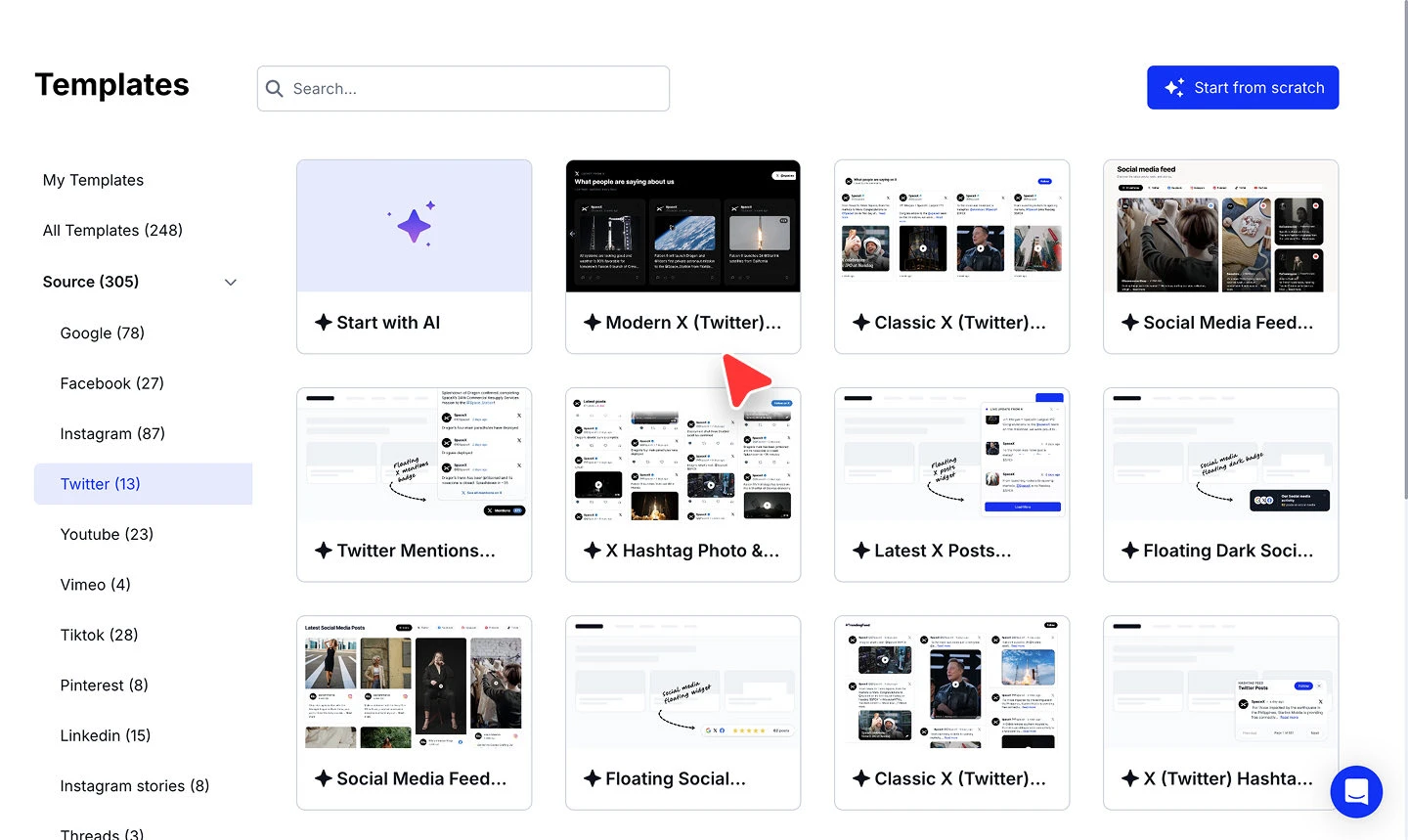
Pick a widget template. Choose a template for the widget that will display your posts.


What each source type needs
'Keywords' collects posts containing the terms you specify, whatever account wrote them, which suits campaign and topic tracking.
'#Hashtag' collects posts using the tags you enter.

'@Mentions' collects posts that tag the account you name, so it is the one to use for user-generated content.

'@Account' collects the posts a specific account publishes, which is what you want for a feed of your own posts.
Ready to put your X posts on your site?
FAQ
Which plan do I need for an X source?
X account sources require the Pro Plus plan or higher. X hashtag, mention, and keyword sources require the Premium plan or higher.
What is the difference between @Mentions and @Account?
'@Account' collects the posts an account publishes itself. '@Mentions' collects posts from other people that tag that account.
What is the difference between #Hashtag and Keywords?
'#Hashtag' matches posts using the tags you enter. 'Keywords' matches posts containing your terms whether or not they are tagged.
Can I connect more than one X source?
Yes. Run through '+ Add source' again for each one. Every connected source counts against your plan's source limit.
What's next
With the source connected, decide how its posts reach your site. See Sources for how sources feed your widgets.
If you have any questions, click the bottom right chat icon to talk with our customer success team or send us an email at support@embedsocial.com We're here for you 🙏