
Threads passed 500 million monthly active users in 2026, and plenty of those conversations are about brands. Many of them never tag your @handle, so they never reach your notifications.
Threads monitoring fixes that.
I’ll show you how to search Threads natively, see who mentioned you, and track mentions and keywords automatically with our Threads social listening tool.
Why monitor Threads mentions and posts with specific keywords?
Monitoring Threads helps you:
- Track brand mentions and sentiment: see what people say about you and how they feel about it.
- Join conversations early: reply to users and prospects while the thread is still active.
- Spot trends and industry insights: find the topics your audience cares about right now.
- Watch competitors: learn what their customers like and complain about.
- Improve customer support: answer questions and complaints in real time.
- Find influencers: discover creators who already talk about your brand.
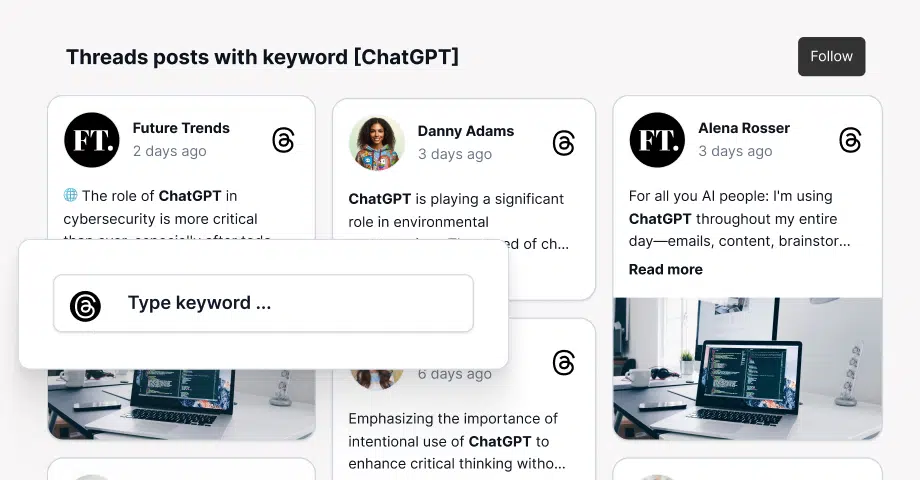
Here’s an example of a feed with Threads posts mentioning ‘EmbedSocial’:
Threads monitoring: top 5 use cases
Threads monitoring pays off in five areas. Start with the one closest to your current goal.
- Brand awareness and engagement: see when people mention your brand and join the conversation while it’s active.
- Customer feedback and sentiment: track what customers say about your products and catch sentiment shifts early with AI sentiment analysis.
- Competitive intelligence: monitor competitor names to learn what their customers like and dislike. More on competitor tracking.
- Crisis detection: catch spikes in negative mentions before they spread. See how social listening helps with crisis management.
- Influencer and campaign tracking: find creators who already mention you and measure campaign keywords and topic tags.
How to track Threads mentions and keywords with EmbedSocial
Here’s how to set up Threads monitoring in EmbedSocial, from connecting your account to reading the insights.
Step 1: Connect your Threads account to EmbedSocial
- Create an EmbedSocial account. You can start with a 7-day free trial.
- Go to ‘Sources’ and click ‘Add new source’.
- Select Threads and authenticate your account through Meta’s API.

Step 2: Set up keyword and mention tracking
- Enter the brand names, product names, keywords, or tags you want to track.
- Add your @handle to collect tagged mentions too.
- Turn on real-time Slack alerts so you never miss a mention.

Step 3: Monitor and filter your posts
- Go to ‘All posts’ to see every collected Threads post.
- Filter by keyword, date, author, or engagement.
- Export reports to measure campaign performance.

Step 4: Engage and respond
- Click any post to open it on Threads and reply.
- Thank users for positive mentions and handle complaints quickly.

Step 5: Analyze your posts in Insights
- Click ‘Social listening’ in the left menu, then ‘Insights’.
- Set the filters for the posts you want to analyze.
- Read the charts for hashtags, authors, content types, keywords, and sentiment.

Official tutorial: How to read your Social Insights charts →
Bonus: Display Threads posts on your website
Create a widget from your collected posts, copy the embed code, and paste it into your site. Here’s the full guide on how to embed a Threads feed.
Keyword examples to get started with Threads monitoring
Use these keyword examples as a starting point, then swap in your own brand and product names. Need more ideas? Try our free social listening keywords generator.
- Brand mentions: your brand name, product names, CEO name, common misspellings
- Potential customers: “looking for recommendations,” “best [product/service]”
- Customer engagement: “need help with [product],” “anyone using [brand]?”
- User-generated content: “just got my [product],” “love my [brand]”
- Feedback and complaints: “issues with [product],” “frustrated with [brand]”
- Competitor monitoring: competitor names, “better alternative to [competitor]”
- Industry trends: “latest in [industry],” “trends in [niche]”
- Sentiment tracking: “love [brand],” “hate [product]”
- Events: conference names, product launches, webinars
- Promotions: “discount on [product],” “coupon code for [brand]”
For a deeper list by goal, see our guide to social listening keywords.
How EmbedSocial helps with Threads social listening
With EmbedSocial, you can:
- Automate mention tracking: collect @mentions and keyword matches in one feed, with real-time alerts.
- Measure sentiment: see how your audience feels about your brand over time.
- Track competitors and trends: monitor competitor names and industry keywords next to your own.
- Report on results: export posts and insights for your team or clients.
How to search Threads and see who mentioned you
Threads’ built-in tools cover the basics. Here’s how to use them, in the order you’d need them.
1. Search keywords and topic tags
Tap the search icon, type a keyword or your brand name, and switch between the Top and Recent results. Topic tags work like hashtags: each post can carry one tag, and tapping it opens every post with that tag. Keep an eye on the latest Threads updates, as search features change often.

2. Narrow results with search filters
Use the search filters to limit results to a specific profile or date range. This helps when you want posts from one account or from a campaign week. Filters still don’t cover engagement or sentiment.
3. See who mentioned you on Threads
Open the Activity tab (heart icon) and filter by Mentions. This only shows posts that tag your @handle. To catch untagged brand references, search your brand and product names as keywords, or track them automatically.
4. Find trending topics on Threads
Check the trending topics on the search page (availability varies by country). For your niche, search your core keywords, sort by Recent, and look for posts gaining replies fast. A listening tool sorts collected posts by engagement and alerts you when volume spikes.
Threads app vs. EmbedSocial for Threads monitoring
| Task | Threads app | EmbedSocial |
|---|---|---|
| Tagged @mentions | Activity tab, manual | Collected automatically |
| Untagged brand mentions | Manual keyword search | Tracked as keywords |
| Filters | Profile and date | Keyword, date, author, engagement |
| Alerts | Tags only | Real-time Slack alerts |
| Sentiment and reports | ❌ Not available | Insights charts and exports |
| Show posts on your site | ❌ Not available | Embeddable widgets |
Bottom line: the app works for occasional checks. For daily brand monitoring, automate it.
Conclusion: Start tracking Threads mentions today
Threads is where many real-time conversations about your brand now happen. The app’s search, filters, and Activity tab help you check them manually, but they miss untagged mentions and can’t alert you or report on sentiment.
Track your brand, product, and competitor keywords in one place and act on what you find. Once Threads is covered, apply the same setup to Instagram mentions and X keyword monitoring.
Start your 7-day free trial and collect your first Threads mentions.





![12 Best Twitter (X) Monitoring Tools in 2026 [Compared]](https://embedsocial.com/images/blog/twitter-monitoring-tools/featured.avif)

