

How to Create a Landing Page That Converts in 2026?

ChatGPT
or
Perplexity

A great landing page grabs attention and guides your visitors towards your products and services. Well, you’re in luck, as I tell you how to create a landing page that actually converts.

You shouldn’t make the common mistake of overcomplicating it. Some brands cram in too much copy, scatter buttons everywhere, and hope design magic will save the day.

But that’s the wrong approach. When it comes down to it, a high-converting landing page is built on intention, structure, and a few timeless best practices.

And here’s the twist: you don’t need a massive redesign or a full landing page builder to pull this off. With the right strategy—and a few AI-generated sections you can drop onto any existing site—you can transform what you already have into something powerful.

So, let’s break down how to create a high-converting landing page just for you!

Image

Create UGC widgets with a prompt

Use a single prompt and create social proof widgets for your website in seconds.

Start 7-day free trial

What is a landing page? (And why it matters)

A landing page is a focused, standalone web page built for one purpose: getting visitors to take a specific action. As such, a landing page doesn’t try to be everything to everyone, as it delivers a single message with zero distractions.

‘Landing page’ definition

Compared to a homepage, which spreads attention across dozens of links, a landing page narrows the path. It presents a clear value proposition, supports it with social proof, and guides the user toward a conversion with intention and simplicity.

For brands, landing pages matter because they give campaigns a dedicated, high-control environment where clarity becomes a competitive advantage.

Here’s why landing pages are so valuable for brands:

mind map showcasing the benefits of landing pages
  • Higher conversions—a single goal increases the likelihood of visitors taking the desired action;
  • Cleaner messaging—you remove noise and deliver one focused narrative from start to finish;
  • Better tracking—you can measure performance precisely and optimize each component;
  • Stronger intent alignment—each landing page can match an ad, email, or audience segment;
  • Easier testing—you can A/B test variations without altering your main website;
  • Faster deployment—you can create or update sections quickly, especially with AI-powered tools.

You must never overlook your landing pages, as they are your main conversion points. You can view them as the audition you do in front of your customers.

How to create a great landing page? Step-by-step guide

Learning how to create a landing page that converts is about nailing down your intention. Each page section has a job to do, and each job needs a different kind of thinking.

Here’s how to make your landing page breathe in a few steps:

Step 1: Define the goal and target audience

You can’t start building until you know exactly what you’re building for. Therefore, you must come to a clearly defined goal by asking yourself:

  • What is the one action this page exists to achieve?
  • Who is the visitor? What brought them here?
  • What fear, desire, or curiosity are they bringing with them?

If you answer these early questions, you can create pages that feel eerily intuitive because they would be designed for one person, not everyone.

Example: A running shoe brand discovered their email subscribers click for science, not style. By narrowing the landing page goal to “Download the gait analysis guide,” conversions jumped 42%. The page worked because the goal was sharp and the audience was understood.

Step 2: Craft your value proposition

“If you confuse them, you lose them.” — Donald Miller

This core principle in branding says a lot about having a good value proposition that doesn’t try to be poetic. Before everything else, you must be understood!

What outcome are you promising? Why is it better? Why now?

Try writing three versions:

  • One emotional
  • One practical
  • One short enough to fit on a business card

Choose the one that punches hardest.

You can also spark ideas using an AI section builder like EmbedSocial’s. Just ask it to generate 10 headline angles to choose from and adjust on the spot.

Here’s how you can improve a broad and generic value proposition:

Old version: “The all-in-one platform to help your business grow.”

However, you need to give your visitors a reason to care right now:

New version: “Get more qualified leads from your website in 30 days.”

As you can see, a strong value proposition is the result of clarity, outcome, and relevance!

Step 3: Design your hero section and above-the-fold area

Imagine a visitor lands on your page. You have 3 seconds to earn their next 3 seconds.

Here’s the hero section of an audio product landing page:

hero section example

You are met with a clean design showcasing the product in question, a FOMO proposition (25% discount), and two CTAs that invite you to learn more or purchase the product.

With your own hero section, you must answer:

  • Where am I?
  • What does this do?
  • Is this for me?

Most brands overdecorate. Great brands simplify. A clean headline, a supporting sentence, an anchor graphic, and a single CTA is everything you need!

If design isn’t your strong suit, creating an AI hero section is a great starting point. You can then tweak the copy, swap visuals, and embed them in seconds.

Step 4: Write persuasive landing page copy

As for the wording of your landing page, ask yourself the following questions:

  • Does your copy sound like a person, not a committee?
  • Are you leading with benefits, not features?
  • Are you answering objections before they’re spoken?
  • Are you avoiding long walls of text that kill momentum?
  • Does your copy feel like a conversation with someone?

Example: A startup promoting a meal-prep subscription rewrote their landing page from feature-driven (“Fresh meals delivered weekly”) to emotion-driven (“Never worry about ‘What’s for dinner?’ again”). Signup rate soared because the copy matched the customer’s real pain.

However, the essential problem that you are trying to solve is presenting credible evidence of the quality of your products and services. Thankfully, with a UGC platform like EmbedSocial, you can easily pull in real voices: reviews, quotes, even social screenshots.

Here’s how RepurposeMate does it, together with all the social proof they need:

repurposemate landing page example

Step 5: Build your layout, visuals, and content sections

You must think of your landing page as choreography, not decoration. Every block you use sets up the next, guiding your readers’ attention toward belief.

Here’s a structure that works beautifully:

  • Start with your promise – state the core outcome immediately so visitors know where they are.
    • Example: “Get 2× more qualified leads from your website in 30 days.”
  • Follow with benefits – translate features into real-world gains people can understand.
    • Example: “Spend less time chasing leads, book more demos automatically, and see which pages actually convert.”
  • Show how it works – use a simple step-by-step or visual flow to remove mental effort.
    • Example: “Connect your site → choose a template → publish your landing page → start collecting leads.”
  • Clarify details – answer common questions about pricing, timing, requirements, or next steps.
    • Example: “No credit card required. Takes under 5 minutes to set up. Cancel anytime.”
  • Remove doubts – address objections proactively with guarantees, FAQs, or reassurance copy.
    • Example: “Works with any website builder” or “Fully GDPR-compliant.”
  • Lead to action – end with a clear, confident CTA that feels like the natural next step.
    • Example: “Start free” or “Create your landing page section now.”

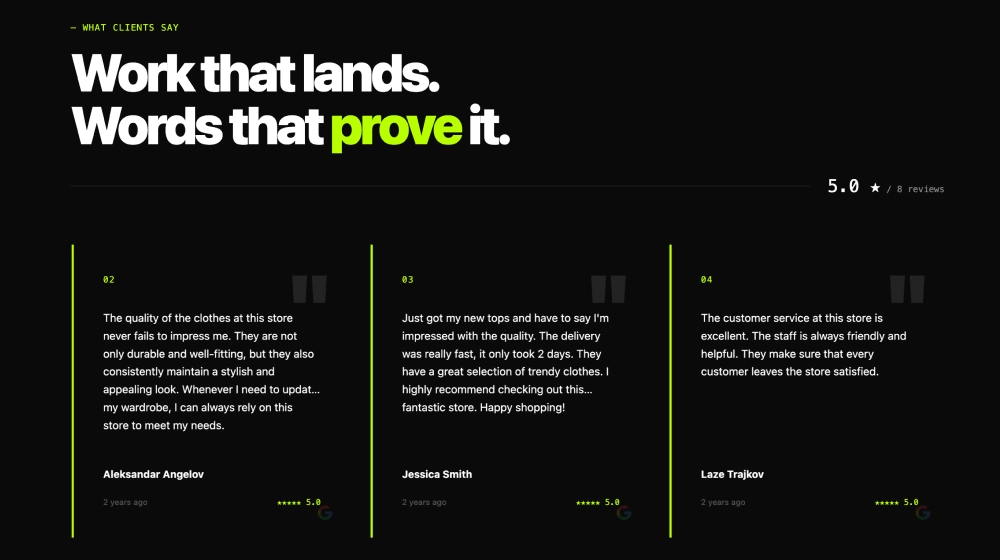
Last but not least, you must ALWAYS showcase social proof to reinforce claims with testimonials, reviews, or UGC and build trust. Here’s how EmbedSocial does it:

This can be done ridiculously fast via AI widgets, as you can assemble your landing page using modular blocks, testimonial strips, visual grids, etc. Just create a section and move on. However, all of them must fit perfectly; they need to create a cohesive whole.

Pro tip: Use whitespace like oxygen. A crowded page feels cheap; a spacious one feels confident.

Step 6: Add your CTA and optimize for mobile

Once you are done creating your landing page, it’s time to show your visitors how to act. Also known as calls-to-action (CTAs), these conversion triggers are the end goal, as everything else, from the value proposition to the copy and visuals, exists to support them.

Therefore, before adding any, answer these questions:

  • What good is a beautiful landing page if the CTA is invisible?
  • What happens when your button blends into the background?
  • What if your form demands too much, too early?
  • Are your mobile users forced to pinch and zoom their way to frustration?

Bottom line: Your CTA must be impossible to miss, emotionally aligned with the offer, easy to tap on a small screen, and supported by a frictionless form.

If you’re experimenting with different CTA styles, you can swap out entire CTA sections instantly without rebuilding the page when you’re using an AI widget builder.

Example: Here are three CTA button variations so you know what works:

  • Weak CTA (“Learn More”)
  • Neutral CTA (“Get Started”)
  • Strong CTA (“Start My Free Trial”)

Here’s how Notion does it with a pair of CTAs:

notion landing page example

Pro tip: Keep to these core principles when designing your button: contrast, action verb, and value clarity. For instance, “Get Your Free [Service] Today!”

Step 7: Connect analytics, publish, and test

Once you are ready to publish your landing page, you have to consider a few analytics tools that will help you measure its performance. Consider these stats:

Companies that run structured A/B tests grow conversions 27% faster on average.

Add heatmaps, set up events, track scroll depth, and watch where users lose interest. Then tweak the page, not the whole site, such as the headline, visual, proof, and CTA.

Modular sections make this even smoother. Swap a testimonial block, replace a hero variation, try a new layout, all without touching the core structure.

Image

Create UGC widgets with a prompt

Use a single prompt and create social proof widgets for your website in seconds.

Start 7-day free trial

7 must-have sections for building a high-converting landing page

We all know the feeling. You land on a new website. The product looks good, the copy is snappy, but a nagging voice in the back of your head asks: “Is this legit? Does anyone actually use this?”

That voice is the barrier to conversion.

You simply cannot rely on your own marketing claims any longer. You need other people to do the selling for you. This is where social proof and user-generated content (UGC) come in to turn skeptics into buyers by showing them that other people have already taken the leap and loved the result.

So, let me help you architect the perfect high-converting landing page. I broke it down into 7 essential sections, and for every single one, I have accompanying social proof.

Here is your blueprint for a landing page that builds trust instantly:

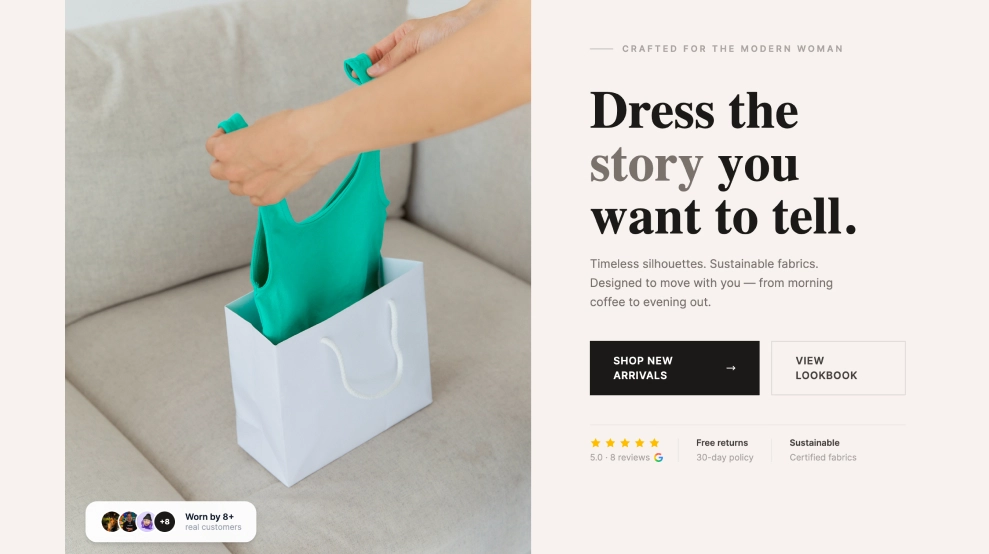
1. The “Social Hero” section

The purpose: This “above the fold” area makes the first impression and explains the value you offer. Most heroes fail because they make big claims without immediate backing.

The social proof injection: Instead of a naked CTA button, pair your primary call-to-action with immediate statistical data or a high-level trust indicator.

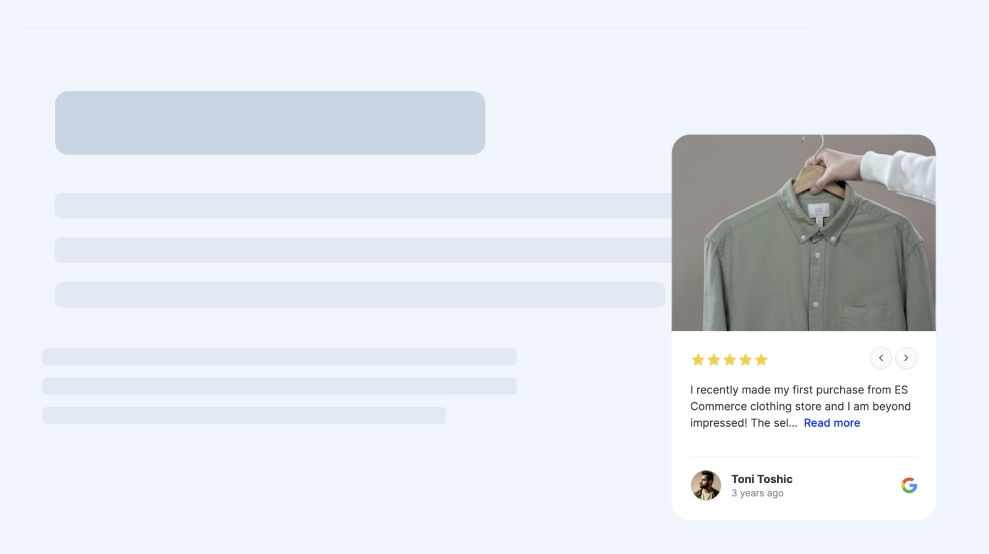
[Section idea: Trust-Backed Hero]

A dynamic, full-width hero image showing the product in action. Overlaid is a bold headline (e.g., “The Last Backpack You’ll Ever Buy”) and a subheader.

Below the text is a bright, prominent “SHOP NOW” button.

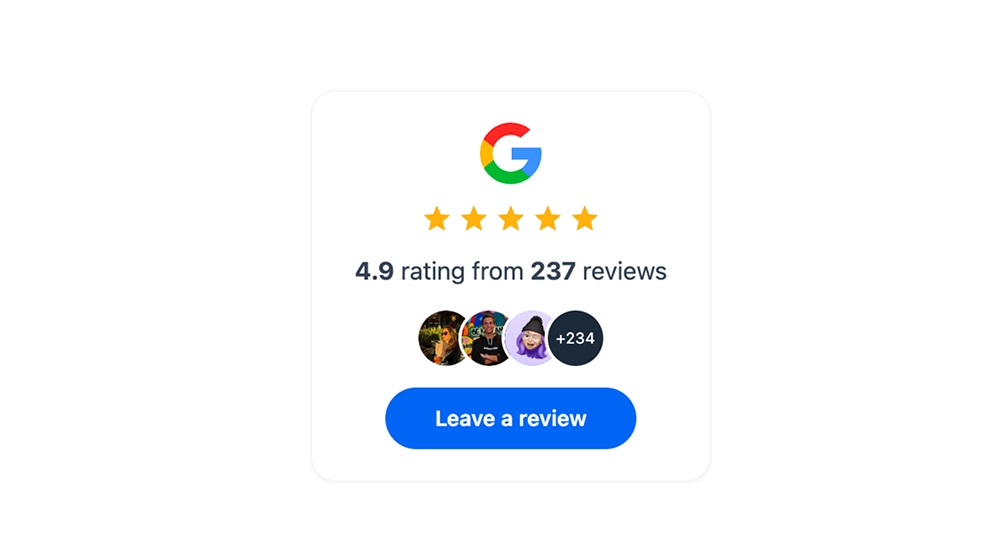
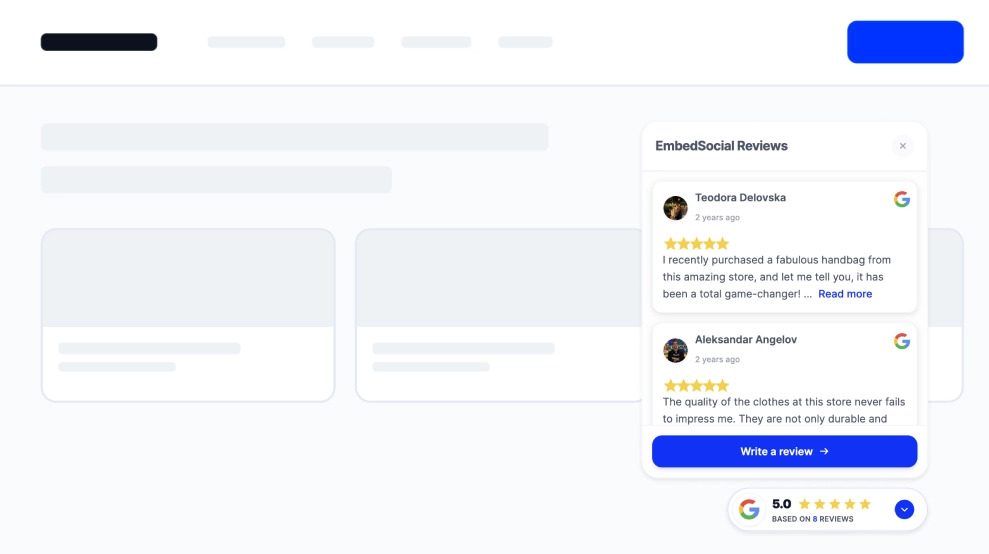
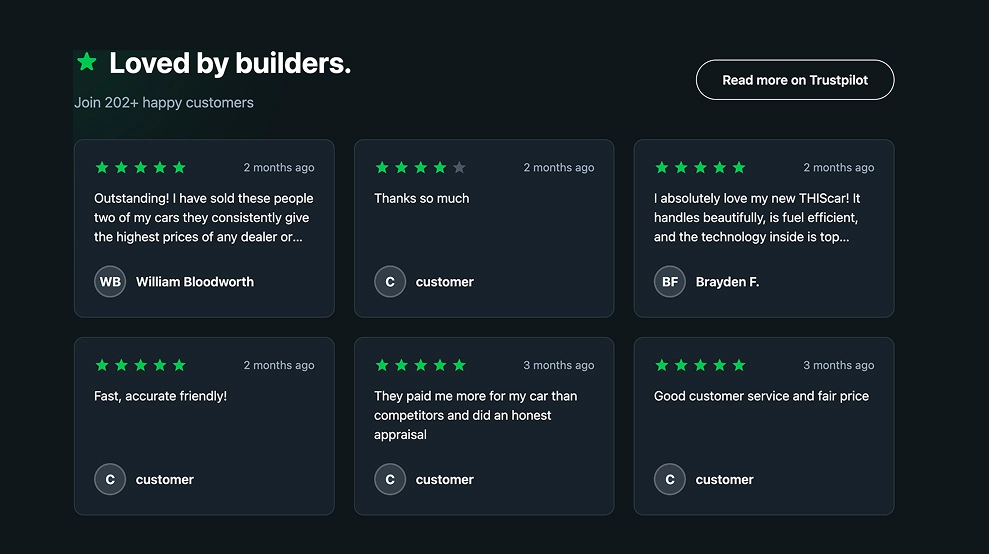
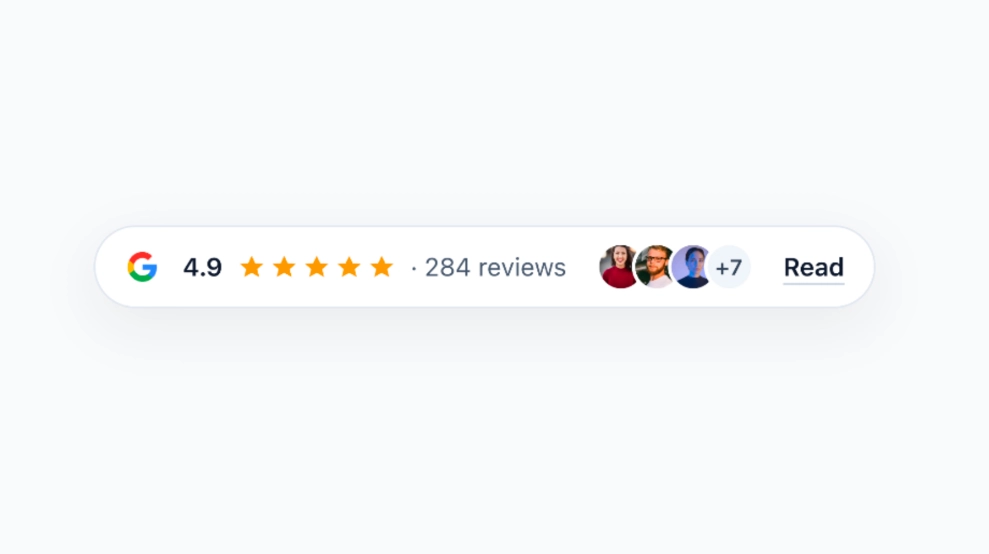
Crucially, right next to or immediately below that button is a smaller widget element: A row of five bright yellow stars next to bold text that reads: “Rated 4.9/5 based on 12,500+ Verified Reviews.” The proximity connects the action of buying with the safety of the crowd.

2. The “Authority Bar” (media mentions & partners)

The purpose: Before showing products, you need to borrow authority. If the visitor doesn’t know your brand, they likely know Forbes, TechCrunch, or major industry players.

The social proof injection: This section uses “Expert Social Proof.” By displaying the logos of recognized media outlets that have featured you or major partners you work with, you instantly transfer some of their credibility to your brand.

[Section idea: Authority strip]

A slim, horizontal band stretching across the screen with a light gray background. A subtle, small header in the center reads: “AS SEEN IN.”

Below it, six recognizable, desaturated (grayscale) logos are evenly spaced in a horizontal line (e.g., Forbes, Wired, The NYT, etc.). The grayscale treatment ensures they don’t distract from your main content but are immediately recognizable as badges of trust.

3. “Shop Products” section with UGC tags

The Purpose: This is where commerce happens. You are displaying your core offering.

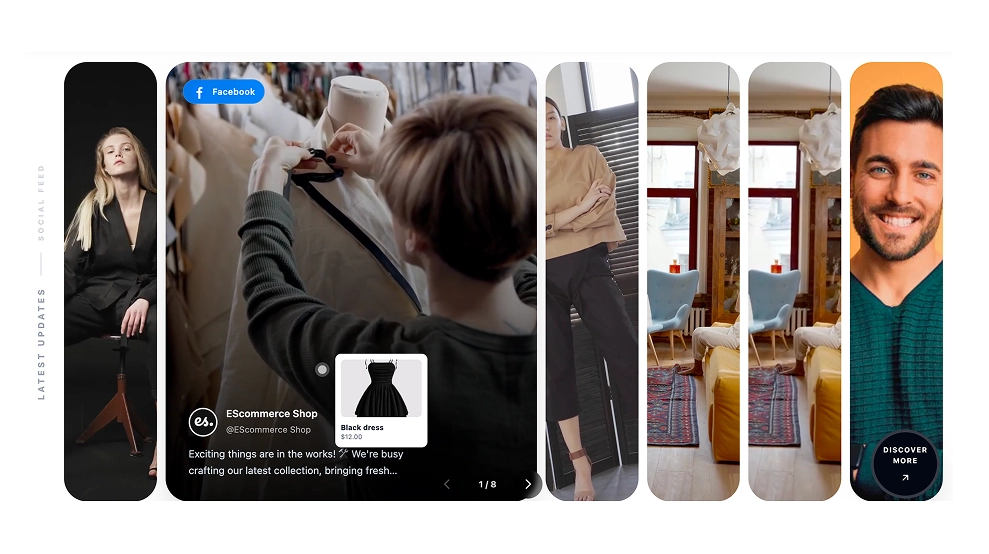
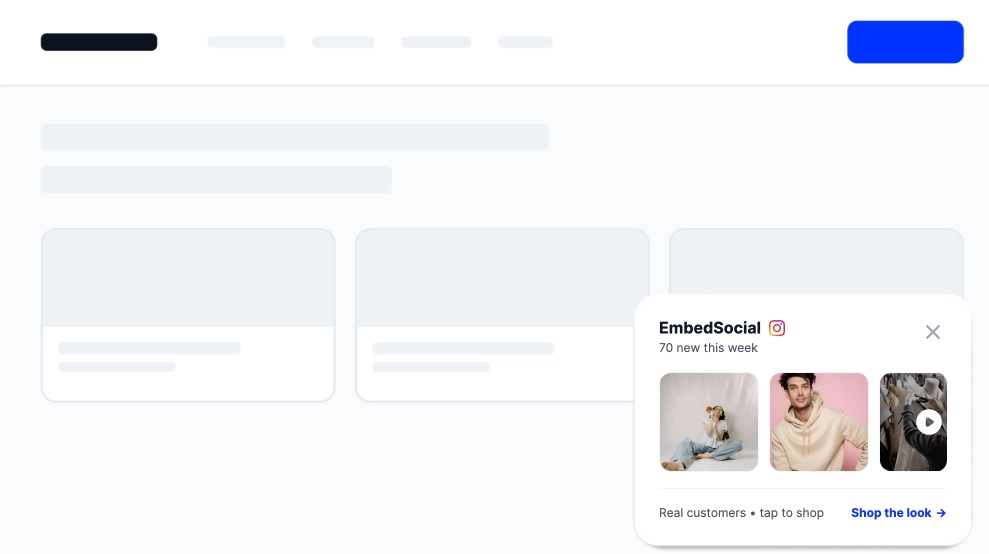
The social proof injection: Standard e-commerce sites just show the product on a white background. A social proof landing page shows the product “in the wild.” We will use UGC tags to show real people wearing or using the specific item right on the product card.

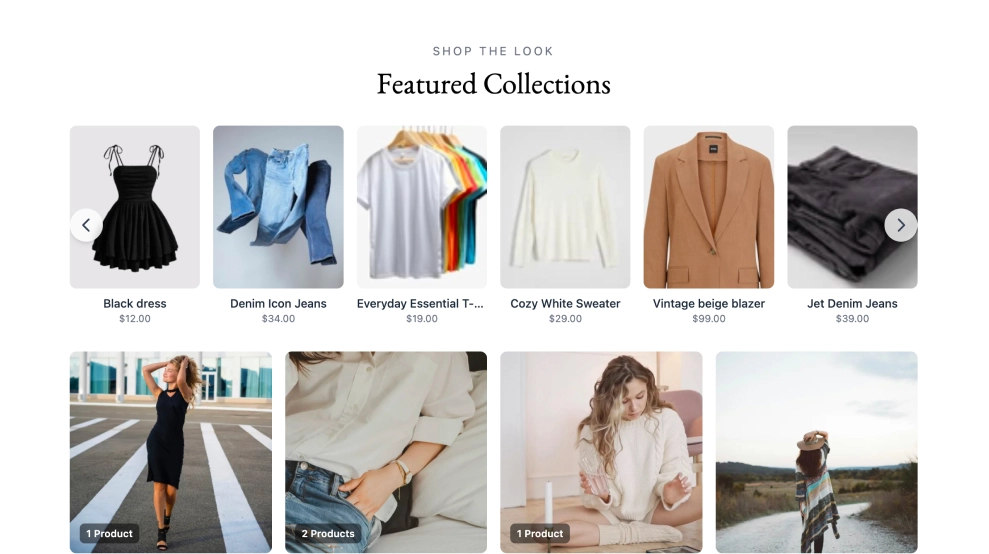
[Section idea: “Real Life” Product Grid]

A clean grid displaying three product cards.

Each card features a high-quality studio photo of the product. However, in the bottom-left corner of the product image, there is a circular inset photo (like an Instagram profile bubble) showing a real customer using that exact item. Next to the bubble is a small tag bearing their social handle (e.g., “@SarahRuns_NYC”).

Below the product title and price, small text reads: “See 45 more photos of this item.”

4. Latest news & content section

The Purpose: To show that your brand is active, current, and provides additional value.

The social proof injection: You prove a blog post is good by showing that others have found it valuable enough to engage with. We use “engagement metrics” as social proof here.

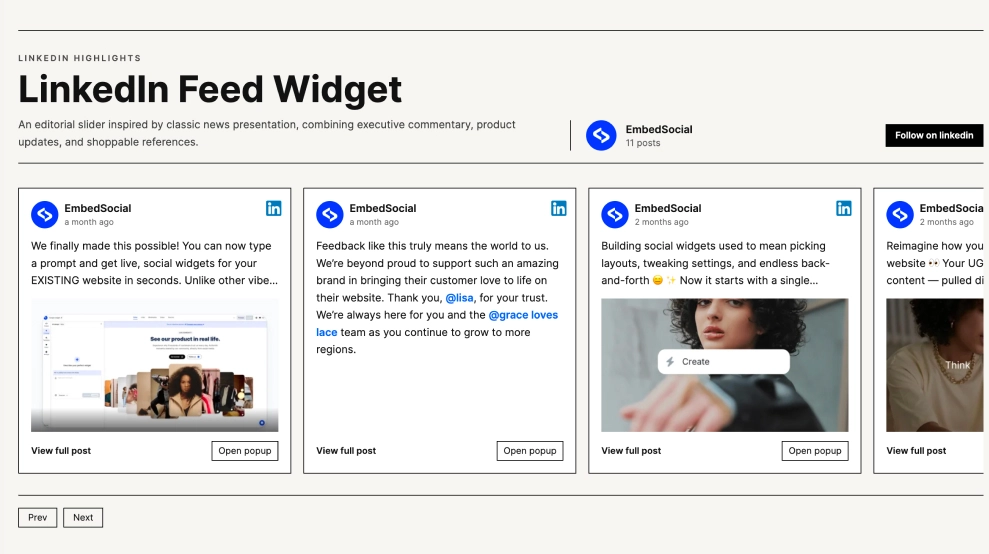
[Section idea: Social Media Feed]

A two-column section featuring two recent articles or updates. Each column has a featured image, a headline, and a short excerpt.

Below the excerpt, instead of just a “Read More” link, there is a social proof footer showing engagement icons:

  • A small speech bubble icon with the number “124 Comments” next to it.
  • A share arrow icon with the number “1.2k Shares.”

Seeing these numbers signals to the user that this content is worth their time because others have already validated it.

5. The “Community Spotlight” (the Instagram feed)

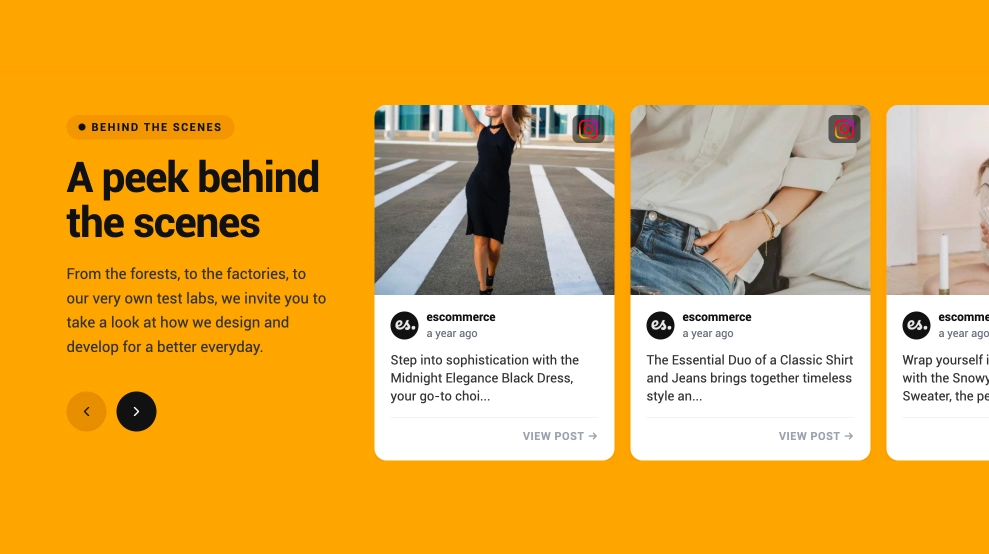
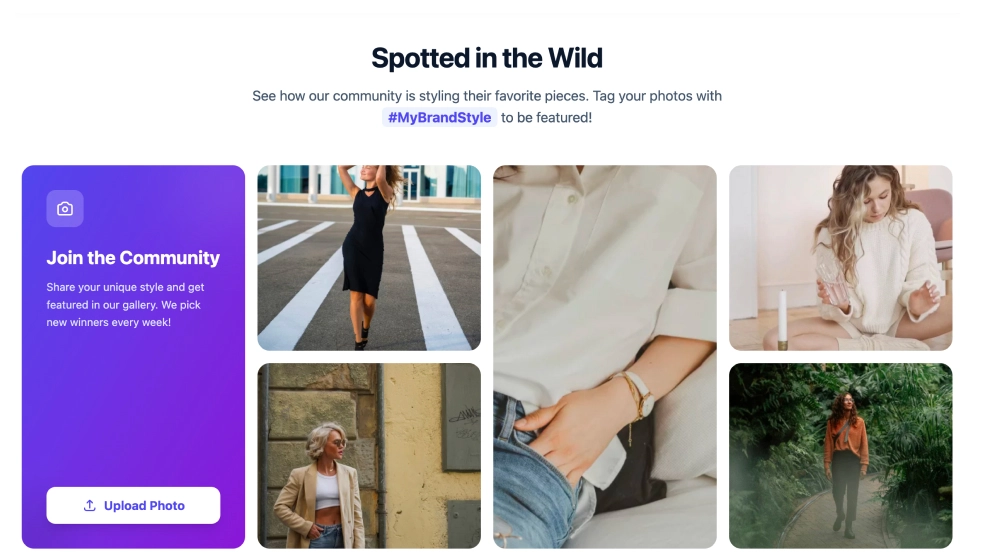
The Purpose: To move beyond individual product reviews and showcase the lifestyle and tribe surrounding your brand. This is pure, unadulterated UGC.

The social proof injection: A live feed of customers posting about your brand using a dedicated hashtag. It proves that a vibrant, active community exists and that people are proud to associate publicly with your product.

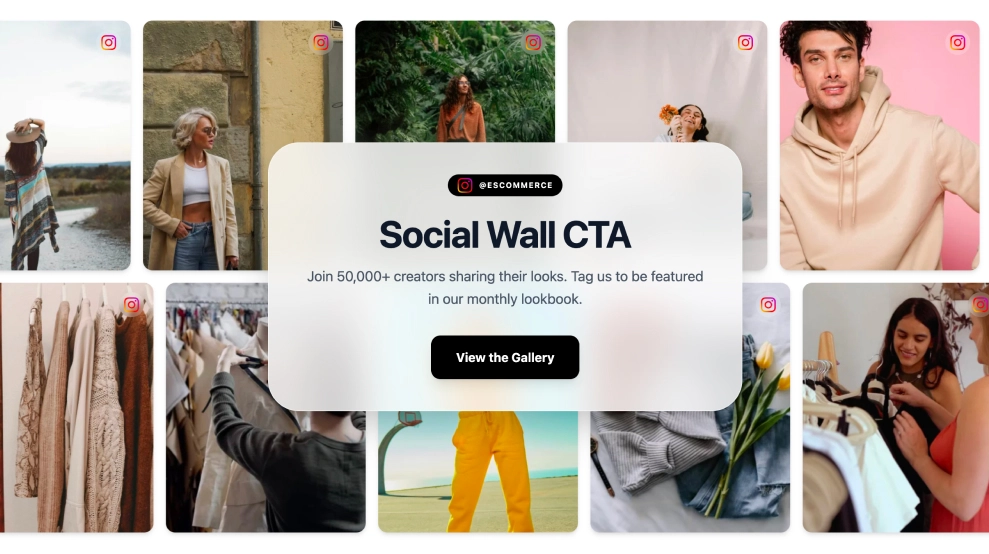
[Section idea: #BrandFam Grid]

A section with a fun header like “Join the #MyBrandLife” and a subheader: “Tag us to be featured!”

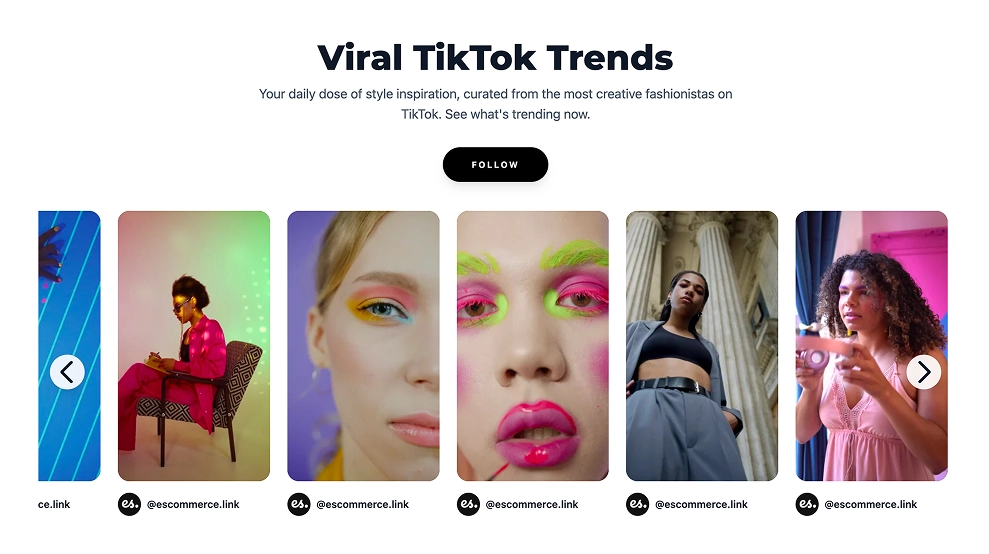
Below this is a responsive mosaic grid of 8 square images pulled directly from Instagram. The images vary—some are selfies, some are flat lays, some are action shots—but all clearly feature real customers. Hovering over an image displays the original Instagram caption and the user’s handle, proving its authenticity.

6. The “Deep-Dive” testimonials section

The Purpose: This classic trust-builder addresses objections through the voices of happy customers.

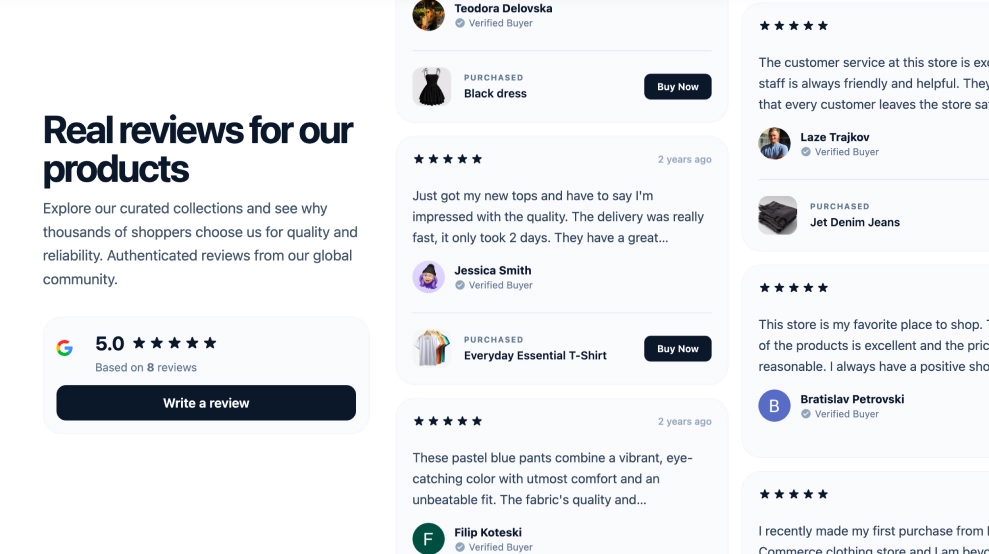
The social proof injection: Text-only testimonials are losing effectiveness because they are easily faked. To make this section work today, you need verifiable depth. We will use video testimonials or third-party validated reviews to maximize credibility.

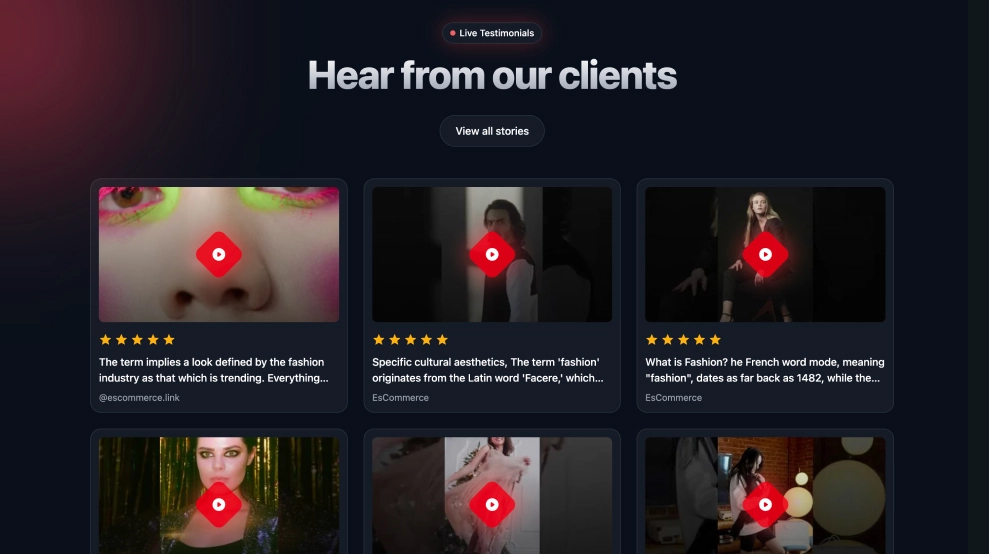
[Section idea: The Verified Carousel]

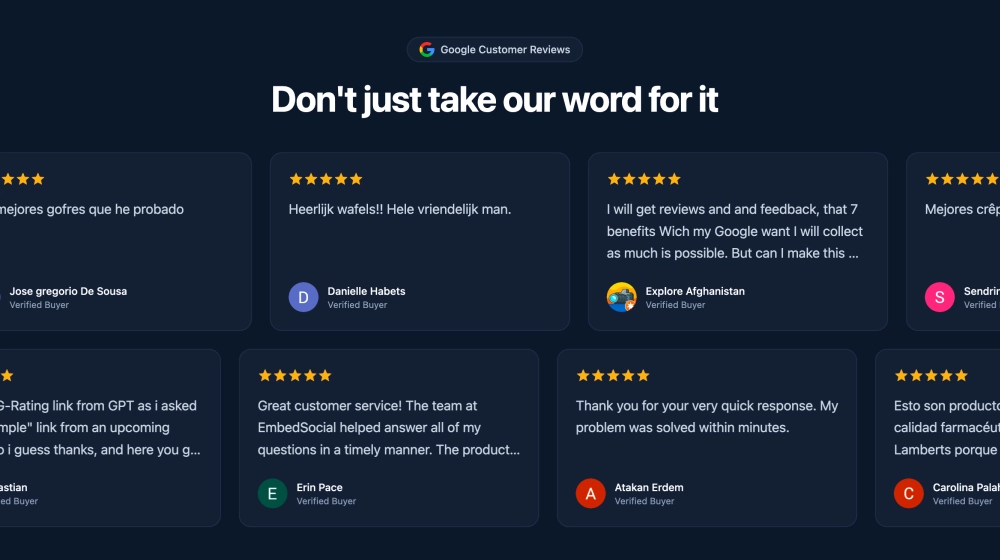
A prominent section with a header: “Don’t take our word for it.”

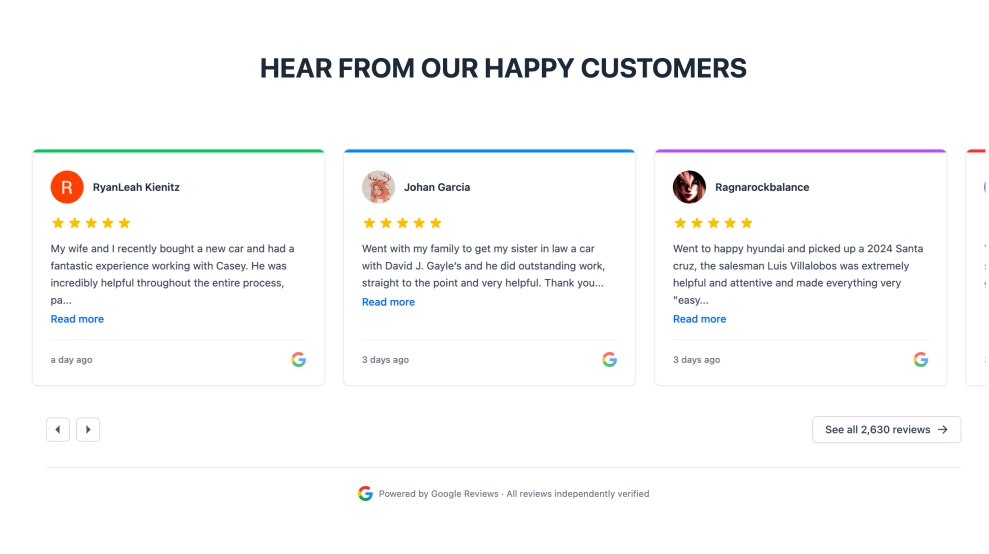
A horizontal carousel widget featuring three distinct testimonial blocks.

  • Block 1 (Center): A video thumbnail with a large “play” button over the face of a smiling customer. Text below reads: “WATCH: How Mark saved 10 hours a week.”
  • Blocks 2 & 3 (Sides): Text testimonials, but they include a photo of the user, their full name, their job title/location, and crucially, a small green checkmark icon indicating “Verified Buyer via Trustpilot.”

7. The final CTA social section

The Purpose: The bottom of the page is where you capture the lead or the prospective sale.

The social proof injection: FOMO (Fear Of Missing Out) and “Herd Behavior.” At this final stage, you want to remind users that everyone else is doing this, and they are getting left behind.

This final statistic uses the “wisdom of the crowd” to nudge the user over the finish line.

[Section idea: “Join the Crowd” CTA]

A high-contrast, full-width section with a massive, compelling headline (e.g., “Ready to Upgrade Your Workflow?”).

A large email input field and a “GET STARTED” button.

Directly below the button, a dynamic counter widget displays a live-ticking number and a supporting statement: “Join 85,432 marketers already using our tools. 145 joined today!”


You can create all these sections and widgets with EmbedSocial. Just use the descriptions above as prompts to create your own social sections in seconds. Click below to start for free.

Image

Create UGC widgets with a prompt

Use a single prompt and create social proof widgets for your website in seconds.

Start 7-day free trial

Landing page essentials: Elements every high-converting page needs

Who here wants a checklist? These landing page core elements help drive high conversions, and getting them right sets the stage for everything that comes next:

ElementWhat is it?Best practices
Hero section that communicates value fastThe first impression of your landing page is shown above the fold.Use one bold statement, a simple supporting line, a relevant visual, and a single clear CTA.
A clear headline + persuasive subheadlineYour headline delivers the promise; your subheadline deepens it.Make the headline outcome-focused. Use the subheadline to clarify the main benefit or reinforce credibility.
Benefit-driven content blocksSections that focus on what the user gains.Use short bullets, icons, or visual grids. Highlight outcomes, transformations, and advantages.
Strong call-to-action (CTA) placementThe action button visitors use to convert.Place your main CTA above the fold and again at the bottom. Use high-contrast design and action verbs.
Visual hierarchy + scannable layoutThe structure that shapes how visitors absorb information.Use whitespace, bolding, and clean spacing. Break long text. Guide the eye downward with clear headers.
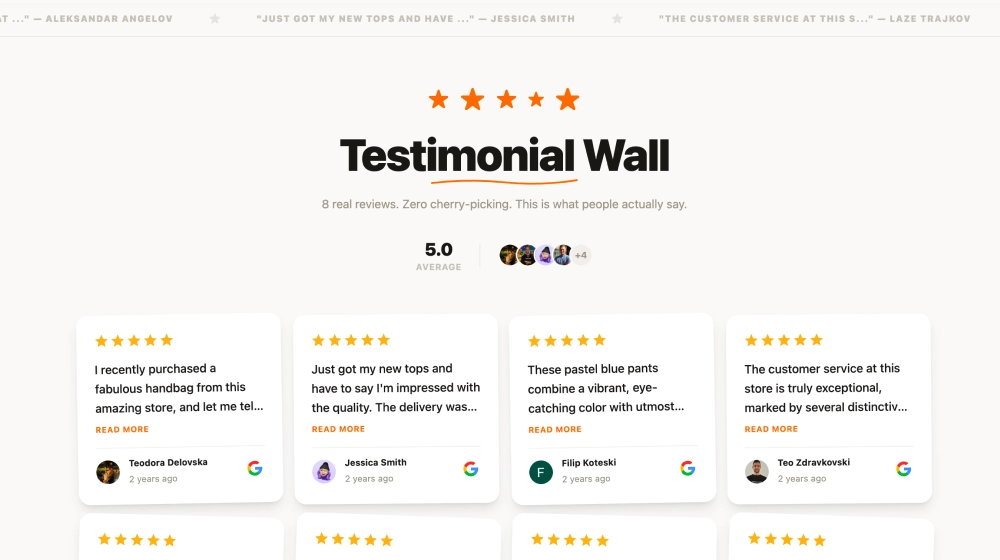
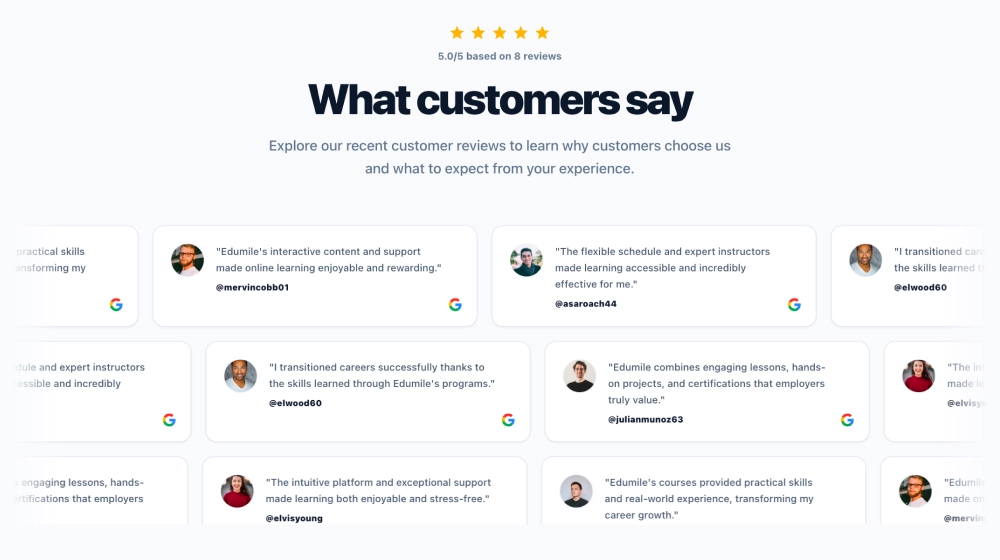
Social proof (reviews, UGC, testimonials)Real voices and evidence that validate your offer.Embed rotating reviews, UGC photos, or testimonials. EmbedSocial can automate all of it!
Forms, UX, and load speed basicsThe functional pieces that make conversion easy.Keep forms short. Test on mobile. Compress imagery. Aim for fast loading at all times.

How can brands use landing pages? 7 best use cases & examples

Landing pages are compact, focused, and built for one precise job at a time. The smarter your use cases, the more revenue and insight they unlock.

Here are 7 different landing pages with different purposes:

1. Launch new products with a clean narrative

Instead of dumping new products onto crowded catalog pages, brands can build a focused launch landing page that tells the story and shows the use cases.

Example: Apple launches a new MacBook Pro on a dedicated landing page that walks visitors through performance gains, real-world use cases, and design upgrades—then funnels everything toward a single, high-intent action like “Buy” or “Learn more”.

macbook pro landing page

2. Capture campaign traffic in one controlled hub

Paid ads, social posts, and email blasts hit much harder when they send people to a page built just for that campaign. A campaign landing page keeps the message aligned.

Example: Webflow routes paid ads and email campaigns to a focused landing page built around its free plan. The page keeps the story tight—key benefits, simple plan comparison, and a single “Start for free” CTA—so the message stays aligned from click to signup.

webflow pricing landing page

3. Turn social proof into a conversion engine

Brands can transform scattered online reviews, testimonials, social media posts, and other types of user-generated content into dedicated proof-centric landing pages that warm up cold traffic fast. With tools like EmbedSocial, those sections stay fresh automatically.

Example: Figma sends cold traffic to a proof-centric landing page showcasing real customer stories and recognizable brands. Instead of leading with a sales pitch, the page lets testimonials and use cases do the convincing—so visitors build trust before they ever hit “Get started”.

figma customers landing page

4. Nurture specific audience segments

One-size-fits-all pages rarely resonate. Segment-based landing pages let brands speak differently to agencies, enterprises, local shops, or first-time buyers.

Example: Shopify uses segmented landing pages for different audiences, such as retail businesses and enterprise brands. Each page tailors messaging, benefits, and use cases to that audience, making the offer feel immediately relevant and increasing demo requests.

shopify enterprise landing page

5. Run partnerships and co-marketing offers

When two brands team up, a shared landing page keeps the offer consistent and avoids confusing visitors with mixed messaging across two separate sites.

Example: HubSpot runs a partner-focused landing page with co-marketing offers for agencies. The page presents a shared value proposition, joint benefits, and a single sign-up flow—so visitors clearly understand what they get and who’s involved.

hubspot partner landing page

6. Build resources that rank and convert long-term

Evergreen landing pages—like templates, calculators, or downloadable kits—can rank on search, capture leads, and drive signups for months or years with minimal extra work.

Example: Mailchimp publishes evergreen resource landing pageslike its marketing guides and tools. These pages rank in search, offer downloadable assets behind simple forms, and consistently generate qualified leads over time.

mailchip resource landing page

7. Reactivate and re-engage existing customers

Reactivation campaigns work better when they point to a page that feels like a “welcome back” moment, not a generic sales pitch. A re-engagement landing page can highlight what’s new and why now is the right time to return.

Example: Spotify sends lapsed users to a reactivation landing page for their premium tier, highlighting new features and personalized playlists. Instead of a hard sell, the page focuses on what’s changed—making the return feel timely and valuable.

spotify premium landing page

7 landing page best practices to boost conversions

Want to really learn how to create a high-converting landing page without overwhelming the reader? Then, master the following landing page best practices:

  • Focus your message: avoid clutter, lead visitors toward one action
  • Use one primary CTA: repeat it at key points, keep wording consistent
  • Optimize for mobile-first: fast loading, large tap targets, short sections
  • Reduce distractions: remove competing links, animations, and visual noise
  • Show real trust signals: reviews, testimonials, UGC (EmbedSocial automates this)
  • Make your value prop unmistakable: clear, outcome-driven, specific
  • Test everything: headlines, CTAs, visuals, layouts – and iterate often.
mind map showcasing the best practices for designing a landing page

1. Keep your message focused and friction-free

Clarity wins. A single promise, a single flow, and a single narrative remove the hesitation that kills conversions. Don’t overpromise several things.

Example: A fitness brand cut its headline from 17 words to 6 and increased signups by 31%.

2. Use one primary CTA and make it unmistakable

Multiple CTAs create competing priorities. One dominant call-to-action, repeated strategically, keeps the user moving toward the same destination.

Example: Replacing two competing buttons with a single “Start My Trial” CTA lifted a SaaS trial rate by 22%.

3. Prioritize mobile-first layout and performance

Most landing page traffic is mobile. Pages that look beautiful on desktop often break on small screens due to long paragraphs, oversized visuals, tiny buttons, etc.

Pro tip: Try loading your page on a phone with 3G speed. If it feels slow or cramped, so will your conversions.

4. Reduce cognitive load by removing distractions

Too many elements compete for attention: sliders, carousels, pop-ups, dense menus. Removing friction increases conversions far more reliably than adding more “features.”

Example: A coaching business removed its sticky nav bar on landing pages and saw a 19% increase in booking form completions.

5. Strengthen your credibility with real customer proof

Visitors trust people, not brands. Therefore, online reviews, testimonials, star ratings, photos, and UGC build confidence and reduce buying anxiety.

You can automate dynamic social proof with tools like EmbedSocial, which pulls in reviews, UGC posts, and testimonials so your landing page always feels alive and trustworthy.

6. Make your value proposition bold, specific, and unmistakable

A vague or generic headline forces visitors to figure out what you offer—and most won’t. A clear, outcome-led promise instantly lifts engagement.

Example: “We help businesses grow” → ignored, whereas “Get 2× more qualified demos in 30 days” → compelling.

7. Test variations and track performance continuously

The highest-performing landing pages are never static. Headlines, visuals, CTAs, layouts — small adjustments can deliver major improvements. So you must test your landing page performance after creating it via Google Analytics and similar tools.

Example: A language-learning brand discovered that switching its hero image from a product interface to a smiling user increased conversions by 14%.

Landing page examples that illustrate what works

Here are three prime examples that show you how to create a great landing page that feels intentional, persuasive, and conversion-focused across different niches:

1. SaaS example: Calendly landing page

Calendly’s main landing page is a textbook example of a SaaS signup-driven landing experience. It opens with a bold headline that states the outcome (easy scheduling without back-and-forth), supported by a concise subheadline that explains the value.

The primary CTA (“Sign up free”) sits front and center above the fold with zero distractions. Scrolling down, the page breaks out key benefits in clear sections, uses simple visuals to show how the product works, and incorporates social proof and customer logos.

calendly landing page

What works here:

  • A value-focused headline that instantly explains the core benefit
  • A clean above-the-fold CTA that removes hesitation (“Sign up free”)
  • Benefit blocks laid out in a scannable way
  • Integrated proof elements that build credibility without clutter

You can open the page, scroll through the hero + benefits + proof areas, and screenshot the parts that best illustrate SaaS landing page clarity, benefit communication, and conversion-focused design for inspiration for your blog.

2. Е-commerce example: HelloFresh landing page

HelloFresh uses bold and colorful visuals, value-focused copy, and a frictionless signup path. The page highlights clear benefits with real numbers (“91% of our customers feel healthier”, “93% of our customers feel less stressed”), before leading to a short video guide. The lifestyle imagery strengthens emotional appeal while keeping the layout clean:

HelloFresh landing page

What works here:

  • Strong product visuals that activate desire
  • Benefit-oriented messaging that answers real user needs
  • Simple, step-by-step structure guiding users into conversion

3. Service business example: Interflora landing page

Interflora’s landing page excels at service clarity. It opens with an emotional visual hook (beautiful arrangements), provides simple category-based navigation, and keeps access to the main service (flower delivery) at the top. Credibility is also strengthened with online reviews:

interflora landing page

What works here:

  • Emotional storytelling through imagery
  • Clear, intuitive service categories
  • Subtle trust markers easing hesitation

How to create any landing page section via EmbedSocial?

You don’t need the best landing page builder to create high-converting landing pages. Often, what moves the needle are the individual sections—a stronger hero, a clearer CTA block, or better social proof. That’s exactly where our landing page creator fits in.

With EmbedSocial’s AI landing page generator, you can create and embed landing page sections—hero blocks, testimonial strips, CTA sections, visual grids, and more—directly into any existing webpage, without redesigning the whole page.

Here’s how it works:

Step 1: Access the ‘Widgets’ section in EmbedSocial

Start by logging into your EmbedSocial account or activating a free trial. From the left-hand menu, open the Widgets section, where all landing page sections are created and managed:

accessing the widgets section in embedsocial

This approach works whether you’re improving an existing website landing page or adding new conversion-focused sections to a campaign page.

Step 2: Describe the landing page section you want to create

Click Generate with AI (top-right corner) to open the widget editor. Here, you simply describe the section you want—such as a hero section, CTA block, or testimonial layout—and optionally upload an image to give the AI visual context.

Once your prompt is ready, click Generate. Each prompt uses one credit and produces a ready-to-use landing page section you can refine further:

generating an ai widget in embedsocial

If you’re unsure where to start, you can select one of the built-in templates and customize it instead of writing a prompt from scratch.

Optional: Connect UGC or reviews for social proof sections

If your landing page section includes social proof—which is one of the most effective landing page best practices—you can connect your UGC or review sources under the Sources tab:

adding social media source in embedsocial

This allows you to pull in real reviews, testimonials, or UGC posts and use them dynamically inside your hero section, proof block, or testimonial carousel.

Step 3: Refine the section until it fits your landing page perfectly

You can keep adjusting the generated section by prompting the editor again. Change headlines, layouts, visuals, CTAs, or even switch the connected UGC source:

adjusting ai generated widget in embedsocial

This flexibility makes it easy to experiment with different variations when learning how to create a landing page that converts—without touching code or rebuilding the page.

Step 4: Embed the section into your landing page

Once you’re happy with the result, open the Embed tab in the widget editor and copy the embed code. Paste it into the desired spot on your webpage—WordPress, Webflow, Shopify, or any site that supports HTML—and publish it:

copying the embeddable widget code in embedsocial

Common issues to watch out for when generating landing page sections

As you generate and embed sections, keep an eye out for:

  • weak or vague headlines that don’t communicate value,
  • overloaded visuals that distract from the core message,
  • multiple CTAs competing for attention,
  • poor mobile responsiveness,
  • inconsistent branding or typography.

Just use EmbedSocial thoughtfully for each specific section, as it gives you the freedom to upgrade, test, and optimize landing pages without starting from scratch.

Why choose EmbedSocial as your AI landing page builder?

Landing pages are evolving, and instead of rebuilding entire pages inside rigid tools, modern teams focus on improving the sections that actually influence conversions, such as hero blocks, CTAs, social proof, and benefit-driven content. That is exactly where EmbedSocial fits.

embedsocial ai widget landing page

Rather than acting as a traditional page editor, EmbedSocial works as an AI-powered landing page builder for sections, helping brands design, generate, and embed high-converting landing page elements on any site, using the tools they already rely on.

  • Build landing pages section by section: generate hero blocks, CTAs, testimonial sections, UGC galleries, and benefit grids without rebuilding entire pages;
  • Use AI to generate conversion-ready sections: the AI landing page generator creates layouts, headlines, and CTAs aligned with landing page best practices;
  • Act as a flexible landing page creator, not a locked editor: embed sections into any website, CMS, or landing page builder you already use;
  • Design like a landing page designer, without design skills: adjust spacing, typography, visuals, and branding while keeping AI-guided structure;
  • Choose from a multitude of landing page templates: EmbedSocial’s landing page design workflow starts with choosing your landing page layout.
  • Turn social proof into a live conversion asset: pull in reviews, testimonials, and UGC that update automatically instead of staying static;
  • Work with any existing landing page builder: add EmbedSocial sections to Webflow, WordPress, Shopify, Wix, or custom websites via simple embed code;
  • Optimize and iterate faster: swap individual sections to test messaging, layouts, or CTAs without touching the rest of the page.

EmbedSocial isn’t trying to replace every landing page builder. It’s built to make the most important parts of your landing pages convert better—faster, smarter, and with AI at the core. So, if you want to create landing pages that convert faster, try out our tool!

Conclusion: Use AI to build landing pages that convert in 2026!

If you want to create the best website landing page for you, you have to think about structure, clarity, and intention related to what you are trying to sell or achieve.

When you understand how to make a landing page that speaks to one audience, one message, and one action, your results start to shift fast. And when you apply the proven landing page best practices I outlined above, your page becomes a living conversion system.

No matter which landing page builder you use, the fundamentals remain the same: communicate value quickly and guide your visitors with a clean visual flow. Plus, to reinforce trust, you must remove anything that slows the moment of conversion.

Needless to say, if you want to build stronger landing pages without starting from scratch, try EmbedSocial’s AI landing page section generator and create polished hero blocks, CTAs, testimonials, and proof sections you can drop into any website in minutes.

Try EmbedSocial’s AI website widgets right away!

Image

Create UGC widgets with a prompt

Use a single prompt and create social proof widgets for your website in seconds.

Start 7-day free trial

FAQs about creating a landing page

How to create a landing page for beginners?

To create a landing page as a beginner, you should start with a simple structure: a clear headline, one benefit section, social proof, and a single CTA.

You can use any landing page builder you feel comfortable with, then add credibility with reviews or testimonials. Tools like EmbedSocial let beginners use AI to design and drop ready-made hero sections and proof blocks onto any site without design skills.

What’s the difference between a web page and a landing page?

A web page has multiple goals and links, while a landing page focuses on one action, such as sign up, buy, book, or download. Landing pages remove distractions, so visitors move smoothly toward that goal. They’re also easier to optimize using modular content blocks, such as proof or CTA sections created with EmbedSocial.

What is the best tool to create a landing page?

It depends on your needs: Wix and Leadpages are simple, while Unbounce is great for testing. No matter what you choose, you can enhance any builder by adding EmbedSocial’s AI UGC widgets that can replace any landing page section, such as your hero sections, CTAs, testimonial sections, and other social proof widgets.

What should a good landing page have?

A good landing page offers a strong promise via a clean design, clear CTA, mobile-friendly layout, and real customer proof. The combination of clarity and trust is what drives conversions. Also, adding dynamic UGC widgets, such as those from EmbedSocial, often makes the difference.

What makes a landing page convert well?

Clear messaging, fast loading, scannable layout, and trust signals all contribute to higher conversions. Visitors should understand the offer within seconds. Many brands improve conversions dramatically by adding social proof widgets, as they offer third-party trust signals.

How long should a landing page be?

As long as it needs to explain the offer, and no longer. Simple offers convert well with short pages; high-ticket or complex products often require more proof and detail. Modular sections generated via EmbedSocial can help you extend or shorten your page without rebuilding it.

Do landing pages need SEO?

SEO helps if your landing page targets search intent or evergreen traffic. For campaign pages, paid or email traffic matters more than ranking. You can still add structured proof, FAQs, or content sections using EmbedSocial to make the page more helpful and keyword-aligned.

Can I create a landing page without coding?

Yes. Most landing page builders are fully drag-and-drop. Even if you already have a website, you can add hero sections, CTAs, testimonials, and UGC blocks without touching code using EmbedSocial’s AI-generated components.


Author

SEO & Content Editor @EmbedSocial 

SEO & Content Editor with extensive experience in helping SMBs understand how to establish and nurture their online presence, write and edit useful blog posts about their products and services, and build, manage, and optimize their websites for success!