Getting Trustpilot reviews is not difficult because customers do not care. It is difficult because most brands make the process feel like extra work.
They ask too late. They bury the review link. They rely on a single email.
They never give happy buyers an easy place to write a review. Then they wonder why they are not getting enough momentum from their online reviews.
Quick answer:
To get more Trustpilot reviews, build a repeatable system: ask at the right moment, reduce friction, automate invitations, add on-site review prompts, send one reminder, and embed your best reviews where buying decisions happen.
Trustpilot reviews matter because they do two jobs at once. They give future buyers social proof, and they give brands a live stream of customer opinions.
That is one reason Trustpilot reviews are important: in a crowded market, visible feedback helps reassure potential customers that your company is credible.
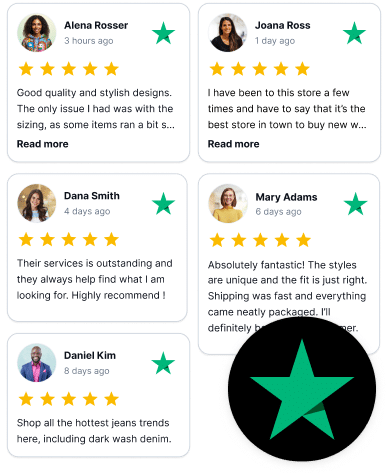
How to get more Trustpilot reviews: 13 proven methods for brands
The easiest way to get more Trustpilot reviews is to stop treating review collection like a campaign and start treating it like a system. Here’s a simple review collection flow:
- Customer buys
- Brand asks
- Customer clicks
- Customer writes a review
- Brand displays proof
Which methods work best?
| Method | Best for | Main benefit |
|---|---|---|
| EmbedSocial review forms | Brands with site traffic | Captures review intent on-site |
| EmbedSocial review badges | E-commerce, SaaS, service pages | Creates always-on prompts |
| Direct asks | Almost every business | Simple and personal |
| Automated invitations | Growing teams | Consistent and scalable |
| E-commerce triggers | Online stores | Fits the post-purchase journey |
| Reminder messages | Busy customers | Recovers forgotten intent |
| Packaging inserts | Physical products | Reaches customers at delivery |
1. Use EmbedSocial review collection forms
One of the cleanest ways to collect more reviews for your website is to capture intent while the customer is already engaged on your site.
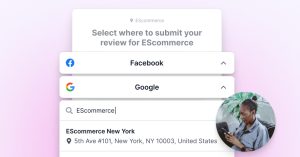
EmbedSocial’s review collection forms allow you to get more reviews straight from your website. Every extra click lowers completion rates. A custom form keeps the experience smooth and makes it easier for people to write a review while the experience is still fresh.
Example: a skincare brand adds a review form to its thank-you page. When a buyer is satisfied, the flow guides them to the Trustpilot page so they can leave feedback.
Why this works?
Customers are more likely to finish the process when it feels like a natural continuation of the purchase instead of a disconnected request floating around.
2. Use EmbedSocial “Leave a Review” badges
Some customers are ready to leave feedback right away. They do not need another email. They just need a visible next step.
That is where “Leave a Review” badges help. Place them on high-intent pages like product pages, service pages, account areas, and confirmation screens. This turns existing traffic into review opportunities.
This is especially useful for brands that want more trust pilot reviews from visitors who already know them. You are not always missing traffic. Sometimes you are missing a prompt.
Pro tip:
Put badges near proof-heavy sections, pricing blocks, and support pages, not only in the footer.
3. Embed a reviews widget that leads to your Trustpilot page
Perhaps one of the best methods to get more reviews is to showcase the great feedback you’ve already received. And a great way to do that is to use website widgets.
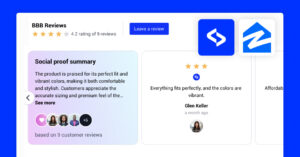
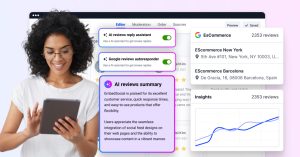
EmbedSocial is equipped with AI UGC widgets that let you embed everything from your Trustpilot reviews to your Instagram posts anywhere you want.
These widgets can also include a CTA that leads back to your Trustpilot page. Once there, users can easily leave more online reviews for you to collect.
Here’s an example of a live Trustpilot widget embedded on a website:
4. Ask customers directly
Direct asks still work because clarity still works.
If you want to collect Trustpilot reviews, ask clearly and keep the request simple. Email, SMS, post-purchase messages, and printed inserts can all work. The goal is not to sound clever. The goal is to make it easy for the customer to take action.
Weak ask: “We’d love feedback sometime.”
Better ask: “Thanks for your order. We’d really appreciate it if you could leave us a review on Trustpilot here: [link].”
That single shift removes ambiguity and gives users one obvious next step.
Pro tip:
Ask for a Trustpilot review at the moment the customer can judge the experience clearly, usually after purchase for simple transactions, after delivery for physical products, after a support issue is resolved, or after a repeat purchase or renewal.
5. Use automated Trustpilot invitations
Brands that build review momentum usually automate at least part of the process.
Manual outreach works until the team gets busy. Then requests get skipped, forgotten, or sent too late. Automated invitations solve that consistency problem. Once the right trigger is in place, a completed order, delivered package, and resolved ticket, the system keeps working.
Pro tip:
Automation should make the process more reliable, not colder. Keep the wording human even if the send is automatic.
6. Connect Trustpilot to your e-commerce workflow
E-commerce brands already have a predictable customer journey, which makes review timing easier to control.
A gift store might ask two days after delivery. A supplement brand might wait a week. A home decor brand might wait longer because the full product experience takes more time to form.
That is how you get more reviews without irritating the buyer. You ask when the customer actually has a real opinion, not when your system happens to send the first available email.
7. Add Trustpilot prompts to your website
Do not force every request to happen through email. Your website can help collect reviews all day long when prompts appear in the right places:
- thank-you pages
- order confirmation pages
- account dashboards
- support resolution pages
- loyalty pages
This is one of the easiest ways to create more online reviews because it converts owned traffic into review traffic.
8. Send reminder messages
A lot of satisfied customers do not ignore you on purpose. They forget.
That is why reminders matter. One polite follow-up often recovers review intent that would otherwise disappear. The mistake is sending too many reminders and sounding desperate.
Common mistake: Sending three reminders in a row
Better move: Send one short follow-up, then stop unless the customer journey clearly justifies more
9. Include Trustpilot in packaging, inserts, or delivery notes
Physical brands should use the moment they already own: delivery.
A short insert with a QR code can capture attention right when the customer is handling the product. This is often stronger than a generic email sent two days later.
Love your order?
Tell us what you think on Trustpilot.

[QR code]
[short URL]
That works because it meets people where they are, not where your marketing calendar wants them to be. Plus, you can showcase your client dedication in person.
10. Train your staff to ask for reviews naturally
For service brands, the best review moments often happen in real conversations.
A receptionist, support agent, technician, or account manager can create far more review momentum than a bland email blast. But the ask needs to feel natural.
Example: “I’m glad we got that sorted today. I can send our Trustpilot review link if you’d like to share your experience.”
That sounds human. Not scripted. Not awkward. Just timely.
11. Improve customer experience before scaling requests
No software can manufacture satisfaction.
If your delivery is unreliable, sending more requests will produce negative reviews. The smartest order is simple: improve the experience, then ask them to write reviews.
This also helps protect your reputation. Good systems do not just generate more reviews. They help protect the quality of the review mix by making sure you are not scaling a broken customer experience.
Pro tip:
Read support tickets and negative feedback side by side. They usually point to the same friction.
12. Use social media to encourage review activity
Social media should support your review engine, not replace it.
Share customer feedback, repost standout comments, and invite satisfied followers to leave public feedback. This works best when your audience already knows your brand.
It also opens the door to a broader proof strategy. If you want to turn feedback into a wider content asset, see how to collect customer testimonials via social media.
13. Benchmark competitors and build a review flywheel
Your competitors’ reviews can show you where opportunity lies.
If buyers keep complaining about poor shipping, vague communication, or weak support, those complaints reveal where your brand can stand out. Over time, that creates a flywheel:
Ask → Remind → Collect → Display → RepeatThat is how you stop chasing one-off wins and start building a review engine that compounds.
Common mistakes that reduce review volume
These issues quietly slow growth:
- Asking too late
- Making people hunt for the review page
- Using weak calls to action
- Asking inconsistently
- Ignoring criticism
- Treating review collection like a one-time thing
Mistake: Asking after the emotional moment has passed
Fix: Ask after delivery, success, renewal, or resolution
Mistake: Sending people to a dead-end page
Fix: Use a direct path, on-site form, or review badge
How to write Trustpilot review requests like a pro?
A good request is short, respectful, and easy to act on. It should include:
- A personal touch
- A clear reason for the ask
- One obvious CTA
- Minimal friction
Why does this work? The best requests feel like a natural next step, not a marketing chore. So, here are a few templates you can use:
1. Email template
Subject: How was your experience with [Brand]?

Hi [First Name],

Thanks for choosing [Brand]. We’d love your honest feedback.

If you have a minute, please write a review on Trustpilot here:
[Link]

Your feedback helps us improve and helps other customers choose with confidence.

Thank you,
[Brand Name]
2. SMS template
Hi [First Name], thanks for choosing [Brand]. We’d love your honest feedback. Write a review on Trustpilot here: [Link]3. Support follow-up template
Hi [First Name],

I’m glad we were able to help today. If you’d like to share your experience, we’d really appreciate an honest Trustpilot review here:
[Link]

Thanks again,
[Brand Name]
4. In-package insert
Love your order?
Write a review on Trustpilot.

[QR code]
[short URL]
Trustpilot basics to know before scaling your review collection
You do not need a long theory lesson before you start, but you do need a few basics right.
Trustpilot is a public platform where customers can share feedback about businesses. Brands can claim profiles, respond to reviews, and build visible social proof over time. That matters because buyers always compare public reputation signals before making a choice.
In practice, many brands use both Google Business Profile and Trustpilot because they serve different moments. Google helps with local discovery. Trustpilot often plays a stronger role in broader reputation and trust-building, especially when buyers are comparing brands.
That also explains why Trustpilot reviews are so important—they influence first impressions, support trust, and help buyers filter between options.
Quick setup checklist:
- You created or claimed your Trustpilot profile.
- You chose accurate categories.
- You added a complete description.
- You included contact details.
- You checked whether your page can surface reviews.
You want the page to look complete before you send traffic to it.
Are Trustpilot reviews reliable for your brand reputation?
One reason Trustpilot remains useful is that buyers expect authenticity.
People are looking for genuine reviews, not polished brand copy. They want to see whether the feedback sounds believable, recent, and relevant. That is also why many shoppers care about verified reviews and whether a business responds professionally when things go wrong.
Of course, every public review platform faces the same tension: how do you encourage honest feedback while filtering abuse, spam, or low-quality submissions? The answer is not perfection. The answer is trust-building systems.
That means encouraging honest customer responses, reporting suspicious activity when needed, and making it easier to leave feedback based on a real experience.
Trustpilot review guidelines and compliance basics
You should always ask for honest feedback, not positive feedback. Keep your language neutral. Avoid pressure. And do not set up a process that could violate guidelines.
The safe rule
Ask fairly. Ask clearly. Ask for honesty.
That means:
- Do not pressure people toward five-star language.
- Do not cherry-pick only your happiest customers if that distorts the process.
- Do not encourage friends or unrelated people to leave feedback.
- Do not try to game the system just to boost your numbers.
If something looks suspicious, use the formal process to flag reviews rather than starting a public argument. Some brands worry that a negative or inaccurate post will sit there forever, but platforms can review whether content should stay live, be corrected, or deleted.
The goal is not to control every review. The goal is to build a fair process that makes real customer voices more visible than noise.
How to turn Trustpilot reviews into conversion assets on your website?
Collecting reviews is only half the job. The other half is making them visible where decisions happen, i.e., right on your product and service landing pages.
How to embed Trustpilot reviews using EmbedSocial?
You must make your Trustpilot reviews work harder on your website.
With EmbedSocial’s Trustpilot widget, brands can turn third-party reviews into branded on-site social proof, including pulling reviews from official Trustpilot accounts via API key for a more advanced and flexible setup than Trustpilot’s native widgets.
The setup is straightforward:
- Create your EmbedSocial trial account
- Use AI to describe your ideal Trustpilot widget
- Connect your Trustpilot source via public profile URL or official API key
- Choose a professional template
- Customize the widget design
- Copy the unique embed code
- Paste the code into your website
Here’s a brief interactive video covering the entire process:
Check our guide on how to embed Trustpilot reviews for the full walkthrough.
Where to display Trustpilot reviews?
Always think about the consumer decision-making process. Customers must be influenced when they are trying to decide whether or not to buy from you, such as:
- Homepage trust sections
- Product pages
- Service pages
- Landing pages
- Pricing sections
- Near calls to action
That is where proof helps move uncertainty toward action. Good feedback does not just impress people. It helps turn trust into more customers.
Build a broader testimonial ecosystem
Trustpilot is powerful, but it should not be your only proof layer. Text reviews can be paired with video, creator content, and community-driven proof to create a much richer trust stack. To expand beyond written feedback, learn how to collect video reviews and testimonials.
Thankfully, you can use EmbedSocial to build combo widgets that will include different review sites and types of UGC, such as photos, videos, testimonials, etc. So, you should think of Trustpilot as one trust source inside a larger reputation system, not the entire system.
Final action checklist
- Add one review form
- Add one “Leave a Review” badge
- Automate one review trigger
- Write one email template
- Write one SMS template
- Place one proof widget near a CTA
Do those six things, and your system will already be ahead of many brands still treating review collection like an afterthought.
Conclusion: Build a review engine and let it compound
If you want more Trustpilot reviews, the path is simple, even if the execution takes discipline. All you have to do is follow the steps above regularly.
So, ask at the right moment, reduce friction, use your website, add reminders, and keep the process fair. Then make your best reviews visible where they support conversion.
That is how strong brands stand out in a review-heavy world. Don’t focus on pushing too hard, but build smarter, such as using EmbedSocial’s AI-powered review collection system.
FAQs about getting Trustpilot reviews
How do I get reviews on Trustpilot?
Create or claim your profile, then invite customers to leave honest feedback through email, SMS, on-site prompts, post-purchase flows, or automated invitations.
How are companies getting so many Trustpilot reviews?
Usually, because they have a repeatable system, not because they got lucky. The brands with lots of Trustpilot reviews ask every eligible customer to use automated invitations and reminders, place review prompts on their website, and make it very easy to leave feedback at the right moment.
Can I download Trustpilot reviews?
Yes, usually your own Trustpilot reviews can be accessed through supported account features or API-based methods, depending on your plan and setup. If your goal is to reuse them on your website, tools like EmbedSocial can pull reviews from official Trustpilot accounts and display them in a branded format.
Can customers write a review on Trustpilot without being forced through a long process?
Yes. The best approach is to reduce friction with a direct link, a badge, or a branded form that guides them smoothly to the review page.
Are Trustpilot reviews important for conversion?
Yes. Public feedback helps reassure buyers, supports trust, and can improve how confidently people move through your site toward purchase.
Are verified reviews better than regular reviews?
They can carry extra trust for some buyers because they signal a stronger connection to a real experience, but the most important factor is still authenticity and relevance.
Can companies remove bad Trustpilot reviews?
Stay professional, gather evidence, and use the platform process to report or review bad reviews. Do not let one disputed review push you into reactive behavior.
Should I only focus on positive reviews?
No. Buyers want authenticity. A healthy mix of responses, handled professionally, often feels more credible than a profile that looks unnaturally perfect.