Most websites look weak because they feel static.
That is why social media widgets matter. They bring live content, social proof, and fresh brand activity onto your site, which makes your pages feel more credible.
Below, I cover the best social media widgets for websites that will inject that freshness into your site. That way, your customers will be engaged and will trust you.
Keep on reading to learn what widgets for social media are exactly, what the best ones are, how they compare, and where they are most effective.
What are social media widgets?
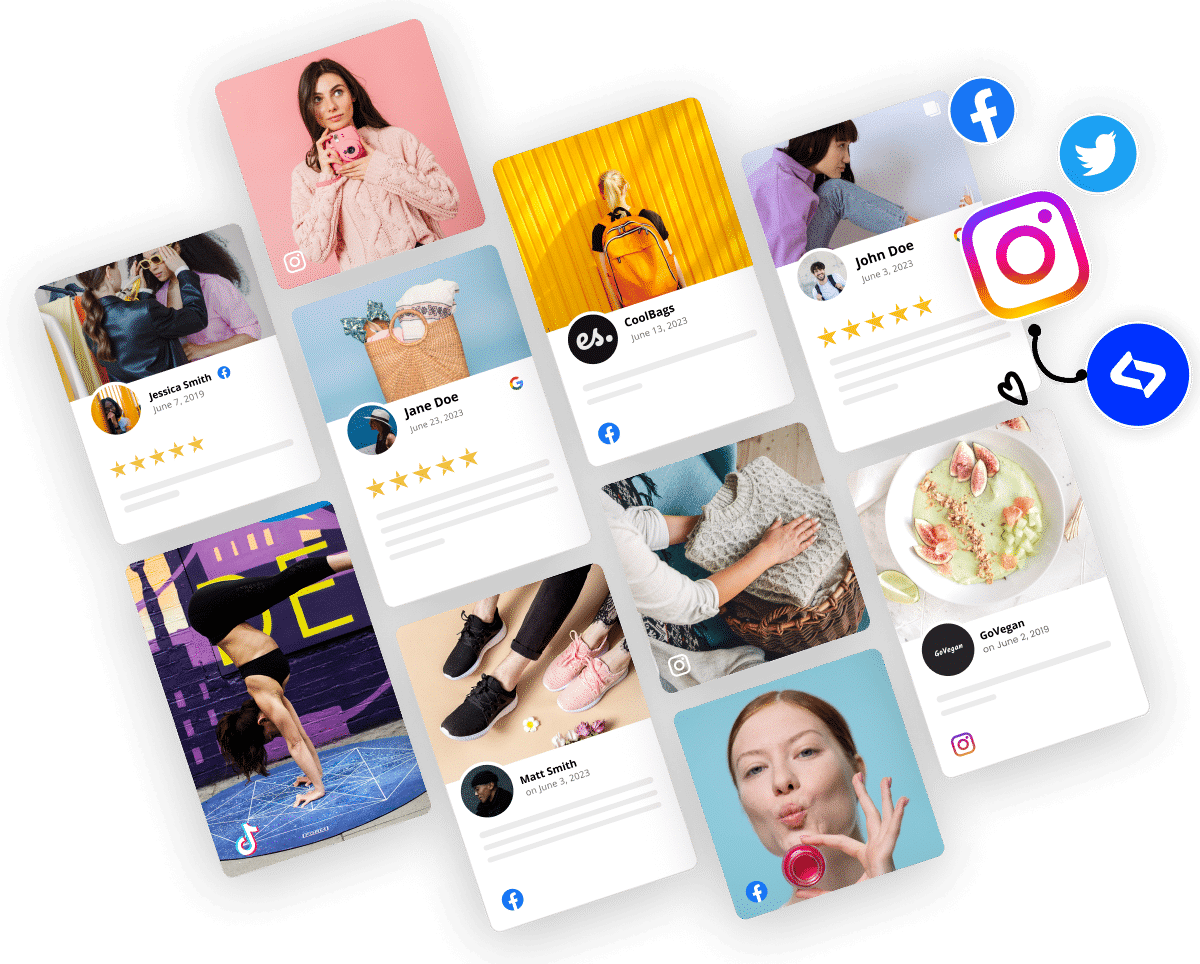
Social media widgets are embeddable website elements that display social content or connect your site to your social presence. That can include live feeds, review widgets, UGC galleries, sharing buttons, or follow icons.
‘Social media widgets’ definition
Below, I’m focusing mostly on the tools that help you embed social media feed content and create stronger website social media integration.
10 best social media widgets for websites
Regardless of your needs and wants, you’ll definitely find a website widget for your social media feeds in the list below. I’m covering all kinds of widgets that vary based on the content they use, the platform(s) they connect to, and their shape and size, so keep on reading:
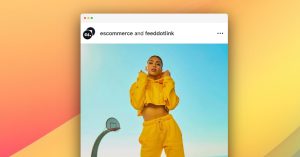
1. Social Wall CTA
The Social Wall CTA widget turns a standard Instagram gallery into a conversion section by layering a bold call-to-action card over a grid of posts. It works best on homepages, campaign pages, and UGC hubs where you want visitors to explore your gallery, shop the community, or tag your brand.
Features:
- Instagram grid background with rounded post tiles
- Center CTA overlay card for stronger click-through
- Handle and Instagram badge for instant recognition
- Headline, supporting copy, and primary CTA button
- Responsive, brand-friendly layout for UGC campaigns
Use this widget when you want your social wall to do more than display content. It is especially useful for e-commerce brands, creator campaigns, and community-led pages that need a stronger next step.
2. Instagram Product Catalogue
The Instagram Product Catalogue widget blends featured product cards with shoppable UGC, giving visitors a clear path from inspiration to purchase. It is ideal for fashion, beauty, and lifestyle brands that want a “shop the look” section built around real content.
Features:
- Two-level layout with featured products and UGC gallery
- Product carousel with image, name, and price
- Shoppable UGC tiles with tagged product indicators
- Collection-style header for “shop the look” flows
- Mobile-friendly browsing and tap-based shopping behavior
Use this widget on homepages, collection pages, and campaign landers where real customer content can help products feel more discoverable and easier to buy.
3. Testimonial Wall
The Testimonial Wall widget combines Google and Trustpilot reviews into one clean review wall, helping visitors see proof from multiple trusted sources in a single section. It works especially well on homepages, pricing pages, and service pages where credibility needs to be immediate.
Features:
- Multi-source review wall with Google and Trustpilot content
- Hero header with trust-focused messaging
- Average rating summary strip with review count cues
- Grid of clean review cards with star ratings
- Reviewer identity, timestamp, and platform attribution
Use this widget when you want to show review volume and consistency, not just a few handpicked testimonials. It is a strong fit for SaaS, agencies, service businesses, and e-commerce storefronts.
4. Collect Google Reviews Badge
The Collect Google Reviews Badge is a compact review widget that displays your Google review count, reviewer avatars, and a built-in prompt for collecting more reviews. It is a smart option for businesses that want to build trust and increase review generation from the same website element.
Features:
- Aggregated Google review count display
- Reviewer avatars for a more human trust signal
- Built-in “Leave a Review” button
- Compact design that fits across multiple page sections
- Easy integration with minimal visual clutter
Use this widget on service pages, local landing pages, booking flows, or footers where you want a lightweight proof element that also helps grow your reputation over time.
5. YouTube Shorts Widget
The YouTube Shorts Widget displays your latest Shorts in a swipeable, vertical-video carousel that helps your site feel more dynamic without a cluttered YouTube embed. It is a great fit for creators, brands, and ecommerce teams using short-form video to educate or convert.
Features:
- Shorts-first vertical video layout
- Carousel navigation with mobile swipe support
- Channel header with branding and context
- Prominent Subscribe button for audience growth
- Clickable playback with video titles and timestamps
Use this widget on homepages, blog posts, product pages, or landing pages where short video can keep visitors engaged and move them closer to subscribing or buying.
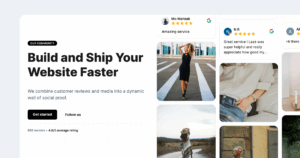
6. Instagram Hero Section
The Instagram Hero Section turns your social feed into a high-impact hero block that showcases authentic customer moments instead of static brand imagery. It is best for e-commerce and DTC brands that want to lead with real product usage and stronger visual proof above the fold.
Features:
- Hero-style layout built around Instagram content
- Real-life product usage from community posts
- Auto-updating feed to keep the hero fresh
- Built-in CTA options like “Get started” or “Follow us”
- Responsive design for desktop and mobile
Use this widget when your homepage needs to feel more alive and more believable. It is especially effective for beauty, fashion, wellness, and lifestyle brands.
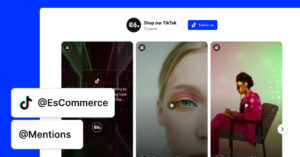
7. Shoppable TikTok Mentions widget
The Shoppable TikTok Mentions widget turns TikTok content into a storefront-style carousel that encourages visitors to browse videos and move toward purchase. It is best for brands that want TikTok-native energy on ecommerce pages, product pages, or campaign hubs.
Features:
- TikTok-style card carousel with creator and caption overlays
- Bold header area with CTA button and optional live badge
- Horizontal slider for continuous browsing
- Connected TikTok source, hashtag, or mentions feed
- Optional shoppable behavior linked to product pages
Use this widget when TikTok content is part of your product discovery strategy. It works especially well for fashion, beauty, and lifestyle brands that rely on creator-led proof.
8. Classic LinkedIn Slider
The Classic LinkedIn Slider presents LinkedIn posts in a clean editorial carousel, making company updates feel more like curated newsroom content than embedded social posts. It is ideal for B2B brands, SaaS companies, and corporate sites that want a more polished way to showcase LinkedIn activity.
Features:
- Magazine-style header with title and subtitle
- Company info block with brand name, logo, and post count
- Follow on LinkedIn CTA button
- Side-by-side carousel layout with navigation
- Post attribution, timestamps, and platform branding
Use this widget on company websites, careers pages, press sections, or investor pages where structured updates help reinforce authority and consistency.
9. Trustpilot Section
The Trustpilot Section pairs a bold rating card with a grid of verified reviews, creating a high-contrast trust block that helps visitors assess your reputation quickly. It is especially useful on pricing pages, checkout flows, and conversion-focused landing pages.
Features:
- Large Trustpilot rating hero card
- Strong CTA button for deeper review engagement
- Structured review grid with verified buyer labels
- Star ratings and reviewer timestamps on each card
- Responsive layout with standout visual contrast
Use this widget when you want your Trustpilot reputation to do more selling on-page. It is a strong fit for service businesses, SaaS, and brands with higher-consideration purchases.
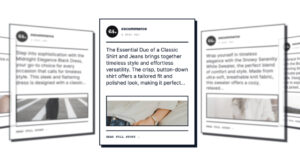
10. Classic News Slider
The Classic News Slider turns social posts and reviews into an editorial-style content strip that feels fresh, readable, and trust-building. It works well for brands that want to highlight unfiltered customer opinions, brand mentions, or lifestyle content in a more polished way.
Features:
- News-style slider layout for social and review content
- Editorial presentation that is easy to scan
- Support for authentic posts and customer feedback
- Customizable styling to match your brand
- Auto-updating and mobile-responsive display
Use this widget on homepages, landing pages, ecommerce category pages, or SaaS sites where you want a running stream of social proof without making the layout feel noisy.
Why add social media widgets to your website?
A widget earns its place when it makes the page feel more alive or more trustworthy. The best ones do both. They need to keep content fresh, reduce manual updates, and add visible proof that real people are interacting with your brand.
Here is where they usually help most:
- Keep your website current with live content updates.
- Support website social media integration without custom code.
- Add social proof that makes conversion decisions easier.
- Turn customer content into reusable marketing assets.
- Reduce the manual work of updating social sections across pages.
The bigger point is that a beautiful social media feed widget helps your website borrow energy from your social media posts instead of sitting apart from them.
EmbedSocial as a UGC platform with hundreds of social media widgets
EmbedSocial is the best social media aggregator for businesses that want more than a basic feed widget. It is built for brands that want to combine social feeds, Google reviews, other feedback, and UGC into one cleaner website social media integration workflow.
It supports your marketing business plan by offering you dynamic content embedding like Instagram posts, Facebook posts, LinkedIn posts, YouTube videos, and more. Plus, it takes just a few minutes to set up, without needing constant manual updates.

Features:
- Social media feed widgets for multiple platforms
- Review widgets for stronger social proof
- UGC collection from hashtags and mentions
- Templates and customization controls
- Embeds for major website builders and CMS platforms
EmbedSocial’s pricing starts at $29/month for the paid plans. That said, they are cheaper if you pay yearly, and there’s even free social media widgets for certain platforms.
It is ideal for small businesses, e-commerce brands, agencies, and multi-location teams that want one platform instead of several disconnected tools.
How to choose the best social media widget for your site?
The wrong way to choose is by counting how many features appear on a pricing page. The right way is to decide what job the widget needs to do on the page.
If the goal is simply to show recent posts, a lighter feed tool may be enough. If the goal is trust, conversions, and proof, you get more value from a full UGC platform like EmbedSocial.
Start with supported social media platforms. Then check layout flexibility, moderation controls, CMS compatibility, widget templates, and whether the tool works cleanly across WordPress, Shopify, Wix, Webflow, Squarespace, or custom sites.
After that, look at the long-term fit. Many brands start with a feed-only tool, then realize they also need review widgets, customer content, and better control over how proof appears on the site. That is why broader platforms often end up being the smarter choice.
So, if you’re looking for a social media aggregator that can do all that, check out EmbedSocial!
Which social media widget is best for your use case?
A long list only helps if it leads to a clear choice. Here’s a practical shortlist based on the 10 widgets above, so you can match the right EmbedSocial widget to the page, channel, or conversion goal you care about most.
Best overall social media widget
The Social Wall CTA is the best overall pick because it does two jobs at once: it showcases fresh Instagram content and gives visitors a clear next step. If you want a widget that can build trust, increase engagement, and drive clicks without feeling too salesy, this is the strongest all-around option.
Best for e-commerce brands
The Instagram Product Catalogue is the best fit for e-commerce brands because it connects product discovery with real customer inspiration. It works especially well when you want shoppers to move from browsing UGC to exploring tagged products in a more natural, “shop the look” flow.
Best for WordPress websites
The Classic News Slider is a strong choice for WordPress websites because it is flexible, editorial-looking, and easy to place across homepages, landing pages, and content-heavy sections. It is especially useful when you want a widget that feels polished without needing a complex visual setup.
Best free social media widgets
If you want a lightweight starting point, the Collect Google Reviews Badge is one of the easiest widgets to justify early because it is compact, high-impact, and useful across many page types. It gives you visible proof and a review collection prompt in one small section, which makes it a smart low-lift option.
Best for agencies and multi-location brands
The Testimonial Wall is the best fit for agencies and multi-location brands because it helps you present trust at scale. When you need to show review proof from multiple sources in a format that looks consistent and credible across several pages, this widget does that better than a simple badge or single-feed layout.
Best for UGC and review-driven websites
The Instagram Hero Section, Social Wall CTA, and Testimonial Wall stand out most when trust is the main goal. These widgets help you bring real customer content, social proof, and visible brand activity onto the page in a way that feels more persuasive than polished brand copy alone.
Best for homepage engagement
The Instagram Hero Section is the best homepage widget because it replaces static visuals with real community content that feels current and believable. If your goal is to make a strong first impression above the fold, this is the one to start with.
Best for video-first brands
The YouTube Shorts Widget is the best option for video-first brands because it turns short-form video into a clean, swipeable content block that keeps your site feeling dynamic. It is a strong fit when your social strategy depends on demos, tutorials, unboxings, or creator-style storytelling.
Best for TikTok-driven product discovery
The Shoppable TikTok Mentions widget is the best fit for brands that rely on TikTok to drive attention and buying intent. It works especially well for fashion, beauty, and lifestyle brands that want their social proof to feel native to how customers already discover products.
Best for B2B and SaaS brands
The Classic LinkedIn Slider is the strongest choice for B2B and SaaS brands because it makes company updates feel structured, professional, and credible. If you want to showcase milestones, announcements, culture posts, or thought leadership without breaking your site’s tone, this widget fits naturally.
Conclusion: Choose a widget that works harder than a simple embed
Choose a social media widget based on the result you want, not the category label.
If you only need a simple feed, several tools on this list can do the job. But if you want a stronger website social media integration setup that keeps your pages fresh, adds proof, and turns customer content into conversion support, you need a tool that goes further.
That is why EmbedSocial is the best place to start. It helps you move beyond a basic embed social media feed setup and build a website that feels active, trusted, and easier to grow.
FAQs about social media widgets
What is a social media widget?
A social media widget is an embeddable website element that displays social content or connects your site to your social channels. With EmbedSocial, that can mean more than a feed because you can also add reviews and UGC that improve trust.
How do I embed a social media feed on my website?
Most tools let you connect a source, customize the layout, and paste an embed code into your site. EmbedSocial simplifies that process by giving you branded widgets that work across common CMS and website builders.
What are the best free social media widgets?
EmbedSocial, Juicer, Curator.io, and Elfsight are common starting points if you want free social media widgets. But if you want cleaner branding and more long-term business value, EmbedSocial is usually the stronger upgrade path.
Are social media plugins for websites worth it?
Yes, if they help your website stay current and add visible proof that your business is active. The best social media plugins for websites, including EmbedSocial, do more than display posts because they also support reviews, UGC, and stronger on-site credibility.
What is the difference between a social feed widget and a social sharing plugin?
A social feed widget displays content from your social accounts on your website, while a sharing plugin helps visitors share your content to their own profiles. EmbedSocial is built for the first use case, where the goal is on-site trust and freshness.
Can I show reviews and social posts in the same widget?
Some tools support both, but many are stronger in one area than the other. EmbedSocial is one of the better options if you want reviews, social posts, and user-generated content working together to improve conversions.