Websites with video content see attract user attention much more than sites without.
But here’s the problem most businesses face: They’re stuck with single-platform video galleries that only pull videos from YouTube or Vimeo, require manual updates every time they post new content, and offer limited customization beyond basic grid layouts.
In such cases, you’re leaving out your TikTok audience, your Instagram Reels followers, and your YouTube Shorts viewers—all because your video gallery can’t aggregate this content.
So, I’ll show you how to create multi-platform video galleries that auto-sync from YouTube feeds, TikTok widgets, and Instagram videos in one video gallery widget.

You’ll learn how I use at EmbedSocial to help businesses turn social media videos into high-converting website assets, complete with shoppable UGC and unlimited customization.
Let’s start with what makes modern video galleries different from the basic embeds.
What is a video gallery?
A video gallery is a curated collection of videos displayed on your website in an organized, visual layout. So, instead of embedding videos one by one, a video gallery for website groups multiple videos into a single, scrollable interface that keeps visitors engaged and on your domain.
In simple terms, a video gallery is a dynamic video library presented through a visual layout—grid, slider, or video carousel widget so users browse, filter, and watch content on your site.
The difference between a single embed and a video gallery on website comes down to scale. One embed shows one video. A gallery organizes your entire library via responsive design, filtering options, and structured layouts powered by video gallery HTML, CSS, or JavaScript frameworks.
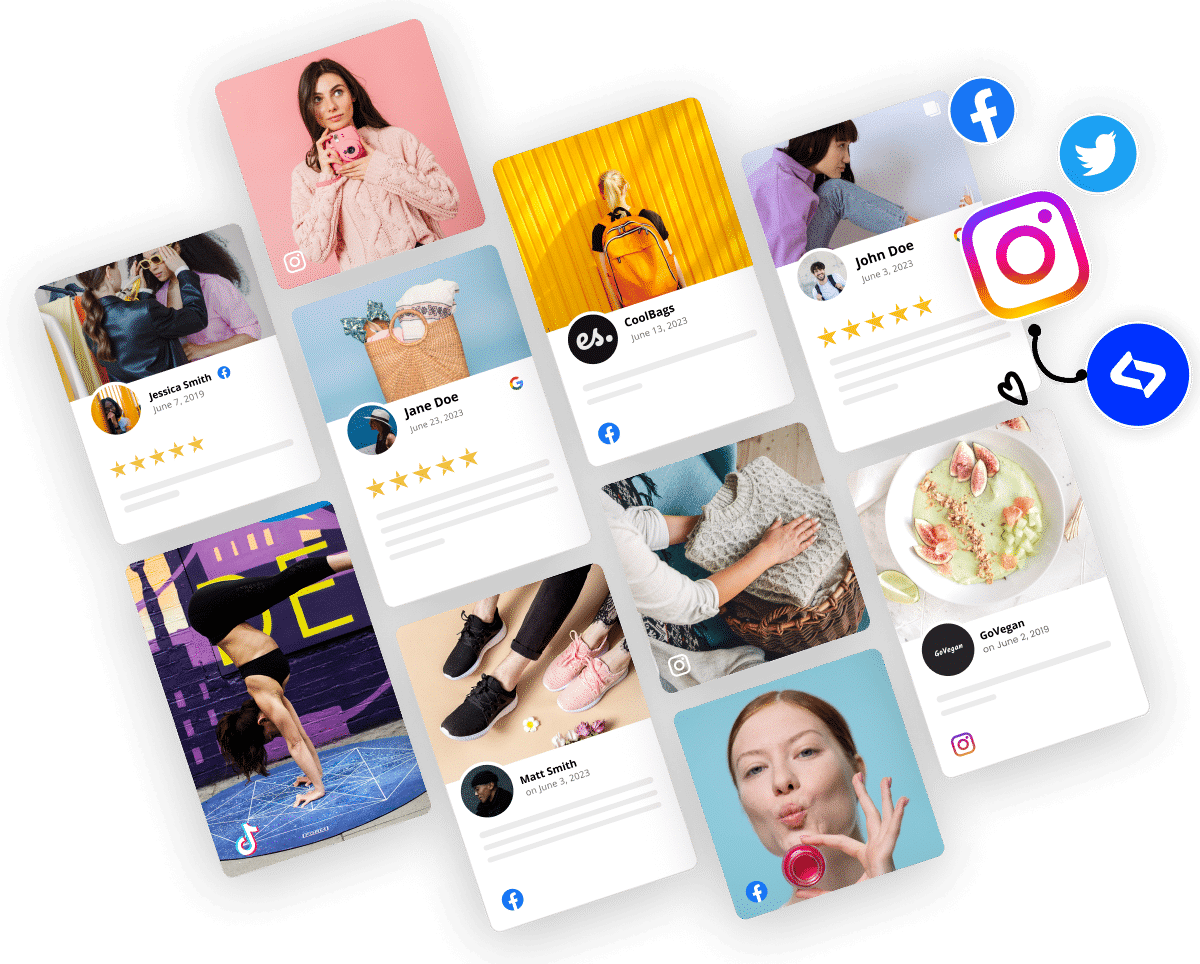
Modern social media aggregators go further. An AI video gallery can auto-sync with YouTube, TikTok, and Instagram, pulling new content automatically instead of requiring manual updates.
Rather than relying on a basic video plugin or custom video gallery jQuery setup, advanced platforms act as a centralized AI UGC platform that keeps your feeds live, unified, and conversion-ready.
Why brands & businesses use video galleries?
video gallery for website performance is a growth lever. When structured correctly, a video widget for website improves engagement, builds trust, and turns scattered content into a conversion engine.
Video galleries serve four core purposes:
- Increase engagement—landing pages with explainer videos convert at much higher rates;
- Build social proof—showcasing testimonials and UGC strengthens your credibility;
- Centralize content—a video widget for website use displays all your videos in one hub;
- Support SEO performance—video-rich pages rank higher in search.
I’ve consistently seen brands add 2–3 minutes of session duration simply by replacing scattered embeds with a structured video gallery. When users can immediately see the next video in a grid or video carousel widget, they stay longer—and longer sessions translate directly into stronger conversions and rankings.
Types of video galleries you can create
Here’s how to match different video gallery types to different business goals:
YouTube video galleries
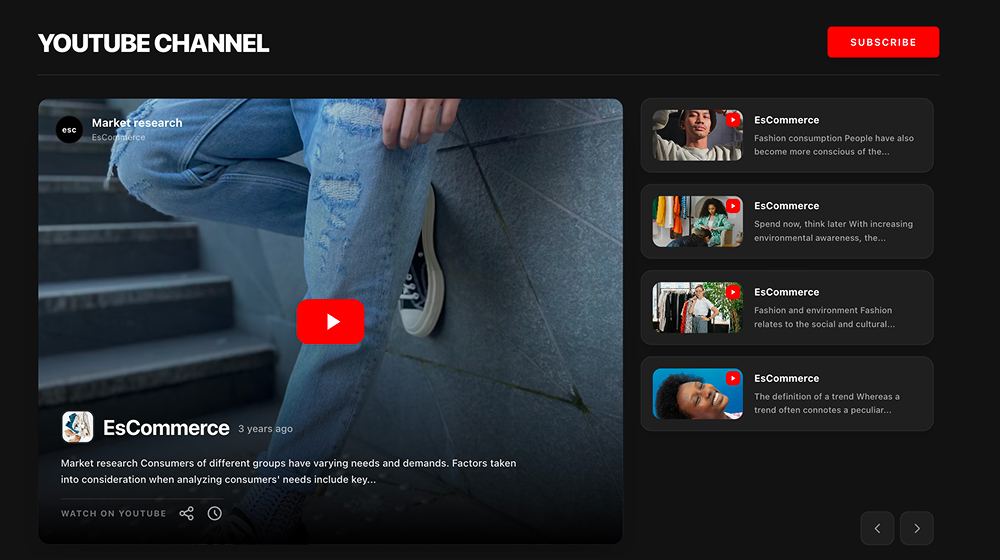
A YouTube video gallery is often the foundation of a strong video gallery for website strategy. After all, YouTube dominates long-form content, and it now supports three powerful formats:
- Regular YouTube videos—tutorials, product demos, webinars, and educational content;
- YouTube Shorts—vertical short-form videos (under 60 seconds) with 200+ billion daily views;
- YouTube livestream archives—event replays, Q&A sessions, and launch recordings.
You can combine all three into one responsive video gallery on website pages or segment them by intent. For example, SaaS brands often separate product walkthroughs from Shorts-based quick tips using a filterable layout powered by video gallery HTML and JavaScript logic.
If you’re building manually, this could involve video gallery CSS styling and a custom video gallery jQuery setup. A more scalable option is using a video gallery that auto-syncs your YouTube channel.
TikTok video galleries
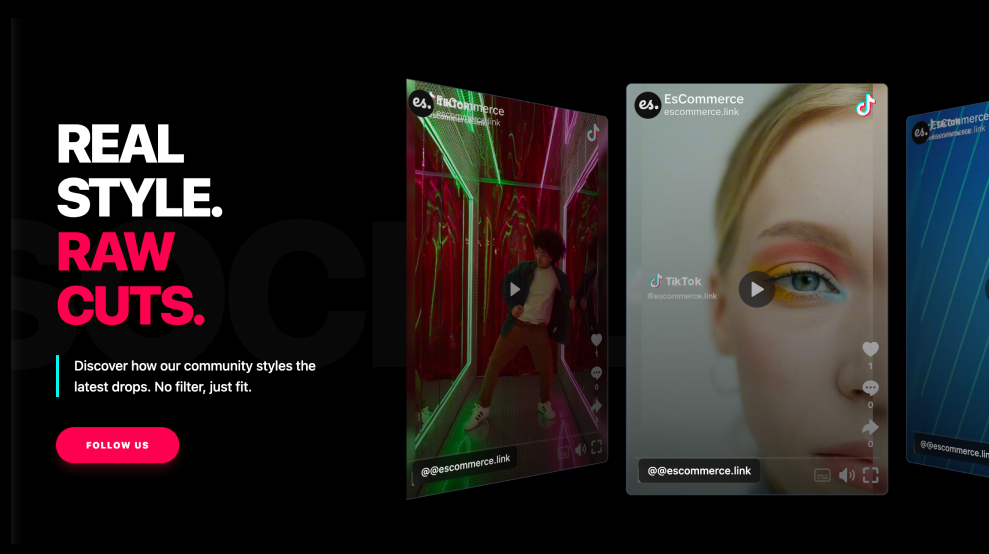
TikTok galleries are built for reach, speed, and engagement. If your audience lives in short-form video, embedding a TikTok widget can dramatically increase session time and conversions.
There are two main approaches:
- Organic content galleries—behind-the-scenes clips, brand storytelling, trending audio;
- Shoppable TikTok galleries—product demos with direct purchase tags.
TikTok content performs exceptionally well inside a video carousel widget due to its high engagement rate and that encourages scrolling behavior. Instead of managing separate embeds, a unified video gallery plugin or AI-driven solution can keep viral content automatically synced.
Instagram video galleries
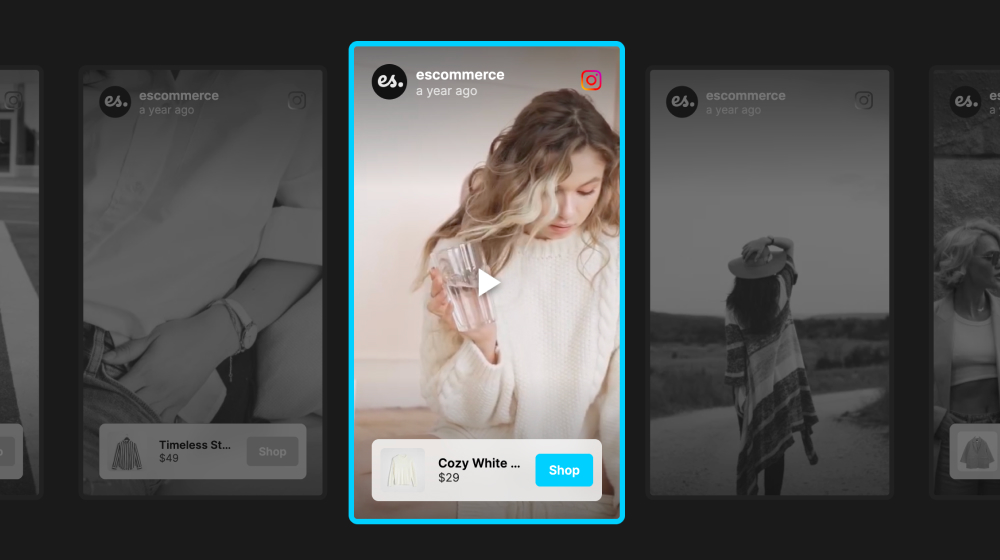
An Instagram video gallery works best for visually driven brands. Instagram supports multiple video formats that translate well into a structured video gallery:
- Instagram Reels—short-form content with an impressive reach rate;
- Instagram Stories videos—time-sensitive, authentic content;
- Long-form video content—deeper storytelling and brand education.
Reels displayed in a horizontal video carousel widget tend to perform especially well for fashion, travel, and lifestyle brands. From a technical standpoint, you can implement this via custom video gallery HTML, CSS, and JavaScript or use an AI video gallery that styles content automatically.
Multi-platform mixed galleries
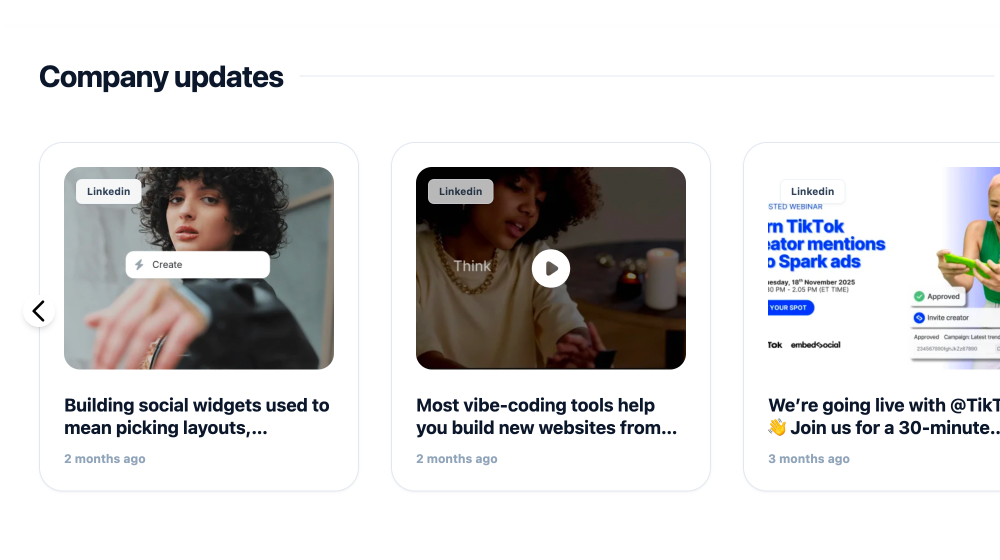
This is where most traditional video gallery plugin tools fall short. Instead of choosing YouTube or TikTok or Instagram, a modern video gallery for website should combine all of them.
A mixed video gallery on website pages allows you to:
- Display cross-platform authority in one place;
- Keep branding consistent across all content;
- Filter videos by platform or topic;
- Avoid sending visitors away to social networks.
For example, a fitness brand might combine:
- YouTube tutorials (long-form education);
- TikTok workout challenges (viral reach);
- Instagram Reels transformation stories (visual proof).
All inside one responsive, filterable gallery powered by centralized aggregation.
Product video galleries
Product-focused video galleries are conversion-driven by design. Instead of static product images, brands combine multiple video types into one high-performing video gallery:
- Video testimonials – authentic social proof;
- UGC in real-world use – demonstrating outcomes;
- Official product demos – feature breakdowns;
- Unboxing and comparison videos – purchase validation.
These galleries perform best on product and category pages where buying intent is already high.
Technically, you could assemble this with video gallery JavaScript frameworks and custom styling. However, using a modern video gallery that auto-syncs hashtags, mentions, and platform feeds eliminates manual collection and turns your video gallery into a live conversion asset.
5 benefits of video galleries for websites
A well-structured video widget for website drives measurable business impact. Here are five reasons a modern video gallery on website outperforms static pages and single embeds:
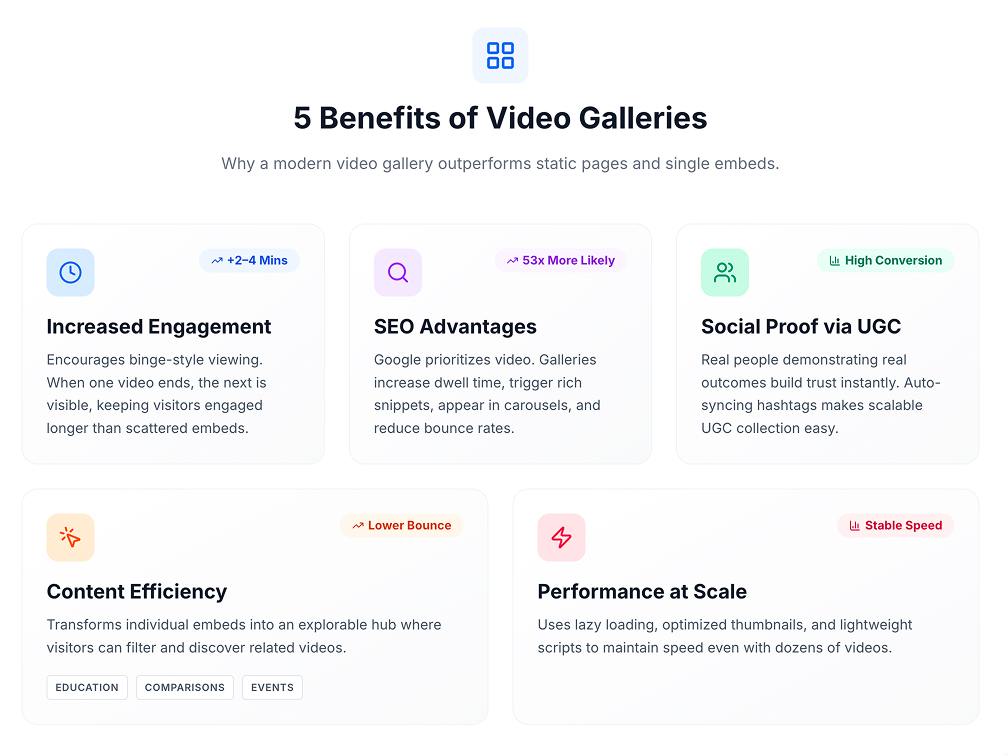
1. Increased engagement and time on site
Websites with video see a lot more time spent by visitors compared to those without.
But the real advantage comes from structure. A video gallery on website pages encourages binge-style viewing. When one video ends, the next is already visible in the grid or video carousel widget.
Across multiple implementations, replacing scattered embeds with a centralized video widget for website pages typically increases session duration by 2–4 minutes.
2. SEO advantages
Google prioritizes video content. Pages with video are 53 times more likely to rank on page one than pages without it. A properly implemented video gallery supports SEO by:
- Increasing dwell time—a strong behavioral ranking signal;
- Triggering rich snippets—video thumbnails in search results;
- Appearing in video carousels—especially for tutorial-based queries;
- Reducing bounce rates—by encouraging continued interaction.
If you’re pulling from YouTube, you also benefit from YouTube’s own search visibility. Why? Well, it’s the second-largest search engine globally.
3. Social proof through user-generated content
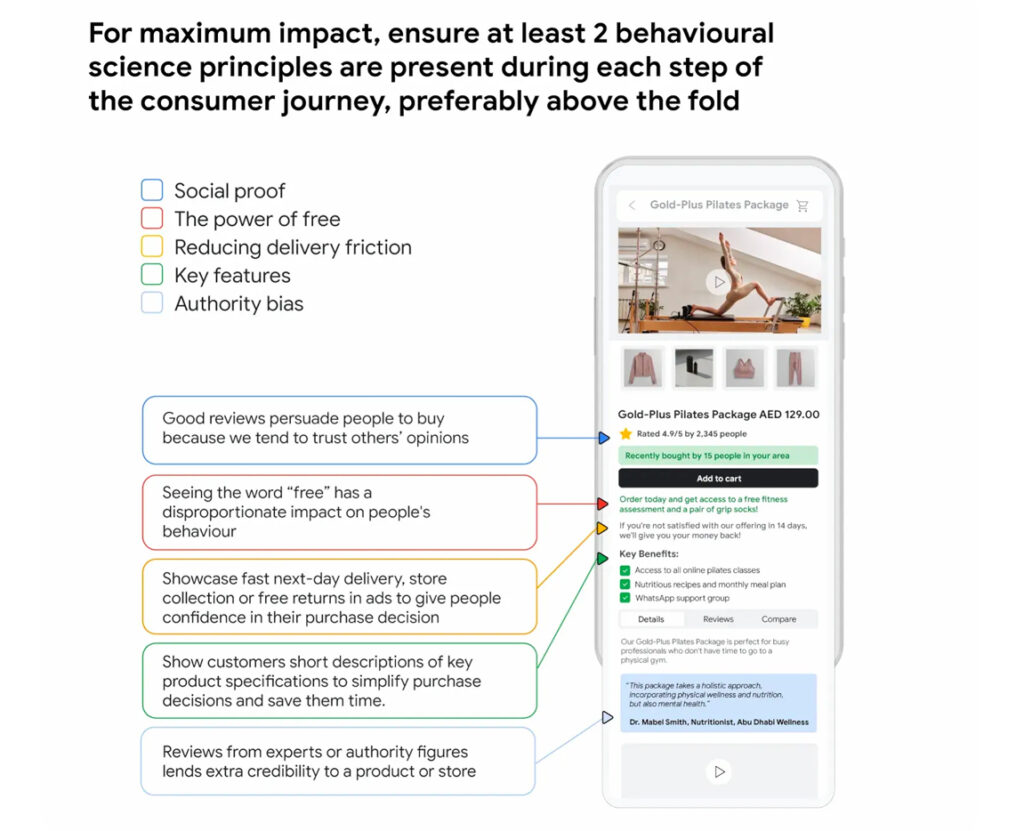
In 2026, 91% of businesses use video as a marketing tool. Yet the highest-converting videos are not polished brand ads—they’re customer-created content. UGC video displayed inside a gallery builds trust instantly. Real people demonstrating real outcomes outperform branded messaging.
An video gallery that auto-syncs YouTube hashtags and mentions makes collecting UGC and displaying social proof scalable without manual uploads, making it possible to actually impact your web visitors behaviour.
4. Content efficiency and reduced bounce rates
Here’s the challenge with individual video embeds: visitors watch one video, then leave. Video galleries solve this by creating a content hub. Visitors can explore related videos, filter by topic, and discover content they didn’t know existed. This is particularly powerful for:
- Educational content hubs (training, tutorials);
- Product comparison pages;
- Customer success story collections;
- Event and conference archives.
5. Performance-friendly implementation at scale
Many assume adding multiple videos will slow a site down.
Modern solutions solve this with lazy loading, optimized thumbnails, and lightweight embed scripts. Whether built with custom video gallery CSS and JavaScript or deployed through a scalable video gallery plugin alternative, performance remains stable—even with dozens of videos.
The result: a responsive, conversion-focused video gallery that enhances the experience.
Full guide: How to create a video gallery with EmbedSocial?
Unlike WordPress plugins that require technical setup or single-platform tools, EmbedSocial’s AI widget builder lets you create multi-platform video galleries in under 10 minutes.
Here’s the exact process:
1. Start a free trial with EmbedSocial and log in
Visit EmbedSocial’s website and start your free trial. No credit card required. Once you’ve created your account, log in to access the UGC dashboard.
The dashboard gives you immediate access to all social media sources, including YouTube, TikTok, Instagram, Facebook, Vimeo, Threads, and more (plus custom sources).
2. Add your source and provide the required permissions
Navigate to the ‘Sources’ section in the left sidebar. Click“Add New Source” and select your platform (YouTube, TikTok, Instagram, etc). For YouTube, you’ll connect via your YouTube channel. For Instagram and Facebook, you’ll use Facebook Business Suite permissions or direct API connections:
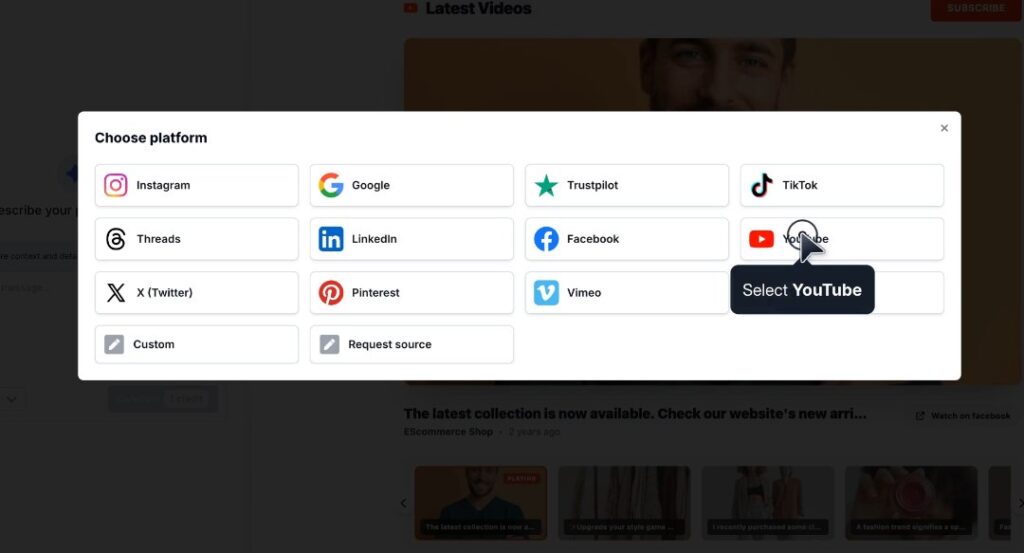
The permission flow takes about 30 seconds per platform. Remember: You’re not giving EmbedSocial posting access—only read permissions to pull your public videos.
3. Create your widget from scratch or from a template
Once your sources are connected, navigate to the ‘Widgets’ section and tap ‘Generate with AI’. At this point, you have two options:
- Start from scratch: Build a custom layout using our advanced AI widget builder.
- Choose from templates: Customizable pre-built layouts optimized for different uses.
I recommend starting with a template, then customizing it. This saves time and ensures mobile responsiveness. Plus, you can change anything you want on your chosen template.
4. Use advanced AI customizations to update your widget
This is where EmbedSocial’s AI builder shines.
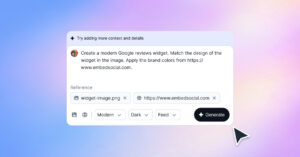
You can tell the AI anything you want to achieve, such as: “Create a video gallery showing my last 20 YouTube videos in a 2-column grid with a red color scheme matching my brand”:
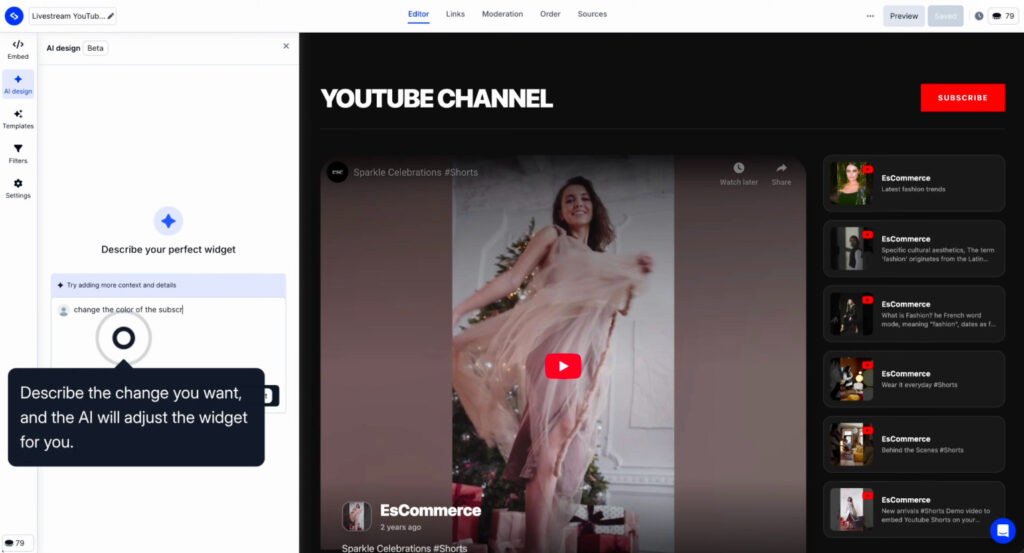
The AI will generate the widget instantly. You can then refine:
- Layout (grid, slider, carousel),
- Number of videos to display,
- Color scheme and branding,
- Thumbnail styling,
- CTA buttons,
- Video titles and captions display.
Note: All changes are applied and previewed in real-time.
5. Use advanced tools to auto-moderate or moderate with tags/keywords
Before going live, set up your moderation rules. EmbedSocial’s auto-moderation can:
- Filter by hashtags (only show videos with #customertestimonial);
- Block by keywords (exclude videos mentioning competitors);
- Manually approve/hide specific videos;
- Set profanity filters;
- Schedule content rotation.
This ensures your gallery only shows relevant, on-brand content.
6. Copy the provided code and embed on your website
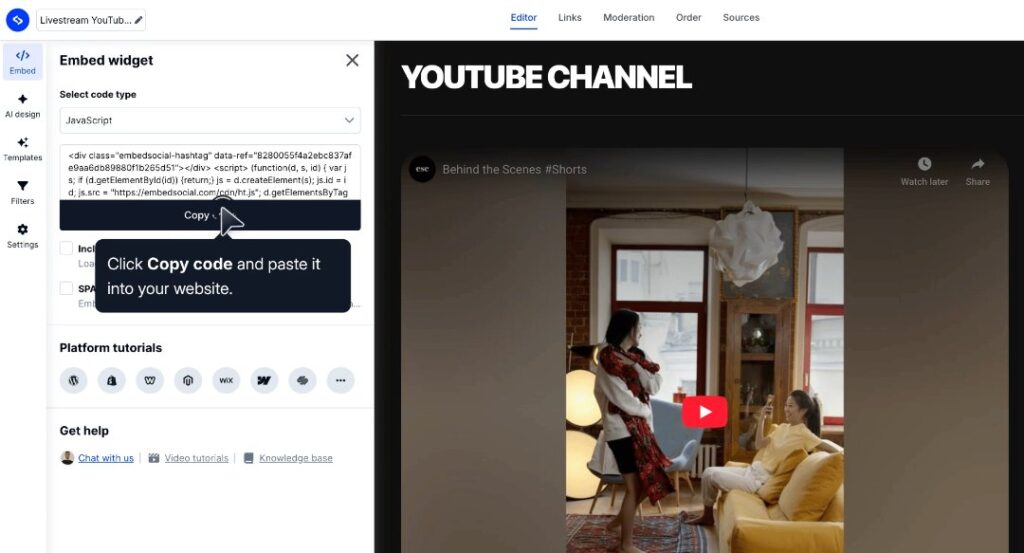
Once you’re happy with the design, click ‘Embed’ → ‘Get Code’.
You’ll receive a simple embed code that works on any website platform:
- WordPress (paste into HTML block);
- Webflow (embed element);
- Wix (HTML iframe);
- Shopify (custom liquid or app);
- Custom HTML sites (paste anywhere).
The code is lightweight and includes a lazy-loading script so videos load on demand.
5 video gallery templates to use today
Instead of starting from scratch, EmbedSocial’s template library gives you production-ready layouts optimized for different video types and business goals. You can also pair these with practical free marketing templates when planning campaign pages.
Here are five templates you can use right now:
1. YouTube Shorts Section Template
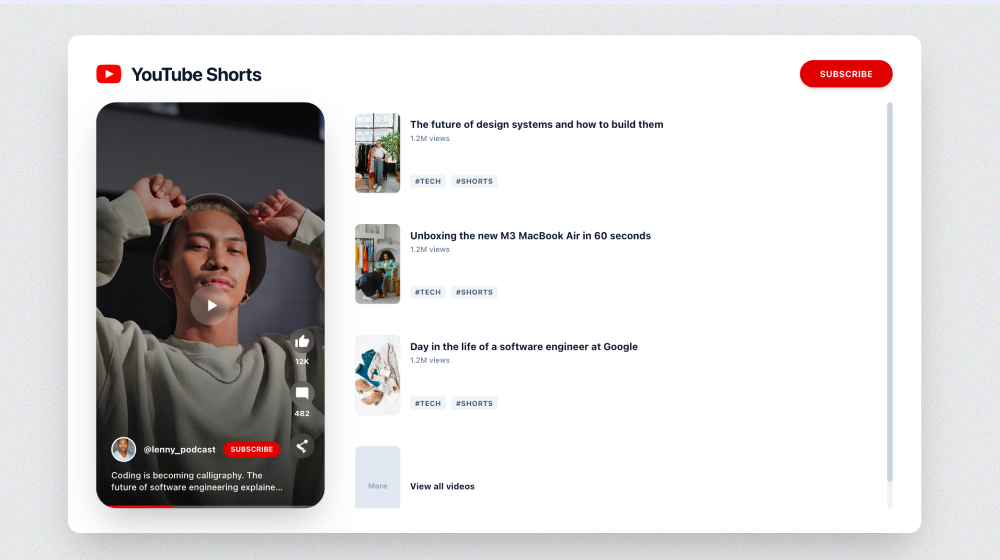
This template displays vertical YouTube Shorts in a Pinterest-style masonry grid that adjusts to any screen size. Perfect for content creators, coaches, and educational brands publishing quick tips.
Key features:
- Vertical video optimization;
- Click-to-play preview;
- Mobile-first responsive design.
Try YouTube shorts widget template ↗
2. Instagram Reels Slider Template
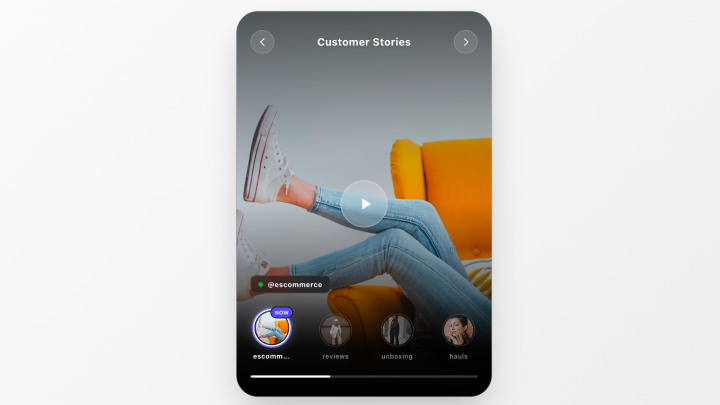
A horizontal slider that shows IG Reels with smooth transitions and swipe gestures. Ideal for fashion brands, beauty products, and lifestyle businesses where visual storytelling drives engagement.
Key features:
- Auto-play on scroll;
- Swipe navigation on mobile;
- Full-screen view option;
- CTA overlay buttons.
Try Instagram Reels template ↗
3. TikTok Shoppable Gallery Template
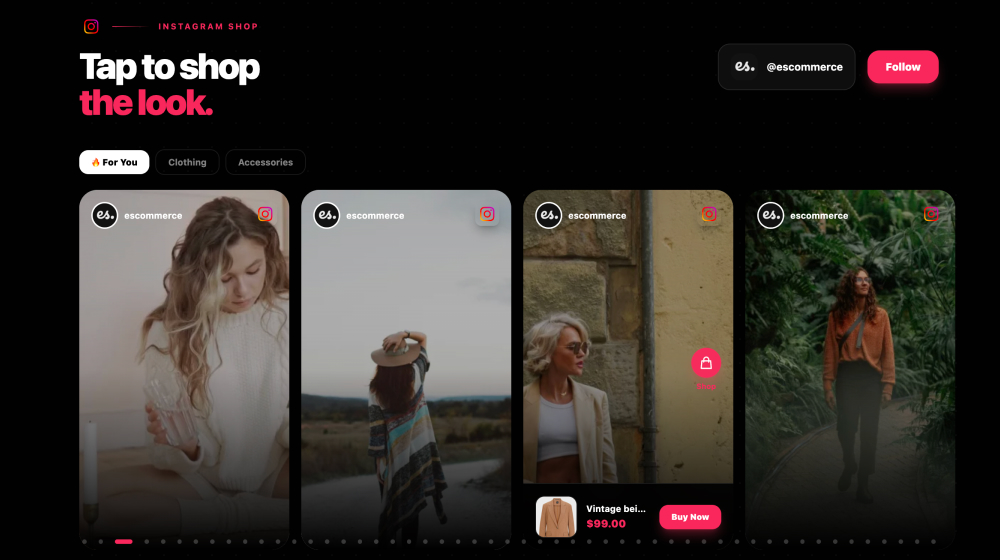
This template combines TikTok videos with product tags, letting visitors click directly from video to product page. E-commerce brands prefer it instead of standard product pages since they streamline the consumer decision-making journey by skipping a few steps.
Key features:
- Clickable product tags in videos;
- Grid layout with product overlays;
- Add-to-cart without leaving the page;
- Analytics tracking for video-to-purchase path.
- Easy to embed TikTok slider in Wix, or any other CMS.
Try the TikTok Shoppable Slider ↗
4. Multi-Platform Video Feed Template
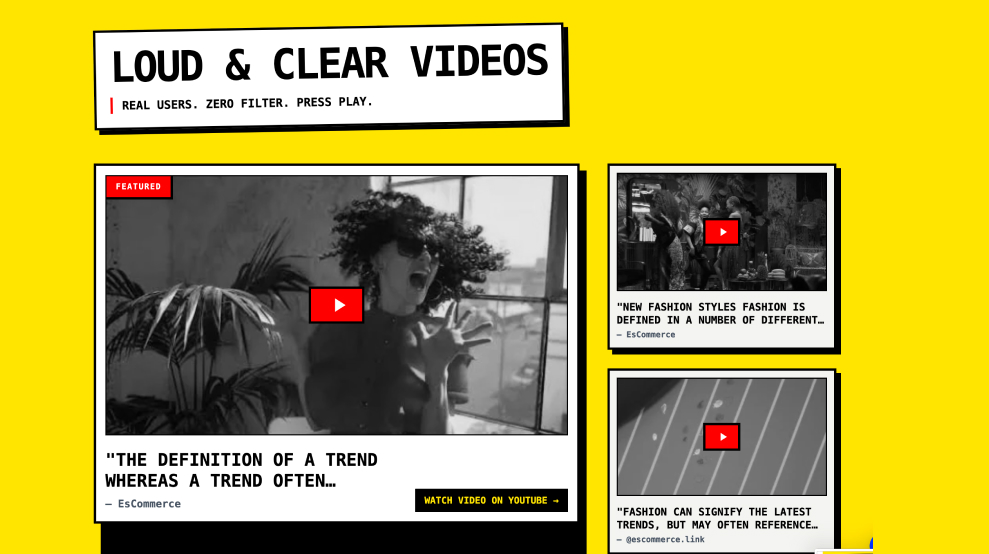
The most versatile template combines YouTube, TikTok, and Instagram videos in one unified feed with platform badges. Great for agencies, media companies, and brands with strong online presence.
Key features:
- Mixed platform content in one gallery;
- Platform badges (YouTube/TikTok/Instagram icons);
- Unified branding across all videos;
- Filter by platform or content type.
Try the multi-platform futuristic video template ↗
5. Product Video Reviews Template
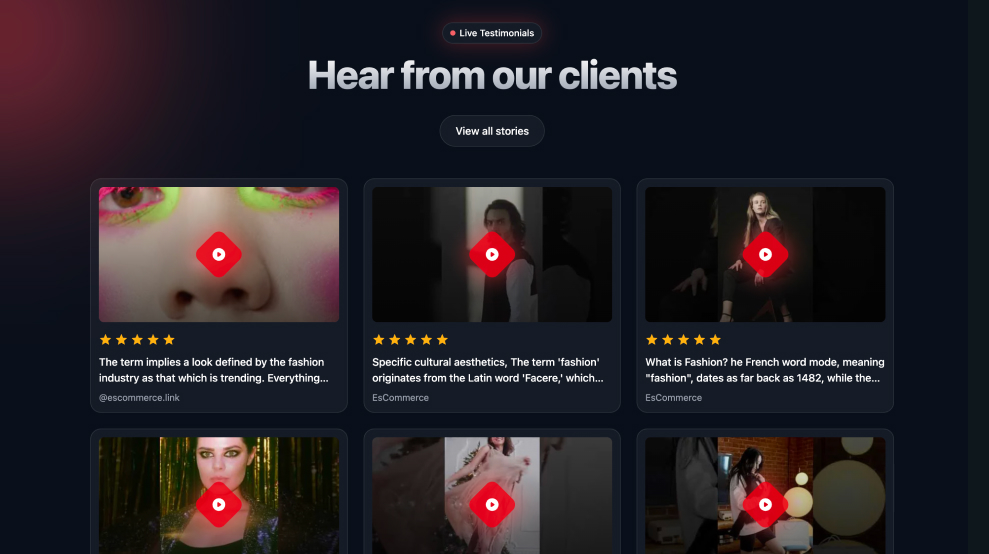
Aggregates customer review videos from all social platforms into a trust-building gallery for product pages. This template auto-syncs with hashtags like #YourBrandReview to pull authentic UGC.
Key features:
- Auto-sync by hashtag or mention;
- Star rating overlays;
- Verified purchase badges;
- Filter by product category.
Try the TikTok Shoppable Slider ↗
Best platforms for video gallery content
Not all video platforms serve the same purpose. Here’s how to choose:
YouTube: The foundation for educational content
YouTube works best for:
- Product demos and tutorials;
- Webinars and interviews;
- Long-form educational content;
- SEO-driven content (YouTube is the #2 search engine).
With 200+ billion daily views on YouTube Shorts and the highest engagement rate of all short-form video platforms—YouTube should be your primary platform for discoverable content.
TikTok: Viral reach and engagement
TikTok excels at:
- Trend-jacking and viral content;
- Behind-the-scenes and authentic moments;
- Product demos with high energy;
- Reaching Gen Z and younger millennials.
The high user engagement rates and long daily usage numbers make TikTok ideal for brands that can commit to consistent posting.
Instagram: Visual storytelling and brand aesthetics
Instagram Reels and Stories work when:
- Visual aesthetics matter (fashion, food, travel);
- You’re building lifestyle brand associations;
- You want to repurpose TikTok content for Instagram’s audience;
- You need shoppable content features.
Instagram Reels have a much higher reach rate than carousels and static posts.
Cross-platform content strategy
Here’s the framework I recommend:
- YouTube: Evergreen tutorials and in-depth content;
- TikTok: Trending, time-sensitive, viral content;
- Instagram: Curated, aesthetically cohesive video or image like posting testimonials images;
- Video gallery: Aggregate all three for maximum reach.
Conclusion: Turn your video gallery into a conversion engine
A video gallery is a structured growth tool, and not just a design element.
When built strategically, a video gallery for website performance increases engagement, strengthens trust, and keeps visitors exploring your content instead of leaving after one video.
Here’s what a modern video gallery unlocks:
- Higher engagement—structured layouts encourage continuous viewing instead of one-off plays;
- Unified brand presence—a multi-platform video gallery combines YouTube, TikTok, and Instagram in one place;
- Automatic updates—live syncing keeps your video gallery on website pages current without manual uploads;
- Direct monetization—shoppable formats turn video views into product clicks;
- Fast deployment—an AI video gallery removes the need for complex video gallery HTML, CSS, or JavaScript setups. You can have it running in under 10 minutes.
So, rather than relying on a basic video gallery plugin or scattered embeds, build a centralized video widget for website pages that aggregates, filters, and converts. Then, connect your channels, choose your layout, and launch a fully responsive video gallery that works as hard as your content does.
Start your free EmbedSocial trial today and launch your fully responsive video gallery in minutes.
FAQs about embedding a video gallery on website
What is the best way to embed a video in a website?
The best approach is to use a lightweight video widget for website integration that loads thumbnails first and initializes playback on click. Tools like EmbedSocial eliminate the need for manual video gallery HTML or JavaScript setups while keeping performance optimized.
How to create a video gallery?
The easiest way to create a video gallery for website use is with EmbedSocial’s AI video gallery builder. Connect your YouTube, TikTok, or Instagram accounts, choose a layout, customize the design, and embed the generated video widget for website pages—no video gallery HTML or JavaScript coding required.
How to add videos to existing gallery?
If you’re using EmbedSocial, simply publish new videos on your connected platforms and the video gallery on website pages updates automatically. You can also manually approve, tag, or filter videos inside the dashboard without editing any video gallery CSS or embed code.
Do I need coding skills to create a video gallery on my website?
No. With EmbedSocial’s AI video gallery, you can create a fully responsive video gallery for website pages without writing video gallery HTML, CSS, or JavaScript. Simply connect your sources, customize the layout, and copy the embed code.
Can I mix YouTube and TikTok videos in one gallery?
Yes. With EmbedSocial’s multi-platform video gallery for website use, you can aggregate YouTube and TikTok videos into one unified video widget for website pages. Instead of building separate video gallery HTML or JavaScript setups, our AI video gallery auto-syncs both platforms into a single responsive gallery.
What’s the difference between a video gallery plugin and a video widget for website use?
A video gallery plugin usually works within one platform like WordPress, while a video widget for website use—like EmbedSocial’s—works on any CMS and aggregates multiple sources. It also auto-syncs content, unlike most basic video gallery plugin solutions.
What is the best way to add a video to WordPress blogs?
The most effective way is to use a video gallery plugin alternative like EmbedSocial and paste the generated embed code into a WordPress HTML block. This lets you display a full video gallery for website use instead of a single embed, keeping content auto-synced and responsive.
What is the best way to make a video pop up on your website when you click an image?
Use a lightbox-enabled video gallery or video carousel widget that triggers playback in a modal when clicked. Instead of custom video gallery jQuery scripts, EmbedSocial provides built-in pop-up functionality inside its AI video gallery, making implementation simple and code-free.