The Wix App Market lists hundreds of apps. Most Wix sites need five or six.
Picking the wrong ones costs you twice: once in monthly fees, and again in page speed.
So we scored the best Wix plugins on six criteria and checked the available live Wix App Market listings for its rating, review count and price. Wix calls plugins “apps”, so this is also our list of the best Wix apps. Same tools, two names.
We built it the way we built our best Shopify apps list: by the jobs your site needs done.
Quick picks:
-
Best for social proof: EmbedSocial (feeds and reviews from 10 sources, one embed code)
-
Best for SEO: Semrush, built right into the Wix SEO dashboard
-
Best for online stores: Printful for print on demand, plus Fera Reviews for product reviews
Disclosure: EmbedSocial is our product. We scored it with the same six criteria as every other app here, and every score is in the table below. List numbers follow the order of jobs a Wix site needs done (get found, earn trust, capture leads, sell), not the scores. No app paid to be on this list. Read how we write and use AI.
Best Wix plugins at a glance
Ratings and review counts come from each app’s Wix App Market listing, checked on 17 November 2026. Prices come from the same listings, checked on 16 November 2026. The Website column in the table opens each listing. EmbedSocial isn’t in the App Market, so its rating comes from G2.
- 1.
- 2.
- 3.
- 4.
- 5.
- 6.
- 7.
- 8.
- 9.
- 10.
- 11.
- 12.
- 13.
- 14.
- 15.
- 16.
- 17.
- 18.
- 19.
- 20.
Best Wix plugins compared
10 of 20 tools| Tool | Best for | Trial | Starting price | Website | Score and rating |
|---|---|---|---|---|---|
| finding keywords without leaving your Wix dashboard | Free with a Semrush account, 10 keyword searches per 24 hoursFree plan | Semrush plans | Website | 89/100. Built-in integration | |
| traffic analytics that don't lean on third-party cookies | Free plan with 400 tracked visits a month | From €2.17/month | Website | 87/100. 4.5 stars from 1,626 reviews | |
| showing Google reviews, social feeds and testimonials on any Wix page | Free plan with 1 source and 500 widget views a month, 7-day free trial | From $29/month | Start free trial | 93/100. 4.8 stars from 207 reviews on G2 | |
| collecting photo and video reviews on product pages | No free plan, 14-day free trial | From €6.71/month | Website | 87/100. 4.8 stars from 4,063 reviews | |
| small businesses sending regular newsletters | Free plan for up to 500 contacts | From $13 (Essentials) | Website | 87/100. 4.7 stars from 291 reviews | |
| Wix stores that want abandoned-cart emails and SMS | See Omnisend's pricing page | See Omnisend's pricing page | Website | 81/100. 3.6 stars from 148 reviews | |
| email signup and discount popups | Free plan up to 1,000 visitors a month | From €16.67/month | Website | 85/100. 4.9 stars from 1,276 reviews | |
| “Someone just bought this” style notifications | Free plan up to 1,000 visitors a month with 1 active notification | From $6.72/month | Website | 79/100. 5.0 stars from 20 reviews | |
| seeing where visitors click, scroll and get stuck | FreeFree plan | Free | Website | 79/100. 3.4 stars from 15 reviews | |
| answering visitor questions in real time, or automatically | Free plan | Paid upgrades on Tidio's site | Website | 86/100. Former Wix listing | |
| appointments, classes and services | Free to install | Wix plan that accepts payments | Website | 85/100. 3.5 stars from 1,684 reviews | |
| order forms, registrations and donations | Free plan | Paid upgrades on POWR | Website | 82/100. 4.7 stars from 5,751 reviews | |
| selling custom products without holding stock | Free to install | Pay per order | Website | 92/100. 4.6 stars from 1,168 reviews | |
| comparing carrier rates and printing labels | Free for up to 30 labels a monthFree plan | From $19/month | Website | 83/100. 3.6 stars from 517 reviews | |
| dropshipping from US and EU suppliers | Free plan to browse the catalog, 14-day trial | From €22.54/month | Website | 78/100. 3.1 stars from 131 reviews | |
| GDPR and CCPA cookie consent banners | Free plan with 5,000 pageviews a month | From €7.23/month | Website | 77/100. 3.8 stars from 24 reviews | |
| adding an accessibility toolbar for visitors | Free basic widget | Paid plans on UserWay's site | Website | 76/100. 4.0 stars from 25 reviews | |
| translating your site into new languages fast | Free plan, 14-day trial | Pay-as-you-go upgrades | Website | 77/100. 3.7 stars from 74 reviews | |
| running an affiliate program for your store | Free plan with unlimited affiliates and sales | Premium from €20/month | Website | 87/100. 4.3 stars from 164 reviews | |
| rewarding repeat customers with points | Free to install | Wix plan | Website | 84/100. 4.0 stars from 349 reviews |
Ratings and review counts come from each app's Wix App Market listing, checked on 17 November 2026. Prices come from the same listings, checked on 16 November 2026. Both can change. The Website column opens each listing. EmbedSocial isn't in the App Market, so its rating comes from G2. Prices are shown in each listing's own currency.

How we chose the best Wix plugins
Every app got a score out of 100 across six weighted criteria:
| Criterion | Weight | What we checked |
|---|---|---|
| Solves a real Wix gap | 25 | Does it do something Wix’s built-in apps can’t, or do it clearly better? |
| Wix fit | 20 | Clean install on Wix (App Market app or embed code), clear setup docs, light on page speed |
| Pricing transparency | 15 | A usable free plan or trial, and a public paid price |
| User ratings | 15 | Wix App Market rating and review count (G2 for apps outside the App Market) |
| Maintenance and support | 15 | Active development, documented setup, responsive support |
| Scales with you | 10 | Integrations, multi-site use, room to grow |
Three rules on top of the scores:
-
One pick per job. No near-duplicates padding the count.
-
Low ratings need a reason. An app under 4.0 stars stays only if nothing better does the job, and we say why in its entry.
-
An App Market listing earns no bonus. A clean embed code scores the same as a one-click install. Only tools built into Wix get the full 20 for fit.

What we left out, and why:
-
Klaviyo: 2.8 stars from 13 reviews on Wix.
-
ShipStation: 2.8 stars from 105 reviews. Shippo does the same job with better ratings.
-
Wix Email Marketing: Wix’s own email app sits at 1.5 stars from 14 reviews.
-
Jotform: a 5.0 rating from 15 reviews. POWR Forms & Payments has 5,751.
-
HubSpot: the Wix connectors we found are third-party sync apps with few reviews, not HubSpot’s own.
Wix plugins vs. Wix apps: what’s the difference?
For site owners, Wix plugins and Wix apps are the same thing. Wix calls every add-on an “app”, and you install most of them from the Wix App Market. People coming from WordPress search for “plugins”, so you’ll see both words used for the same tools.
There are three ways an add-on reaches your Wix site:
-
App Market apps. One-click installs, managed from your Wix dashboard.
-
Embed code widgets. You copy a code snippet from the tool and paste it into an “Embed code” element. EmbedSocial works this way.
-
Site plugins. A developer term. In Wix’s developer docs, a “site plugin” is an extension that slots into Wix’s own apps, like Wix Stores or Wix Bookings. You won’t need these unless you build apps.
Wix extensions and Wix add-ons are just two more names for the same thing. If you’re coming from WordPress, our list of WordPress Instagram plugins shows how the two platforms compare for social feeds.

SEO and analytics plugins for Wix
Wix ships with solid built-in SEO settings. What it lacks is keyword data and deeper visitor analytics. These two fill that gap better than any standalone Wix SEO plugin we checked.

Best for: finding keywords without leaving your Wix dashboard
- Trial: Free with a Semrush account, 10 keyword searches per 24 hours
- Starting price: Semrush plans
Score: 89/100 Price: free with a Semrush account, limited to 10 keyword searches per 24 hours. Upgrade your Semrush plan for more. Install: built into Wix’s SEO Setup Checklist and SEO Assistant
Semrush isn’t an app you add. It’s a keyword provider you connect inside Wix SEO. Type a keyword, pick a country, and Wix shows related terms with search volume, trend, keyword difficulty and searcher intent. You then apply the ones you want to your pages.

Why it made the list:
-
It’s the only real keyword research tool that lives inside the Wix dashboard.
-
The free allowance covers most small sites that optimize a few pages a week.
-
Setup takes minutes. Wix documents every step in its Semrush integration guide.
Watch out for: you can connect only one keyword provider at a time, and disconnecting Semrush deletes your previous searches.

Best for: traffic analytics that don't lean on third-party cookies
- Trial: Free plan with 400 tracked visits a month
- Starting price: From €2.17/month
Score: 87/100 Rating: 4.5 stars from 1,626 reviews Price: free plan with 400 tracked visits a month. Paid from €2.17/month, with 100,000 visits at €6.54/month. Install: Wix App Market
TWIPLA (formerly Visitor Analytics) is one of the highest-rated analytics apps on Wix, with more than 1,600 reviews. It gives you traffic sources, page performance and visitor behavior in a dashboard built for non-analysts.

Why it made the list:
-
One of the largest review bases of any app on this list.
-
Paid tiers that scale with traffic.
-
A simpler alternative to setting up Google Analytics on a small site.
Watch out for: the free plan’s 400 visits run out fast on any site with real traffic.
Skip it if: Wix’s built-in analytics already answers your questions.
Social proof and review apps for Wix
Visitors trust other customers more than they trust your copy. Reviews, testimonials and real social posts next to your call to action are the fastest way to show them they’re in good company. Our roundup of social proof examples shows what that looks like in practice.
Wix’s own reviews app covers store products only. For anything else, you need one of these. Want to see the wider market first? Compare Google reviews widgets and social media widgets, or see how to embed testimonials with a Wix testimonial widget.
Best for: showing Google reviews, social feeds and testimonials on any Wix page
- Trial: Free plan with 1 source and 500 widget views a month, 7-day free trial
- Starting price: From $29/month
Score: 93/100 Rating: 4.8 stars from 207 reviews on G2 Price: free plan with 1 source and 500 widget views a month. Paid from $29/month (Pro, 3 sources), with a 7-day free trial and $24/month with yearly billing. See EmbedSocial pricing. Install: embed code, copied from the EmbedSocial platform
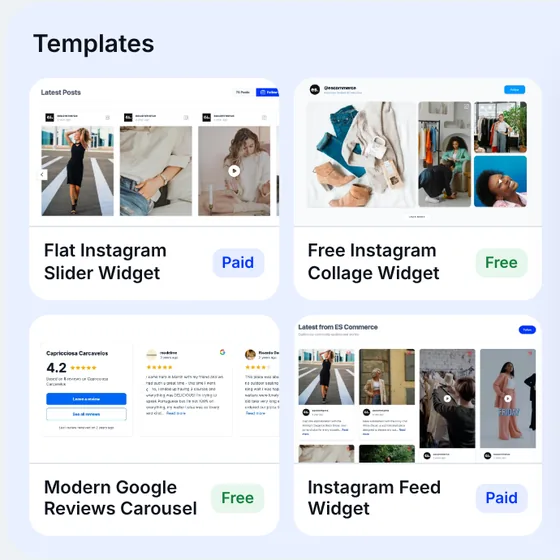
EmbedSocial pulls content from 10 sources into one account: Google reviews, Facebook reviews, Trustpilot reviews, Instagram feeds and Stories, TikTok, LinkedIn, X (Twitter), YouTube and testimonials. You design a widget once, copy the embed code and paste it into Wix. Our social media feed for Wix page shows every widget type. To show several channels together, a social wall pulls them into a single embed.
Why it made the list:
-
One subscription replaces several single-purpose widgets. Most review and feed apps on Wix charge per widget or per source type.
-
Widgets update on their own, so your UGC stays fresh without manual uploads.
-
It works on every Wix site, not just stores.
Watch out for: it isn’t in the Wix App Market, so setup takes one extra step: copy the code in EmbedSocial, then paste it into an Embed code element in Wix.
Social media feeds
The Wix Instagram widget is the one most people start with. Show your Instagram feed on Wix, a TikTok feed for Wix, a LinkedIn feed for Wix, an X (Twitter) feed on Wix or a YouTube widget for Wix. Each one connects as a source in EmbedSocial. The Instagram source docs walk through the connection.
If you’re comparing options, our list of the best Instagram widgets covers the wider market.
Google, Facebook and Trustpilot review widgets
Add a Google reviews widget for Wix, a Facebook reviews widget for Wix or Trustpilot reviews on Wix. The Google source docs cover connecting your business locations.
You can also add review schema through Wix’s Custom code settings. Displaying customer reviews and eligibility for search stars are separate questions. Eligibility depends on Google’s review-snippet requirements, including restrictions on self-serving LocalBusiness/Organization reviews and ratings aggregated from other websites. For layout ideas, see how to display Google reviews on a website.
Moderation and pinned posts
Hide posts you don’t want, and pin your best reviews or posts to the top of any widget. The moderation docs show how.
How to add EmbedSocial to Wix
-
Connect a source, like your Google Business Profile or Instagram account.
-
Create a widget and style it.
-
Open the widget’s Embed tab and click Copy code.
-
In the Wix Editor, click +, then Embed & Social and Embed code. Click Enter Code, paste it, and click Update.


Best for: collecting photo and video reviews on product pages
- Trial: No free plan, 14-day free trial
- Starting price: From €6.71/month
Score: 87/100 Rating: 4.8 stars from 4,063 reviews Price: no free plan, 14-day free trial. From €6.71/month for up to 200 orders a month, then €18.23/month for up to 2,000. Install: Wix App Market
Fera is the best-rated reviews app on Wix by a wide margin, with more than 4,000 reviews at 4.8 stars. It asks buyers for reviews after purchase and shows them on your product pages.

Why it made the list:
-
The strongest rating and review base of any app on this list.
-
Pricing tied to order volume, so small stores pay little.
-
Built for the job most stores struggle with: collecting reviews after the sale.
Watch out for: it’s built for product reviews. For Google or social reviews, pair it with a tool like EmbedSocial.
Want to compare the wider review market? See our list of review management software.
Email marketing apps for Wix
Wix has its own email app, but it rates 1.5 stars from 14 reviews. Most sites are better served by a dedicated email tool. These are the best Wix marketing apps for email.

Best for: small businesses sending regular newsletters
- Trial: Free plan for up to 500 contacts
- Starting price: From $13 (Essentials)
Score: 87/100 Rating: 4.7 stars from 291 reviews Price: free plan for up to 500 contacts. Paid from $13 (Essentials). Install: Wix App Market
Mailchimp is the highest-rated email app on Wix among the big names. Connect it, and new contacts from your Wix forms flow into your audience.

Why it made the list:
-
A free plan that’s big enough to start a real newsletter.
-
Familiar to almost every marketer you’ll ever hire.
-
Strong ratings on a meaningful number of reviews.
Watch out for: costs climb as your list grows past the free tier.

Best for: Wix stores that want abandoned-cart emails and SMS
- Trial: See Omnisend's pricing page
- Starting price: See Omnisend's pricing page
Score: 81/100 Rating: 3.6 stars from 148 reviews, with a Wix Choice badge Price: see Omnisend’s pricing page. The Wix listing requires a premium Wix site. Install: Wix App Market
Omnisend is built for stores: automated flows that recover lost sales and bring buyers back.

Why it’s here despite a 3.6 rating: it’s the best-rated ecommerce automation tool on Wix. Klaviyo, the usual alternative, sits at 2.8.
Watch out for: you need a premium Wix plan to use it.
Popup and conversion apps for Wix
Wix lightboxes handle basic popups. These apps add targeting, notifications and behavior data that lightboxes can’t. For more ideas, see our list of social proof tools and these trust badges.

Best for: email signup and discount popups
- Trial: Free plan up to 1,000 visitors a month
- Starting price: From €16.67/month
Score: 85/100 Rating: 4.9 stars from 1,276 reviews Price: free plan up to 1,000 visitors a month. Paid from €16.67/month. Install: Wix App Market
Poptin is the best-rated popup app on Wix with a large review base. You build popups, forms and email capture from templates, then target them by page or behavior.

Why it made the list:
-
4.9 stars from more than 1,200 reviews.
-
A free plan you can use on a real site.
-
Email campaigns available on paid plans.
Watch out for: the free plan shows Poptin branding.

Best for: “Someone just bought this” style notifications
- Trial: Free plan up to 1,000 visitors a month with 1 active notification
- Starting price: From $6.72/month
Score: 79/100 Rating: 5.0 stars from 20 reviews Price: free plan up to 1,000 visitors a month with 1 active notification. Paid from $6.72/month. Install: Wix App Market
Small notifications showing recent signups or purchases tell visitors other people are acting right now.

Why it’s here despite only 20 reviews: a perfect rating and the cheapest paid tier in its category.
Watch out for: too many notifications feel fake. Show one at a time.
Best for: seeing where visitors click, scroll and get stuck
- Trial: Free
- Starting price: Free
Score: 79/100 Rating: 3.4 stars from 15 reviews Price: free Install: Wix App Market
Clarity records sessions and builds heatmaps so you can see why a page doesn’t convert, not just that it doesn’t.

Why it’s here despite a 3.4 rating: it’s free, it’s from Microsoft, and the rating rests on just 15 reviews. No paid heatmap tool on Wix beat it on value.
Watch out for: recordings capture real visitor behavior, so mention them in your privacy policy.
Live chat app for Wix
Tidio
Best for: answering visitor questions in real time, or automatically
- Trial: Free plan
- Starting price: Paid upgrades on Tidio's site
Score: 86/100 Price: free plan, with paid upgrades on Tidio’s site Install: custom code. Tidio’s Wix app is no longer supported directly through Wix. Follow the official installation guide using a Wix plan that supports a connected custom domain.
Tidio combines live chat with AI chatbots that answer common questions when you’re offline.

Why it made the list:
-
Free to start, so you can test whether chat drives sales.
-
Chatbots cover nights and weekends.
Watch out for: check which AI features need a paid Tidio plan before you rely on them. If you also want feedback forms or surveys, our list of customer feedback widgets has options.
Booking and form apps for Wix
Looking for the best booking app for Wix? For most sites the answer is already in your dashboard.
Best for: appointments, classes and services
- Trial: Free to install
- Starting price: Wix plan that accepts payments
Score: 85/100 Rating: 3.5 stars from 1,684 reviews Price: free to install. Taking payments needs a Wix plan that accepts payments. Install: built by Wix
For most service businesses, the best Wix booking plugin is Wix’s own. Wix Bookings handles calendars, staff, services and payments inside your Wix dashboard, with no syncing.

Why it’s here despite a 3.5 rating: no third-party booking app matches how deeply it’s wired into Wix.
Watch out for: complex setups, like multi-location scheduling, can hit its limits.
Best for: order forms, registrations and donations
- Trial: Free plan
- Starting price: Paid upgrades on POWR
Score: 82/100 Rating: 4.7 stars from 5,751 reviews Price: free plan, paid upgrades on POWR Install: Wix App Market
With nearly 5,800 reviews, this is one of the most-reviewed apps on the Wix App Market. It builds forms that collect payments, files and signatures.

Why it made the list:
-
A huge review base at 4.7 stars.
-
Payments built into the form.
-
A free plan to start.
Watch out for: for simple contact forms, Wix Forms is enough. Comparing standalone tools? See our list of form builders.
Ecommerce apps for Wix stores
Printful
Best for: selling custom products without holding stock
- Trial: Free to install
- Starting price: Pay per order
Score: 92/100 Rating: 4.6 stars from 1,168 reviews Price: free to install. You pay per order. Install: Wix App Market
Printful prints, packs and ships products like t-shirts and mugs only after a customer orders. It was the second-highest score on this list.

Why it made the list:
-
Zero upfront cost.
-
Strong rating on more than 1,100 reviews.
-
It removes inventory risk for new stores.
Watch out for: per-item costs are higher than bulk printing, so check your margins.
Shippo
Best for: comparing carrier rates and printing labels
- Trial: Free for up to 30 labels a month
- Starting price: From $19/month
Score: 83/100 Rating: 3.6 stars from 517 reviews Price: free for up to 30 labels a month. Paid from $19/month. Install: Wix App Market
Shippo compares carrier rates and prints labels from your Wix orders.

Why it’s here despite a 3.6 rating: it’s the best-rated shipping app we found with a large review base. ShipStation sits at 2.8.
Watch out for: the 30-label free tier suits small stores only.
Spocket
Best for: dropshipping from US and EU suppliers
- Trial: Free plan to browse the catalog, 14-day trial
- Starting price: From €22.54/month
Score: 78/100 Rating: 3.1 stars from 131 reviews Price: free plan to browse the catalog. Paid from €22.54/month, with a 14-day trial. Install: Wix App Market
Of the Wix dropshipping apps we checked, Spocket stood out for its supplier base. It connects you to suppliers in the US and EU, which usually means faster delivery than overseas dropshipping.

Watch out for: several reviews report unexpected charges. Read the trial terms before you sign up.
Accessibility and privacy apps for Wix
Start with what Wix gives you for free. Run Wix’s Accessibility Wizard and use the built-in cookie banner first. Add these apps when you need more.

Best for: GDPR and CCPA cookie consent banners
- Trial: Free plan with 5,000 pageviews a month
- Starting price: From €7.23/month
Score: 77/100 Rating: 3.8 stars from 24 reviews Price: free plan with 5,000 pageviews a month. Paid from €7.23/month. Install: Wix App Market
CookieYes scans your site for cookies and shows a consent banner that records each visitor’s choice.

Why it’s here despite a 3.8 rating: it’s a newer Wix listing with few reviews, from a well-known consent platform.
Watch out for: a banner alone doesn’t make you compliant. Your privacy policy has to match what it says.

UserWay
Best for: adding an accessibility toolbar for visitors
- Trial: Free basic widget
- Starting price: Paid plans on UserWay's site
Score: 76/100 Rating: 4.0 stars from 25 reviews Price: free basic widget, with paid plans on UserWay’s site Install: Wix App Market
If you’re looking for a Wix ADA compliance plugin, this is the best-rated Wix accessibility plugin with a free plan. UserWay adds a toolbar that lets visitors adjust contrast, text size and other display settings.

Watch out for: no overlay makes a site ADA compliant on its own. Fix your site’s structure, alt text and contrast first, then add the widget as an extra.
Translation app for Wix
Weglot
Best for: translating your site into new languages fast
- Trial: Free plan, 14-day trial
- Starting price: Pay-as-you-go upgrades
Score: 77/100 Rating: 3.7 stars from 74 reviews Price: free plan, pay-as-you-go upgrades, 14-day trial Install: Wix App Market
Weglot translates your pages automatically and lets you edit the results.

Why it’s here despite a 3.7 rating: it still rates higher than Wix Multilingual, Wix’s own option (3.0 stars from 379 reviews), which includes 3,000 free word credits.
Watch out for: costs depend on word count and languages, so estimate before you commit.
Affiliate and loyalty apps for Wix
The best Wix affiliate plugins and best Wix referral apps turn happy customers into a sales channel.

GoAffPro
Best for: running an affiliate program for your store
- Trial: Free plan with unlimited affiliates and sales
- Starting price: Premium from €20/month
Score: 87/100 Rating: 4.3 stars from 164 reviews Price: free plan with unlimited affiliates and sales. Premium from €20/month. Install: Wix App Market
GoAffPro gives every affiliate a tracked link and a portal to see their sales.

Why it made the list:
-
A free plan with no affiliate or sales caps.
-
A solid rating on a real review base.
-
Wix documents the setup in its own help center.
Watch out for: custom domains and white-labeling need the paid plan.
Best for: rewarding repeat customers with points
- Trial: Free to install
- Starting price: Wix plan
Score: 84/100 Rating: 4.0 stars from 349 reviews Price: free to install Install: built by Wix
Wix’s own loyalty app lets customers earn points and redeem rewards without leaving your site.

Watch out for: if referrals matter more than points, Wix also has a Referral Program app (3.5 stars from 286 reviews).
How to add a plugin to your Wix site
There are two ways to add a Wix plugin. Which one you use depends on the tool.

Method 1: Install from the Wix App Market
-
Open your site in the Wix Editor.
-
Click Add Apps.
-
Search for the app and click Add to Site.
-
Finish setup in the app’s panel or your Wix dashboard.
-
Publish your site.

Method 2: Add a widget with embed code
Tools outside the App Market, like EmbedSocial, give you a code snippet instead.
-
In EmbedSocial, open your widget, click the Embed tab and click Copy code.
-
In the Wix Editor, click an empty section, then click +.
-
Choose Embed & Social, then Embed code.
-
Click Enter Code, paste the code and click Update.
-
Resize the block and publish.
That’s the whole process. Our guides to add an Instagram feed to Wix and embed Google reviews on Wix show it with screenshots.

Recommended Wix app stacks by business type
You don’t need 20 apps. You need the three or four that match your business.

Local service business
Wix Bookings for appointments, EmbedSocial’s Google reviews widget next to your booking button, and Tidio for questions. To reply to and report on the Google reviews you display, pair it with Localith.
More tips: add Google reviews to your website.
Online store
Fera for product reviews, Omnisend for abandoned carts, Shippo for labels, and EmbedSocial to turn customer posts into shoppable proof. Our list of UGC platforms goes deeper on that last part.
Creator or portfolio site
EmbedSocial for your Instagram, TikTok or YouTube feed, Mailchimp for your newsletter, and TWIPLA to see which work gets attention.
How many Wix apps is too many?
There’s no fixed number. Every app adds scripts that your visitors’ browsers have to load. Two or three light apps rarely matter. Ten heavy ones often do.
Run this check every quarter:
-
List every installed app in your Wix dashboard.
-
Remove anything you haven’t used in 90 days.
-
Merge overlapping tools. One feed and reviews platform beats three single-purpose widgets.
-
Test page speed before and after adding a new app.
Conclusion: Start with three apps, then earn the fourth
The best Wix plugins are the ones that fix a gap Wix can’t fill on its own. For most sites, that’s keyword data, social proof and a way to capture leads.
Start there. Add the next app only when you can name the problem it solves.
If social proof is your gap, start with our social media feed for Wix. A free plan covers one source and 500 widget views a month.