A Google source connects a Google Business Profile to EmbedSocial. You choose what it pulls when you set it up: 'Reviews' for the reviews customers leave on your listing, or 'GMB Posts' for the posts you publish to that profile.
Reviews are the common case. Once connected, they feed a reviews widget on your website and keep updating as new ones come in. You need access to the Google account that manages the business location.
Before you start, make sure you are signed in to the Google account that manages the location you want to connect.
How to connect a Google source
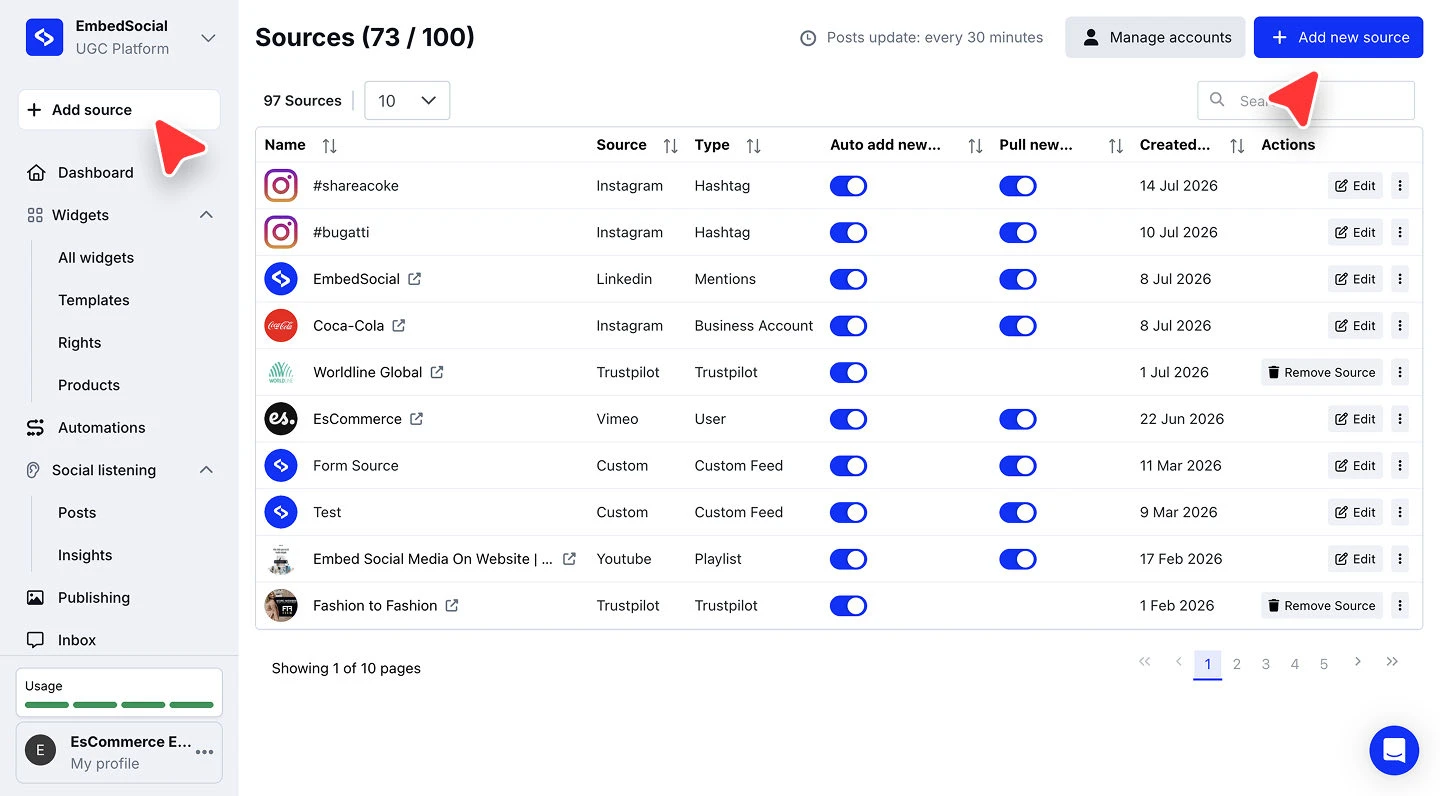
Open the source picker. Click '+ Add source' in the left menu.
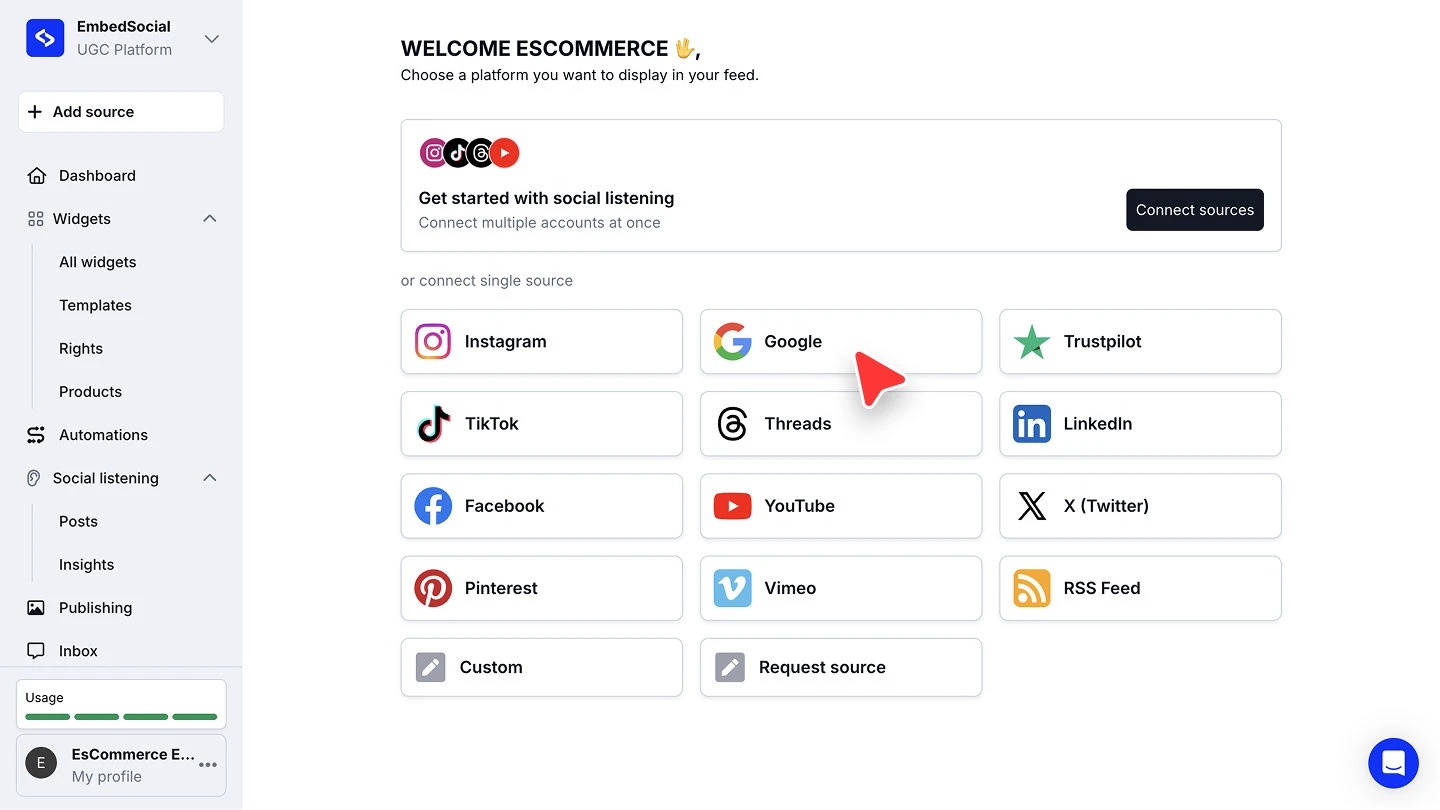
Choose Google. Under 'or connect single source', click 'Google'.
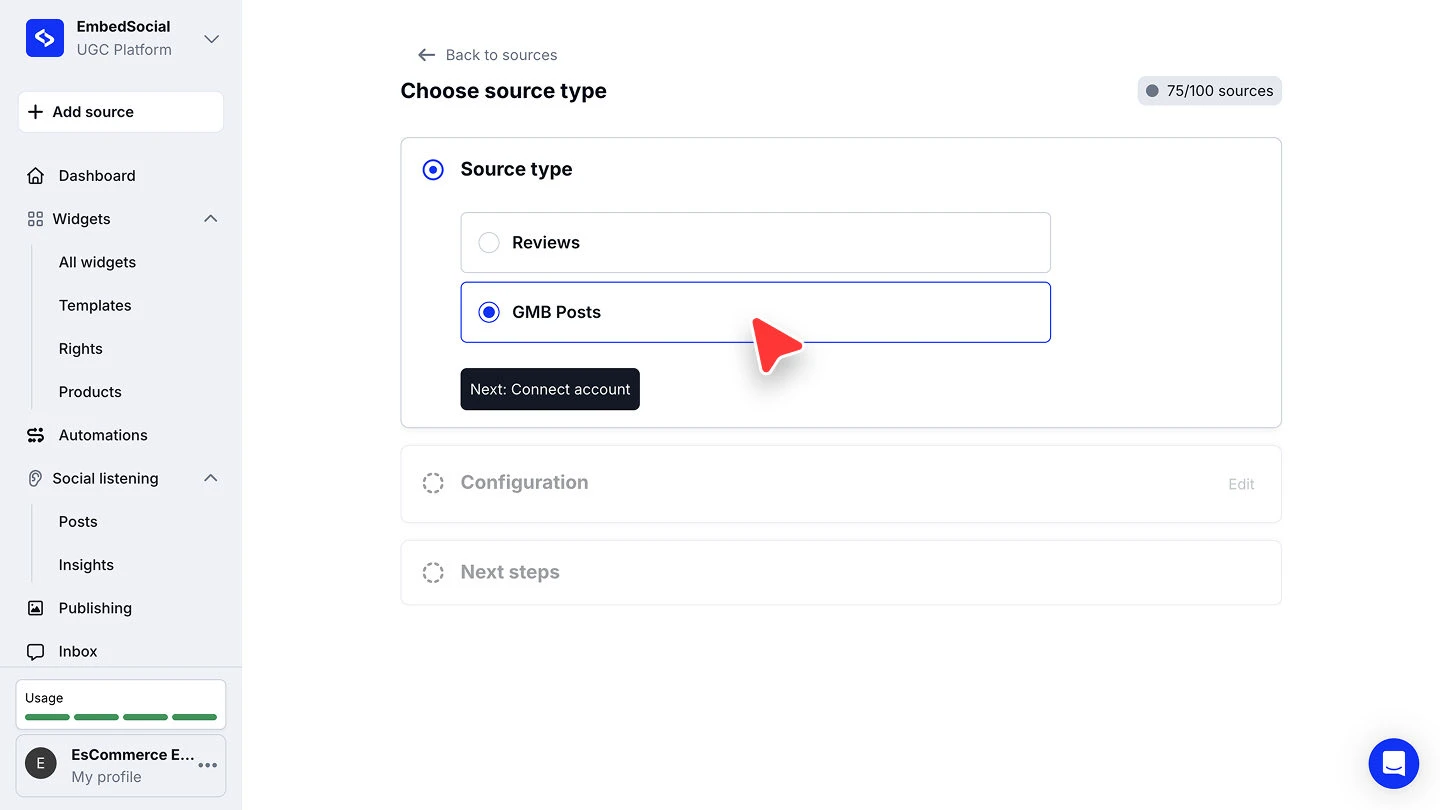
Pick the source type. On 'Choose source type', select 'Reviews' to pull the reviews on your listing, or 'GMB Posts' to pull the posts you publish. Then click 'Next: Connect account'.
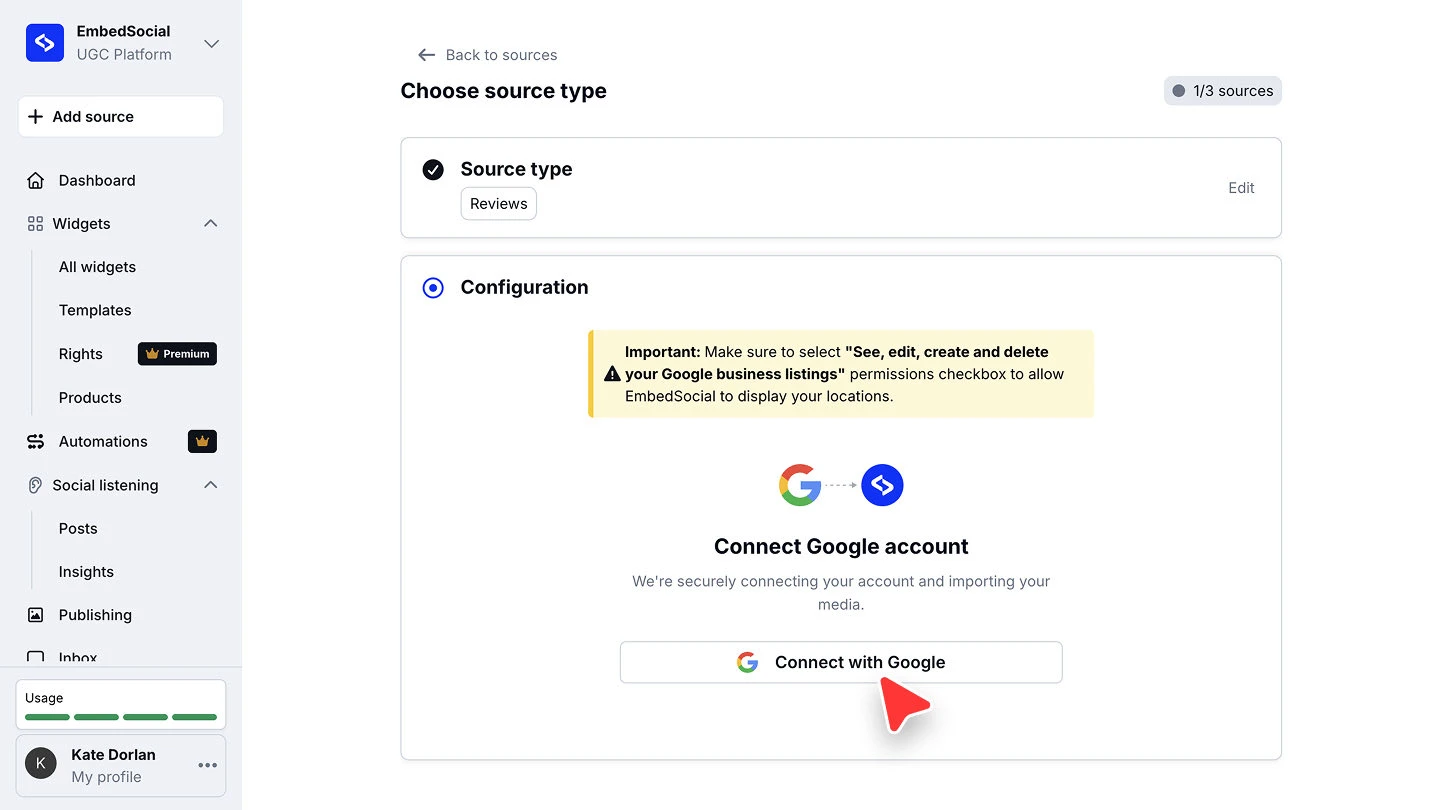
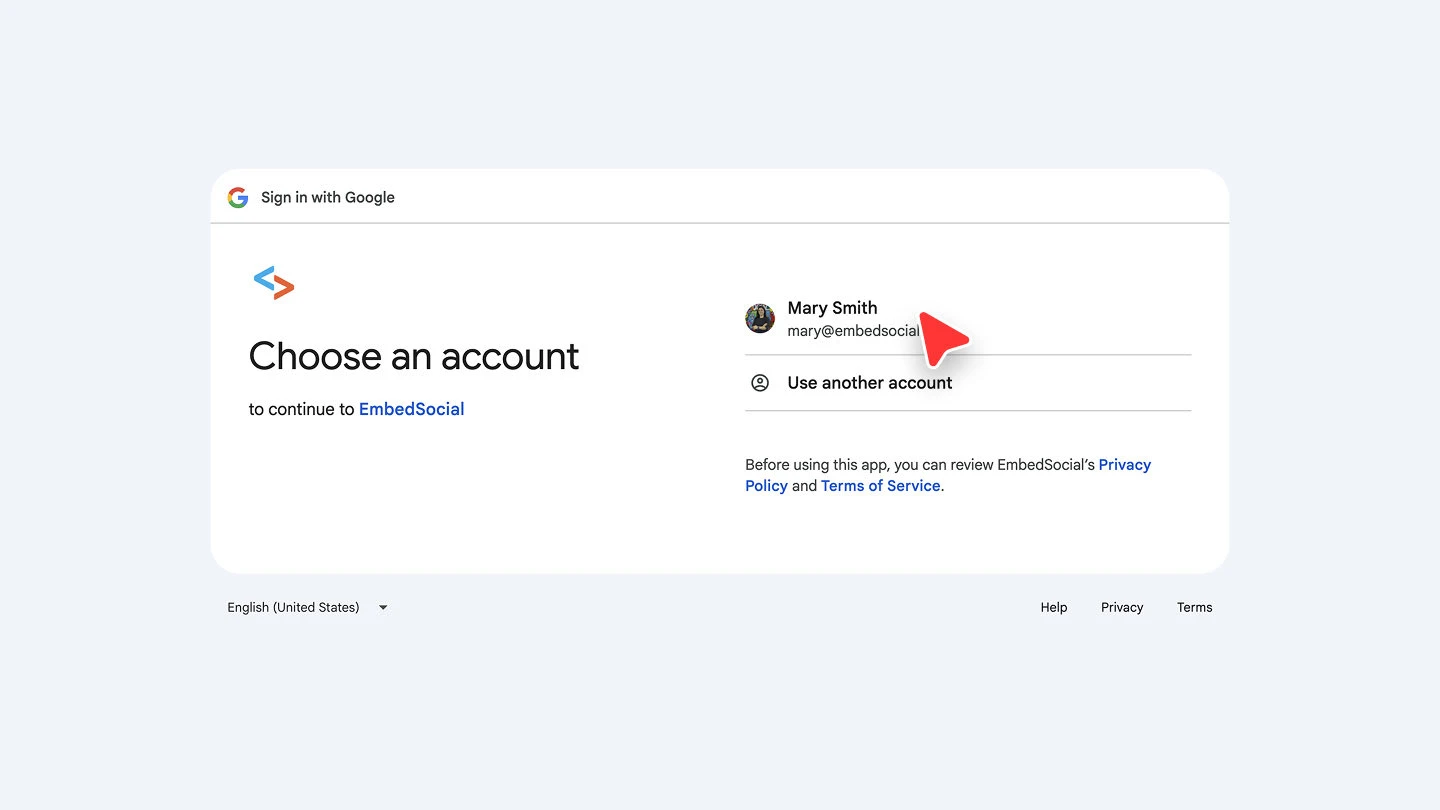
Connect your Google account. Click the connect button and sign in with the Google account that manages the business location.
Approve the permissions. Grant EmbedSocial the access it asks for on the Google consent screen.
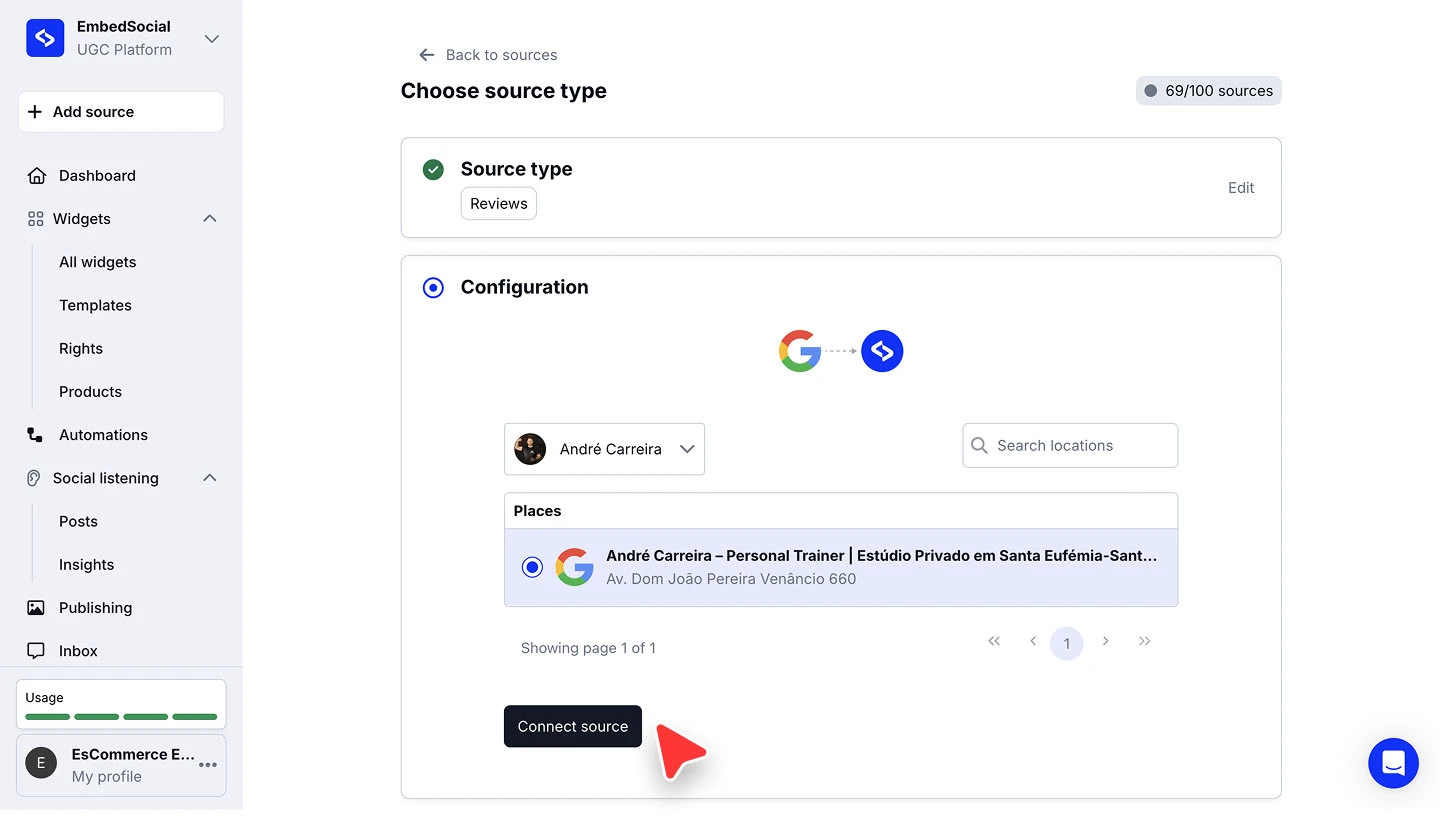
Choose the location and connect. Pick the Google profile from the dropdown, select the location you want under 'Places', then click 'Connect source'. Use 'Search locations' if you manage several.
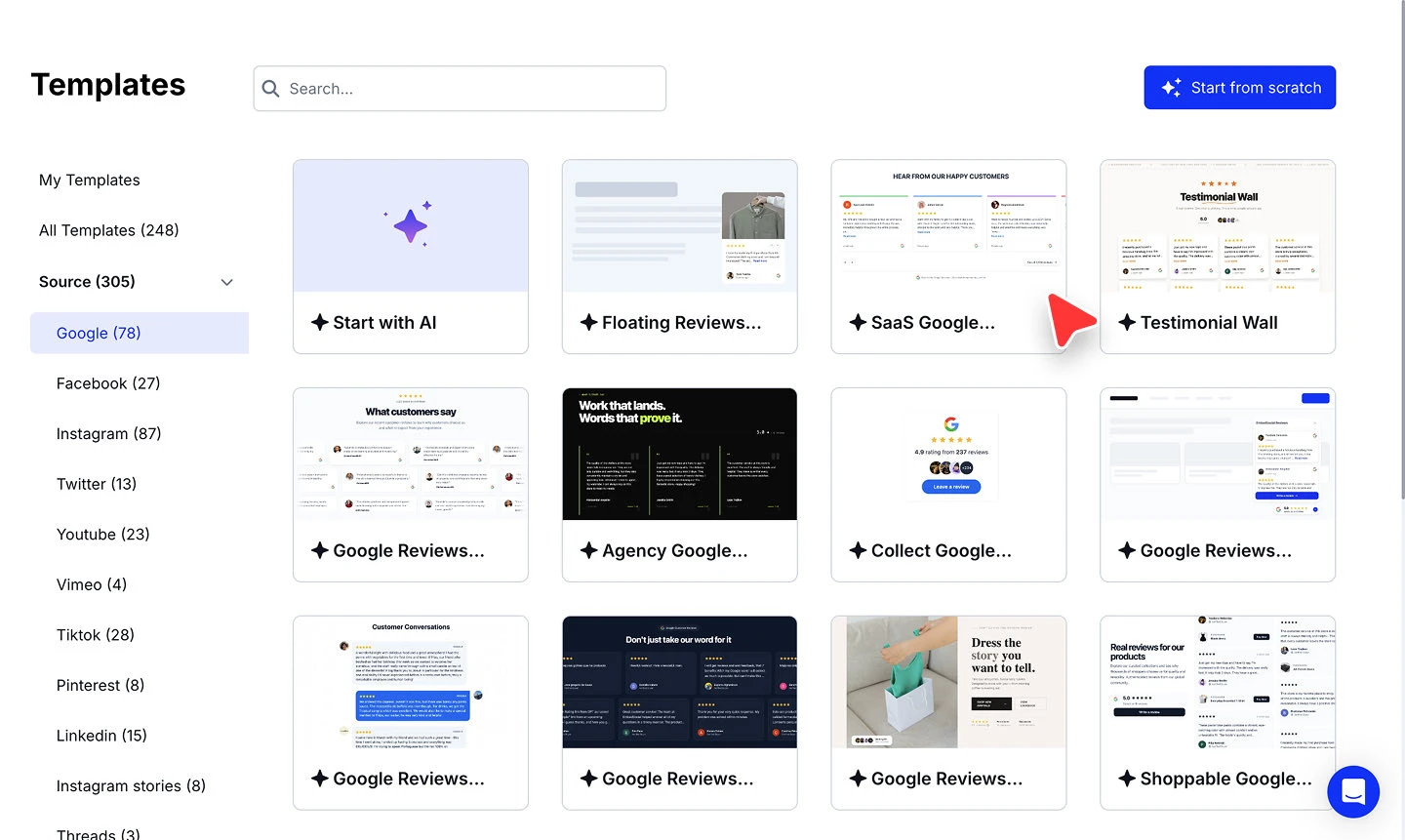
Pick a widget template. Choose a template for the widget that will display your Google content.


Each location you connect counts as one source against your plan's limit, shown in the header as, for example, '69/100 sources'.
Reviews or GMB Posts?
'Reviews' pulls the reviews customers leave on your Google Business Profile. This is what you want for social proof on your site: star ratings, review text, and reviewer names in a reviews widget.
'GMB Posts' pulls the posts you publish to the profile itself, such as offers and updates. Use it when you want your Google posts mirrored on your website rather than customer feedback.
The two are separate sources. Connect both if you want reviews and posts from the same location.
Connecting more than one location
You can add as many Google locations as you would like and pull the reviews from all of them. Run through '+ Add source' again for each location. If your Google account manages several, they appear together under 'Places' at the location step, and 'Search locations' narrows the list.
Each location you add counts as one source: 1 Google location = 1 source. With three locations, for example, the Pro plan covers you. Check our pricing page to see which plan fits your use case, and Sources for how sources are counted.
You can create one widget per location and embed it on that location's page, or one widget that displays the reviews from all of your Google locations.
Ready to show your Google reviews on your site?
FAQ
What is the difference between Reviews and GMB Posts?
'Reviews' pulls the reviews customers leave on your listing. 'GMB Posts' pulls the posts you publish to the profile yourself. They are separate sources, so connect both if you want each.
Can I pull reviews from more than one Google location?
Yes. Add as many locations as you would like, each connected as its own source. See Connecting more than one location above.
Why is my location not in the list?
The 'Places' list only shows locations the signed-in Google account manages. If one is missing, check that the account has access to it in Google Business Profile, then reconnect.
Do new reviews appear automatically?
Yes. Once the source is connected it keeps syncing, so new reviews arrive without you reconnecting.
What's next
With the source connected, decide how its reviews reach your site. See Sources for how sources feed your widgets.
If you have any questions, click the bottom right chat icon to talk with our customer success team or send us an email at support@embedsocial.com We're here for you 🙏