Everything in EmbedSocial starts with a source. Connecting one is the first step whether you want to embed an Instagram feed, embed an Instagram hashtag, or embed Google reviews on your website. In this guide, you will learn what a source is and connect your first one. Once it is connected, your content starts syncing automatically and you can build your first widget from it.
What is a source?
A source in EmbedSocial refers to the social media account or review platform from which we pull the posts, reviews, or mentions.
Example: 1 Google location = 1 source
1 Facebook page = 1 source
1 Instagram account = 1 source
1 Instagram hashtag = 1 source
You can connect sources like Google, Facebook, Instagram, TikTok, YouTube, LinkedIn, Threads, Trustpilot, and more. For the full list and what each source can pull, check Understanding Sources in EmbedSocial.
How to connect a source
The flow is the same for every platform. Here is how it looks with Google, the most common first source:
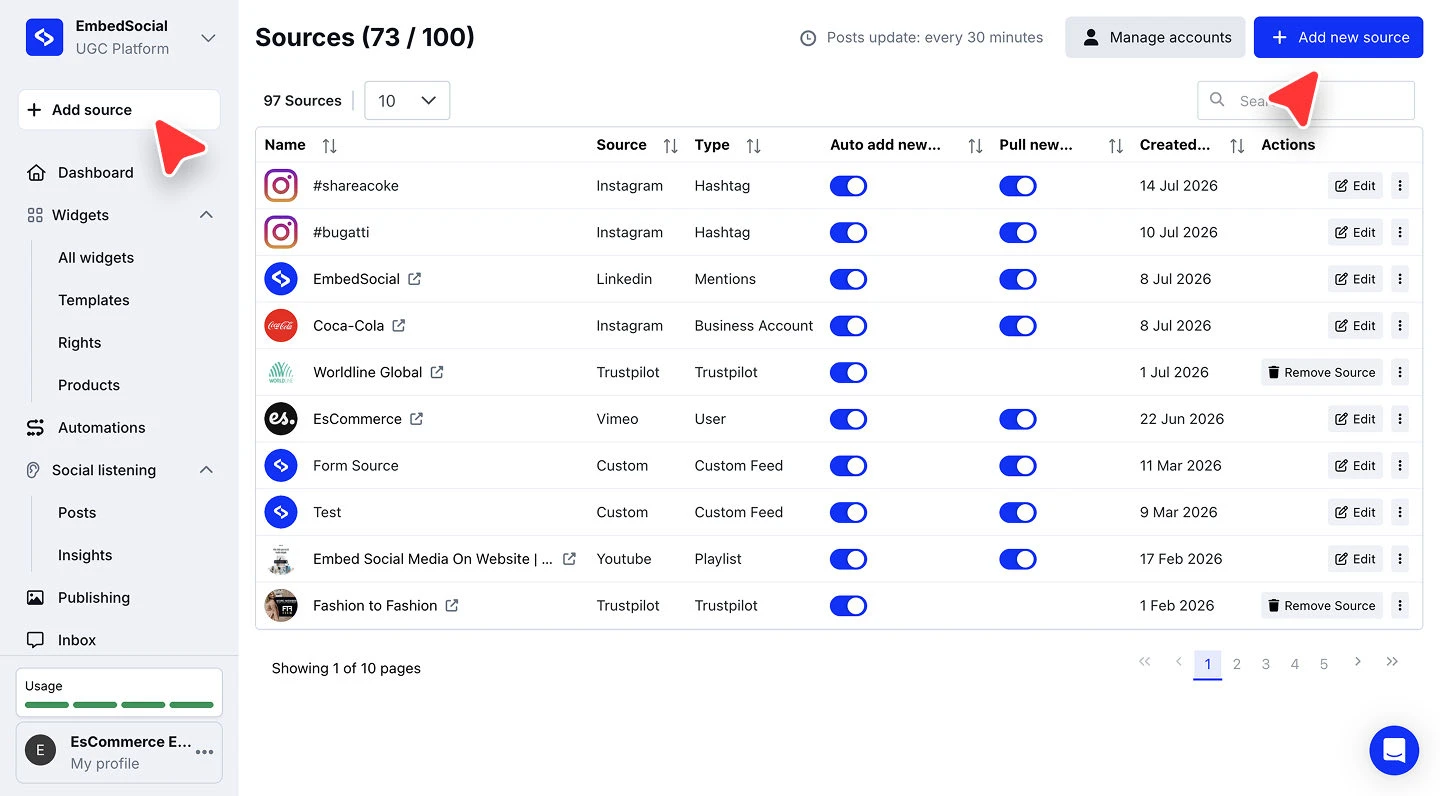
Open the source picker. Click '+ Add source' in the left menu.
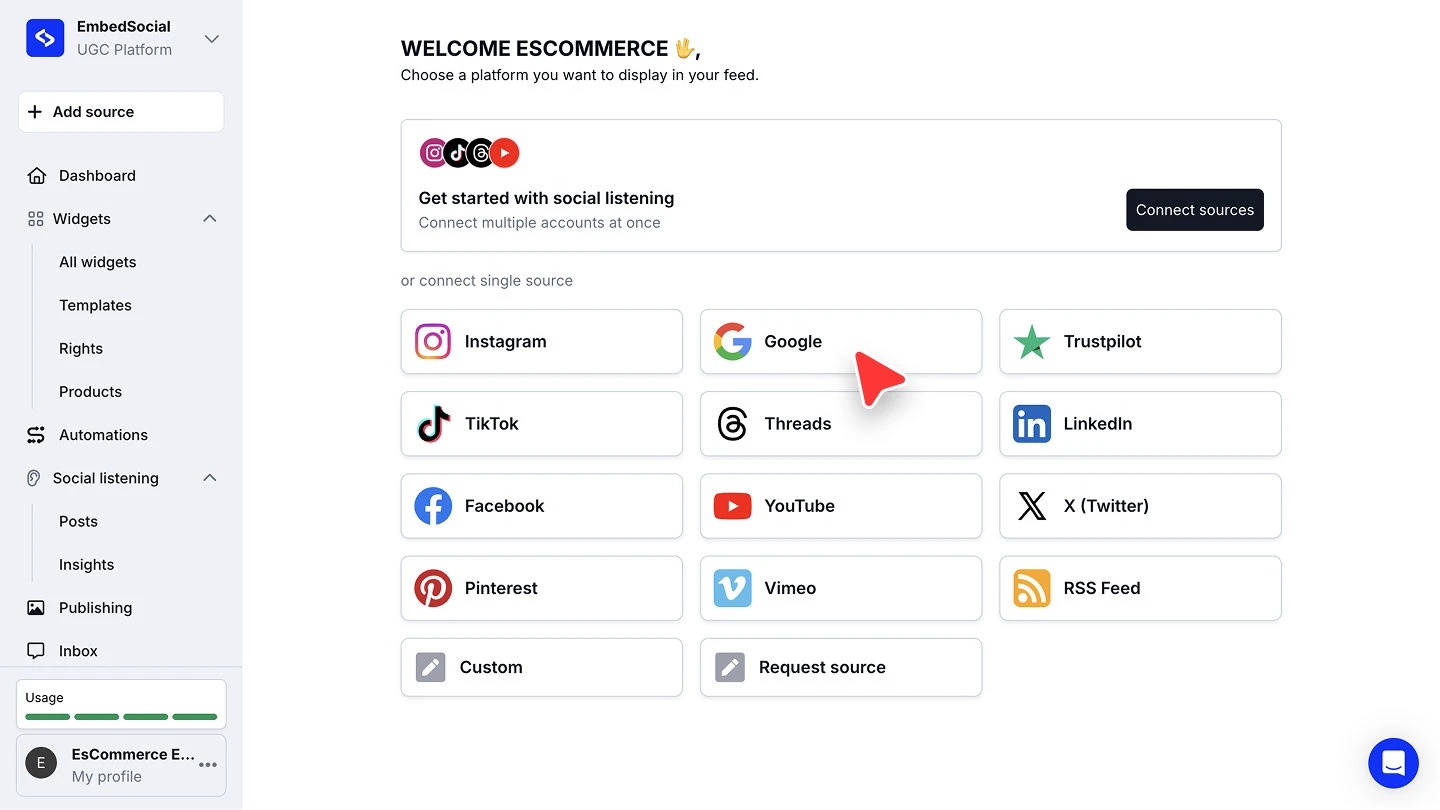
Choose the platform you want to connect, for example 'Google'.
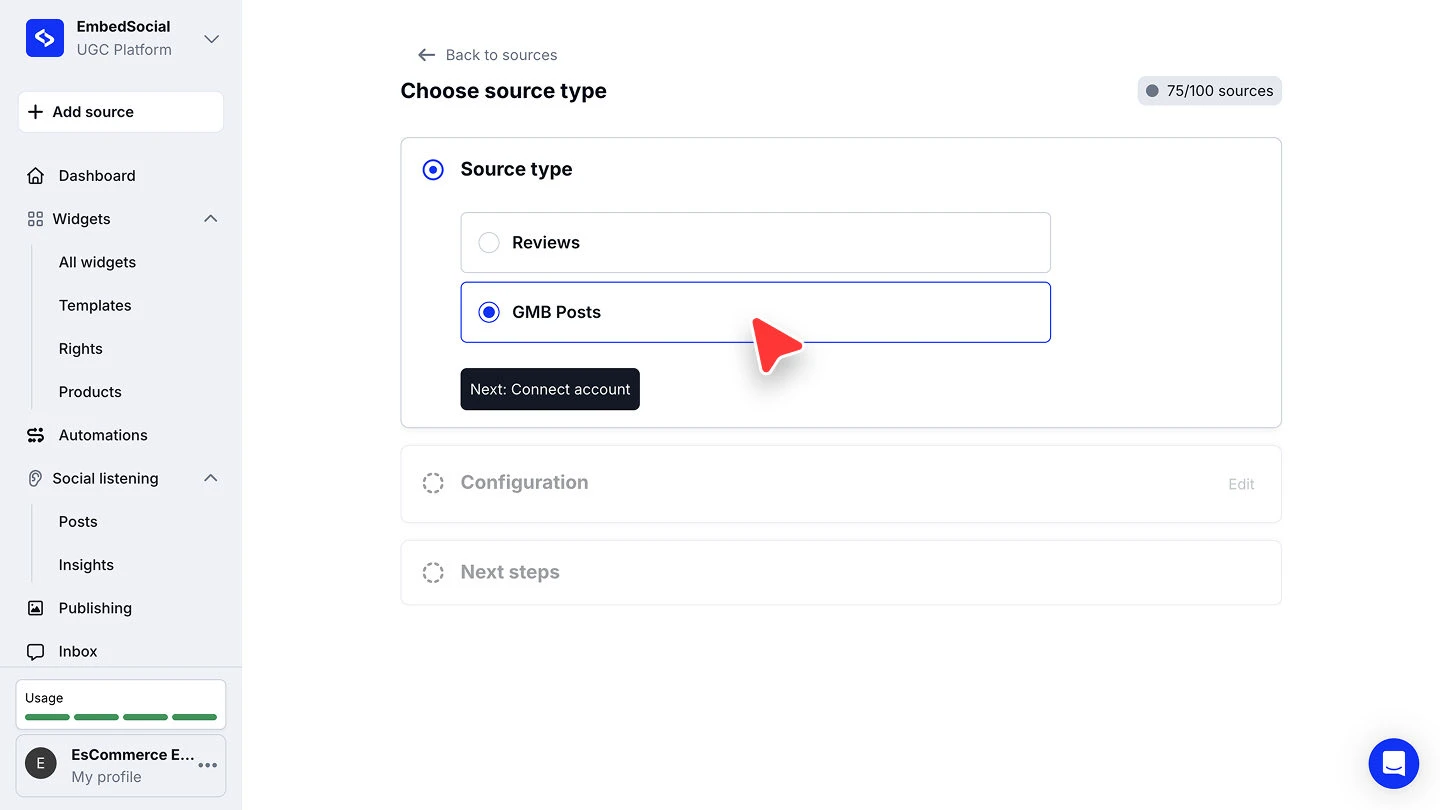
Pick the source type. On 'Choose source type', select 'Reviews' to pull the reviews on your listing, then click 'Next: Connect account'.
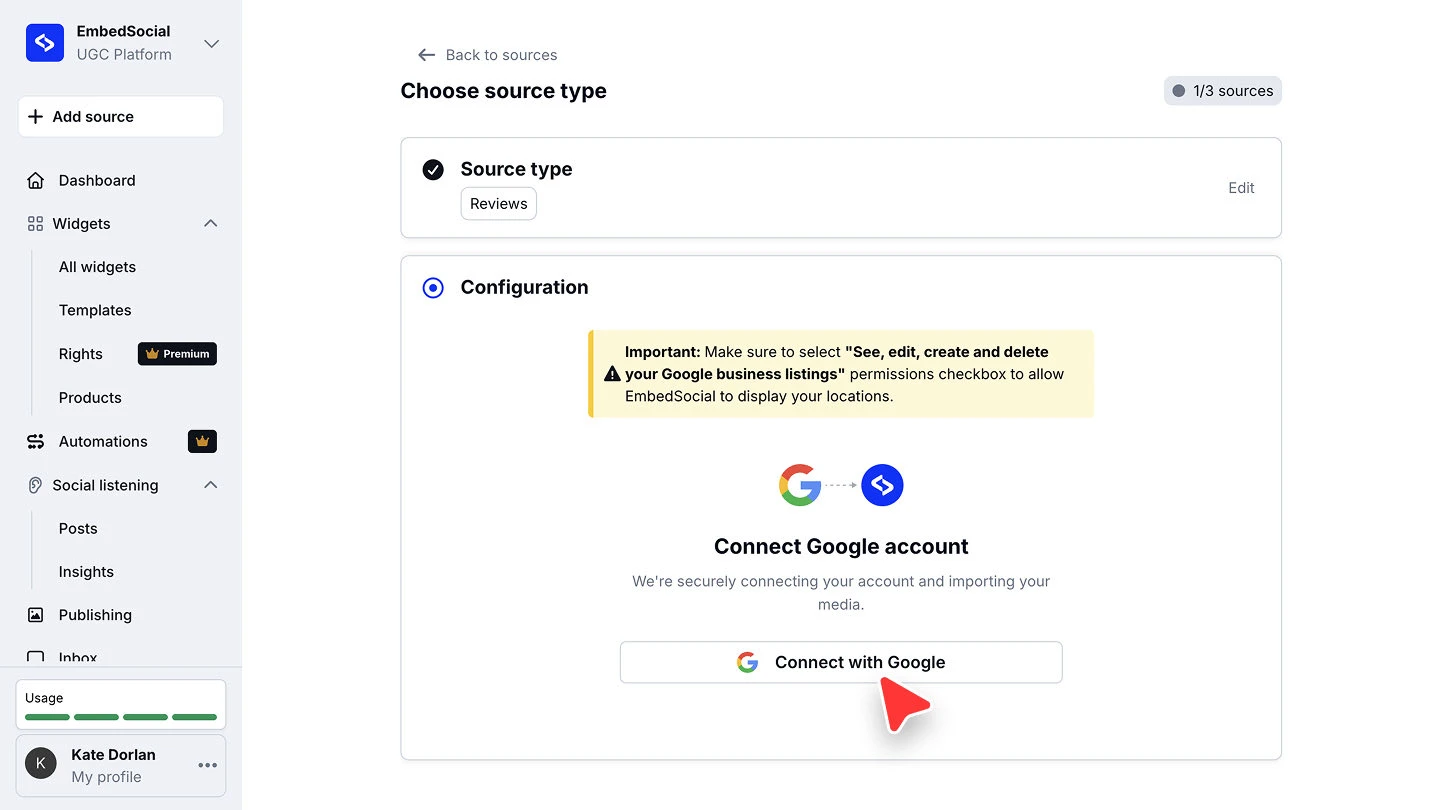
Connect your Google account. Click the connect button and log in with the account that manages the specific location or page from which you would like to pull the content.
Choose the location and connect. Pick the Google profile from the dropdown, select the location you want under 'Places', then click 'Connect source'.
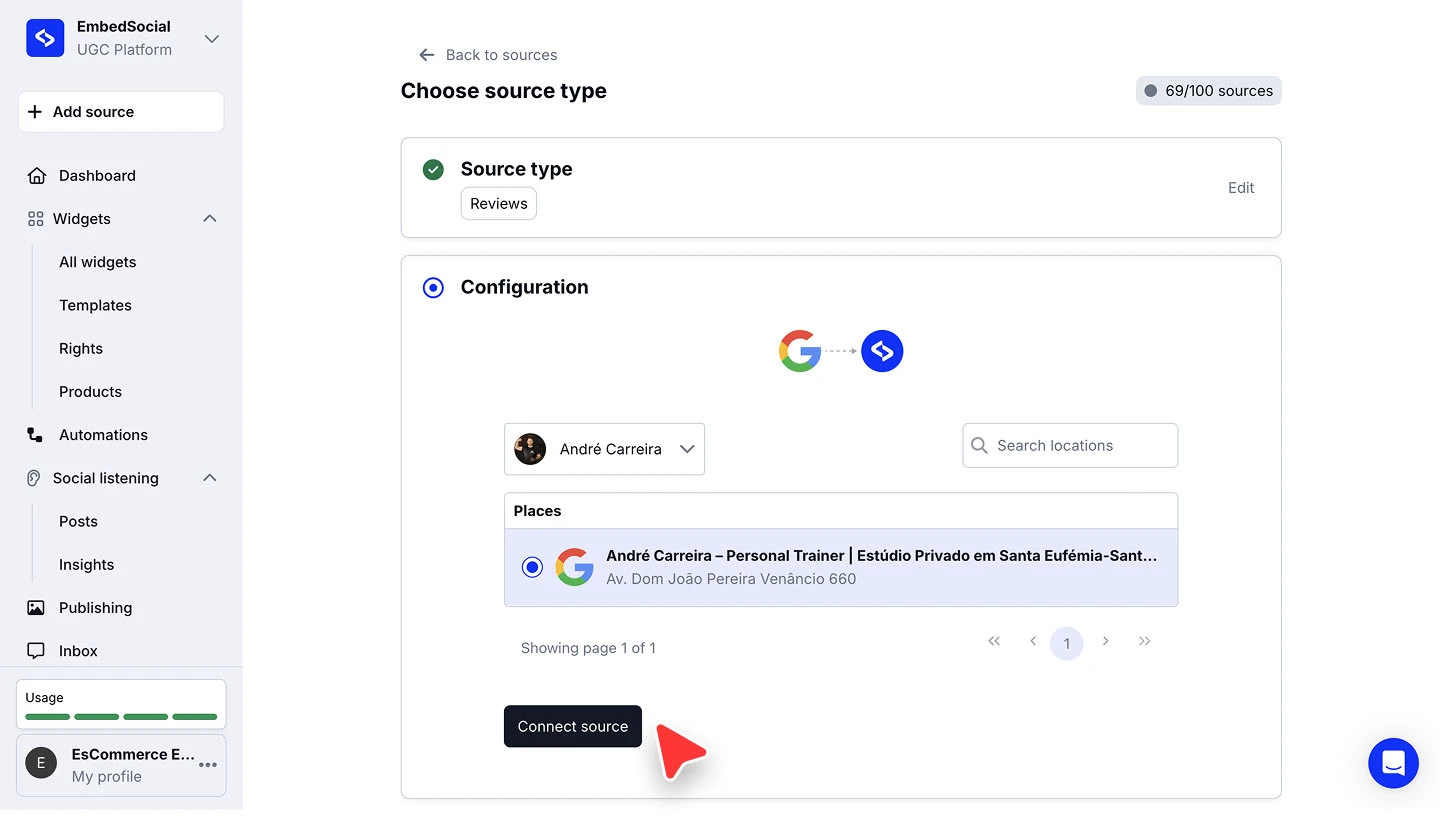


That's it! Your content will be generated in your EmbedSocial account. For the Google specifics, such as choosing between Reviews and GMB Posts, see the full Connect a Google source guide.
❗Please note: for Instagram, only Business accounts can be connected due to Instagram's API rules. Personal profiles are not supported. Here is the full Instagram walkthrough.
Your content syncs automatically
Once a source is connected, EmbedSocial keeps it fresh without manual work. Google reviews are pulled every 15 minutes. Most social sources update every 24 hours on the Free plan, every 3 hours on the Pro and Pro Plus plans, every 30 minutes on the Premium plan, and every 5 minutes on Enterprise. Learn more about auto-sync and source health.
FAQ
What counts as a source?
One connected account, location, or hashtag. For example, 1 Google location = 1 source, 1 Facebook page = 1 source, 1 Instagram hashtag = 1 source.
How many sources can I connect?
It depends on your plan. Plans are based on the number of sources you connect and use, up to 15 sources. If you need more, we offer Enterprise plans. See Plans and what's included.
How do I embed an Instagram feed on my website?
Connect your Instagram Business account as a source, build a widget from it, and paste the widget code on your page. The Instagram source guide covers the connection and Embed your widget on your website covers the code.
Can I embed an Instagram hashtag instead of an account?
Yes. One Instagram hashtag is its own source, so you connect the hashtag, then build and embed a widget from it the same way. Hashtag sources need the Pro Plus plan or higher. See Instagram Hashtags.
How do I embed Google reviews?
Connect a Google source and pick 'Reviews' as the source type, choose the location, then create a reviews widget and embed it. See Connect a Google source.
Why can't I connect a personal Instagram profile?
Due to Instagram's API rules, only Instagram Business accounts can be connected.
My source won't connect. What should I do?
Check the most common causes in Why I am unable to add a new source, or contact us on live chat.
What's next
Your content is in. Now turn it into a display: Create your first widget.
If you have any questions, click the bottom right chat icon to talk with our customer success team or send us an email at support@embedsocial.com We're here for you 🙏