In this article, you will find the steps of how to connect your Instagram Business Account in EmbedSocial and create a widget with the posts.
If you still don't have an EmbedFeed account, click to start a 7-day trial.
How to connect your Instagram account and create a widget
First, you need to log in to your EmbedFeed account. In order to connect your Instagram account, you can follow these steps:
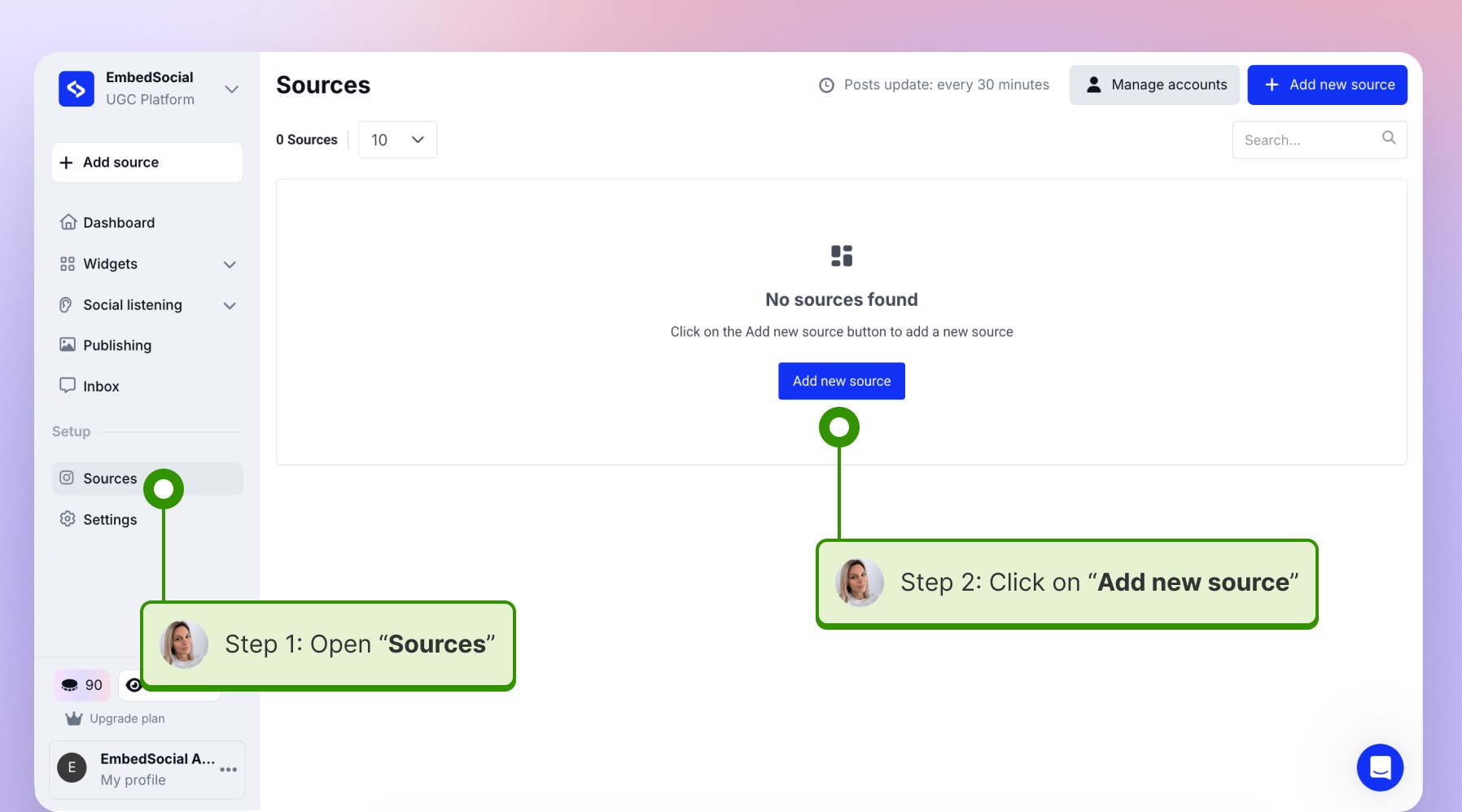
1\. Go to the 'Sources' tab and click 'Add new source':
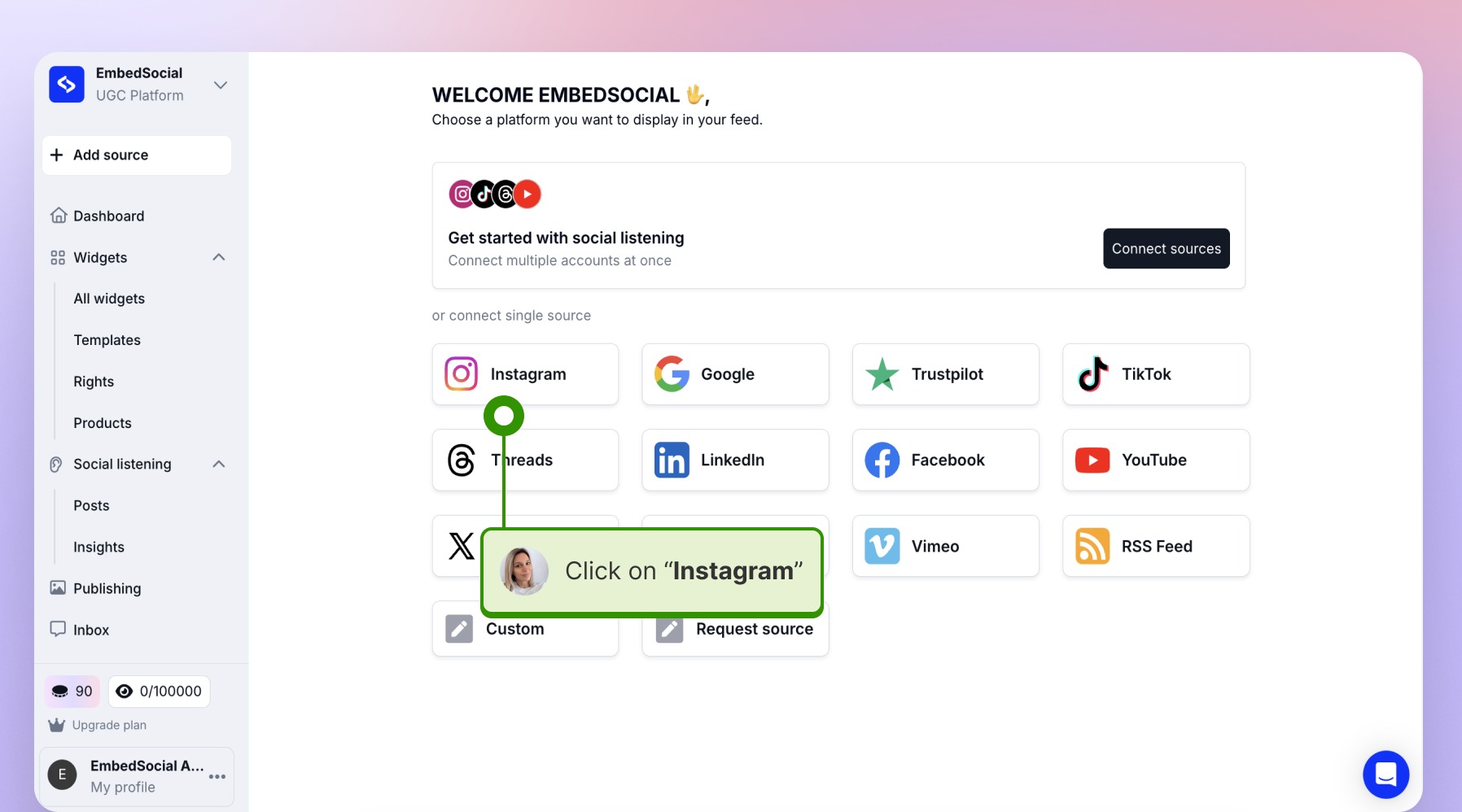
2\. Select 'Instagram' as a source:
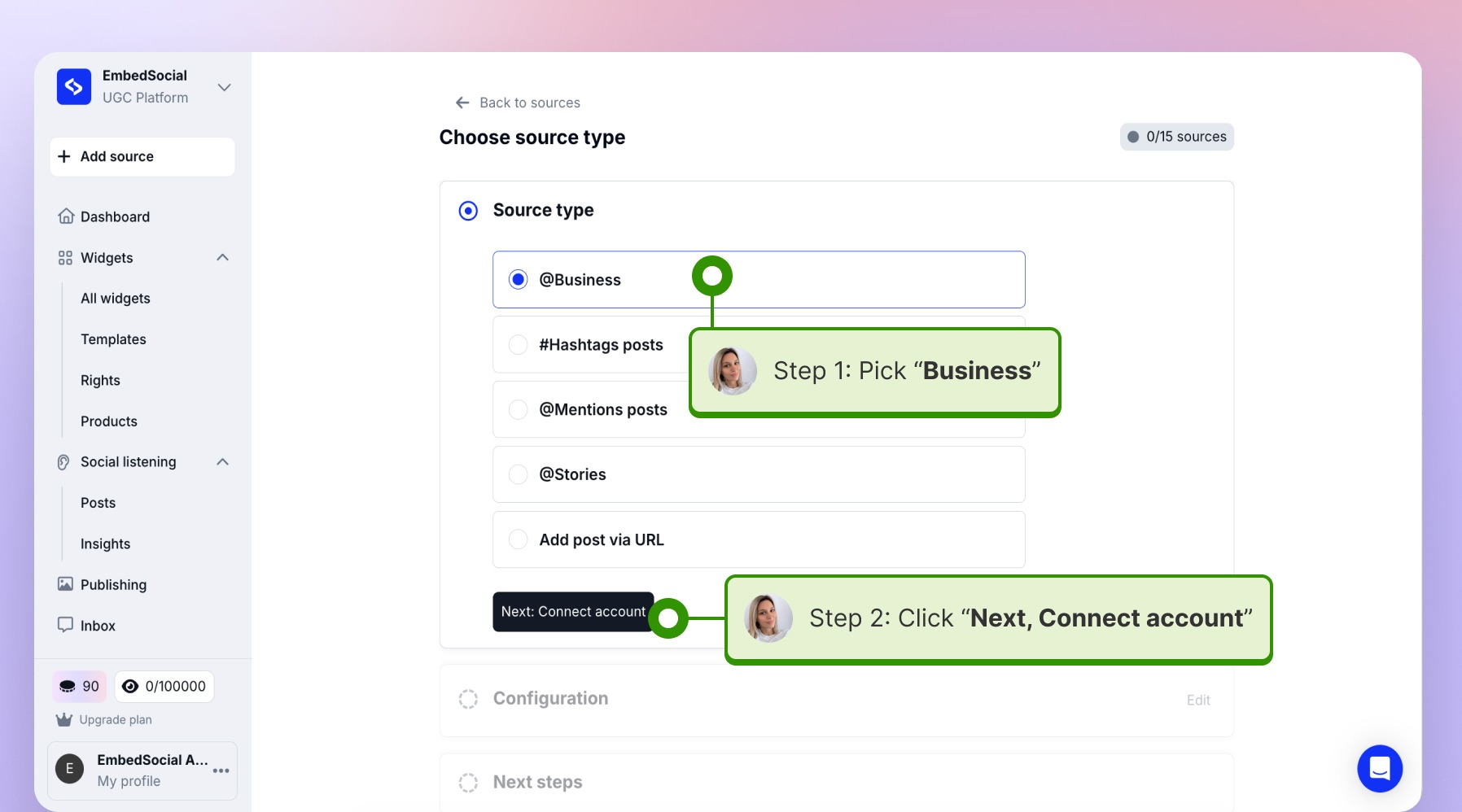
3\. Select "Business account" as a source type, and click on the "Connect account".
4\. Click "Continue with Facebook or Instagram"
Example with Facebook: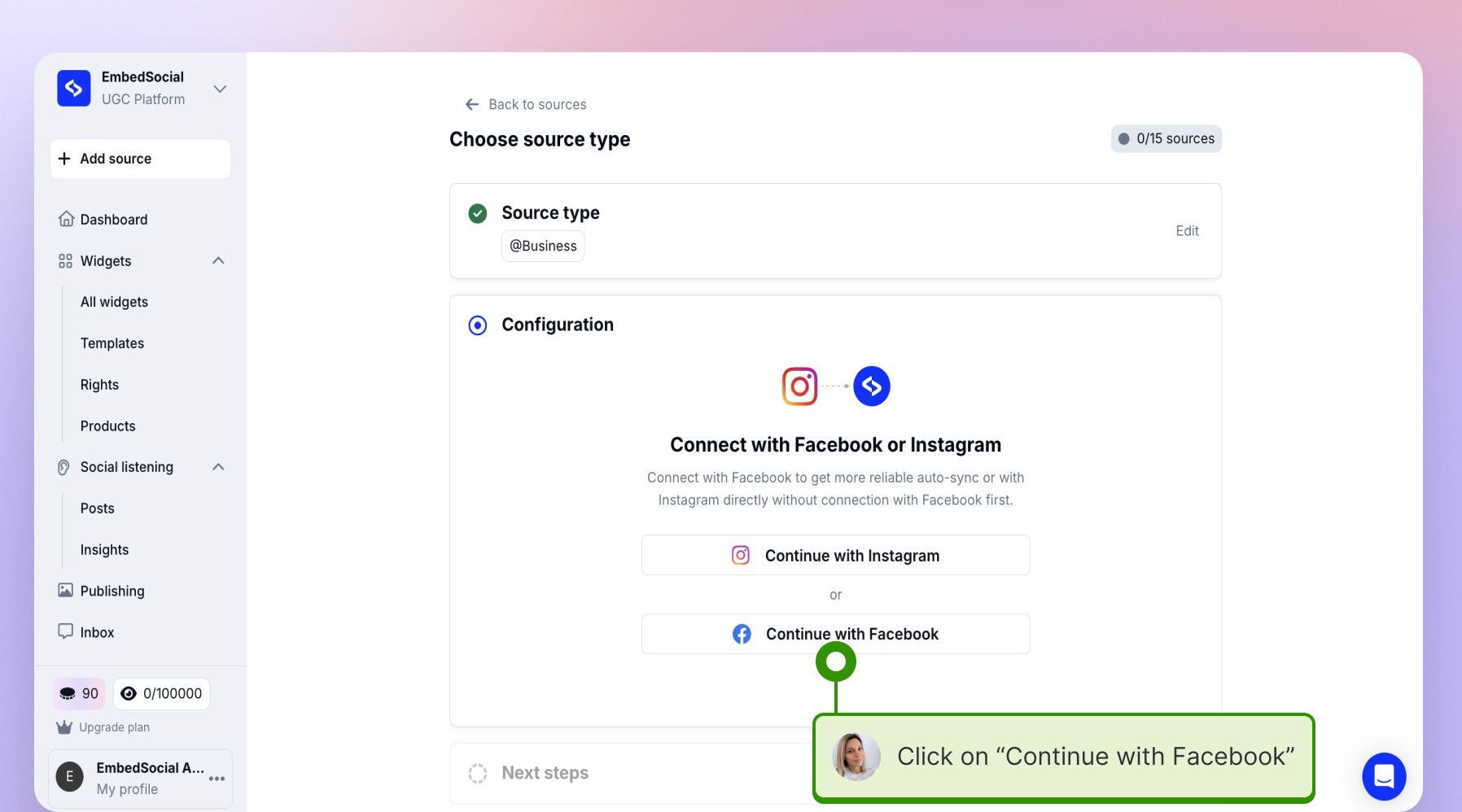
5\. Login with the Facebook account and then choose the instagram account you want to connect or manually type the username:
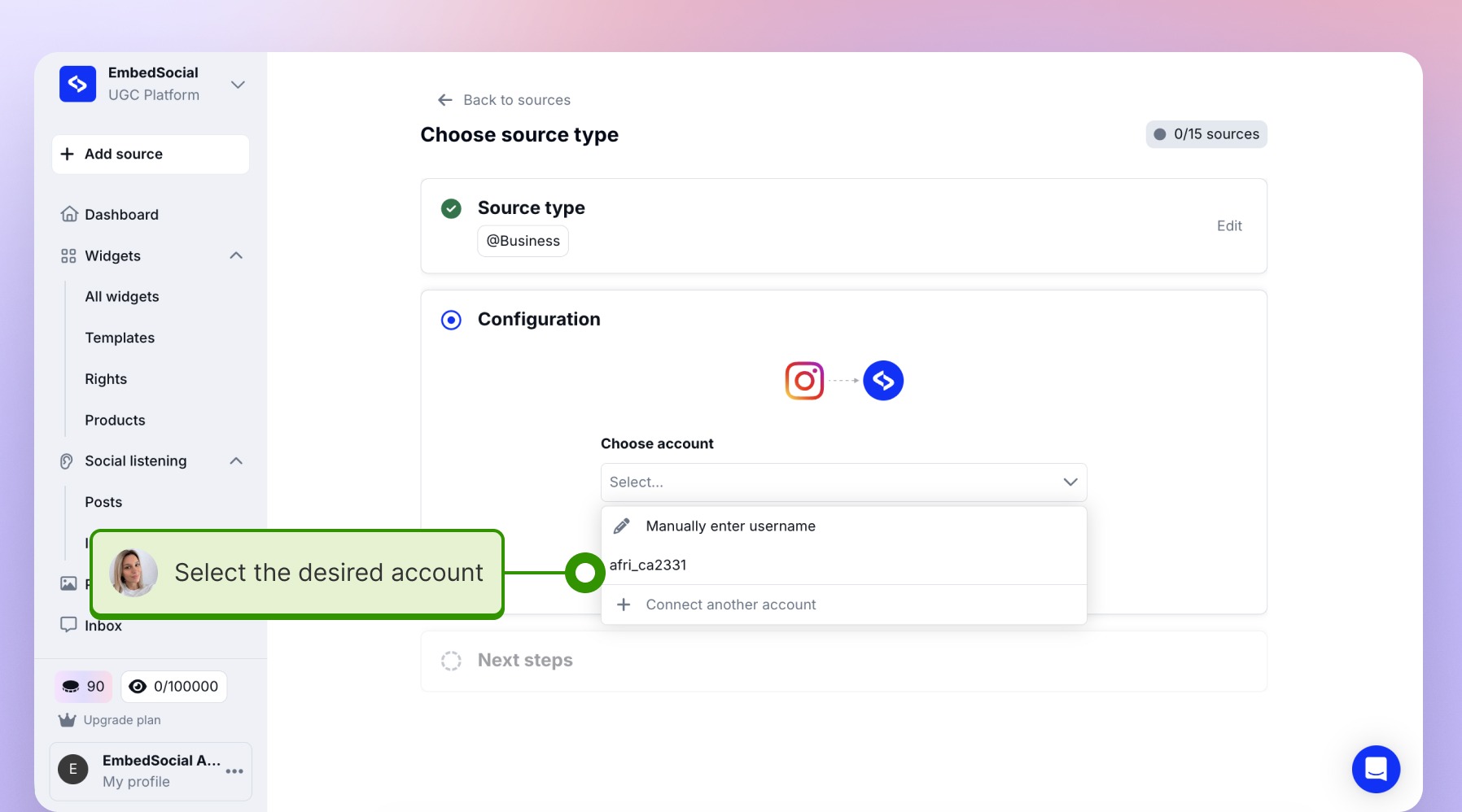
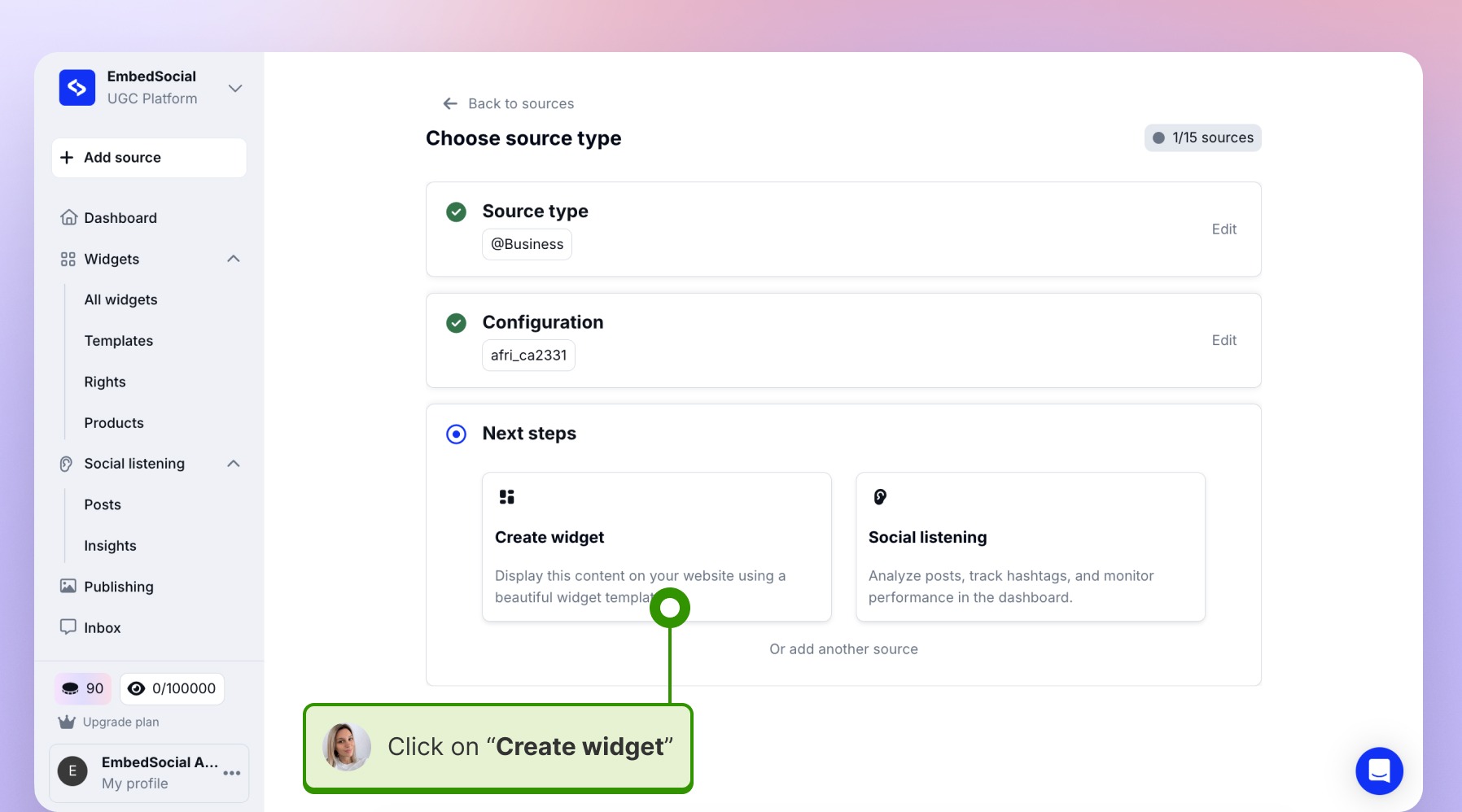
6\. Click on the "create widget" option
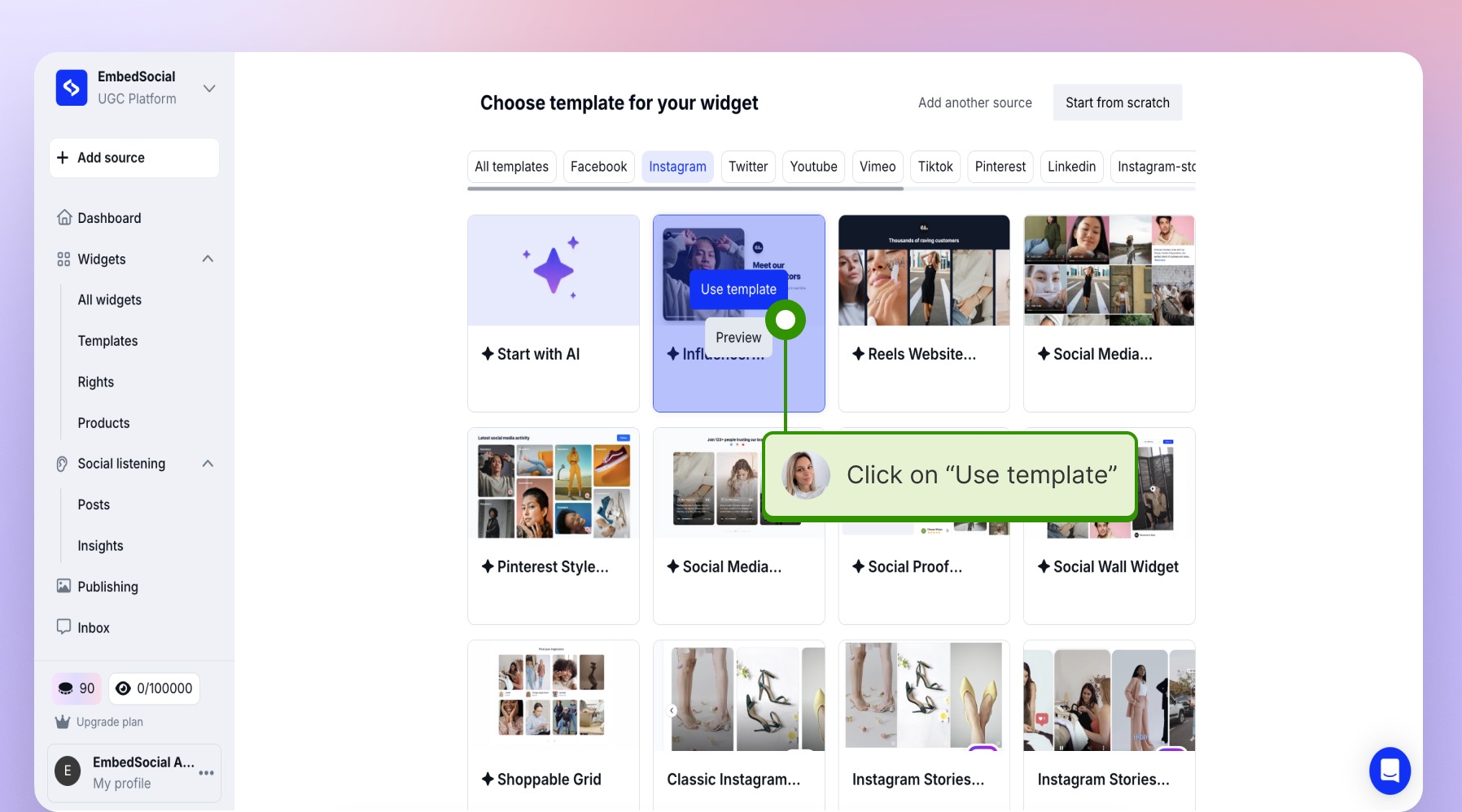
7\. Choose a template and create the widget
That's it!
All of the Instagram posts from that specific account will get pulled, and an embeddable widget will be created.
Embed the widget on your website
In order to copy the widget code you will need to:
1\. Click 'Embed' on the top-left section inside your widget editor and just click 'Copy code':
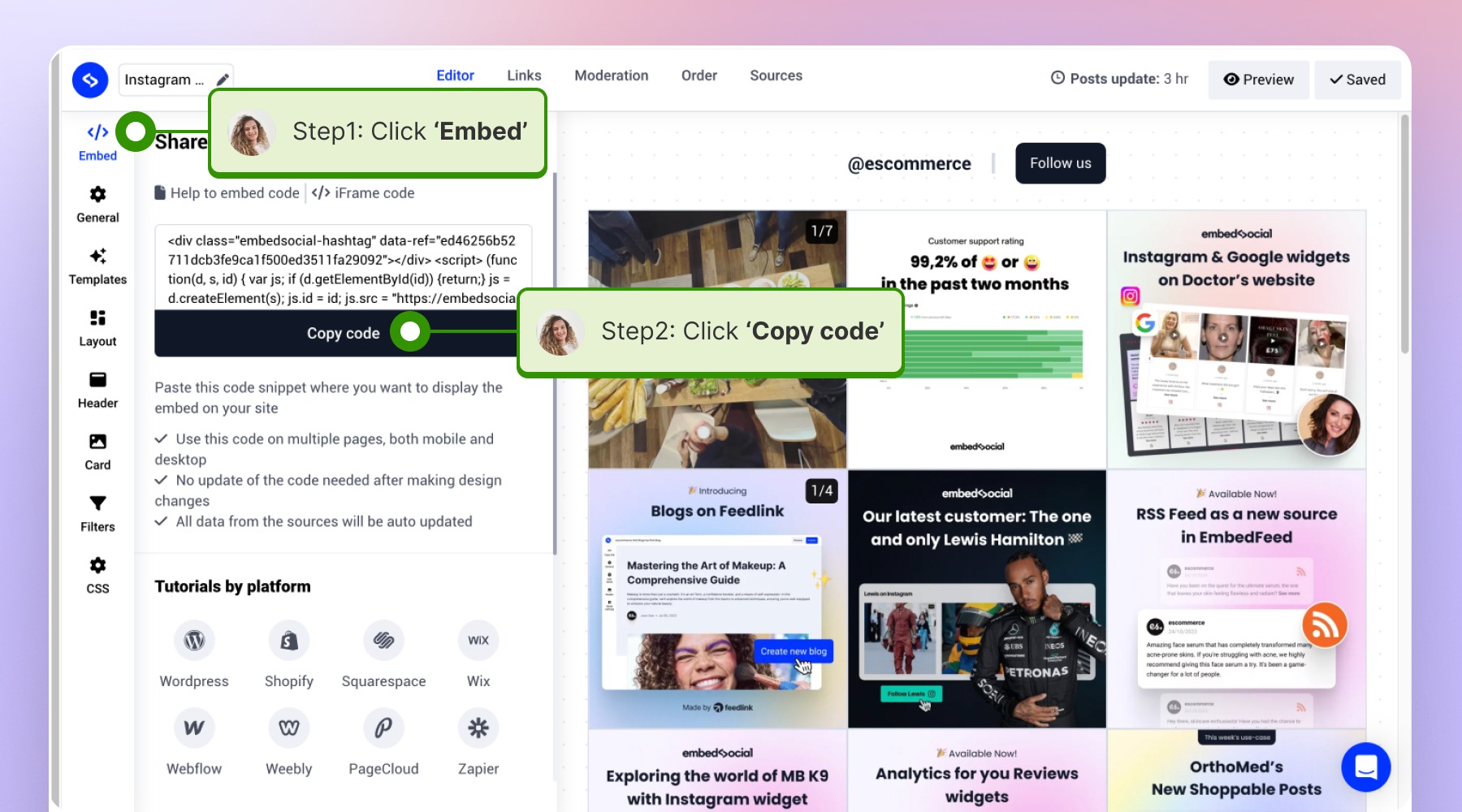
That's it! Now you just need to navigate on your website builder and paste the code on the desired page.
If you have any questions, click the bottom right chat icon to talk with our customer success team or send us an email at support@embedsocial.com We're here for you 🙏