Your content is in your account. Now let's turn it into a widget you can put on your website. The fastest way is the AI Widget Generator: simply type a prompt describing your imagined design, and our AI will build the widget for you in seconds.
Before creating the widget, make sure you have your sources connected (e.g., Google Reviews, Instagram, TikTok, etc.) in the 'Sources' tab. If you haven't yet, start with Connect your first source.
How to create your first AI widget
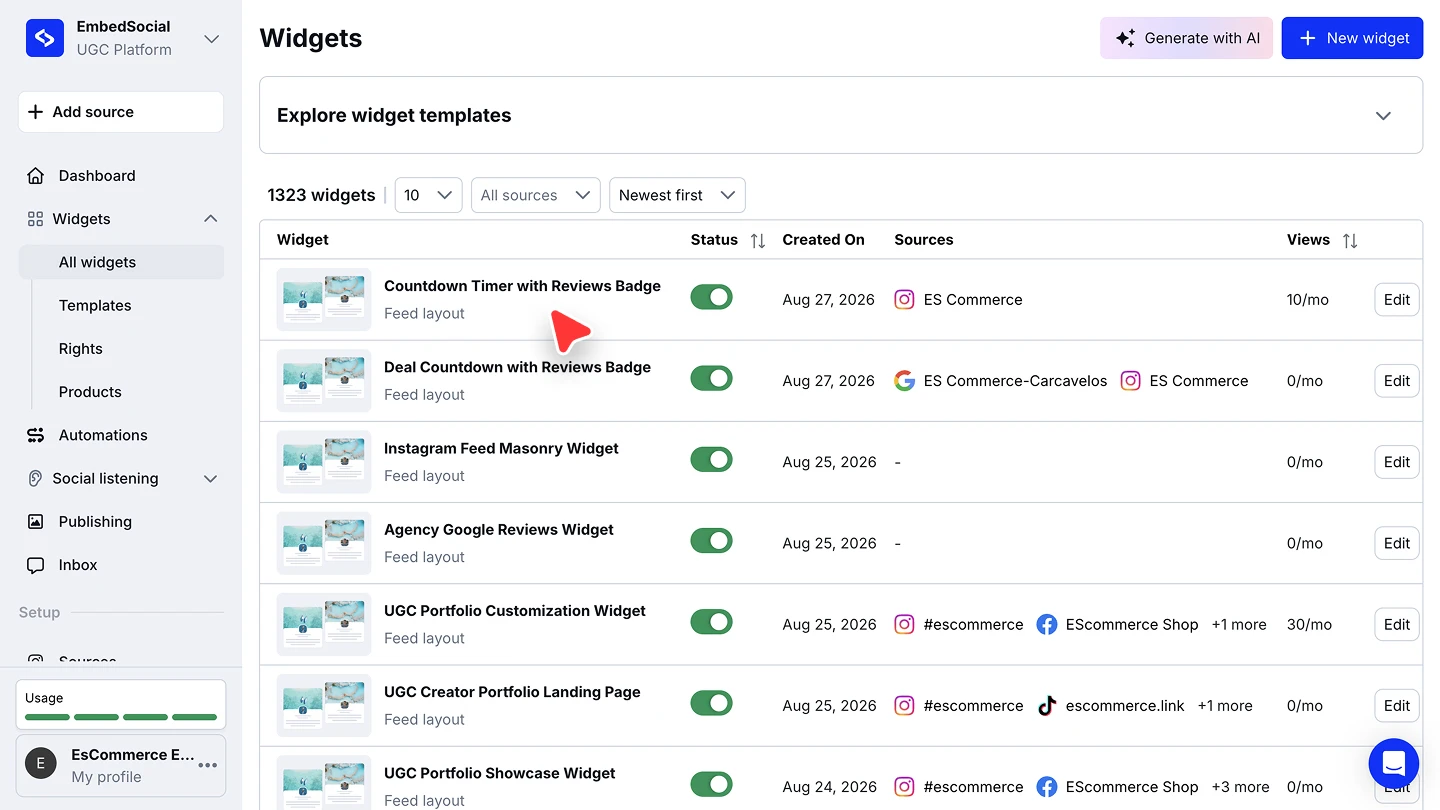
Create a widget. Go to the 'Widgets' section, click the '+ New widget' button, and pick the option 'Generate with AI'.
Type your prompt. Select your source, describe exactly what you need, and click 'Generate'. For example: "Create a widget with soft floating cards that gently rise on hover. Use muted pastel colors and minimal shadows."
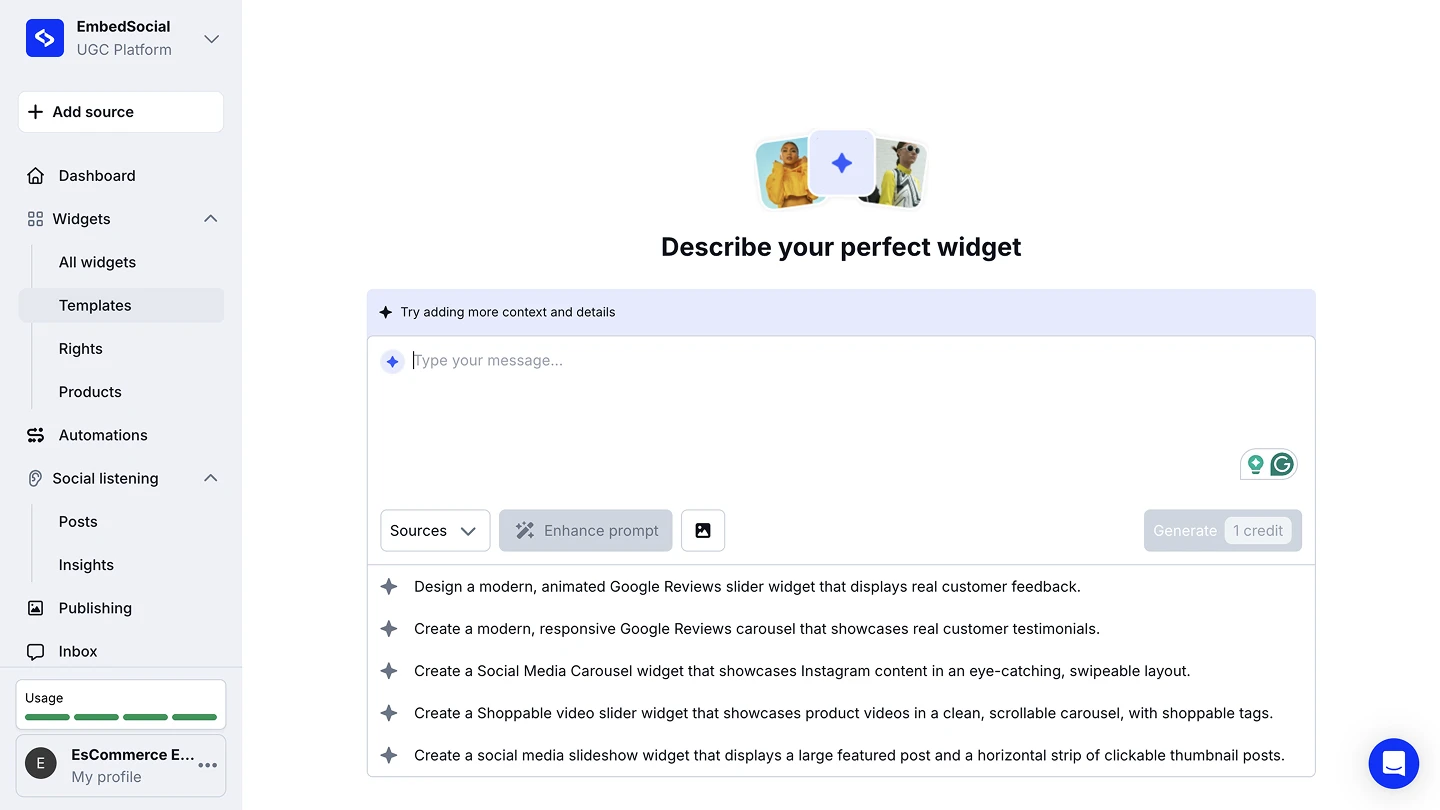
Enhance your prompt (optional, recommended). Click the 'Enhance' button next to the prompt input to let the AI expand your simple prompt into a detailed set of instructions. You can review, edit, or remove specific parts before generating.
Apply your Brand Theme (optional). The AI editor detects the brand colors from your website and asks in the chat if you would like to apply them. Confirm to subtly apply your brand colors across the widget, or skip this step to keep the default template colors.
Improve the design. To change something in the first generated widget, type a new prompt. You can be more specific and share more details for what you have imagined.
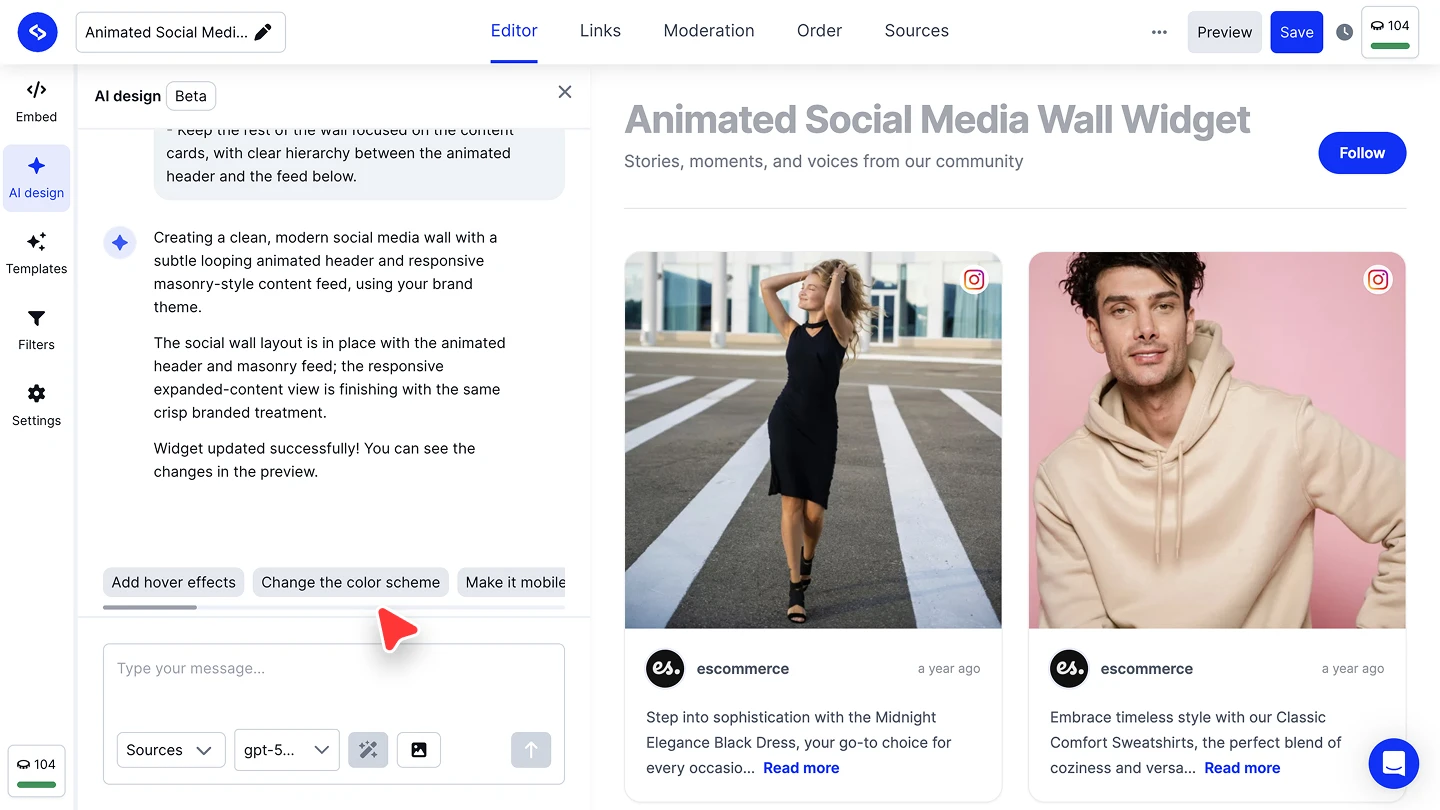


Do not refresh the page while the AI generates your widget. If you do, the widget will revert to the previous design.
Prefer to start from a template?
You can also create a widget by picking one of the ready-made templates and customizing it in the editor. Learn how to use and customize widget templates.
FAQ
Does this use my AI credits?
Yes, generating a widget uses AI credits. One AI action = One AI credit.
Can I still change the widget after the AI builds it?
Absolutely. Once the AI generates your widget, you can write a new prompt and send it.
Can I create multiple widgets from different sources?
Yes, you can create multiple widgets inside your account, each from a different source or from a combination of sources.
What happens if I get an error while generating?
If you see an "Unable to generate HTML" error, a Retry button will appear directly in the chat. Click it to resend your prompt with a single click.
What's next
Your widget is ready. Time to put it live: Embed your widget on your website.
If you have any questions, click the bottom right chat icon to talk with our customer success team or send us an email at support@embedsocial.com We're here for you 🙏