Widget analytics reports how the widgets on your site actually perform: how often they are seen, what visitors click, and the click-through rate that follows.
Analytics is off by default and is enabled per widget. Once on, an 'Analytics' tab appears in that widget's top menu. Analytics is available from the Pro plan.
How to enable analytics for a widget
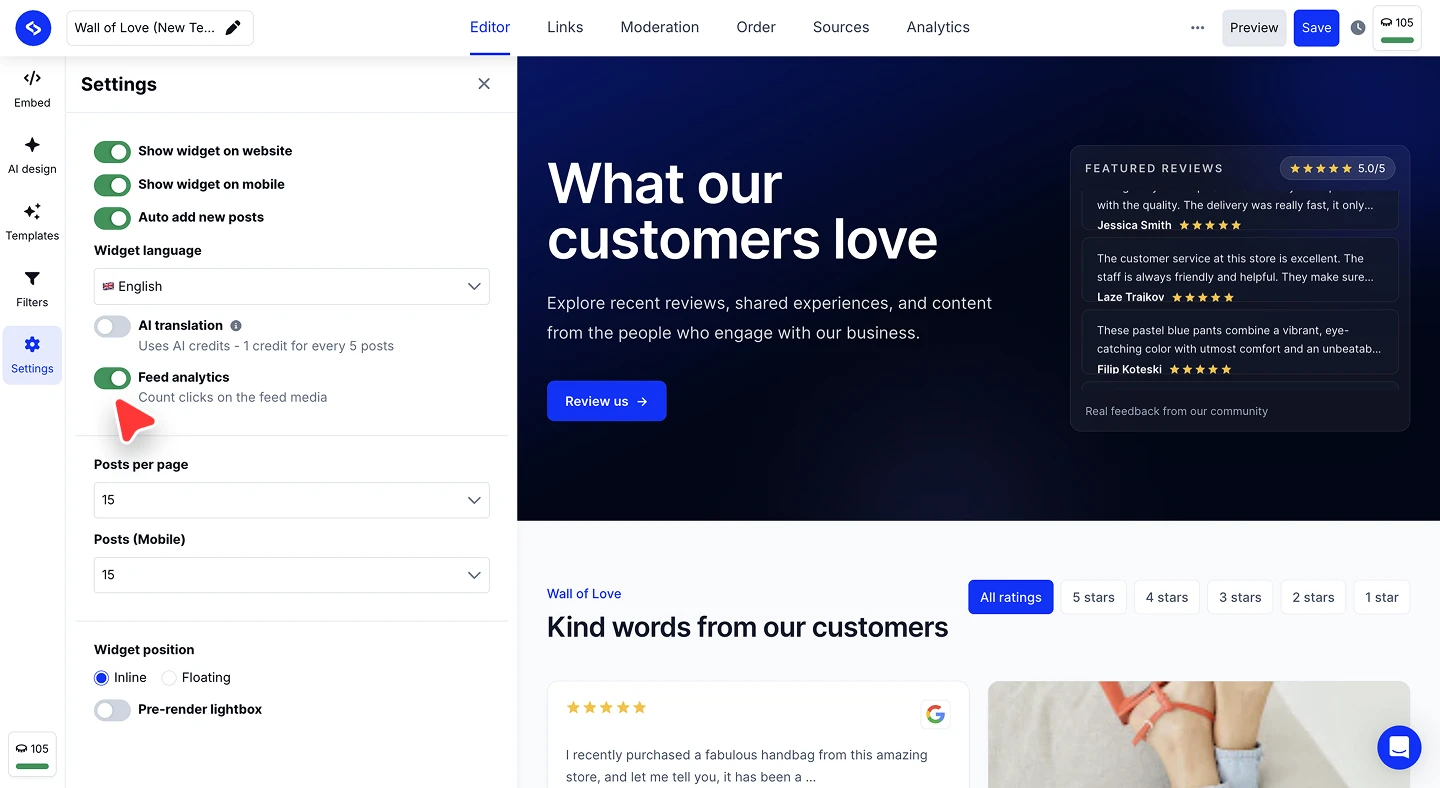
Open the widget settings. In the widget editor, click 'Settings' in the left rail.
Turn on Feed analytics. Enable 'Feed analytics', described as "Count clicks on the feed media". The 'Analytics' tab appears in the top menu straight away.
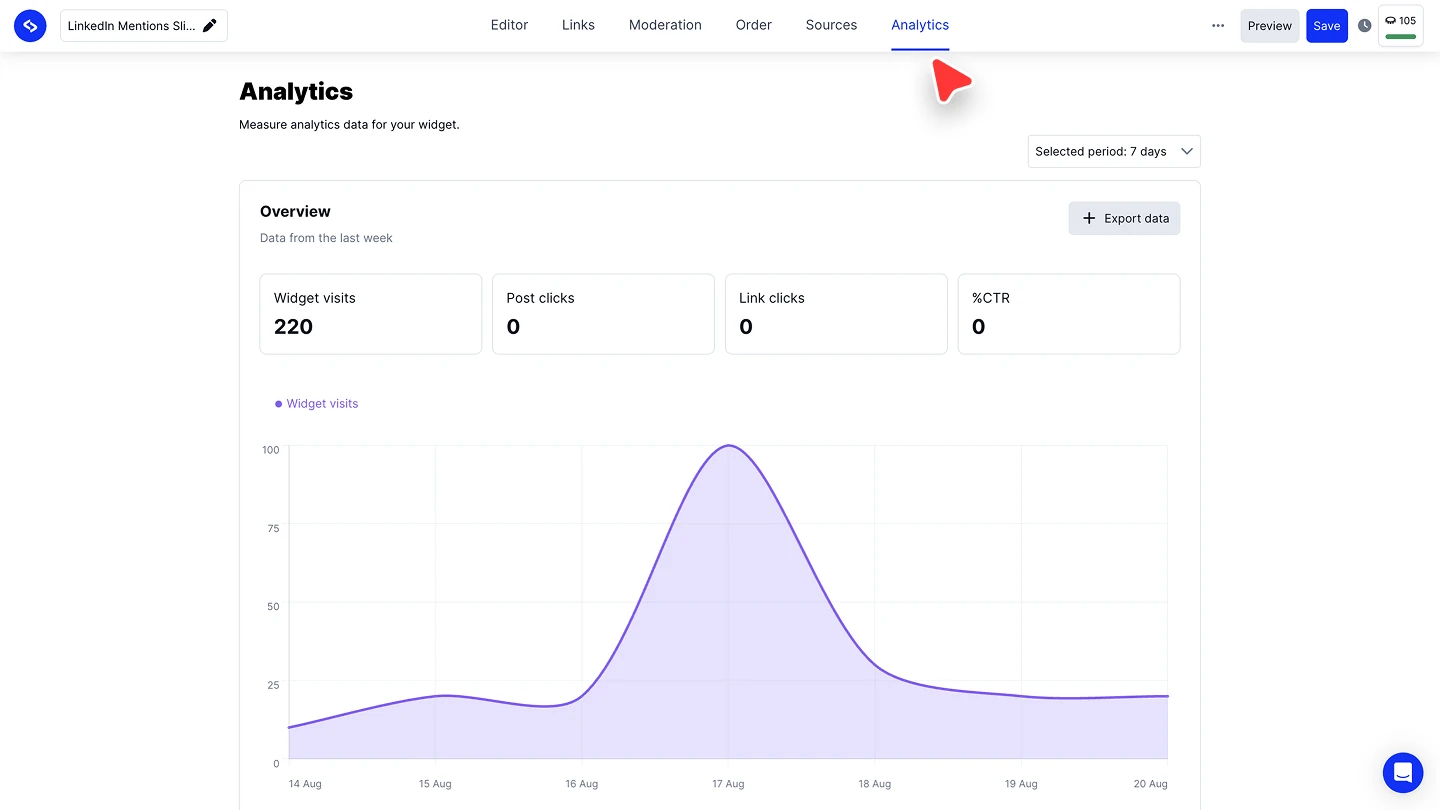
Open the Analytics tab. Click 'Analytics' in the top menu to see the report for that widget.


Feed analytics is a per-widget setting, so a widget you never switched it on for reports nothing. Turn it on for each widget you want measured.
What the report shows
The 'Overview' block reports four metrics for the selected period:
- Widget visits are the times the widget was loaded and seen
- Post clicks are clicks on the posts inside the feed
- Link clicks are clicks on links out of the widget
- %CTR is the click-through rate across those interactions
Use the period dropdown in the top right to change the range, and the chart below the tiles to see how visits moved day by day.
Exporting the data
Click 'Export data' in the 'Overview' block to download the report for the selected period, for sharing or for combining with your other analytics.
Want the full picture across your listening data too?
FAQ
Why is there no Analytics tab on my widget?
Feed analytics is off. Open 'Settings' in the widget editor and turn on 'Feed analytics'.
Which plan do I need?
Analytics is available from the Pro plan.
Do I have to enable it on every widget?
Yes. Feed analytics is a per-widget setting, so each widget you want measured needs it switched on.
Can I get the numbers out of EmbedSocial?
Yes. 'Export data' downloads the report for whatever period is selected.
What's next
Analytics tells you what visitors did. To change what they see, adjust the design in AI design or narrow the content with Filters.
Export widget engagement metrics into Google Sheets →
If you have any questions, click the bottom right chat icon to talk with our customer success team or send us an email at support@embedsocial.com We're here for you 🙏