Amazing update for Instagram enthusiasts! Managing multiple accounts just got easier! With EmbedSocial, you can now schedule your posts effortlessly across all your accounts. Stay tuned for a quick guide on how to streamline your Instagram scheduling with EmbedSocial. Get ready to level up your Instagram! 🚀
In this tutorial, we will show you how to do just that, to schedule your posts on multiple Instagram accounts, through the post scheduling option in EmbedSocial. Social media scheduling is available from the Pro plan.
If you still don't have an EmbedSocial account, click to start a 7-day trial.
TL;DR - Quick guide:
- Navigate to the 'Publishing' tab
- Click 'Create post'
- Select the Instagram accounts where you would like to publish the post
- Add the post description
- Publish it now or schedule it for later
For more details with screenshots, follow the steps below:
How to create a new post for Instagram
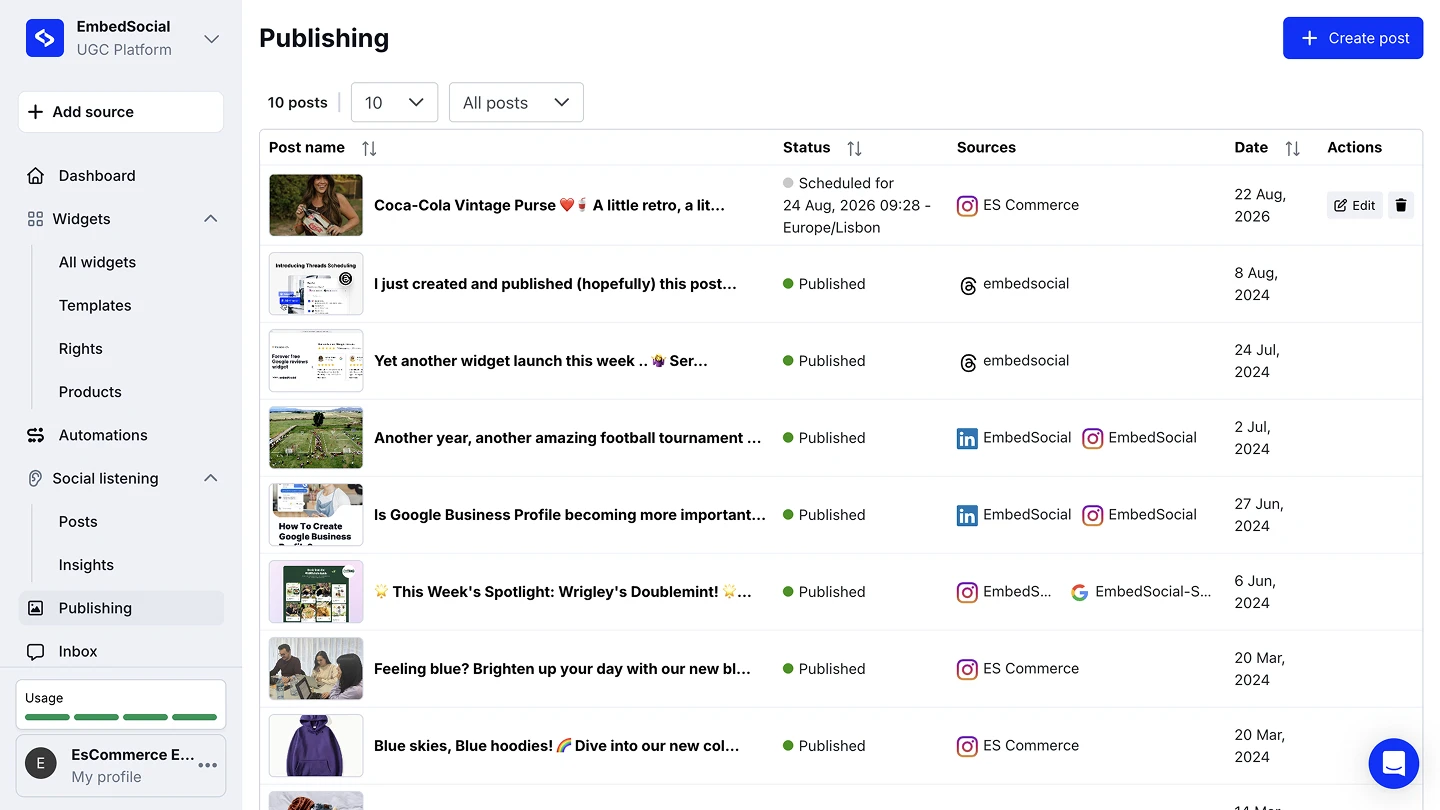
Open Publishing. Navigate to the 'Publishing' tab in the left menu, then click '+ Create post'.
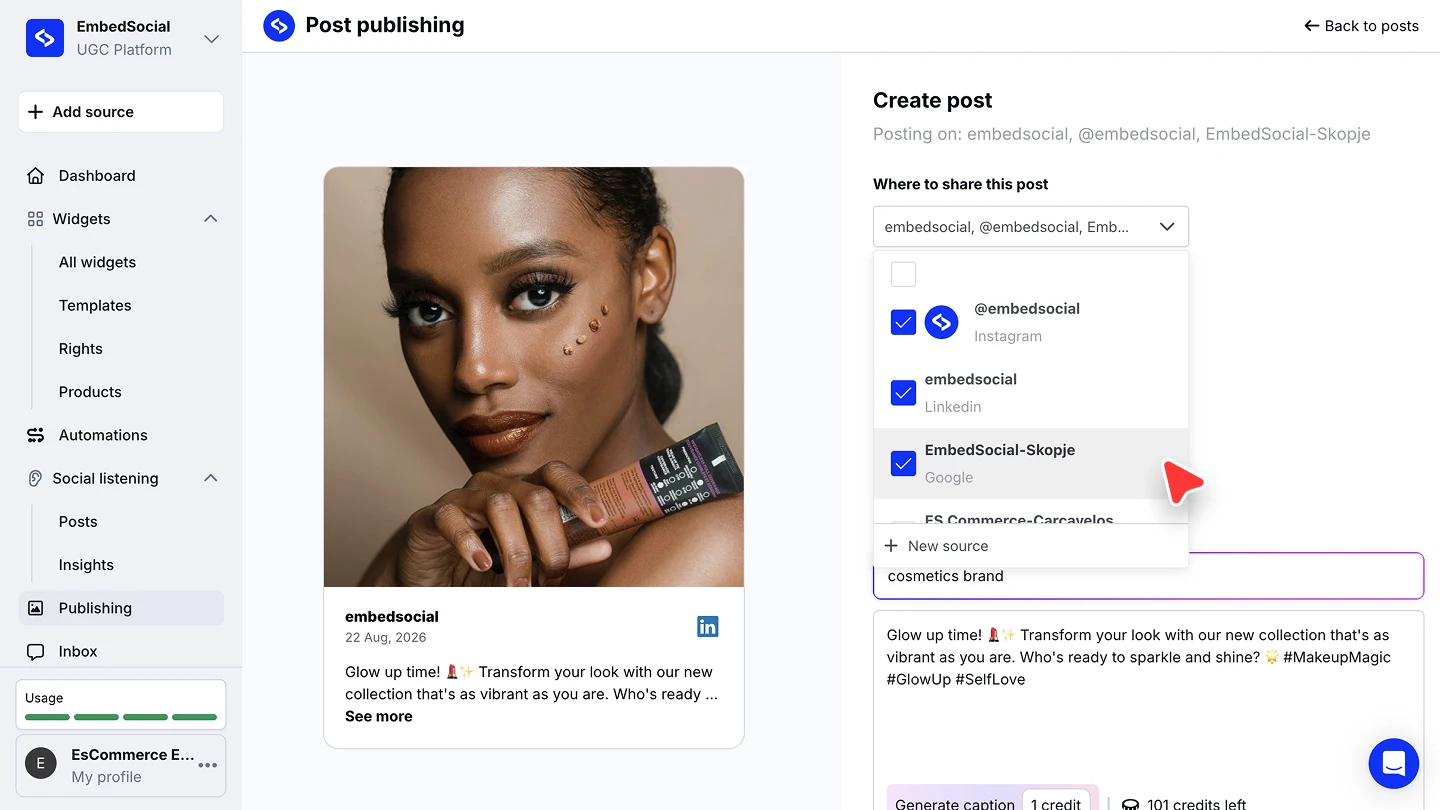
Choose your Instagram accounts. Under 'Where to share this post', tick every connected Instagram account the post should be published to. '+ New source' connects another account without leaving the composer.
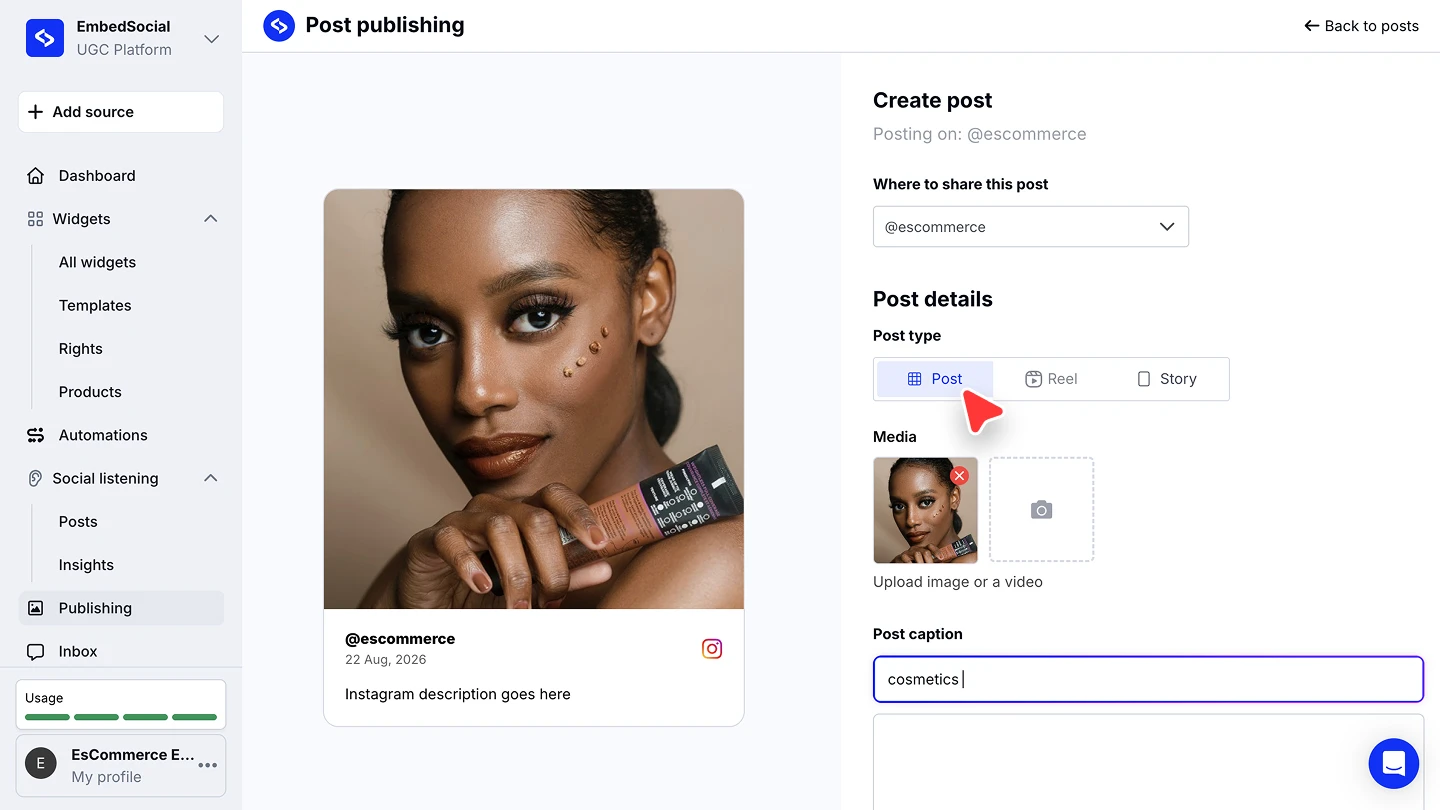
Pick the post type. Choose 'Post', 'Reel', or 'Story' under 'Post type'.
Add the media and caption. Upload an image or a video under 'Media', then write the caption. You can generate your caption with the assistance of AI as well: describe the post in the 'Post caption' field and click 'Generate caption'. It costs 1 AI credit, and you can edit the result.
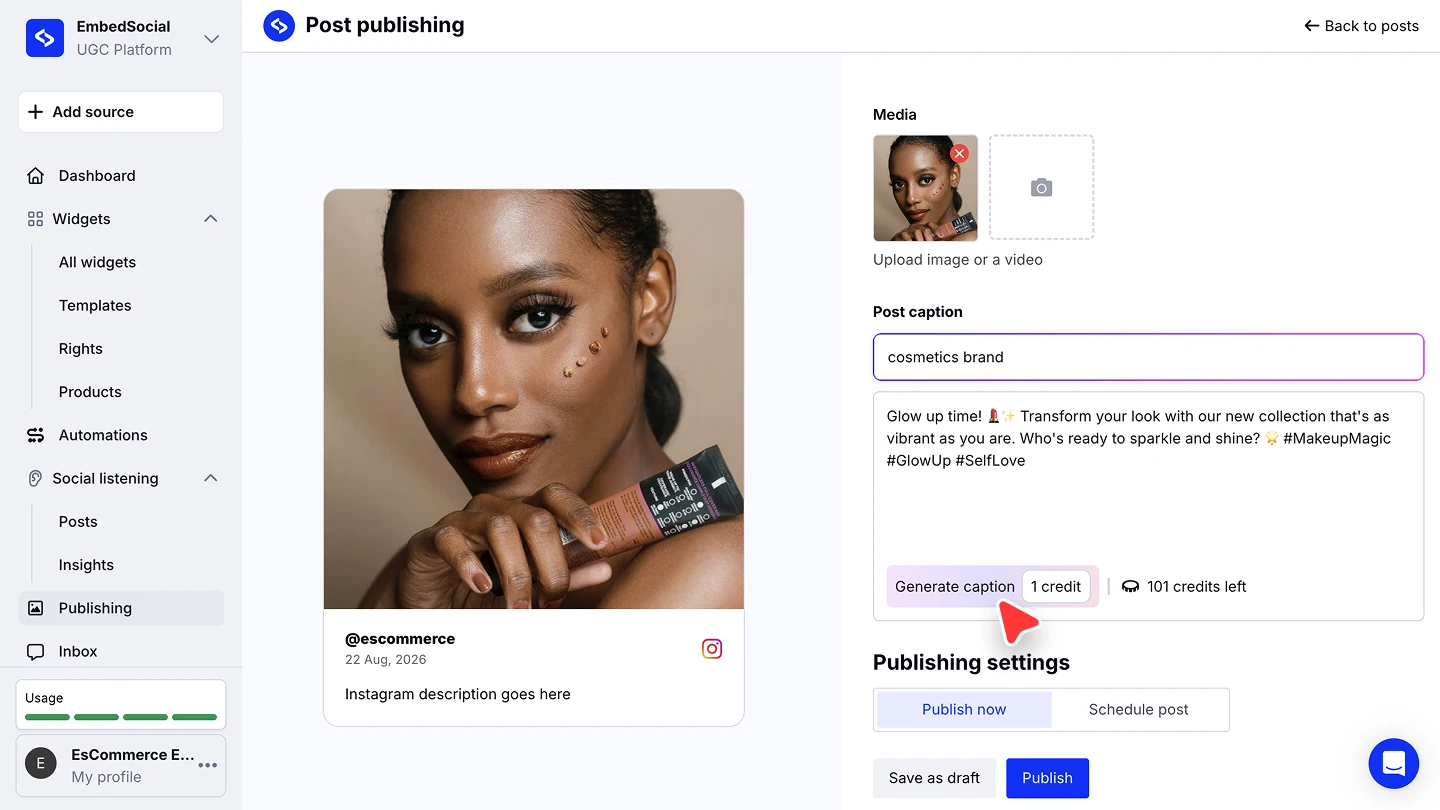
Publish or schedule. Under 'Publishing settings', pick 'Publish now' and click 'Publish', or pick 'Schedule post', choose the date and time, and click 'Schedule'.
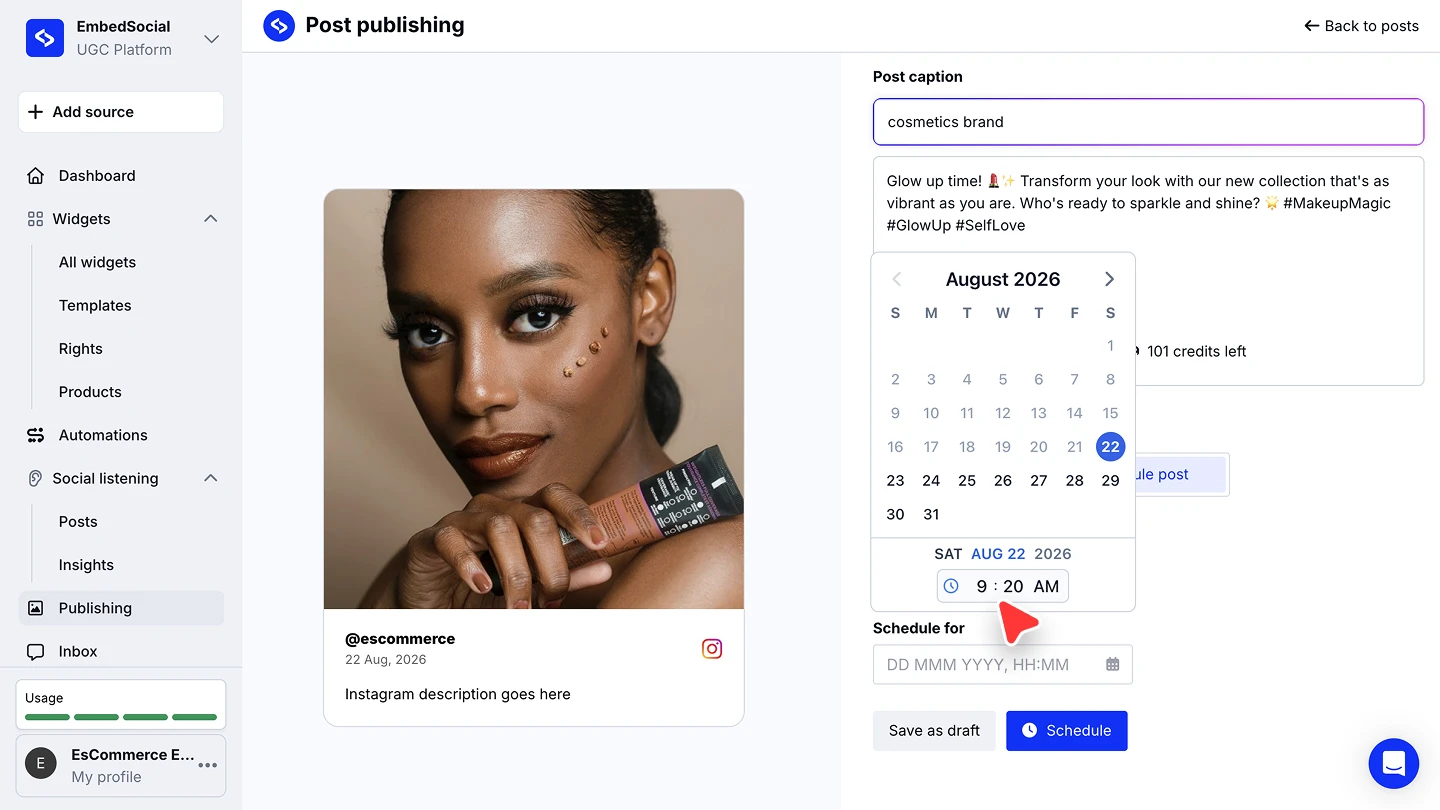


That's it! The post will be posted on the selected Instagram accounts on the selected date and time!
How to connect your Instagram account from scratch?
You still haven't connected your Instagram account to your EmbedSocial account? Feel free to follow the steps in this article in order to connect your account.
Happy scheduling! 📆🚀
If you have any questions, click the bottom right chat icon to talk with our customer success team or send us an email at support@embedsocial.com We're here for you 🙏