Asking via Instagram DM sends your rights request as a private direct message instead of a public comment. It keeps the conversation out of the post's thread, which suits brand accounts that prefer to negotiate quietly or creators who rarely read their comments.
Requests are sent from 'Rights' under 'Widgets' in the left menu, from the same panel as comment requests: the only difference is the request type you pick. Rights management is available on the Premium plan and higher.
Before you start, connect the hashtag or mention source that brings the posts in. See How to request rights on your Instagram posts for the full setup, including the Chrome extension.
How to request rights with a direct message
Open Rights. Click 'Rights' in the left menu. The 'Rights media' tab lists your collected posts with their rights status.
Pick the post. Find the post you want to use and click 'Request rights' in its row.
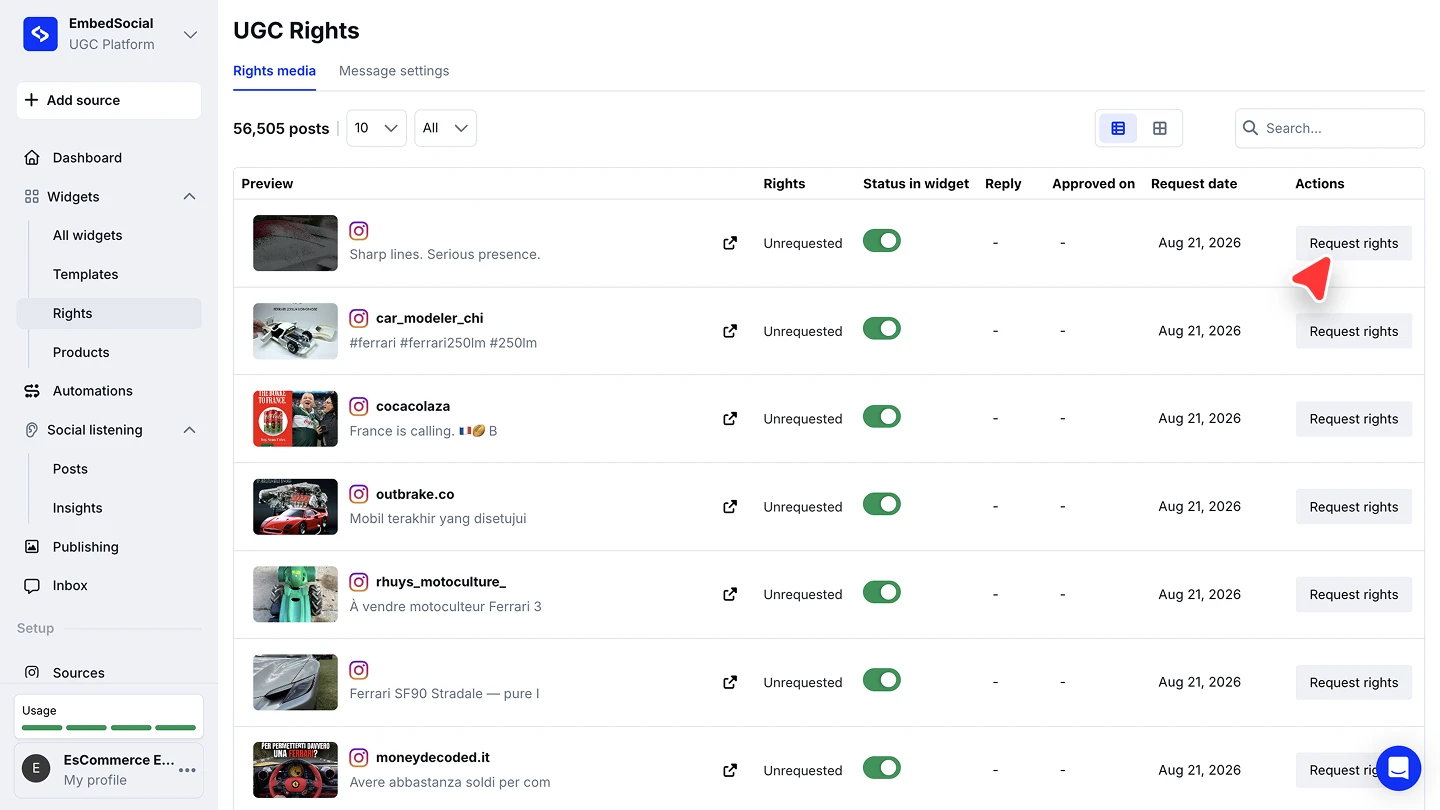
Choose the account. Pick the Instagram account the request should come from, and make sure you are logged into that same account on Instagram.
Set the request type to Send direct message. Open the 'Request type' dropdown and pick 'Send direct message'.
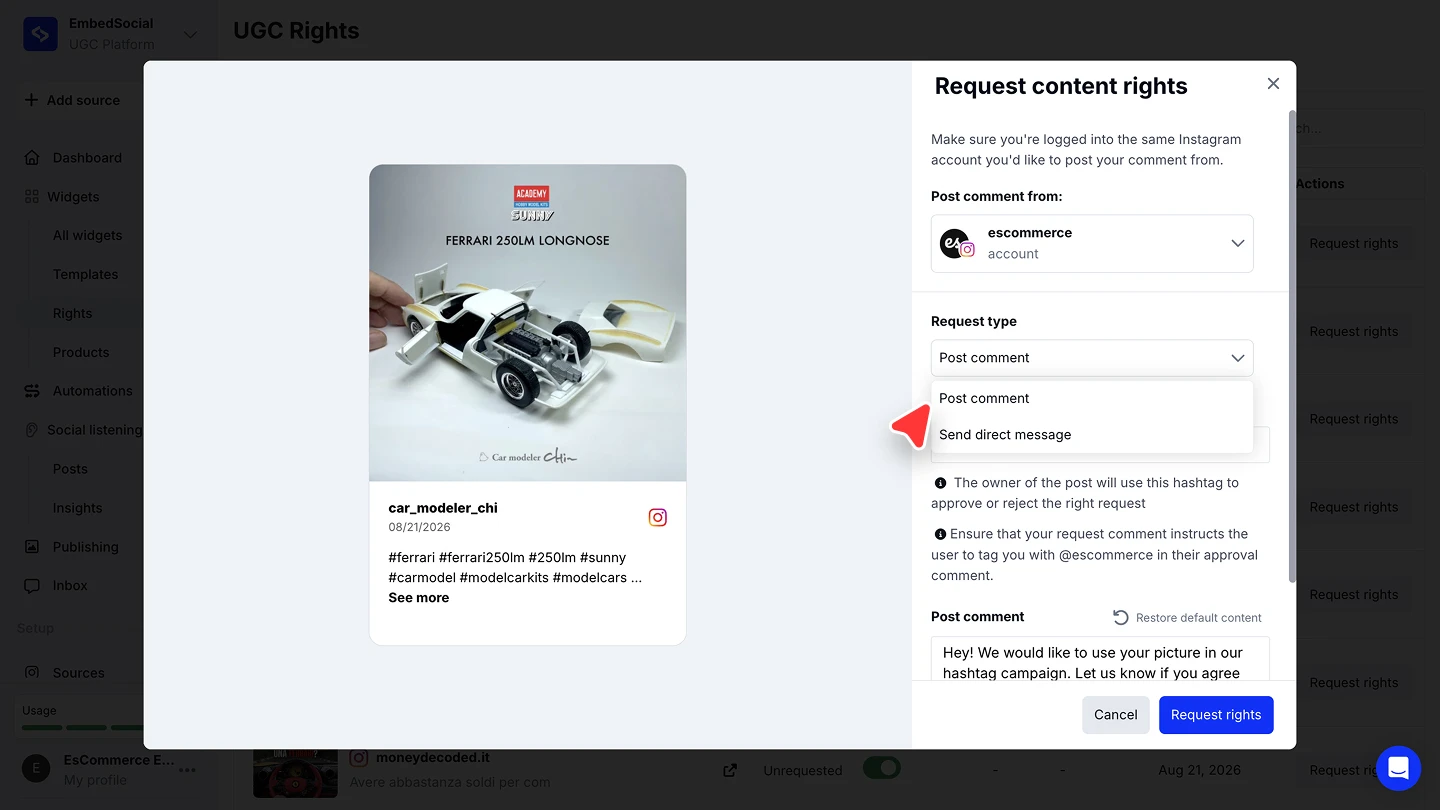
Edit the message and send. Adjust the pre-filled request text if you want, then click 'Request rights'.


A DM can land in the creator's message requests folder if your account does not follow them, so allow more time for a reply than a public comment would need.
Tracking the approval
The 'Rights media' list carries the whole lifecycle regardless of how you asked: the 'Rights' column moves from 'Unrequested' once you send, the 'Reply' and 'Approved on' columns fill when the creator responds, and 'Request date' records when you asked. Approved posts can then flow into widgets automatically through the 'Only posts that have approved rights' filter.
Ready to collect content you can actually use?
FAQ
Which plan do I need?
Rights management is available on the Premium plan and higher.
When should I use a DM instead of a comment?
When you want the exchange private, or when the creator is unlikely to notice a comment. The public comment route is covered in Ask via Instagram comment.
Which account sends the message?
The Instagram account you pick in the request panel. Log into that same account on Instagram before sending.
Can I change the message text?
Yes. Edit it in the panel before sending, or click 'Restore default content' to bring back the standard text. Default texts live under the 'Message settings' tab.
Where do I see the creator's answer?
In the 'Rights media' list: the 'Reply' and 'Approved on' columns fill when they respond.
What's next
Once approvals come in, show only posts with an approval on record using the 'Only posts that have approved rights' filter. See Filters.
If you have any questions, click the bottom right chat icon to talk with our customer success team or send us an email at support@embedsocial.com We're here for you 🙏