NewAnnouncing New source: LinkedIn Mentions
View as Markdown

Pinterest

Connect a Pinterest account as a source in EmbedSocial and import its pins.

A Pinterest source pulls the pins from a Pinterest account into EmbedSocial, so you can display them in a widget on your website.

Connecting takes two stages: pick 'Accounts' as the source type, then sign in to Pinterest and approve access. EmbedSocial imports your media once the connection completes.

How to connect a Pinterest source

  1. Open the source picker. Click '+ Add source' in the left menu.
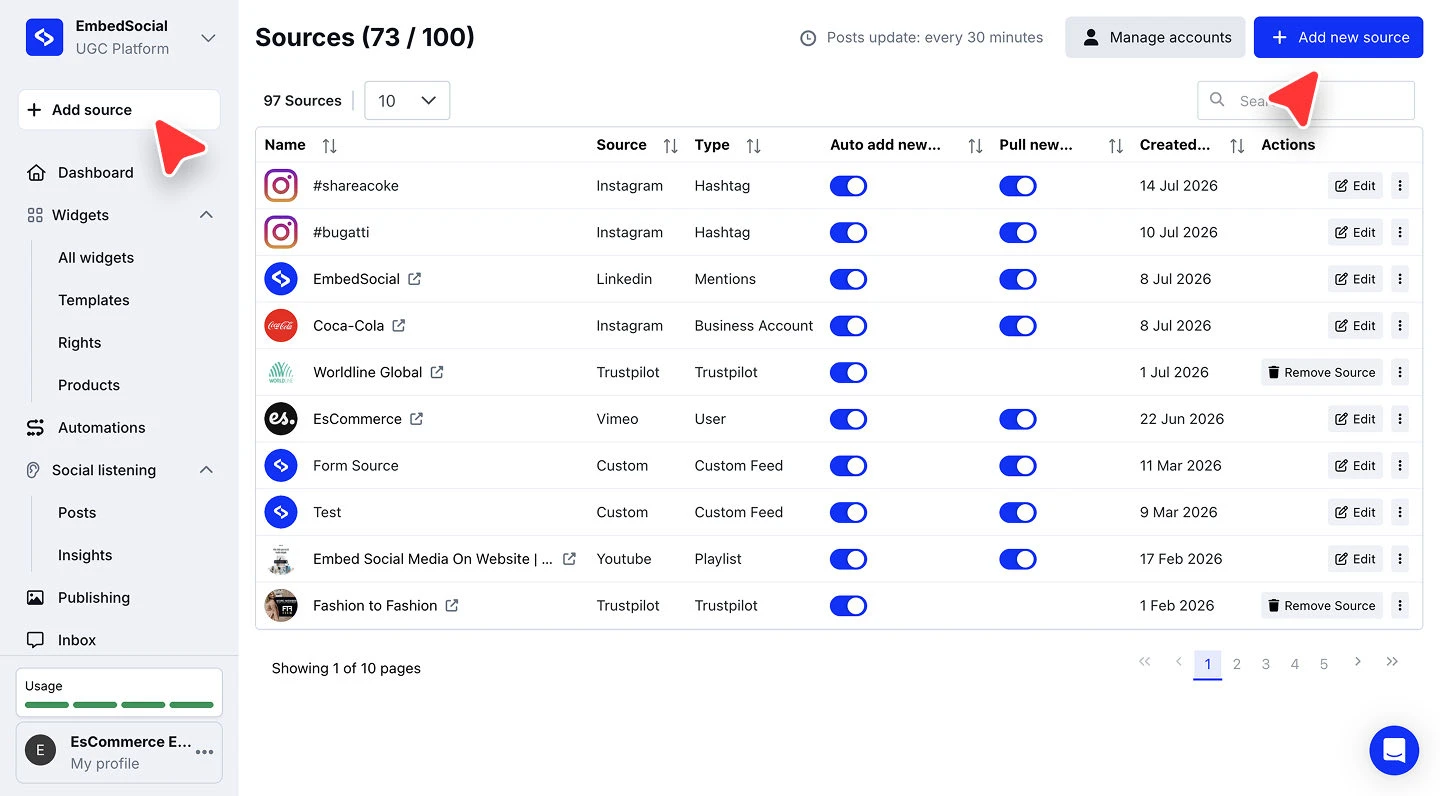
    The EmbedSocial dashboard with the Add source button in the left menu
  2. Choose Pinterest. Under 'or connect single source', click 'Pinterest'.

  3. Pick the source type and connect. With 'Accounts' as the source type, click 'Connect with Pinterest' on the 'Configuration' step.
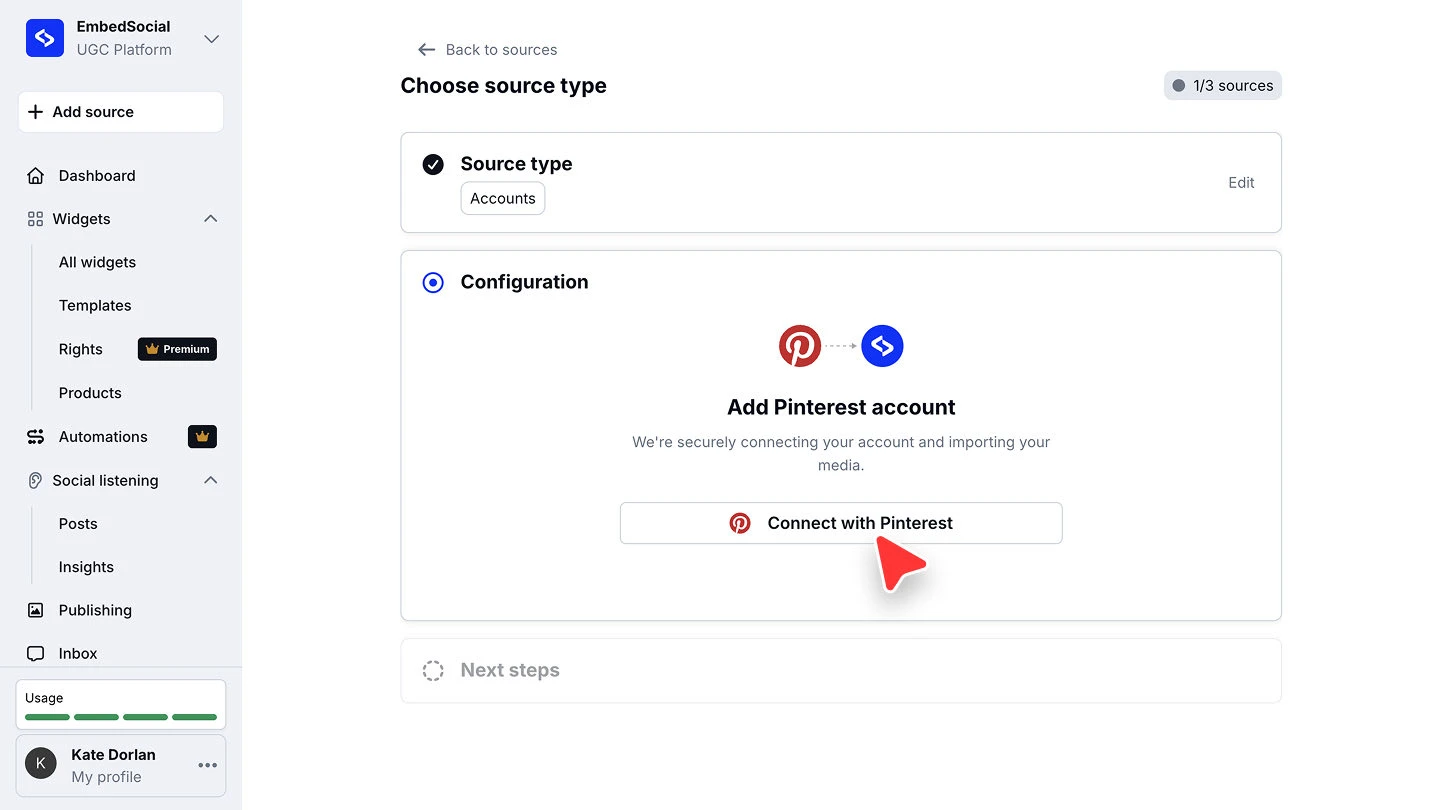
    The Configuration step showing Add Pinterest account and the Connect with Pinterest button
  4. Approve the permissions. Sign in to Pinterest and approve the access EmbedSocial asks for. Your pins start importing once you are back.
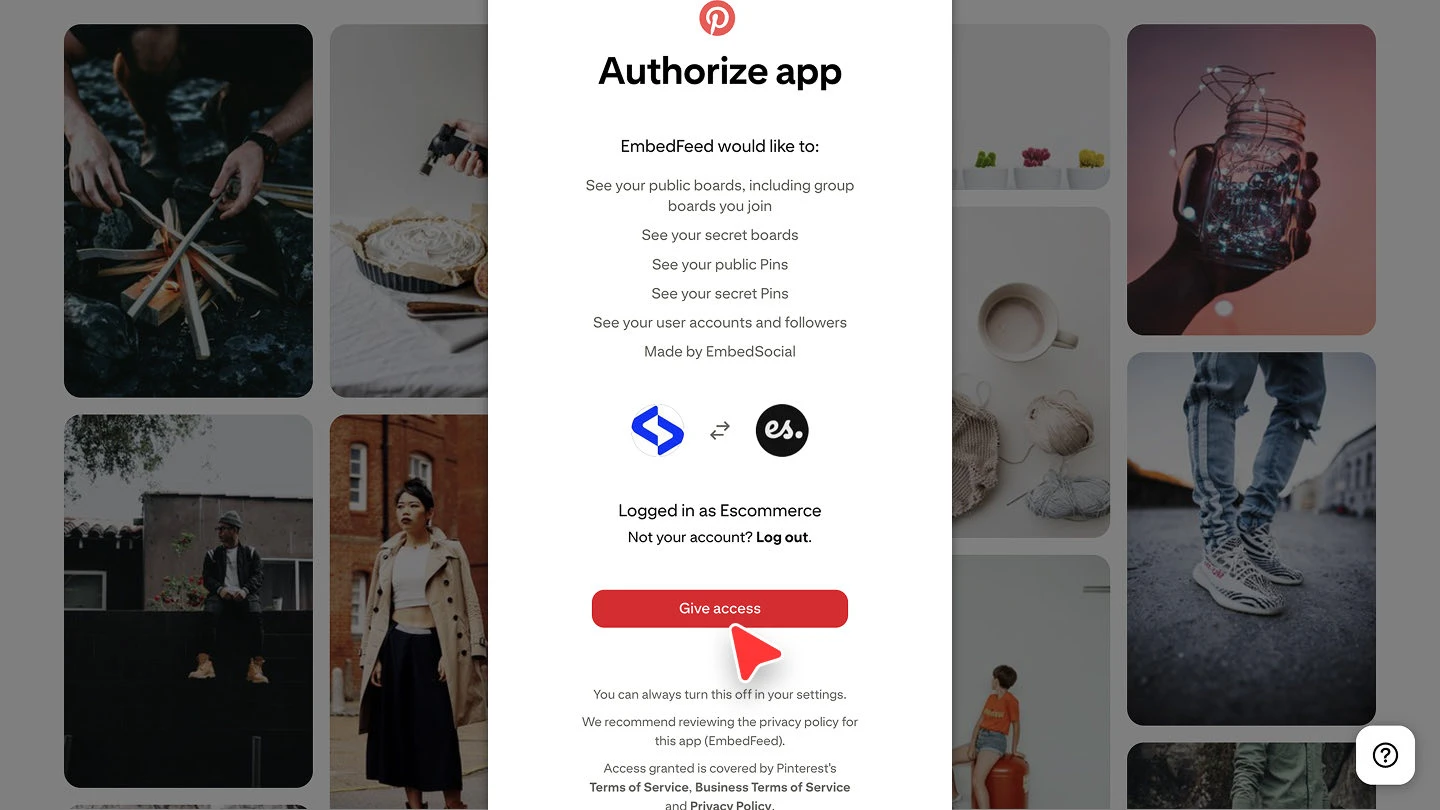
    The Pinterest permission screen shown while connecting the account
The header shows how many sources you have used against your plan's limit, for example '1/3 sources'. Check it before connecting if you are close to the cap.

Ready to put your pins on your site? See what the Pinterest widget can do or start your free trial.

FAQ

What does a Pinterest source import?

It connects your Pinterest account and imports its media, so your pins are available to display in a widget.

Can I connect more than one Pinterest account?

Yes. Run through '+ Add source' again for each account. Every connected account counts as one source against your plan's source limit.

Why did the import not start?

The connection only completes once you approve the permissions on the Pinterest screen. If you closed it early, run through '+ Add source' again and finish the approval step.

Do I have to build a widget straight away?

No. The source keeps collecting pins either way, and you can create a widget later from 'Widgets'.

What's next

With the source connected, decide how its pins reach your site. See Source types for how sources feed your widgets.

If you have any questions, click the bottom right chat icon to talk with our customer success team or send us an email at support@embedsocial.com We're here for you 🙏

More in Social Media Aggregator

Sources

What counts as a source in EmbedSocial, and how many sources each plan includes.

Feeds

What a feed is in EmbedSocial, how it relates to a source, and how many you can create.

Auto-sync

How often EmbedSocial refreshes your connected sources, and what changes that timing.

Add a Facebook Page

Here is how you can add your Facebook page in EmbedSocial, and display the posts on your website

Source types

Every platform you can connect in EmbedSocial, what each one pulls, and the plan it needs.

Google

Connect a Google Business Profile as a source in EmbedSocial to pull its reviews or its GMB posts.

Instagram Account

Connect an Instagram account as a source in EmbedSocial and pull its posts into widgets or social listening.

Instagram Stories

Pull the stories from your connected Instagram business account into EmbedSocial.

Instagram Hashtags

Pull Instagram posts that use a specific hashtag into EmbedSocial.

Instagram Mentions

Pull the Instagram posts where your account is mentioned into EmbedSocial.

LinkedIn

Connect a LinkedIn company page as a source in EmbedSocial, either its own posts or the posts that mention it.

YouTube

Connect a YouTube channel, playlist, hashtag, videos, Shorts, or a live stream as a source in EmbedSocial.

Threads

Connect a Threads account, the posts that mention you, or a keyword as a source in EmbedSocial.

Google Reviews from Multiple Locations

Learn if you will be able to pull Google reviews from multiple Google locations in one EmbedSocial account

X (Twitter)

Connect an X (Twitter) account, hashtag, mentions, or keywords as a source in EmbedSocial.

TikTok Hashtag Posts

Learn more why TikTok hashtag posts are not available inside EmbedFeed

Can't find what you're looking for?

Our support team is here to help. Reach out and we'll get back to you within 24 hours.

Contact support