A combo widget pulls from more than one source at once. Instead of a separate widget per platform, one widget can show your Instagram posts, Facebook posts, and Google reviews together in a single wall, slider, or grid.
You do not create a special widget type for this. Any widget can become a combo widget: open it, and select every source you want it to show.
Before you start, connect at least two sources. See Sources for how source counting works and Source types for what each platform pulls.
How to combine sources in one widget
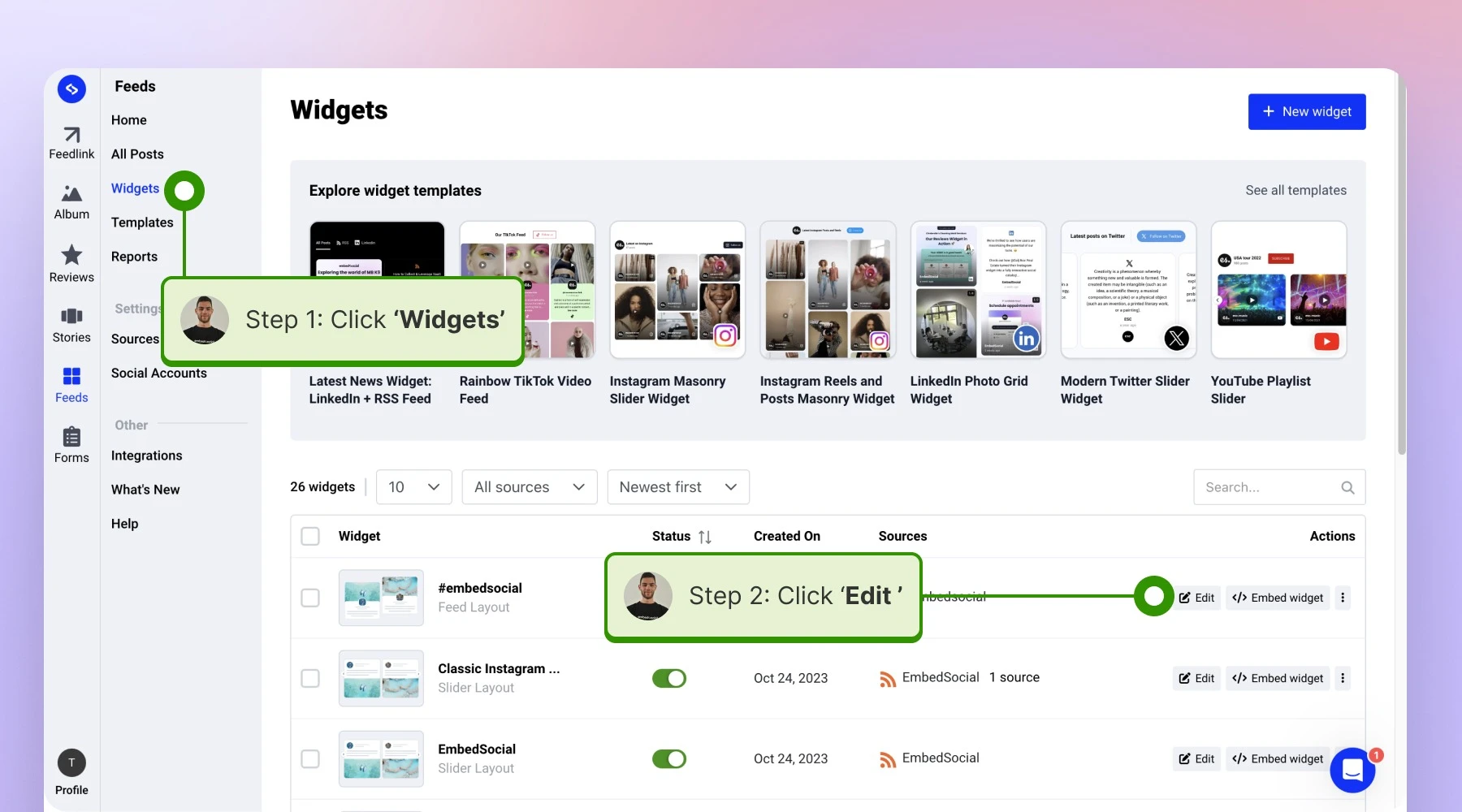
Open the widget. Click 'Widgets' in the left menu and click 'Edit' on the widget you want to combine sources in.
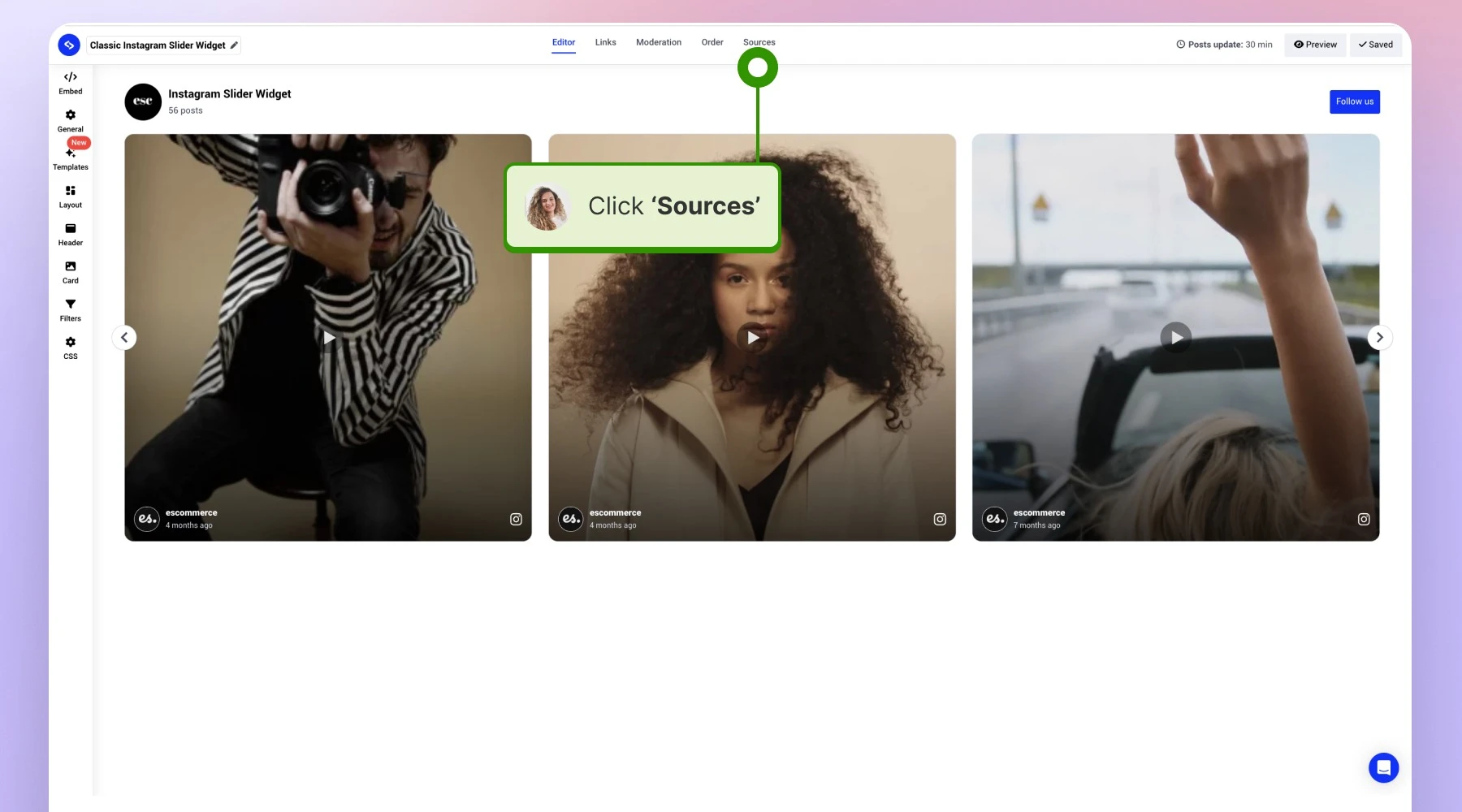
Open the Sources tab. Inside the widget, go to 'Sources'.
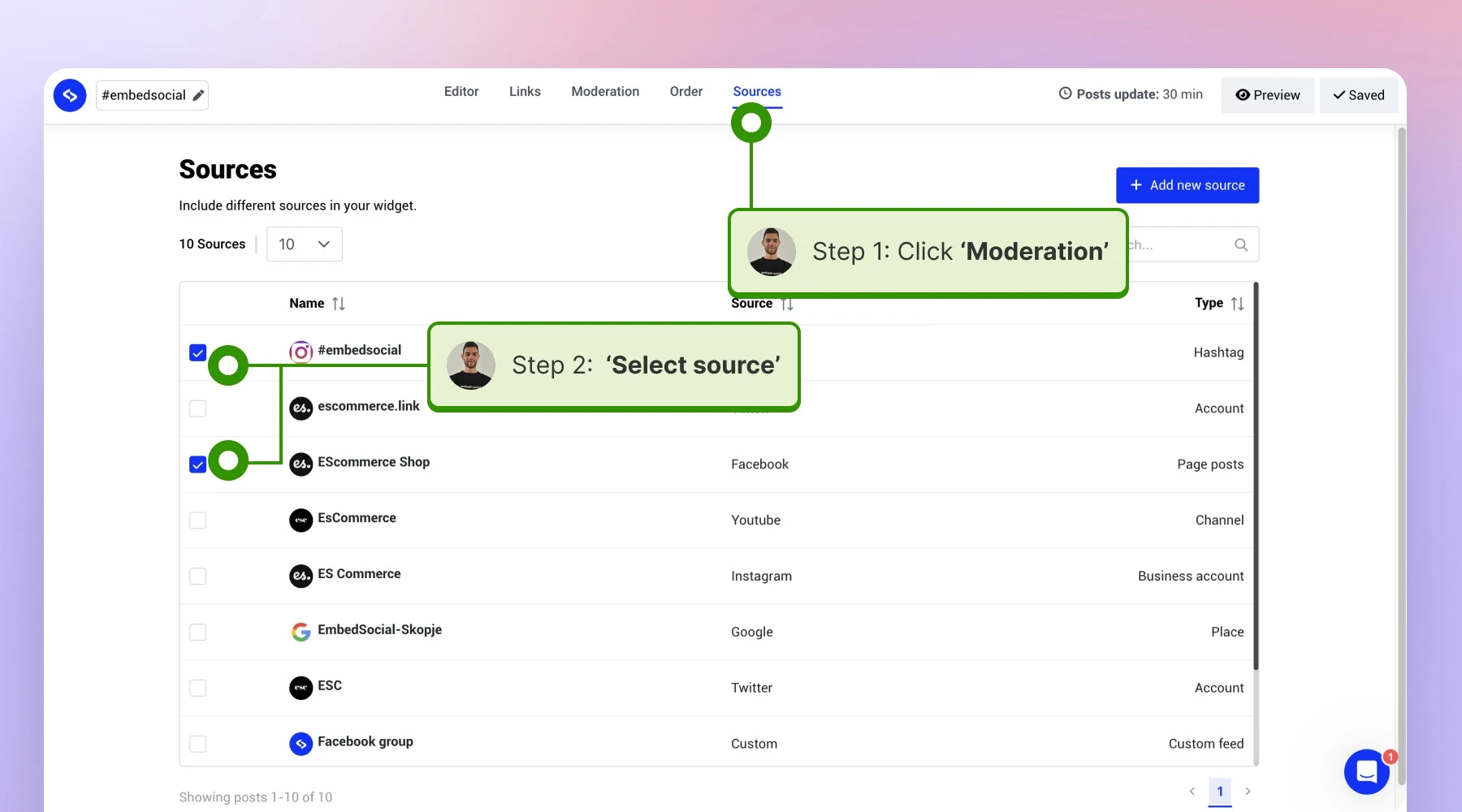
Select every source you want. Tick each connected account, location, or hashtag that should appear, along with the type of posts to include.


That is the whole change. The embed code stays the same, so a widget already live on your site starts showing the added sources without a re-embed.

What you can combine
Sources mix freely across content types, so posts and reviews can sit in the same widget:
- Posts from several social platforms, for example Instagram plus Facebook plus TikTok
- Reviews from several review sources, for example Google plus Facebook plus Trustpilot
- Reviews together with social posts, so reputation and personality appear side by side
- Several accounts on the same platform, for example three Google locations in one widget

Each source in the widget still counts as one source against your plan. The widget itself is free: widgets are unlimited on every plan.
Ready to build one? See what the social wall widget can do or start your free trial.
FAQ
How many sources can one widget combine?
As many as you have connected. Your plan caps the number of sources on the account, not how many of them a single widget uses.
Do I need to re-embed after adding a source to a widget?
No. The embed code never changes, so the new content appears on your live site automatically.
Can I combine reviews and social posts in the same widget?
Yes. Select the review sources and the social sources together in the 'Sources' tab.
Can I combine several locations of the same business?
Yes. Each Google location is its own source, and one widget can show all of them at once.
Does combining sources cost extra?
No. You pay for the number of connected sources. Combining them into one widget does not add to that count.
What's next
With the sources selected, review what each one brings in before it goes live. See Moderation, or Social feed wall for laying the mixed content out as a wall.
If you have any questions, click the bottom right chat icon to talk with our customer success team or send us an email at support@embedsocial.com We're here for you 🙏