The Instagram account source connects an Instagram account to EmbedSocial and automatically pulls its posts into your account. Once the posts are in, you can display them on your website with a widget or track and analyze them with social listening.
Instagram offers five source types, and this page is the starting point for all of them:
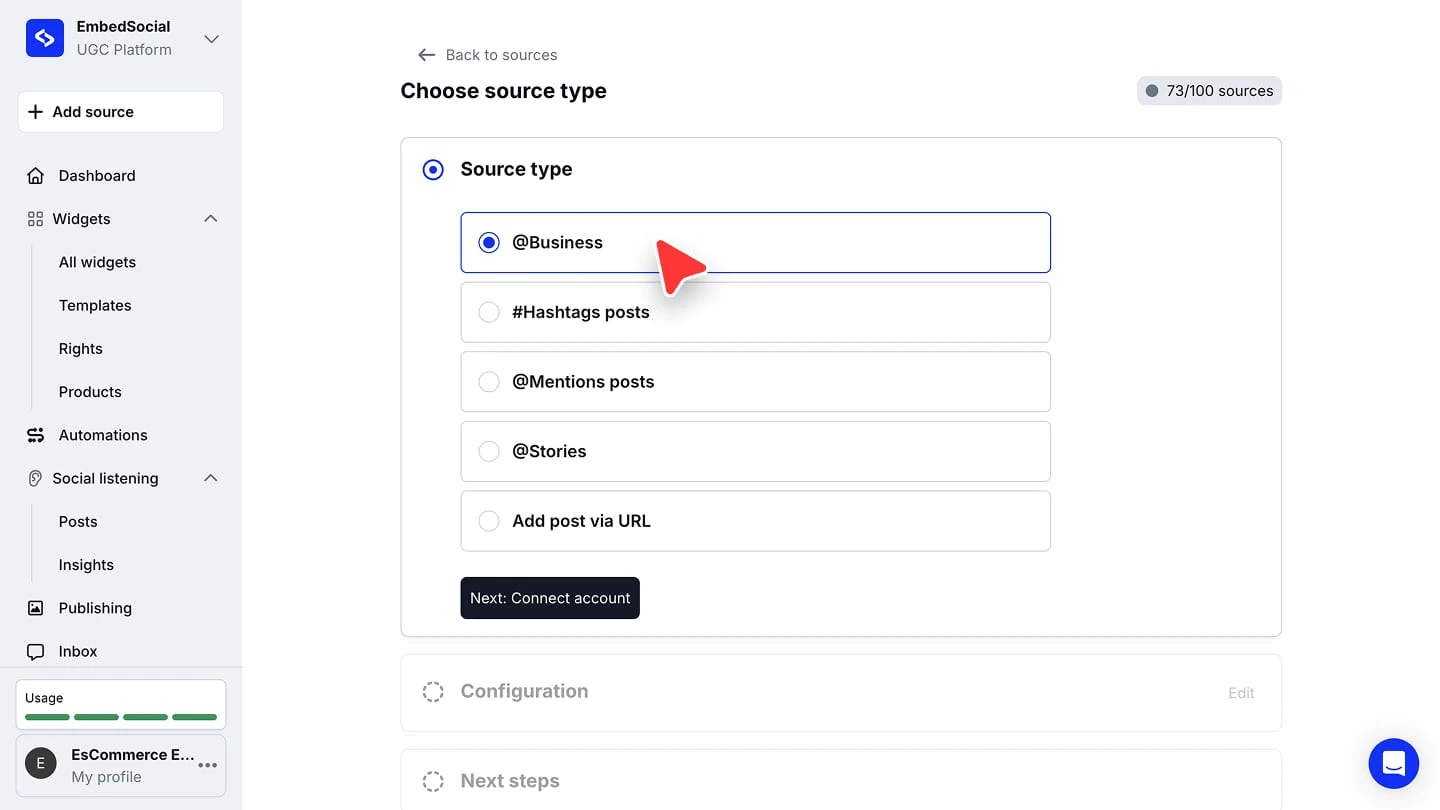
- @Business connects the account itself and pulls its posts, covered in the steps below
- #Hashtags posts pull the posts that use a hashtag you track
- @Mentions posts pull the posts your account is tagged in
- @Stories pull your account's stories
- Add post via URL pulls specific posts or Reels by their links, covered further down this page

If you still don't have an EmbedSocial account, click to start a 7-day trial.
How to connect an Instagram business account
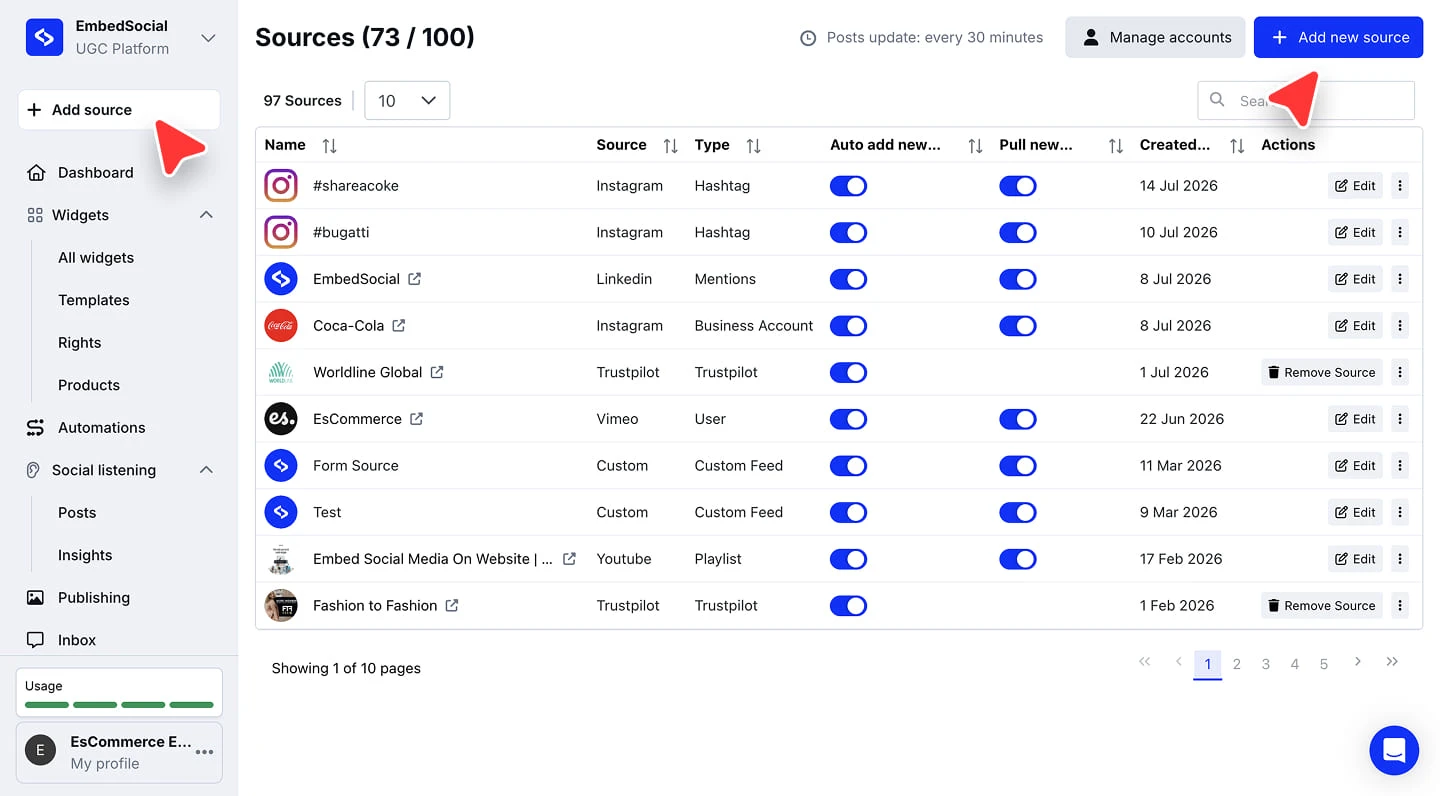
Add a new source. Log in to EmbedSocial and click '+ Add source' in the left menu, or go to 'Sources' and click '+ Add new source'.
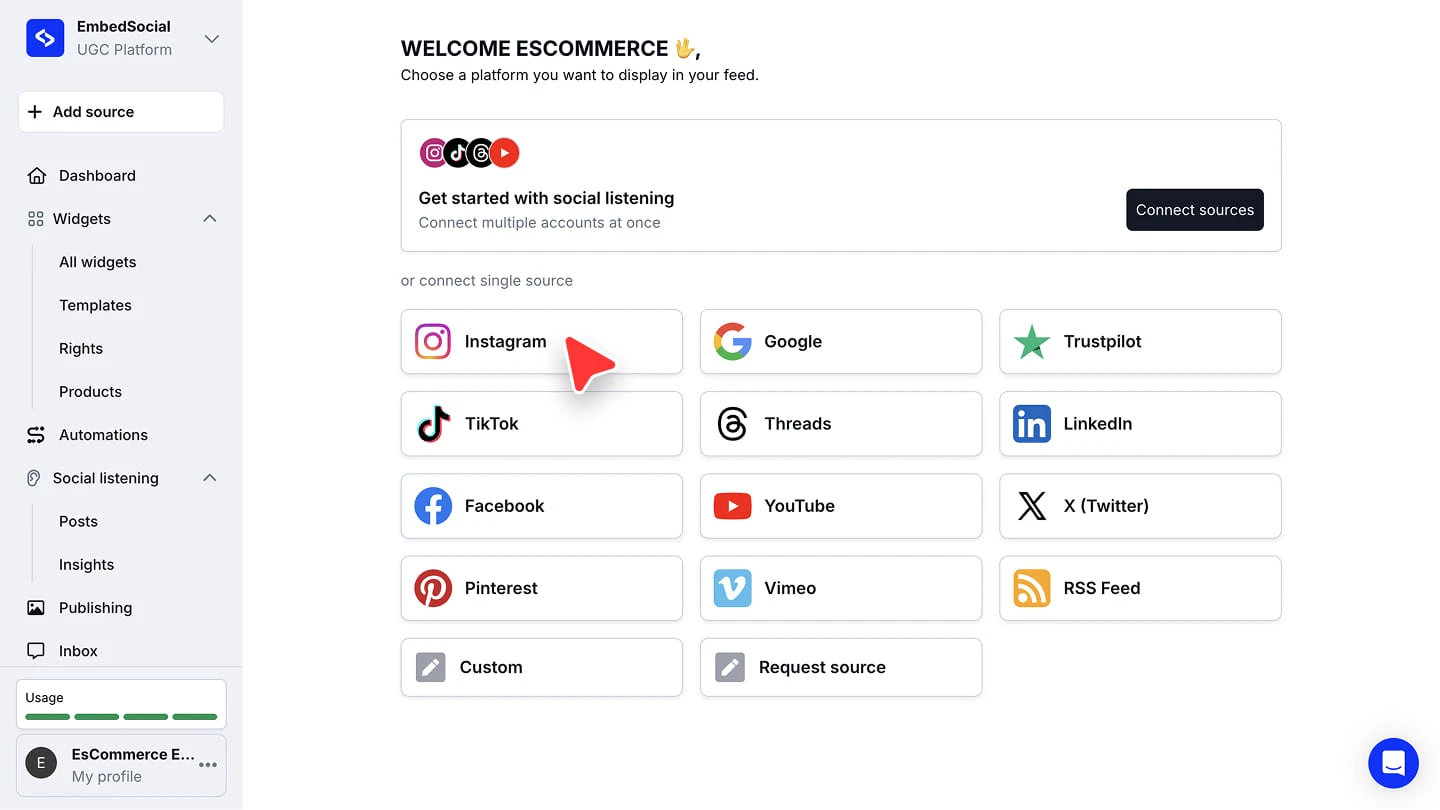
Choose Instagram. Pick 'Instagram' from the list of platforms.
Choose 'Business account' as the source type.
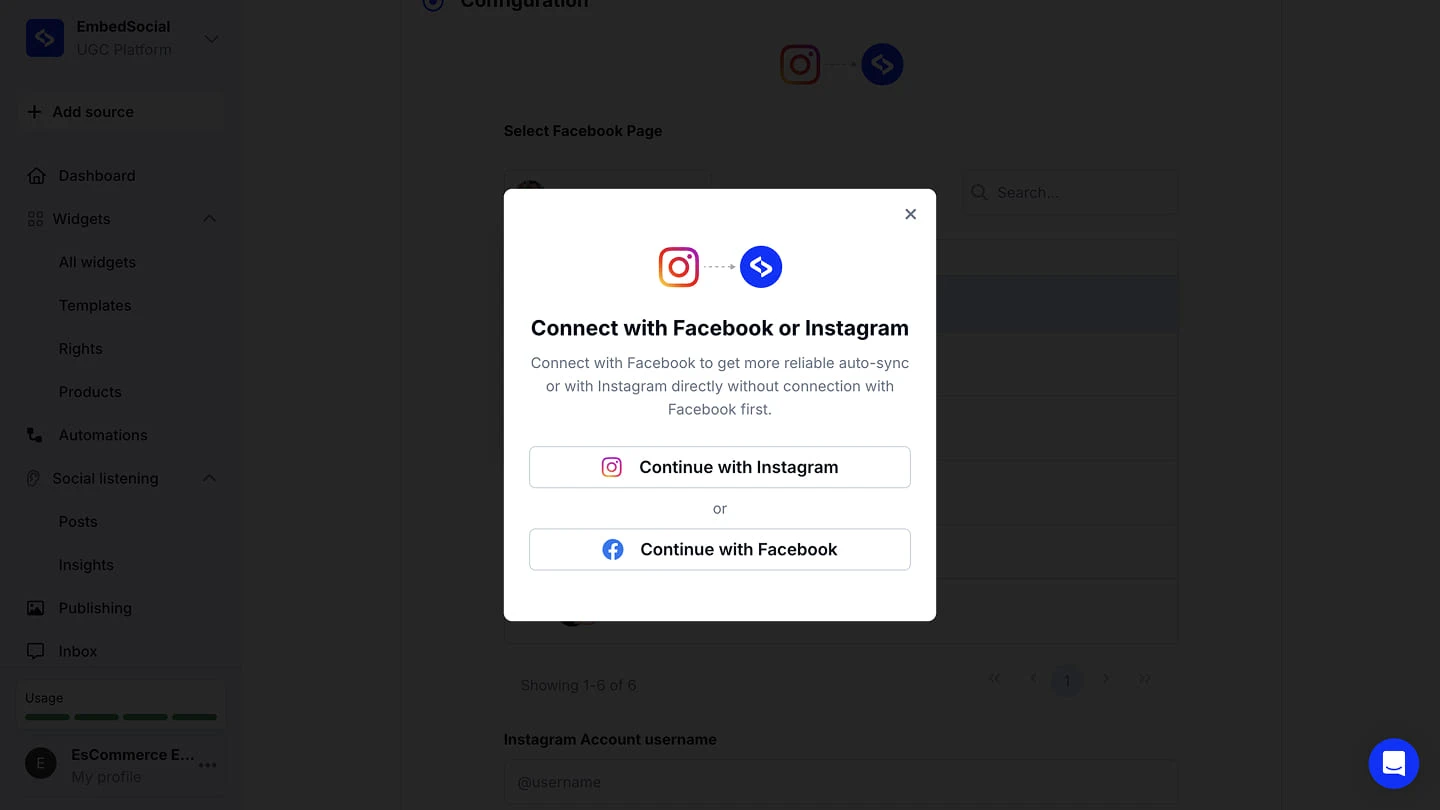
Connect your account and provide the permissions. Choose 'Continue with Facebook' for the most reliable auto-sync, or 'Continue with Instagram' to connect directly without a Facebook connection. Log in and approve the requested permissions.
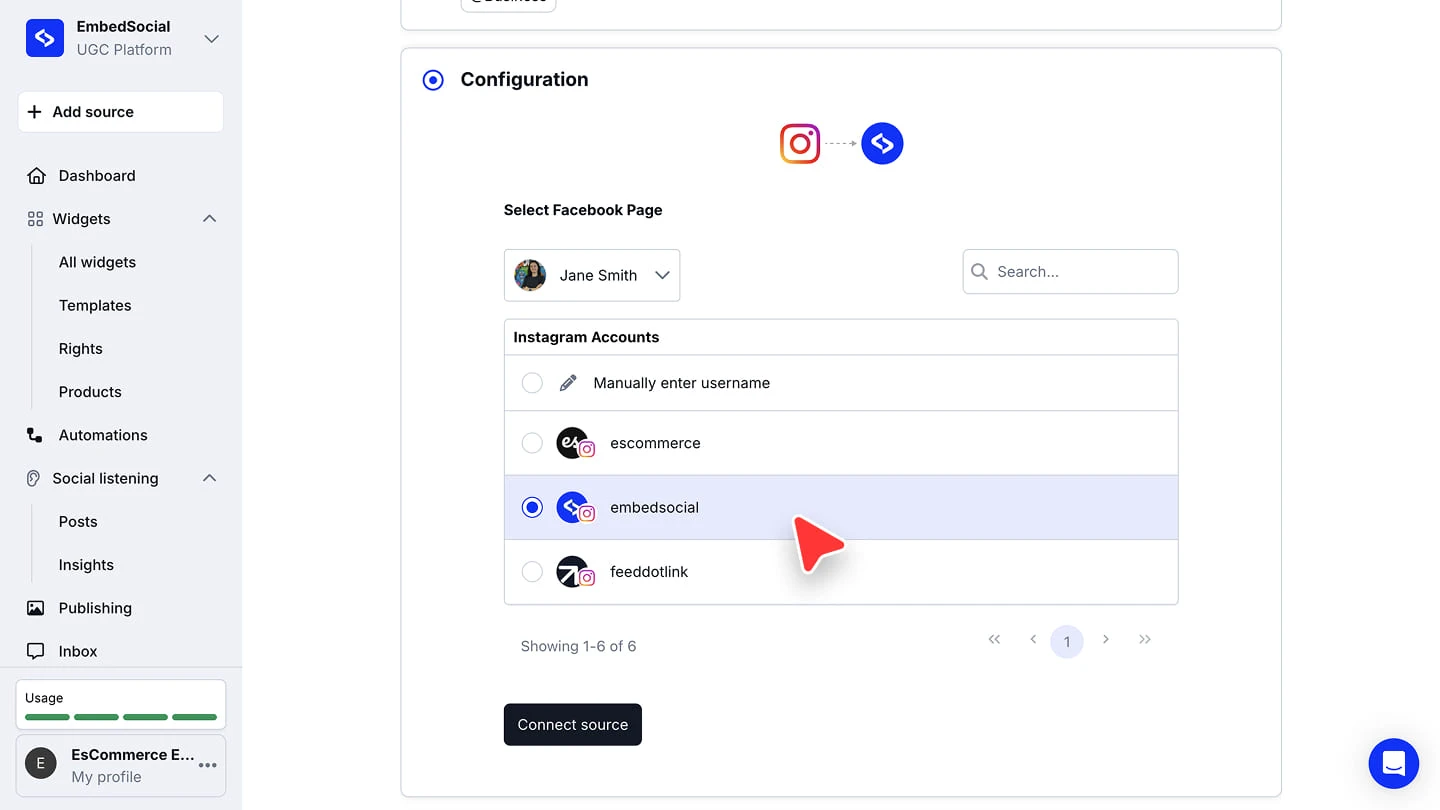
Select your Instagram account. Choose your Facebook Page, pick the Instagram account from the list (or choose 'Manually enter username'), and click 'Connect source'.
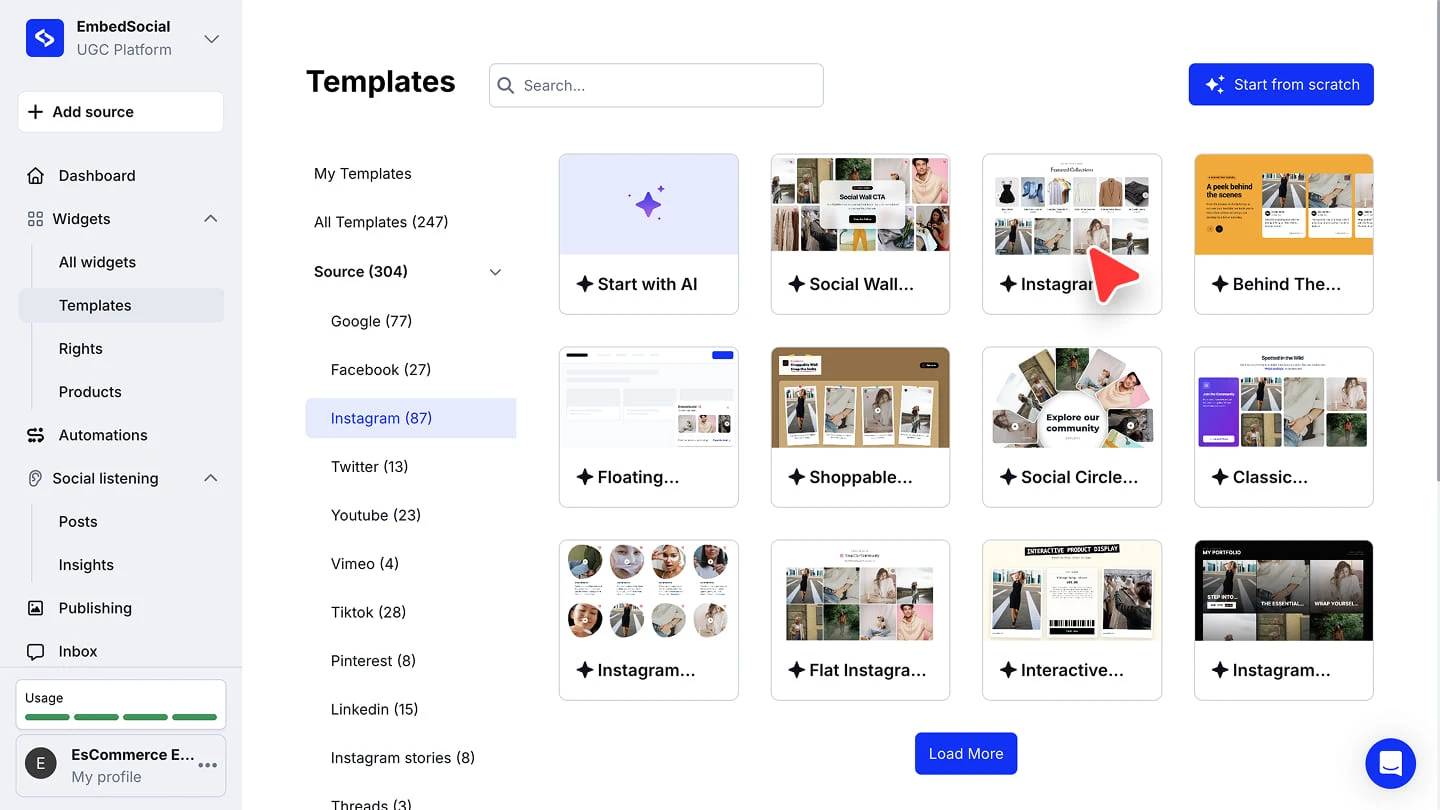
Choose what happens next. Once the source is added, you can continue to social listening or create a widget. If you choose to create a widget, pick a template and you will be redirected to the widget editor.


New posts keep syncing automatically after the account is connected. The refresh rate depends on your plan (see the FAQ below).
Add the Instagram account manually by username
If your Instagram account does not appear in the list (for example, the connected Facebook account does not have the right permissions), you can still connect it. Choose 'Manually enter username', type the username in the 'Instagram Account username' field, and click 'Connect source'.

To list Instagram business accounts automatically, connect a Facebook account with a Page that manages at least one Instagram business account.
The manual option also works for public business or creator accounts that don't belong to you, without their login credentials.
Add Instagram posts via URL
When you want specific posts instead of a whole account, hashtag, or mention feed, the URL source pulls exactly the posts you pick:
Pick the URL source type. Click '+ Add source', choose 'Instagram', select 'Add post via URL', and click 'Next'.
Paste the links and connect. Drop the Instagram post or Reel links into 'Instagram Post or Reel links', up to 10 links separated by a comma, then click 'Connect source'.
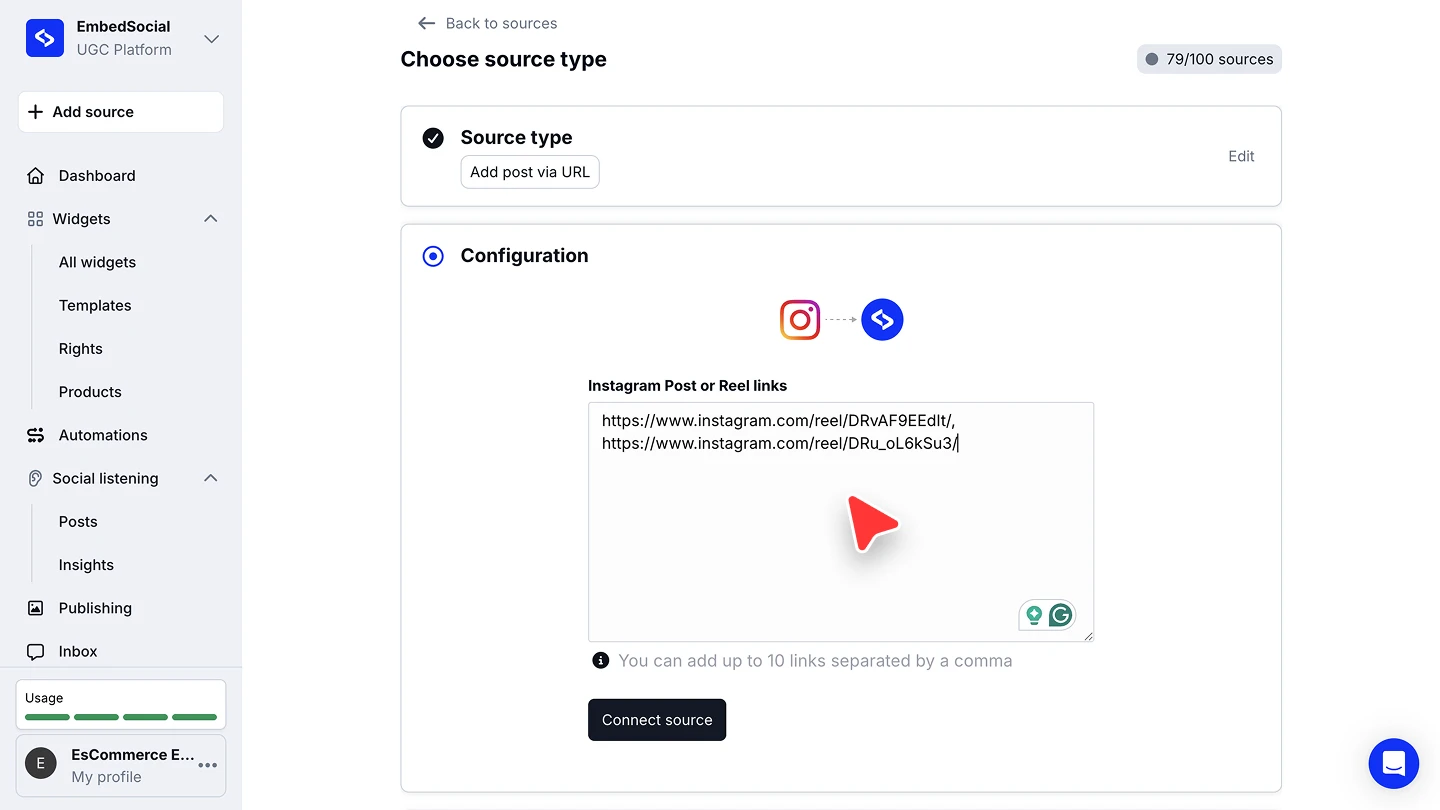

The URL source takes both posts and Reels, up to 10 links per source. Stories and URL posts are available from the Pro plan; hashtags and mentions from Pro Plus.
Ready to show your Instagram posts on your website? See what the Instagram widget can do or start your free trial.
FAQ
How often do new Instagram posts get pulled?
Most social sources update every 24 hours on the Free plan, every 3 hours on the Pro and Pro Plus plans, and every 30 minutes on the Premium and Enterprise plans.
Which plan do I need to connect an Instagram account?
Every plan includes Instagram account sources, starting with one source on the Free plan. Hashtag and mention sources require the Pro Plus plan or higher.
Can I connect more than one Instagram account?
Yes. Each account counts as one source, and the number of sources depends on your plan: 1 on Free, 3 on Pro, 6 on Pro Plus, and 15 on Premium.
How many posts can I add via URL?
Up to 10 links per source, separated by a comma. Both posts and Reels work.
What if my Instagram account is not in the list?
This usually means the connected Facebook account doesn't manage a Page linked to that Instagram business account. Choose 'Manually enter username' and type the account's username instead. This also works for public business and creator accounts you don't own.
What's next
Your Instagram posts are now in your EmbedSocial account. Turn them into a widget with the AI Widget Builder and then embed it on your website.
If you have any questions, click the bottom right chat icon to talk with our customer success team or send us an email at support@embedsocial.com We're here for you 🙏