Order controls which posts lead in a widget. Sorting by date or rating is set in Filters; the 'Order' tab is where you override that ordering by hand, post by post.
It sits in the widget's top menu, next to 'Moderation' and 'Sources'. The page lists every post currently in the widget.
How to prioritize posts
Open the Order tab. In the widget editor, click 'Order' in the top menu. The 'Order posts' page lists the widget's posts with a preview, tags, and date for each.
Pin what should lead. Click 'Pin' on each post you want prioritized in the widget.
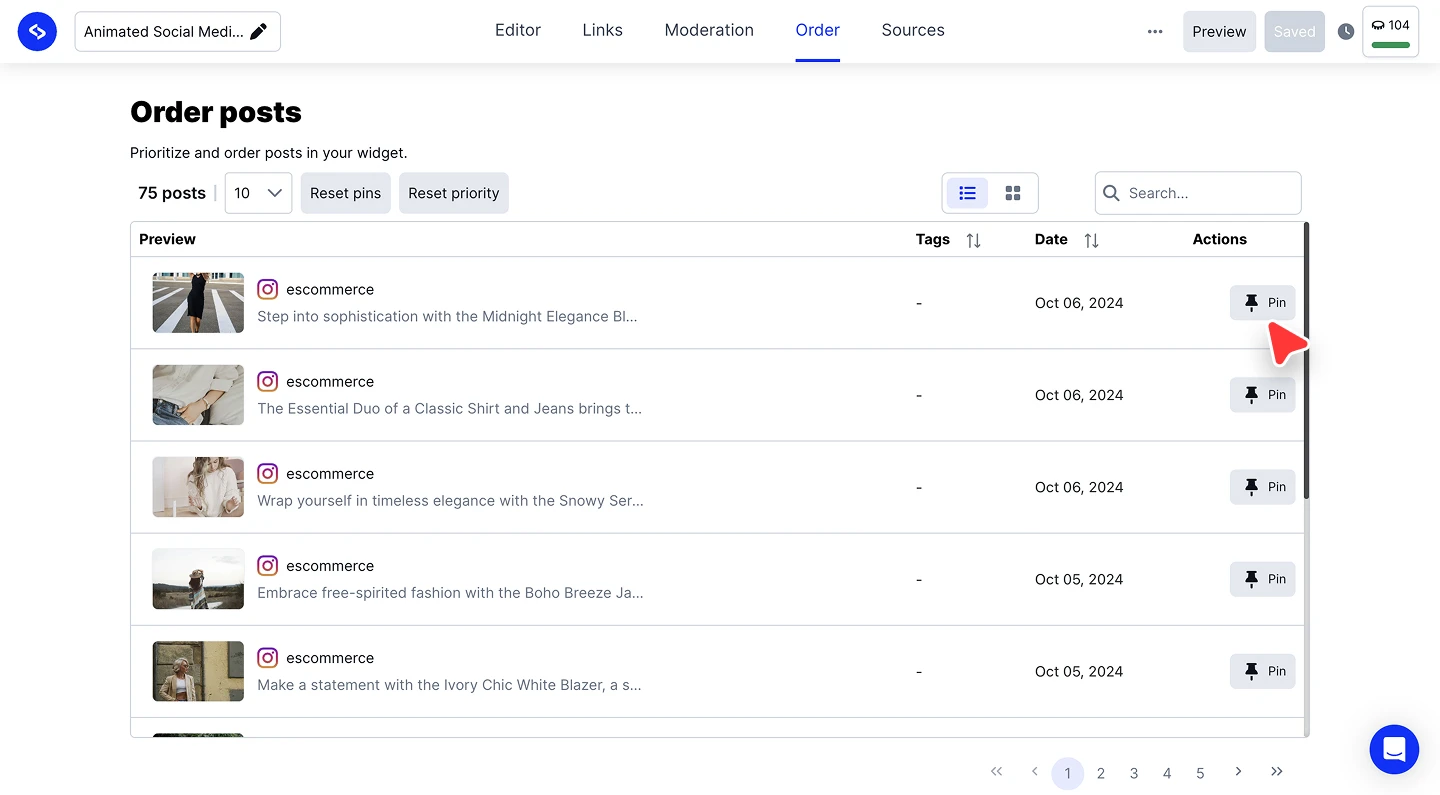
Find posts fast. Use the search box for a specific post, switch between the list and grid views, and sort the table by tags or date.
Undo when needed. 'Reset pins' clears every pin at once, and 'Reset priority' returns the widget to its default ordering.

Pinning is per widget. The same post can be pinned in one widget and sit in its natural position in another.
Ready to put your best posts first?
FAQ
What does pinning do?
It prioritizes the post in the widget, ahead of the widget's normal ordering.
How do I unpin everything at once?
Click 'Reset pins'. To also drop any custom ordering, click 'Reset priority'.
Does pinning change other widgets on the same source?
No. Order is set per widget, so each widget keeps its own pins and priority.
Does a pinned post survive new posts arriving?
Yes. Auto-added posts join the widget in its normal order, and your pins keep leading until you reset them.
What's next
Order decides what leads. To remove a post entirely, use Moderation, and to control what enters the widget at all, see Filters.
If you have any questions, click the bottom right chat icon to talk with our customer success team or send us an email at support@embedsocial.com We're here for you 🙏