A Facebook source connects a Facebook Page you manage to EmbedSocial and pulls its content into your account. You choose what it pulls when you set it up: 'Page posts' published by the Page, '@Mentions' where the Page is tagged, or 'Visitor posts' left on the Page by other people. Reviews on the same Page come in too, so they can feed a reviews widget on your website.
Page posts are available on every plan, including Free. Reviews and visitor posts start on the Pro plan, and mentions on Pro Plus. One Facebook Page counts as one source.
If you still don't have an EmbedSocial account, click to start a 7-day trial.
Before you connect
- Log in with the Facebook account that has Admin or Editor access to the Page. Open it in another browser tab before you start.
- Approve all the requested permissions, especially the Page access permissions.
- The Page must be listed in your Facebook Business integrations.
- Only public Facebook Pages you manage are supported. Personal profiles and Facebook Groups are not.
How to connect a Facebook Page
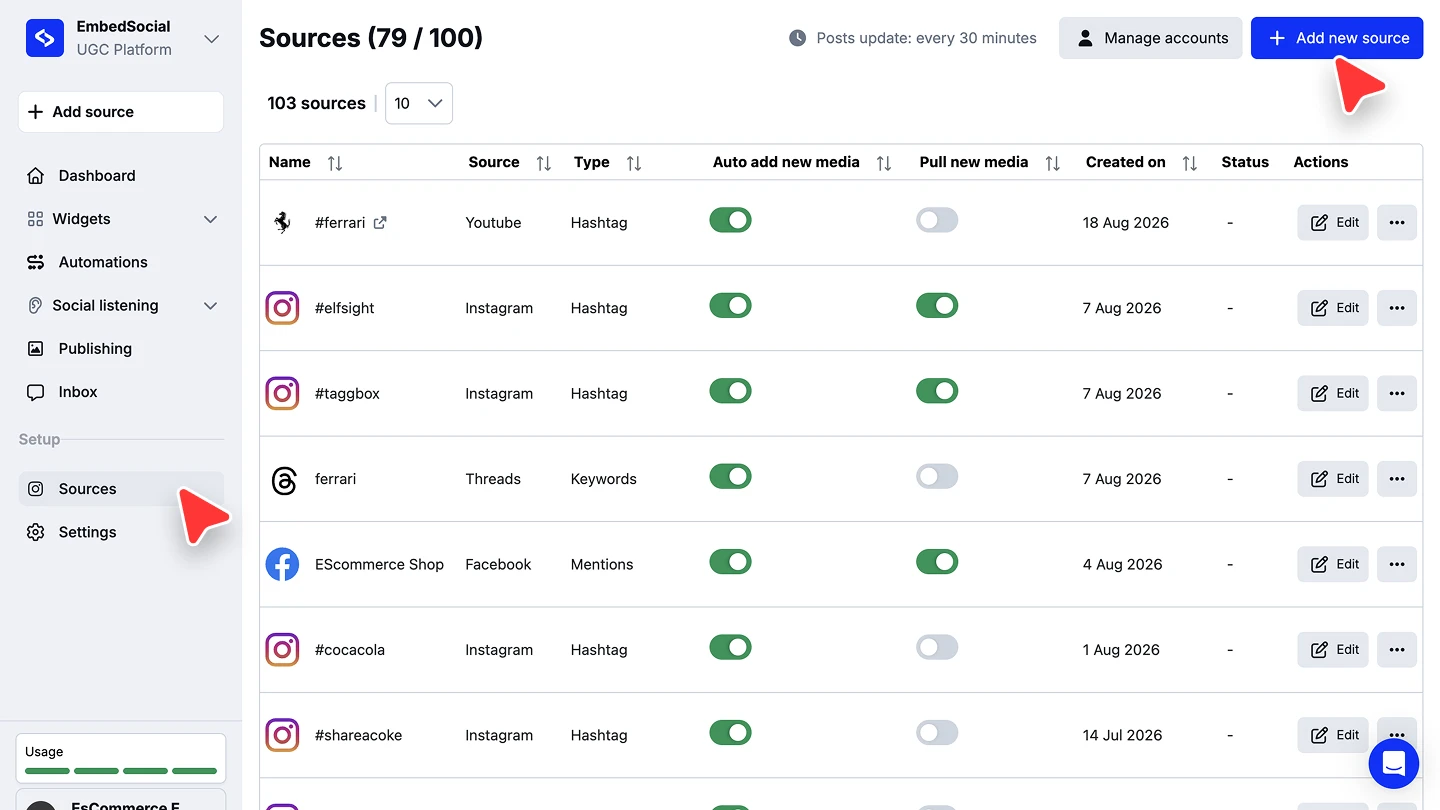
Open the source picker. Click '+ Add source' in the left menu, or go to 'Sources' and click '+ Add new source'.
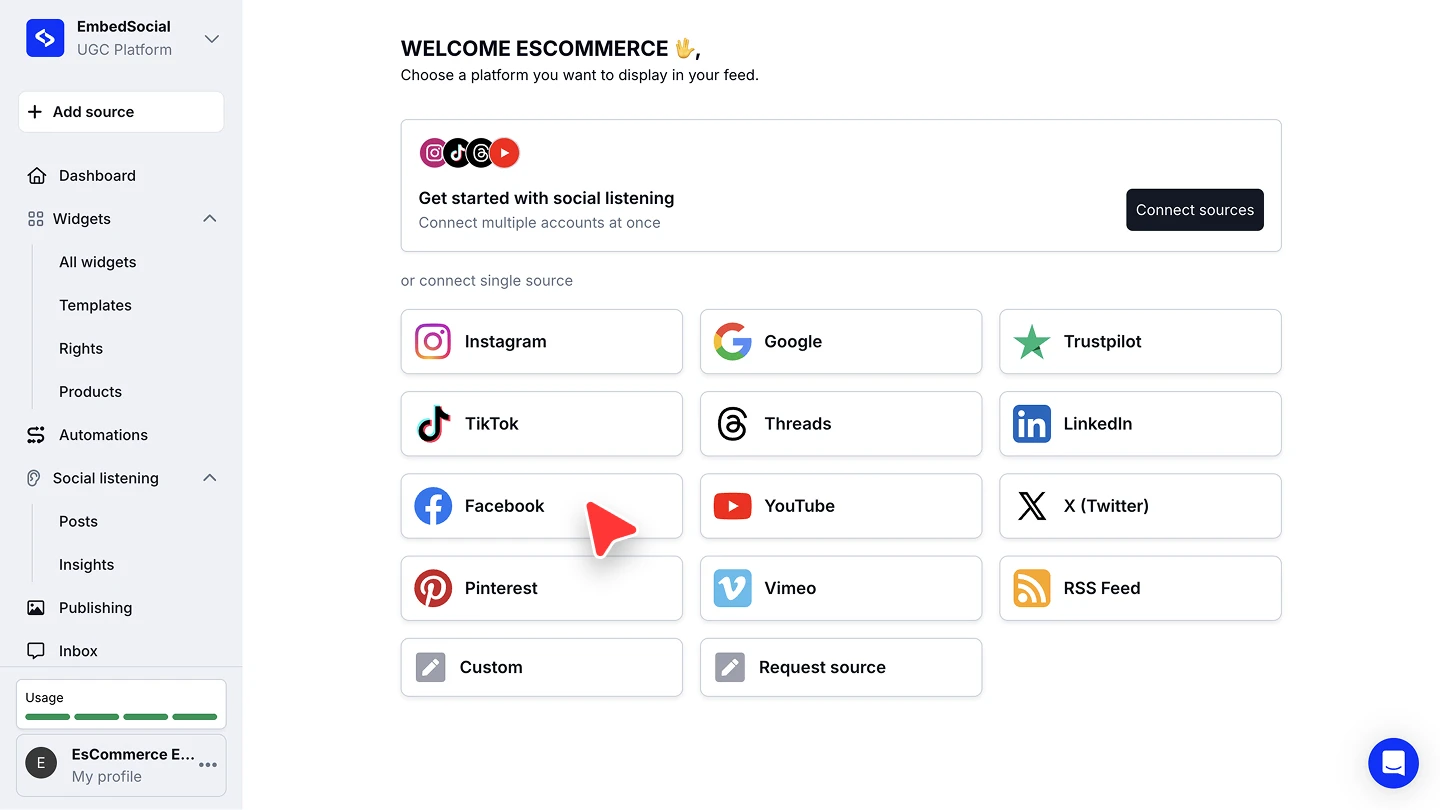
Choose Facebook. Under 'or connect single source', click 'Facebook'.
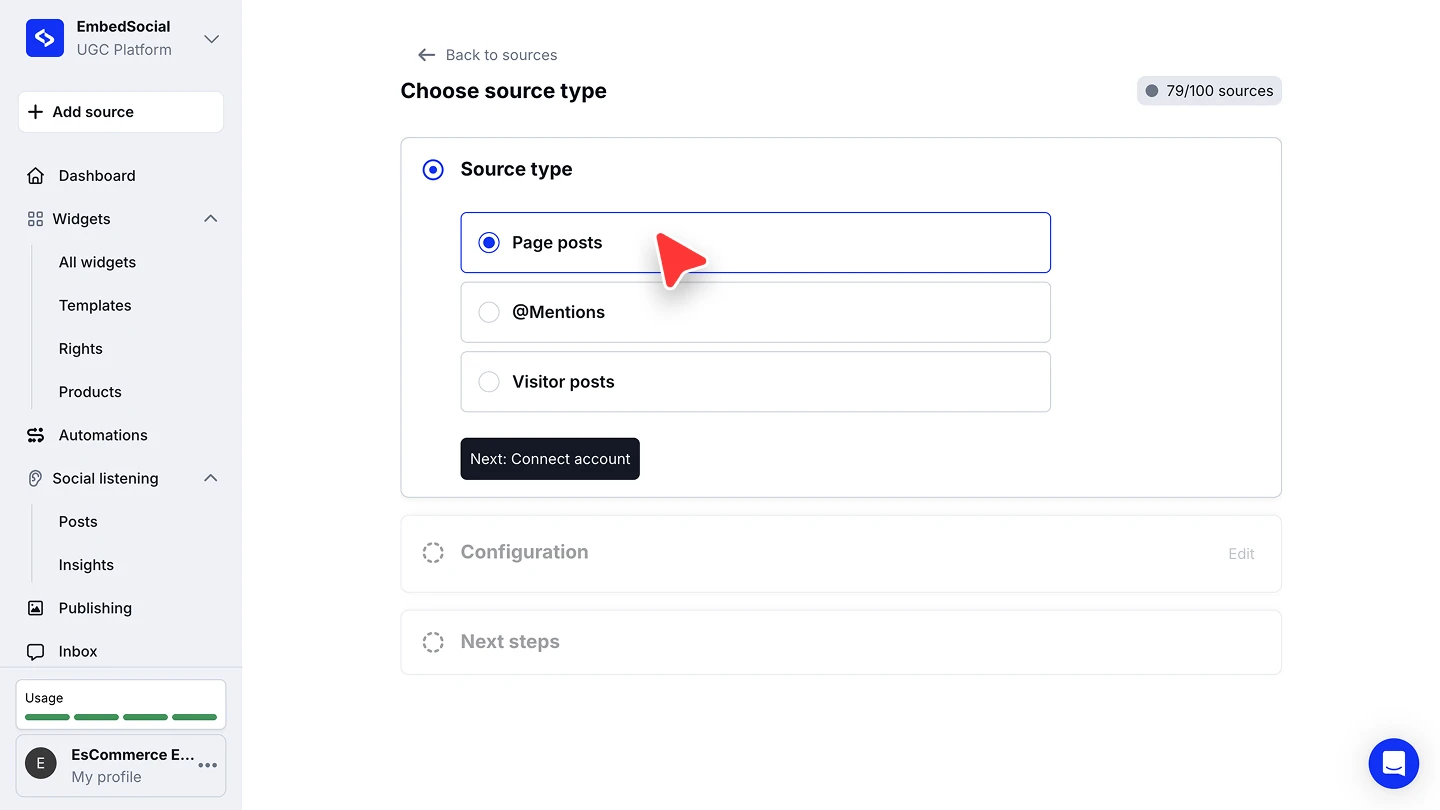
Pick the source type. On 'Choose source type', select 'Page posts', '@Mentions', or 'Visitor posts', then click 'Next: Connect account'.
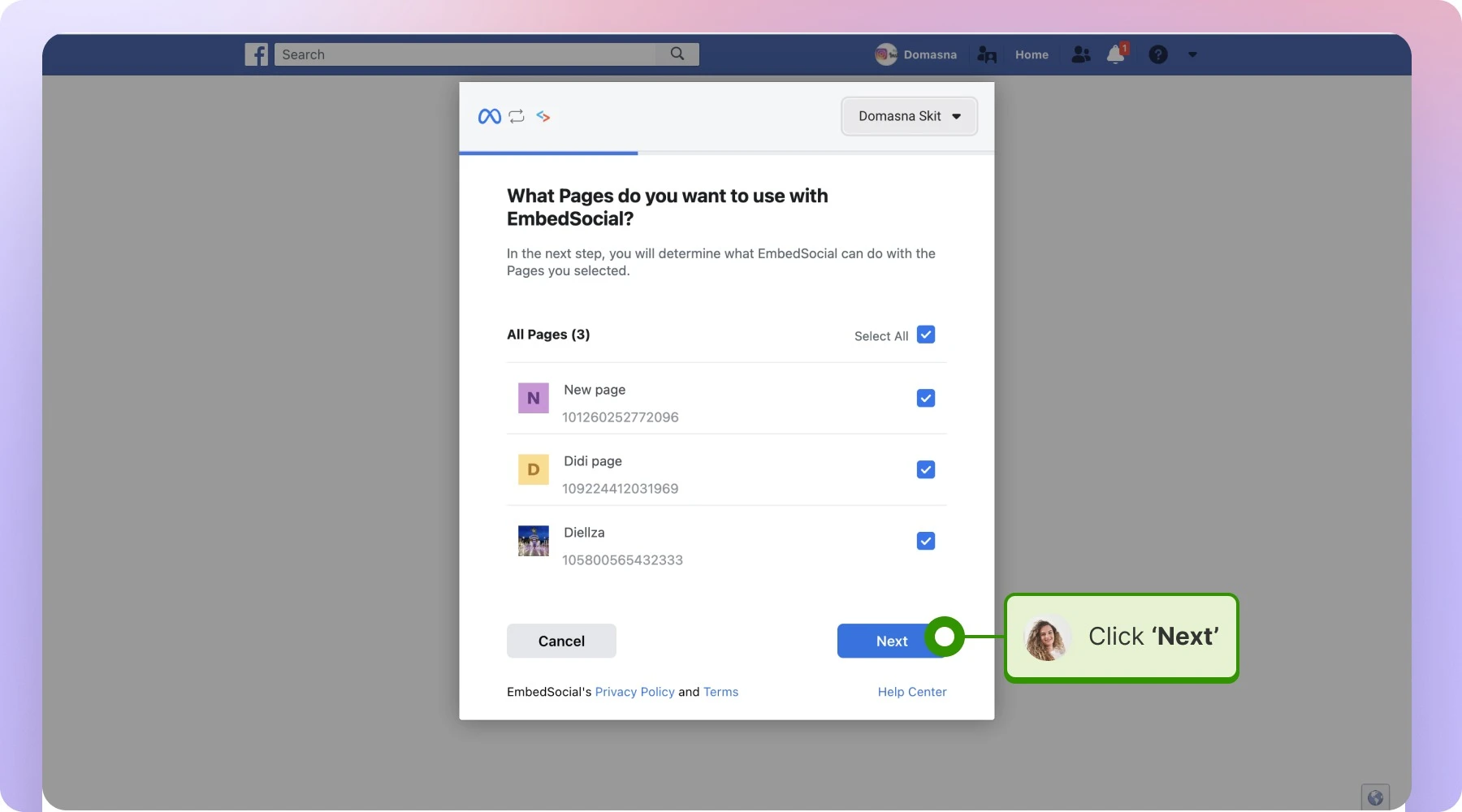
Log in and choose the Pages. Log in with the Facebook account that manages the Page. On 'What Pages do you want to use with EmbedSocial?', select the Pages you want and click 'Next'.
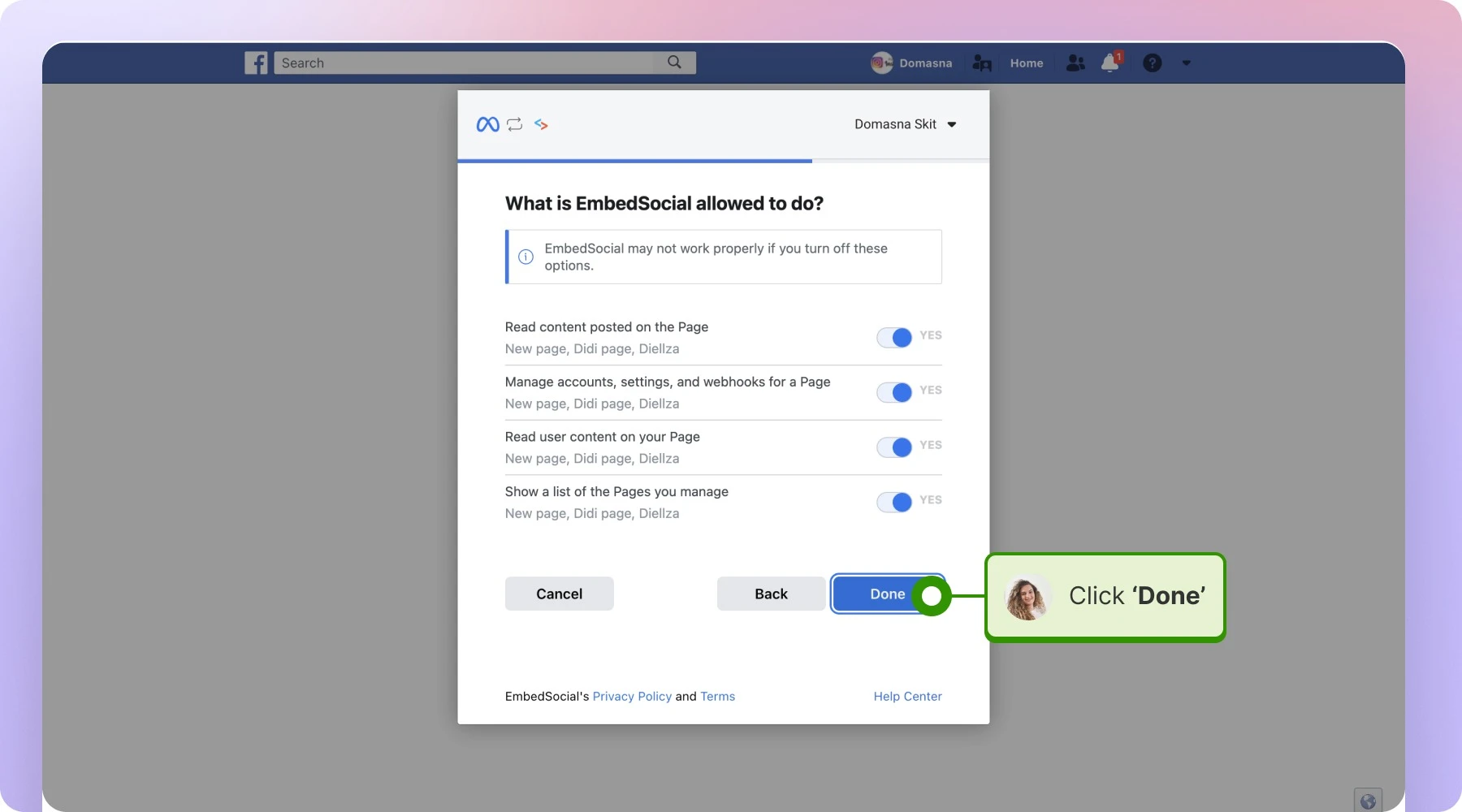
Turn on every permission. On 'What is EmbedSocial allowed to do?', leave all the options set to YES and click 'Done'. EmbedSocial cannot read the Page's content while any of them is off.
Select the Page and connect. Back in EmbedSocial, pick the Page under 'Select Facebook Page' and click 'Connect source'. The dropdown above the list switches between connected Facebook accounts, and 'Search' narrows a long list of Pages.
Pick a widget template. Choose a template for the widget that will display your Facebook content.


Each Page you connect counts as one source against your plan's limit, shown in the header as, for example, '73/100 sources'.
What a Facebook source pulls
'Page posts' pulls the posts the Page publishes itself. This is the common case for a feed widget on your website.
'@Mentions' pulls the posts where your Page is tagged, so you can collect what other people say about you.
'Visitor posts' pulls the posts other people leave on your Page.
Reviews come from the same connected Page and feed a reviews widget. There is no limit on how many of them EmbedSocial pulls, so the system can generate all of your Facebook reviews.
Facebook reviews are pulled every 24 hours, slower than the plan interval that applies to posts. See Auto-sync.
If your Page is not in the list
This usually means the connected Facebook account never granted access to that Page. Start the connection again, and when Facebook says 'You've previously linked EmbedSocial to Facebook', click 'Edit Settings' instead of continuing with your previous settings. Then select the missing Page and turn every permission back on.

Facebook hashtag posts
Facebook hashtag posts are not available as a source type, because of Facebook API limitations. As a workaround, re-post the hashtag posts you want from your Facebook Page, so they show up with your other Page posts.
Ready to show your Facebook content on your site?
FAQ
Which plan do I need for a Facebook source?
Page posts are available on every plan, including Free. Reviews and visitor posts start on the Pro plan, and mentions on Pro Plus. One Facebook Page counts as one source.
Can I connect a personal profile or a Facebook Group?
No. Because of Facebook's data policy, only public Facebook Pages you manage can be connected.
How many Facebook reviews can I pull?
There is no particular limit, so the system can generate all of your Facebook reviews.
Can I pull posts from a Facebook hashtag?
No, Facebook's API does not allow it. Re-post the hashtag posts from your own Page instead and they will arrive with your Page posts.
Why are my Facebook posts or reviews not updating?
Check the permissions first: if any option on 'What is EmbedSocial allowed to do?' is off, the sync stops. Reconnect the Page through 'Edit Settings' and turn them all on. Reviews also refresh every 24 hours rather than on your plan's interval.
Can I connect more than one Facebook Page?
Yes. Run through '+ Add source' again for each Page. Every Page counts as one source, and the number of sources depends on your plan.
What's next
With the source connected, decide how its content reaches your site. See Sources for how sources feed your widgets.
If you have any questions, click the bottom right chat icon to talk with our customer success team or send us an email at support@embedsocial.com We're here for you 🙏