A Custom source holds content that does not come from a social platform at all. You create the posts and reviews yourself, either one at a time in a form or in bulk from a CSV file, and they behave like any other source once they are in.
Use it for testimonials collected by email, reviews that live on a platform we do not integrate with yet such as TripAdvisor, announcements you want inside a feed, or a set of historical reviews you are migrating from another tool.
How to add a Custom source
Open the source picker. Click '+ Add source' in the left menu.
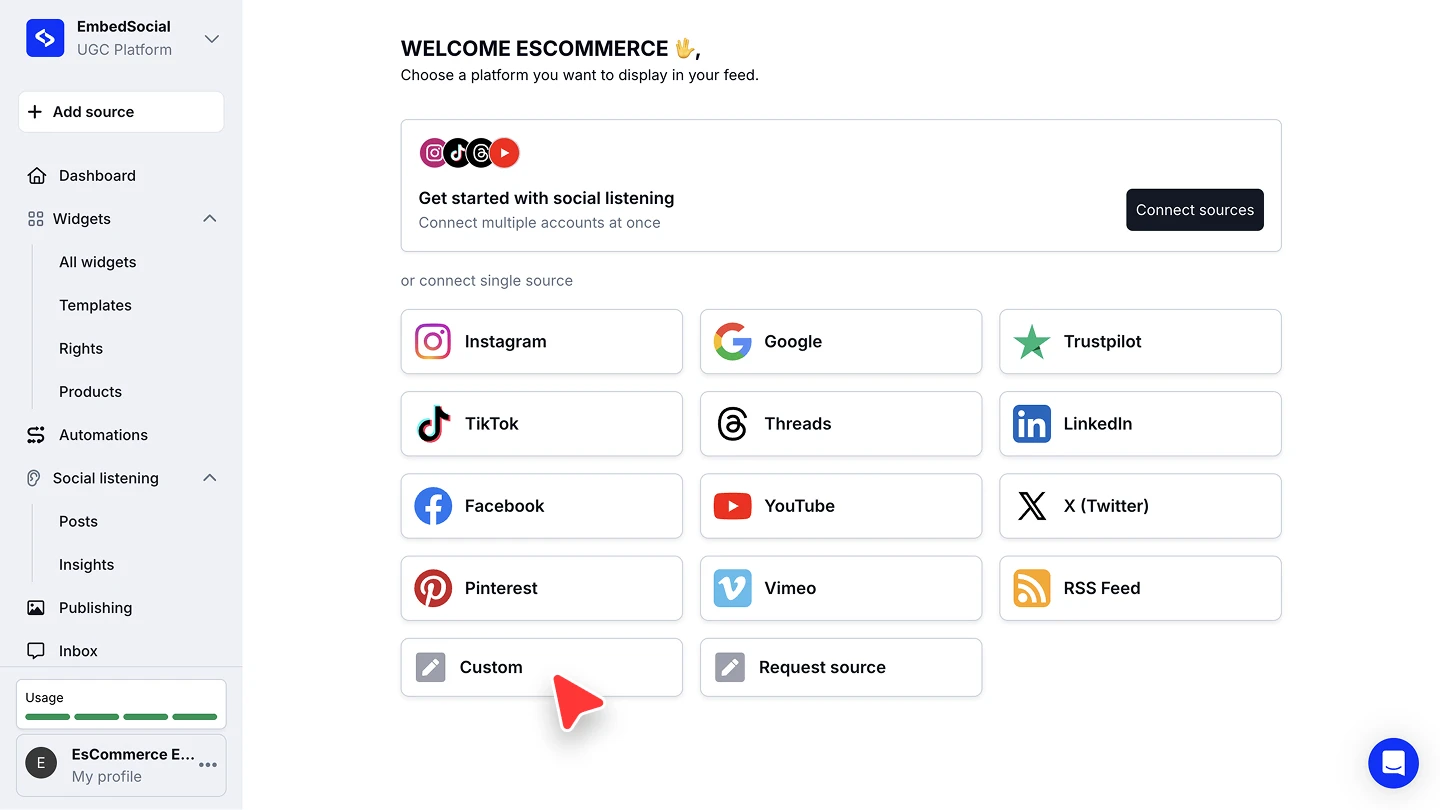
Choose Custom. Under 'or connect single source', click 'Custom'.
Name the source. Give it a name you will recognize in the widget editor, then click 'Next'.
Add your content. Click 'Add review' and fill in the form: rating and customer name are required, and you can also add the review text, a customer photo, review photos, and the review date. Click 'Save', and repeat for each entry.
Build the widget. Go to 'Widgets', click 'New widget', select your custom source, and click 'Create widget'.

Nothing syncs on its own here. A custom source only ever holds what you put into it, so it never goes stale and it never changes behind your back.
Importing reviews from a CSV file
Adding entries one by one is fine for a handful. For a larger set, use 'Import reviews' instead: download the CSV template, fill it in with your existing reviews, and upload it. The first row of the template holds the column headings and each row after it becomes one review.
When to use a Custom source
Reach for it in three situations:
- Create posts manually, for announcements, testimonials, or curated content that has no social post behind it
- Create reviews manually, when you collect feedback directly from customers
- Upload reviews via CSV, to bring a large set of existing reviews or testimonials in at once
If what you actually want is a platform we do not support yet, use 'Request source' in the source picker to tell our team about it, and add the content as a custom source in the meantime.
Ready to bring your own content in?
FAQ
How is a Custom source different from a Custom form?
You fill a custom source in yourself. A custom form is a form you embed on your website or share as a link, so your customers submit the content instead. See Sources for both.
Does a Custom source count against my source limit?
Yes. It is one source, the same as a connected account or location.
Can I edit or delete an entry after saving it?
Yes. The entries stay in your account and can be edited, moderated, or removed like content from any other source.
Can I mix custom content with my social posts in one widget?
Yes. Select the custom source alongside your other sources when you build the widget.
How do I embed TripAdvisor reviews on my website?
TripAdvisor is not one of our connected sources, so you bring those reviews in through a Custom source. Copy or export the reviews you want, add them with 'Add review' or the CSV import, then build a widget from that source and embed it on your website like any other widget. Use 'Request source' to tell our team you want a direct TripAdvisor connection.
What if the reviews I want to import are on a platform you do not support?
Use 'Request source' to tell us which platform it is. Until it is supported, export those reviews and add them as a custom source, manually or by CSV.
What's next
With the source in place, decide how its content reaches your site. See Sources for how sources feed your widgets, and the social media aggregator for what you can build once several are connected.
If you have any questions, click the bottom right chat icon to talk with our customer success team or send us an email at support@embedsocial.com We're here for you 🙏