A TikTok source pulls videos into EmbedSocial so you can display them in a widget on your website or track them in social listening. When you set one up you pick what it watches on 'Choose source type': 'TikTok Account' for the posts of an account, 'TikTok Video' for a single video by its link, or 'Mentions' for the videos that tag your brand.
You can add your TikTok account in the Free plan. If you subscribe to our PRO plan, you can also add specific TikTok videos. The Free plan covers one source. Mentions are a social listening source and start on Pro Plus. How many sources you can connect depends on your plan, so check our pricing page for the current limits and Sources for how sources are counted. Only public TikTok videos and accounts can be displayed.
If you still don't have an EmbedSocial account, click to start a 7-day trial.
How to connect a TikTok account
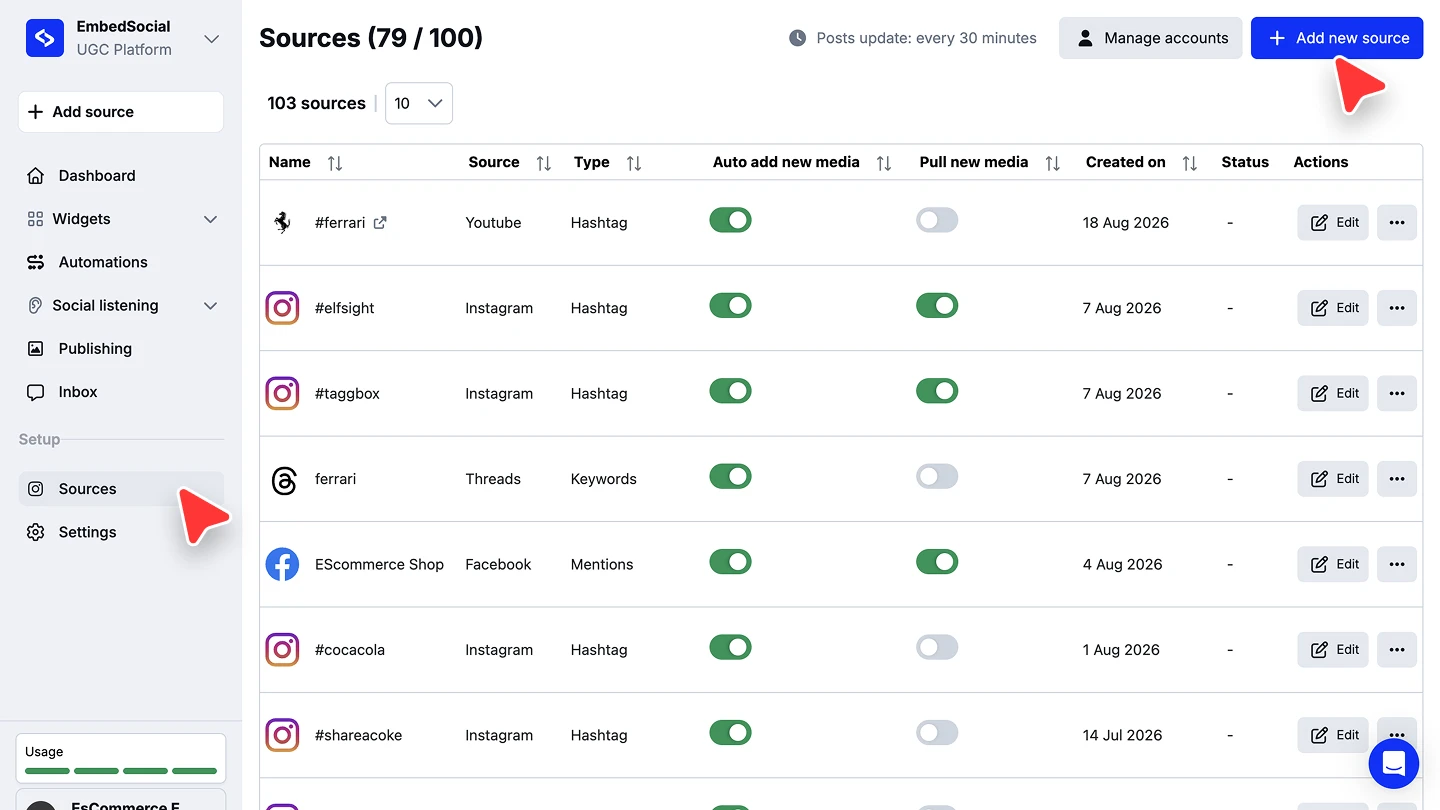
Add a new source. Click '+ Add source' in the left menu, or go to 'Sources' and click '+ Add new source'.
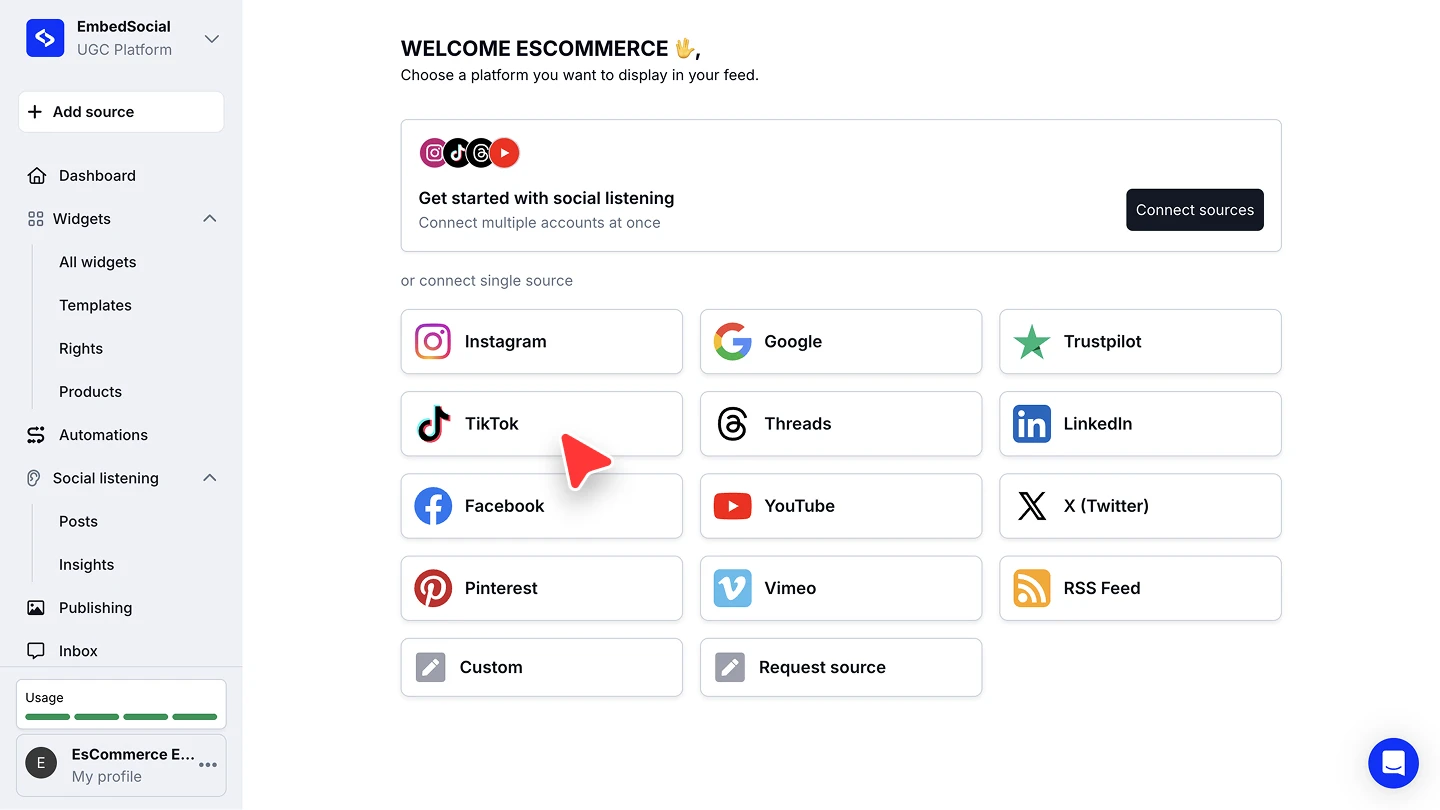
Choose TikTok. Under 'or connect single source', click 'TikTok'.
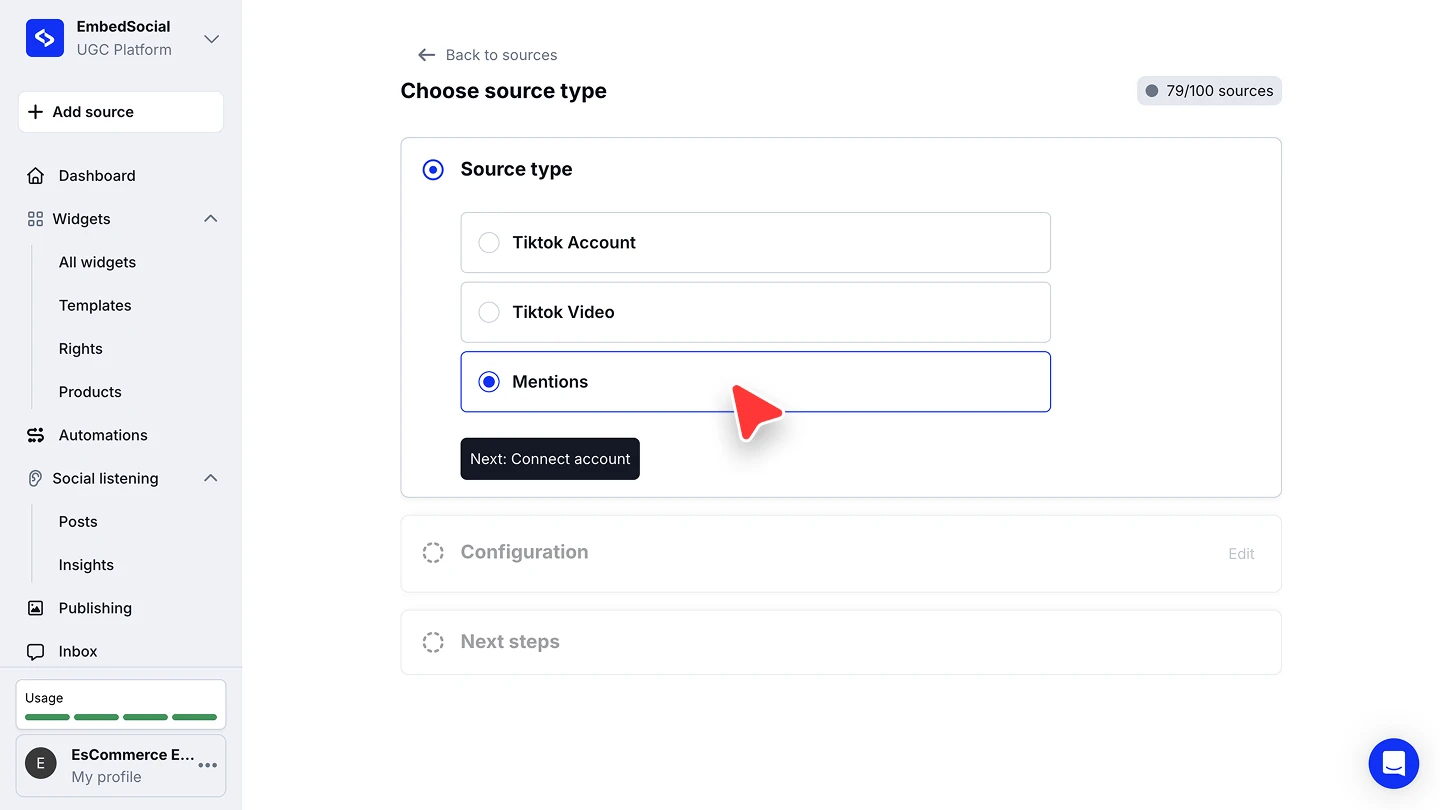
Pick the account source type. On 'Choose source type', select 'TikTok Account', then click 'Next: Connect account'. The other two types take a different next step: see Add a single TikTok video by link and TikTok mentions below.
Log in and approve the permissions. Sign in with your TikTok account and grant EmbedSocial the access it asks for.
Pick a widget template. Choose a template for the widget that will display your TikTok videos.


Keep another browser tab logged in with the same TikTok account while you connect, or the connection will fail.
Add a single TikTok video by link
When you want one specific video rather than a whole account, pick 'TikTok Video' on 'Choose source type' and click 'Next: Connect account'. This type asks for the video's URL rather than an account login: paste the link and connect. The video arrives as its own source and can go into any widget.
TikTok hashtag posts
TikTok hashtag posts are not available as a source type, because of TikTok API limitations. As a workaround, pull the specific hashtag video you want with the 'TikTok Video' type above.
TikTok mentions
The 'Mentions' source type imports the TikTok videos that mention your brand account, and they can be embedded in a stories widget. Mentions sync once every 24 hours, not instantly, so today's video may appear tomorrow.
Creator mentions are also the starting point for TikTok Spark Ads: see Turn creator mentions into TikTok Ads for the content-linking flow and the Creator Marketplace connection.
Manage your connected TikTok accounts
Connected accounts live behind 'Manage accounts' on the 'Sources' page. Open it to reconnect an account whose permissions expired, or to connect another one.

Ready to put your TikTok videos on your site?
FAQ
Which plan do I need for a TikTok source?
You can add your TikTok account in the Free plan. If you subscribe to our PRO plan, you can also add specific TikTok videos. The Free plan covers one source. Mentions are a social listening source and start on Pro Plus. Each connected account or video counts as one source, so connecting several needs a plan with a higher source limit. See our pricing page for the current per-plan limits.
Can I pull TikTok posts by hashtag?
No, TikTok's API does not allow a hashtag source. Add the specific video with the 'TikTok Video' source type instead.
Can I display videos from an account I don't own?
Only public TikTok content can be displayed. For a single public video, use the 'TikTok Video' source type.
How often do TikTok mentions update?
Mentions sync once every 24 hours, so a video posted today may show up tomorrow.
Why did my TikTok connection fail?
Keep another browser tab logged in with the same TikTok account while you connect. If the connection already broke, reconnect the account from 'Manage accounts' on the 'Sources' page.
What's next
With the source connected, decide how its videos reach your site. See Sources for how sources feed your widgets. To read the videos in your own app instead, see the TikTok API.
Learn more about how to connect a TikTok MCP server.
If you have any questions, click the bottom right chat icon to talk with our customer success team or send us an email at support@embedsocial.com We're here for you 🙏