A Vimeo source pulls videos from Vimeo into EmbedSocial so you can display them in a widget on your website. When you set one up you pick what the source watches: a 'User' account, or a single 'Channel'.
Both types run through the same wizard: choose the source type, paste the Vimeo link, then pick a widget template. Only public videos can be pulled, not private or unlisted ones.
Vimeo sources are available on the Pro plan and above.
How to connect a Vimeo channel
Open the source picker. Click '+ Add source' in the left menu.
Choose Vimeo. Under 'or connect single source', click 'Vimeo'.
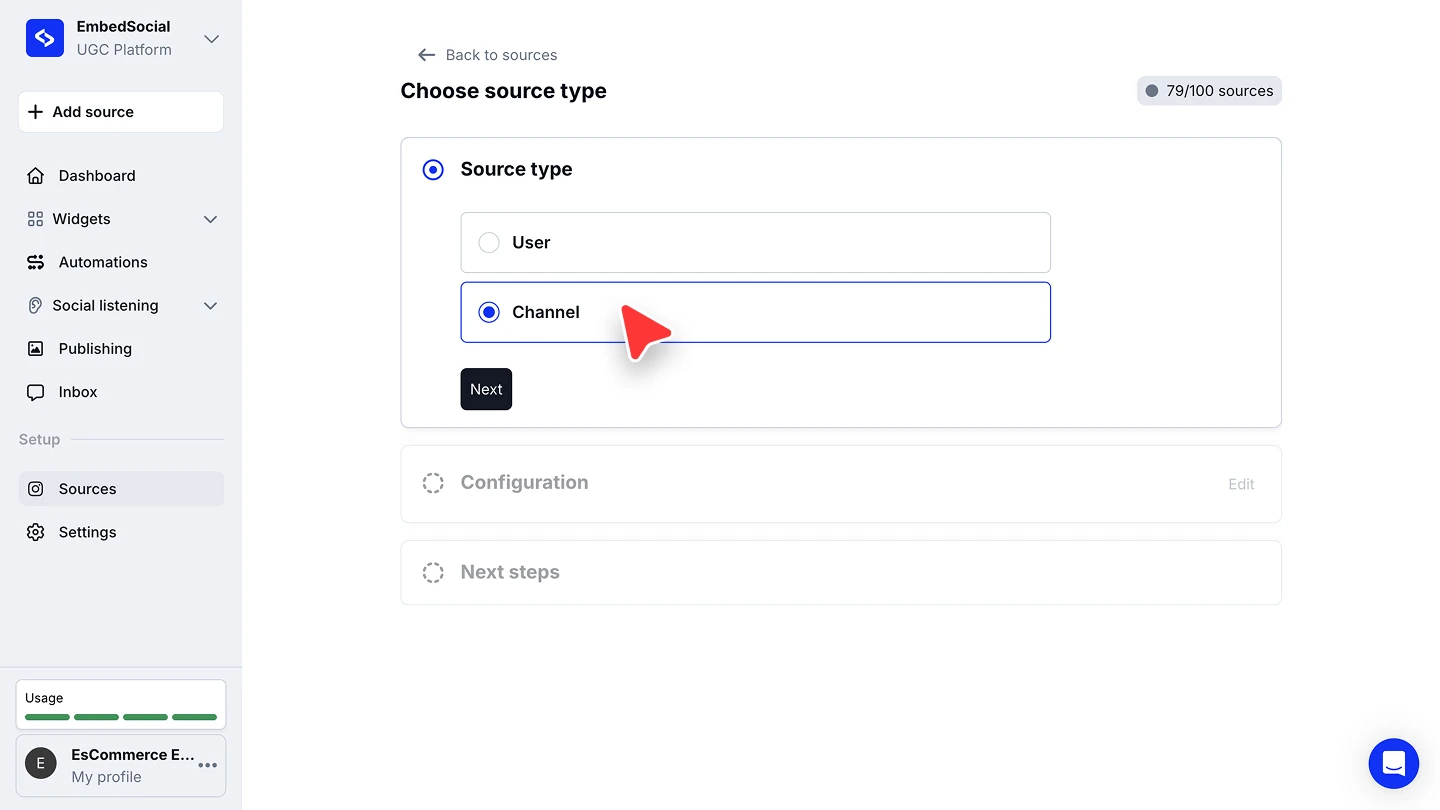
Pick the source type. On 'Choose source type', select 'Channel', then click 'Next'.
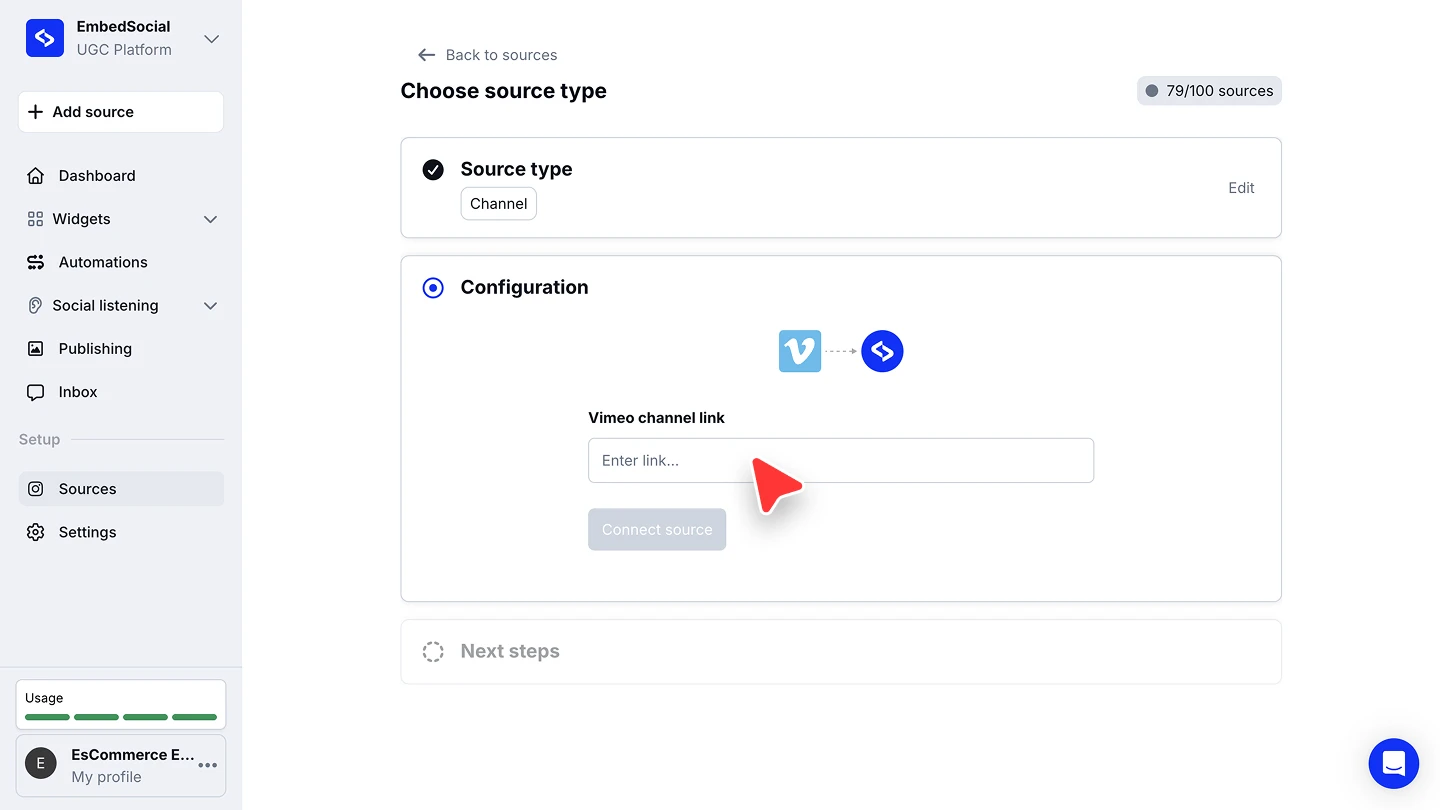
Paste the channel link and connect. Enter the channel in 'Vimeo channel link', then click 'Connect source'.
Pick a widget template. Choose a template for the widget that will display your videos.


Open the channel on Vimeo and copy the full address from your browser. It has the form https://vimeo.com/channels/channelname, and that is the form the field expects.
Connecting a Vimeo user instead
Pick 'User' on 'Choose source type' when you want every public video from a Vimeo profile rather than one channel. The configuration step then asks for the user link.
A user source only works with the numeric user ID, in this form:
https://vimeo.com/user13058957
The username URL on its own will not connect. To find the numeric ID, open the profile in your browser, right-click the page and choose 'View Page Source', press Ctrl + F (or Cmd + F on a Mac), search for user, and copy the numeric value next to it.
Ready to put your videos on your site?
FAQ
Should I pick User or Channel?
Pick 'Channel' to display the videos of one Vimeo channel. Pick 'User' to display every public video from a profile.
Why won't my Vimeo user link connect?
A user source needs the numeric user ID (https://vimeo.com/user13058957), not the username URL. Find the ID in the profile's page source, as described above.
Can I display private or unlisted videos?
No. Vimeo only exposes public videos to our integration, so private and unlisted videos cannot be pulled.
Can I connect more than one Vimeo source?
Yes. Run through '+ Add source' again for each one. Every connected source counts against your plan's source limit, shown in the header as, for example, '79/100 sources'.
Which plan do I need for a Vimeo source?
Vimeo sources are available on the Pro plan and above.
What's next
With the source connected, decide how its videos reach your site. See Sources for how sources feed your widgets, and the social media aggregator for what you can build once several are connected.
If you have any questions, click the bottom right chat icon to talk with our customer success team or send us an email at support@embedsocial.com We're here for you 🙏