You're looking to embed a social media feed into your Peraichi page. Here's a simple guide on embedding it with just a few clicks.
If you still don't have an EmbedSocial account, click to start a 7-day trial.
Before we begin, first generate your widget in your EmbedSocial account and get the code. Your Peraichi plan needs to support tag (HTML/CSS/JS) embedding, which is available on the Regular plan and above (not on the Light or Free plans).
How to embed a widget in Peraichi
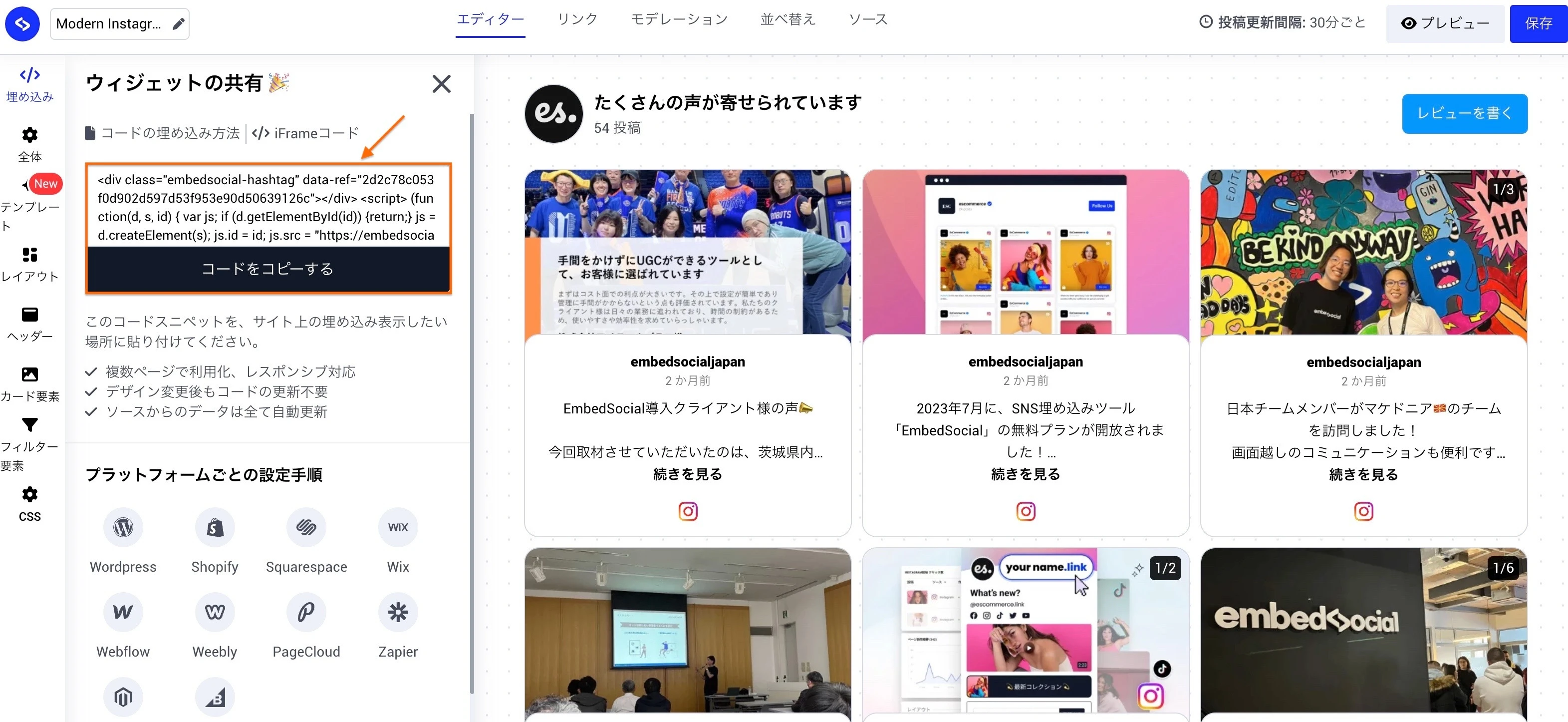
Copy your widget code. In EmbedSocial, go to Widgets, open the widget you want to embed, click the Embed tab in the left settings panel, and click Copy code.
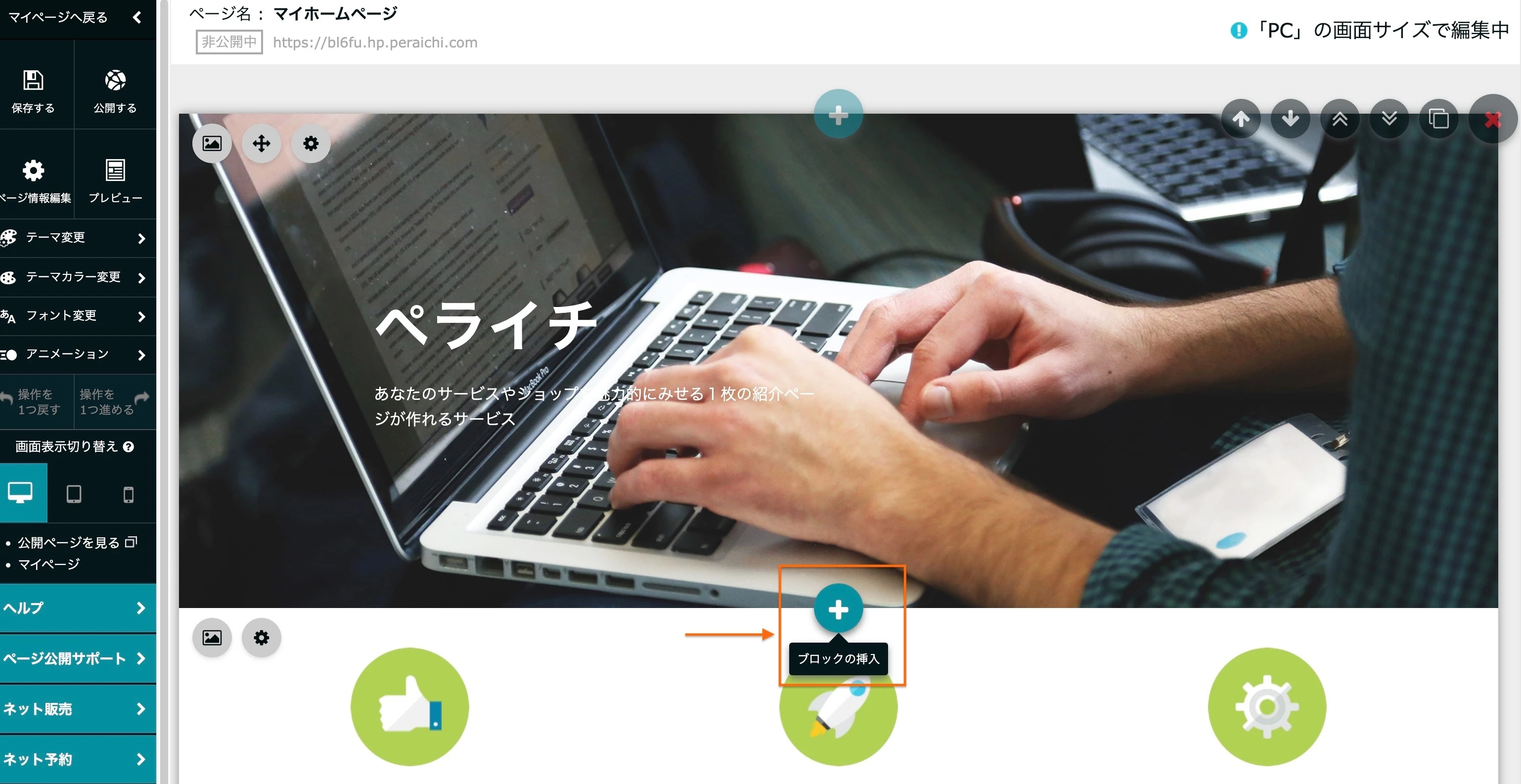
Insert a block. In Peraichi, open the page you want to edit and click the + button where you want the widget to sit.
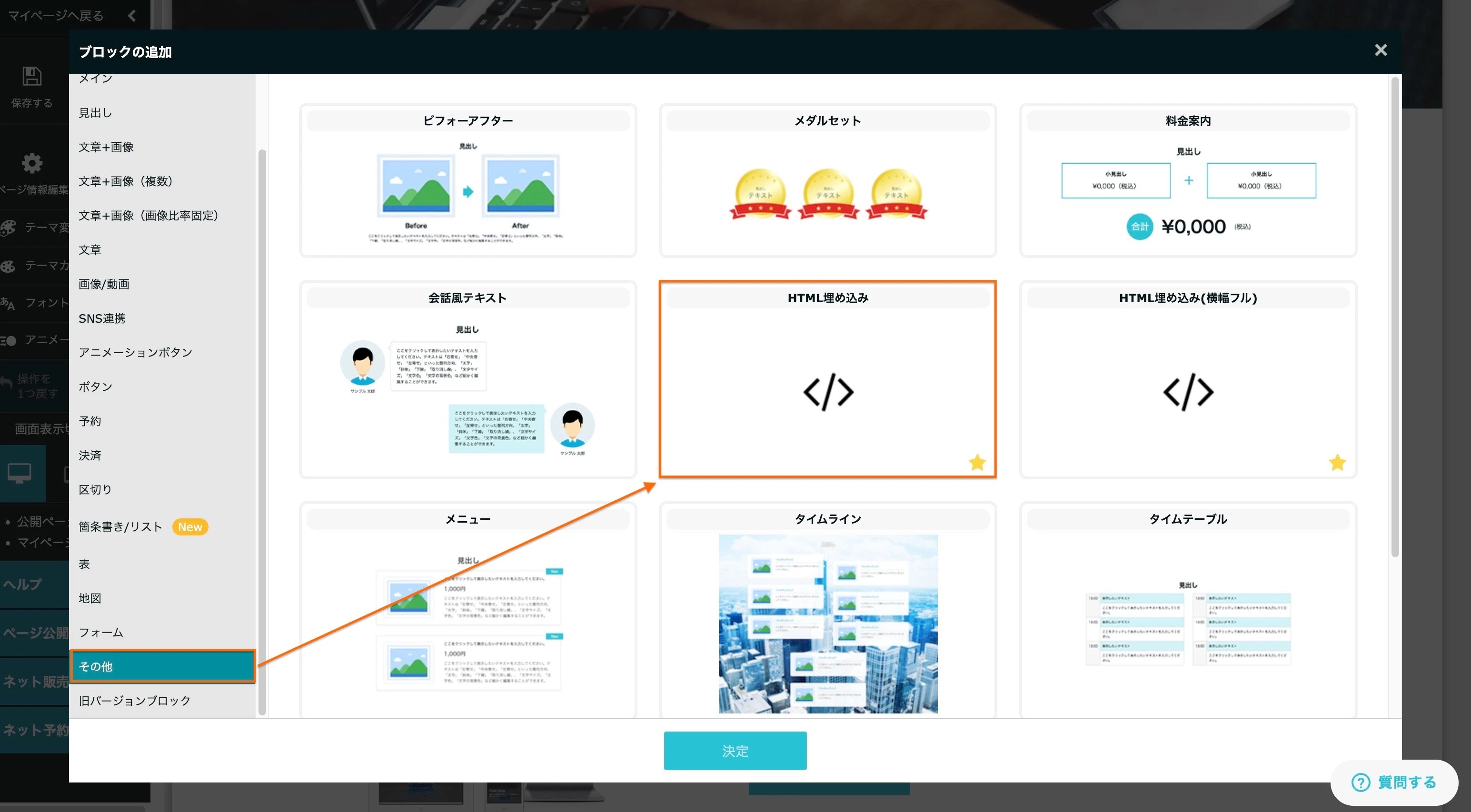
Choose HTML embed. In the block picker, select Other in the left column, then choose HTML embed.
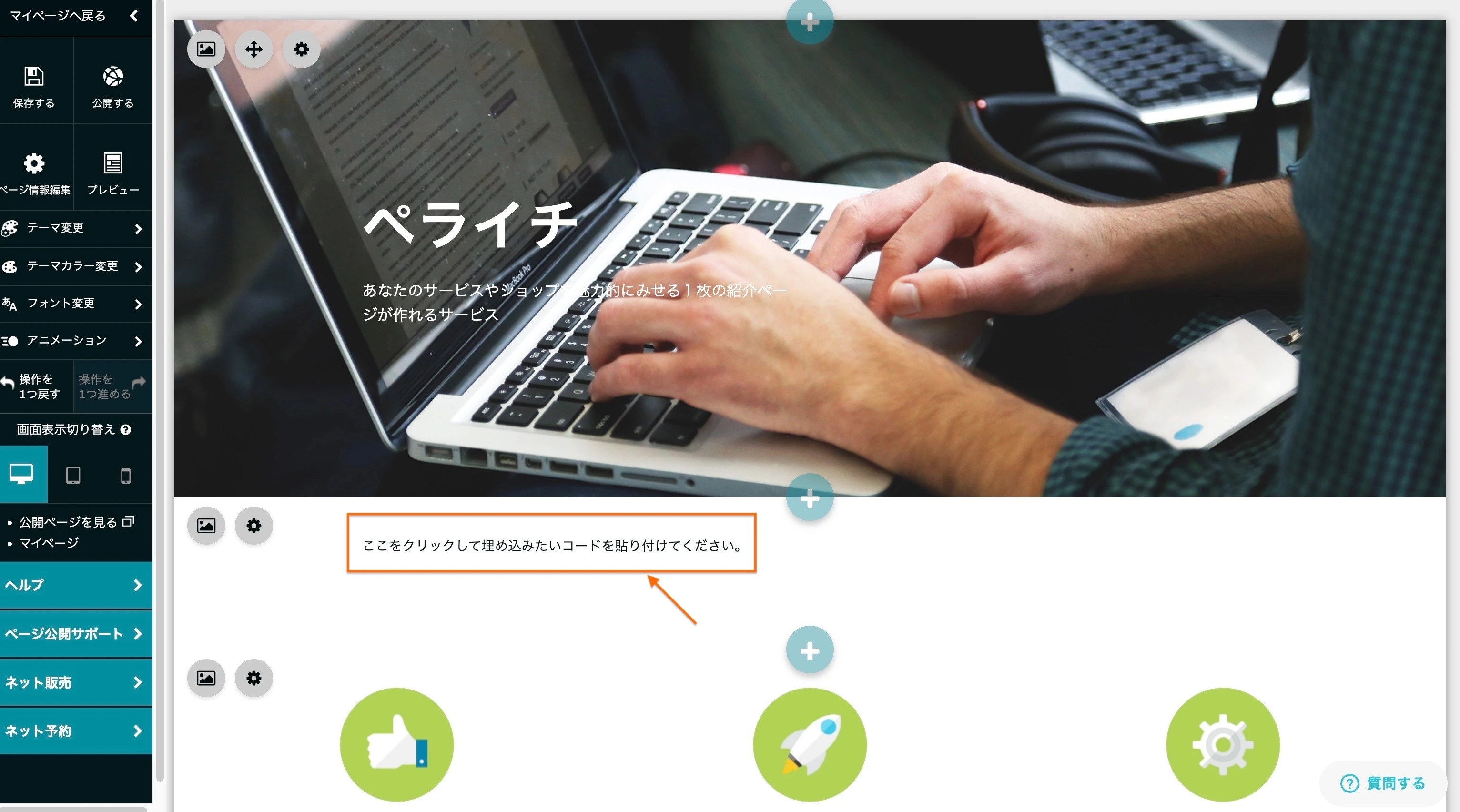
Open the code box. Click the placeholder that reads Click here to paste the code you want to embed.
Paste and save. Paste the code you copied from EmbedSocial into the box and click Save.
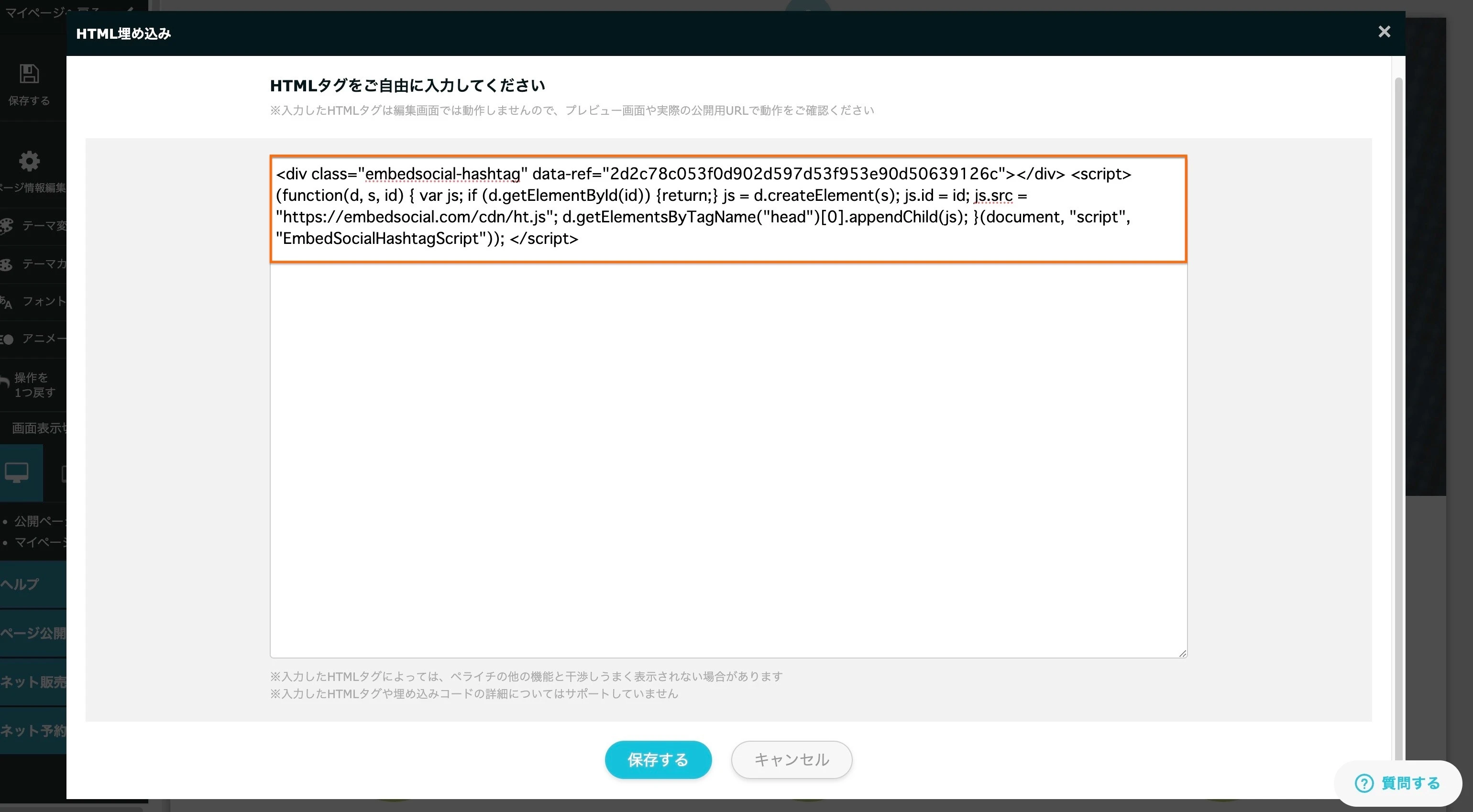
Preview or publish. Click Preview or Publish to see the widget live on your page.
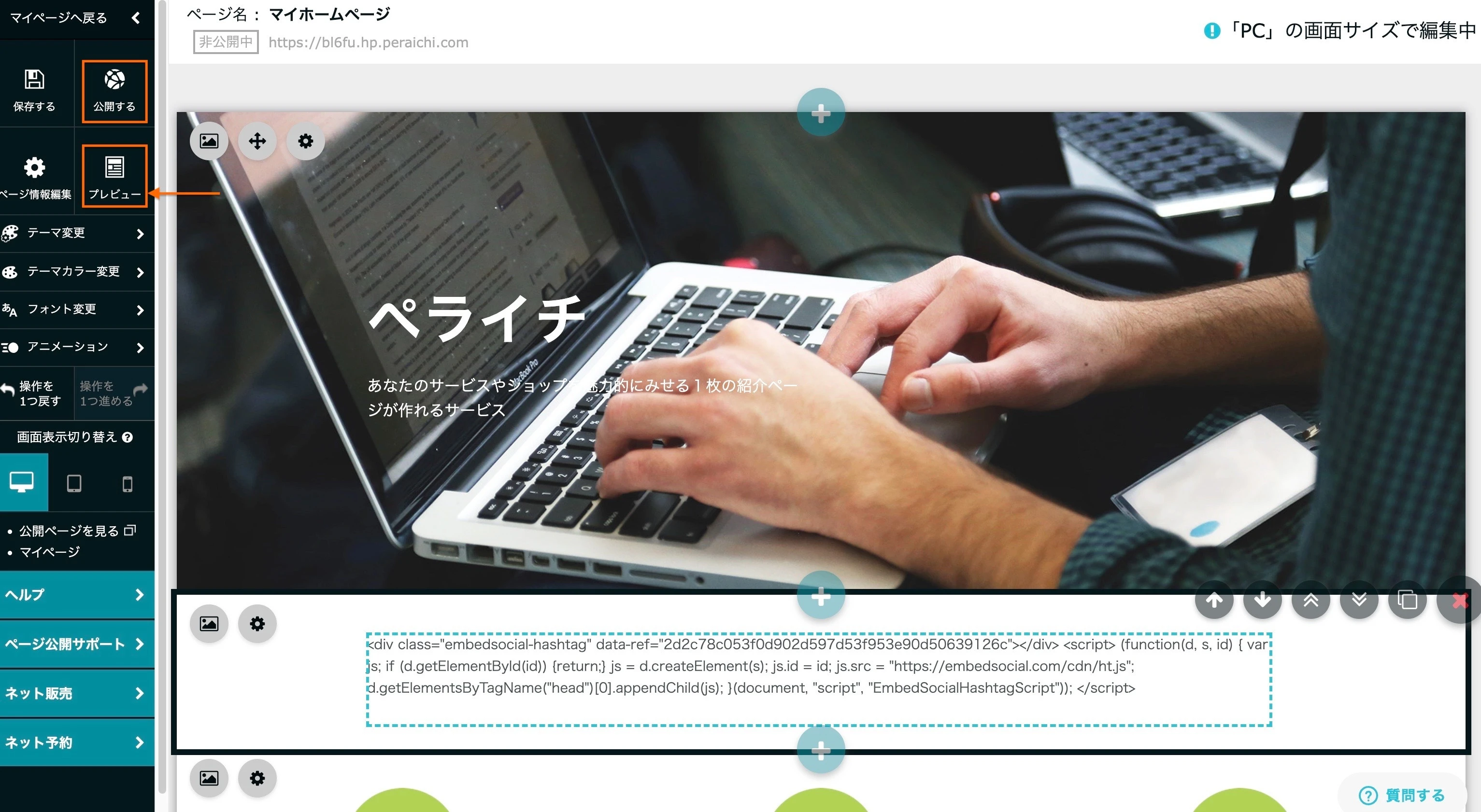


The widget renders on the published page, pulling posts live from your connected source.

The pasted code does not render inside the Peraichi editor itself, only in Preview or on the published page. That is expected, not an error.
If you have any questions, click the bottom right chat icon to talk with our customer success team or send us an email at support@embedsocial.com We're here for you 🙏
FAQ
Why can't I see the widget in the Peraichi editor?
Peraichi's editor shows the raw code, not a live render, for HTML embed blocks. Click 'Preview' or 'Publish' to see the widget itself.
Why won't the HTML embed block save?
Tag embedding is a Regular-plan-and-above feature in Peraichi. If you're on the Light or Free plan, the HTML embed option will not work until you upgrade.
Will the widget update automatically after I embed it?
Yes. The embed code loads the widget live from EmbedSocial, so new posts, moderation changes, and layout edits show up on your Peraichi page without touching the code again.
What's next
Set up Moderation to control which posts appear on the page, or check Widget analytics to see how the embed performs. Browse the full list of EmbedSocial integrations for other platforms you can embed on.
If you have any questions, click the bottom right chat icon to talk with our customer success team or send us an email at support@embedsocial.com We're here for you 🙏